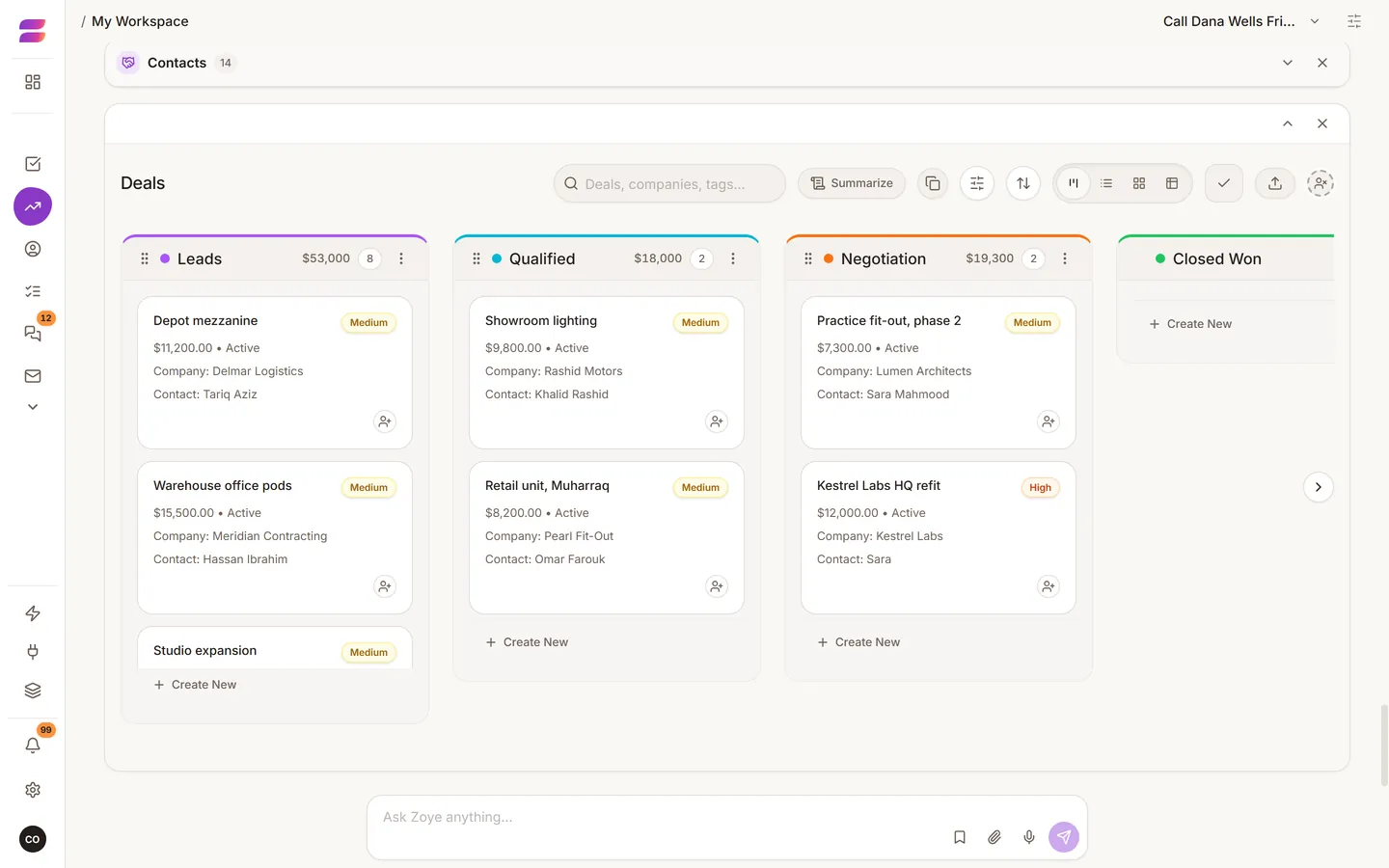
You can run all of this by talking to the assistant. It helps to know the shapes of the records so you know what to ask for.
The records
- Contact: a person. This is also where a lead lives, with a pipeline stage.
- Company: an organisation, with people attached.
- Deal: an opportunity, with a value, a stage, an expected close date and the contacts involved.
- Task: work with an owner and a due date. Tasks can have subtasks.
- Notes and documents: written records and files you can attach to any of the above.
- Event: a meeting or appointment in the calendar.
A task has no contact or company field of its own. It reaches the customer through the deal it is linked to. To make a task "about" a customer, link it to their deal.
Create records with a sentence
"Met Sara from Kestrel Labs, she wants the office refit quoted, about 12,000, decision by the end of the month, send the brochure Tuesday." That one sentence can make a contact, a company, a deal with a value and a close date, and a task, all linked together.
Stages
Stages are the columns of your pipeline. Rename them to the words your business really uses. Five or six is usually enough. Name them after what has happened, such as "Quoted", not how you feel, such as "Hot". Ask the assistant to set them up, or edit them in the app.
Custom fields
Add a field for something you track that the defaults do not cover, such as a property reference or a membership tier. Ask in words: "Add a field on contacts for which branch they belong to." Add only fields you will fill in. Two reliable fields beat ten empty ones.
Finding things
- Ask: "Who has not been contacted in a month?"
- Filter on any page, including on custom fields.
- Use tags for groups that are not a stage and not a field.
Deleting and restoring
Deleted records go to Archive, where you can restore them. If something seems to have disappeared, look there first.
Who sees what
Records belong to one workspace, and permissions are set per workspace. Whatever is hidden from a person in the app is also hidden from the assistant when they use it.