An automation is "when this happens, do that". You describe it in a sentence. There is no canvas to wire up. Open Automations in the left sidebar (on a phone, More > Automations). Availability depends on your plan, see pricing.
What it is made of
- Trigger: what starts it, such as a new record, a stage change, a WhatsApp message arriving, or a schedule.
- Conditions: optional filters, such as only deals over a certain value, or only leads from a business card.
- Steps: what happens, in order. Create something, send something, notify someone, or wait.
Two step types are worth knowing. A delay waits real time, for example a day, before the next step. Wait for a reply branches on whether the person answered, and it always comes last.
Build one
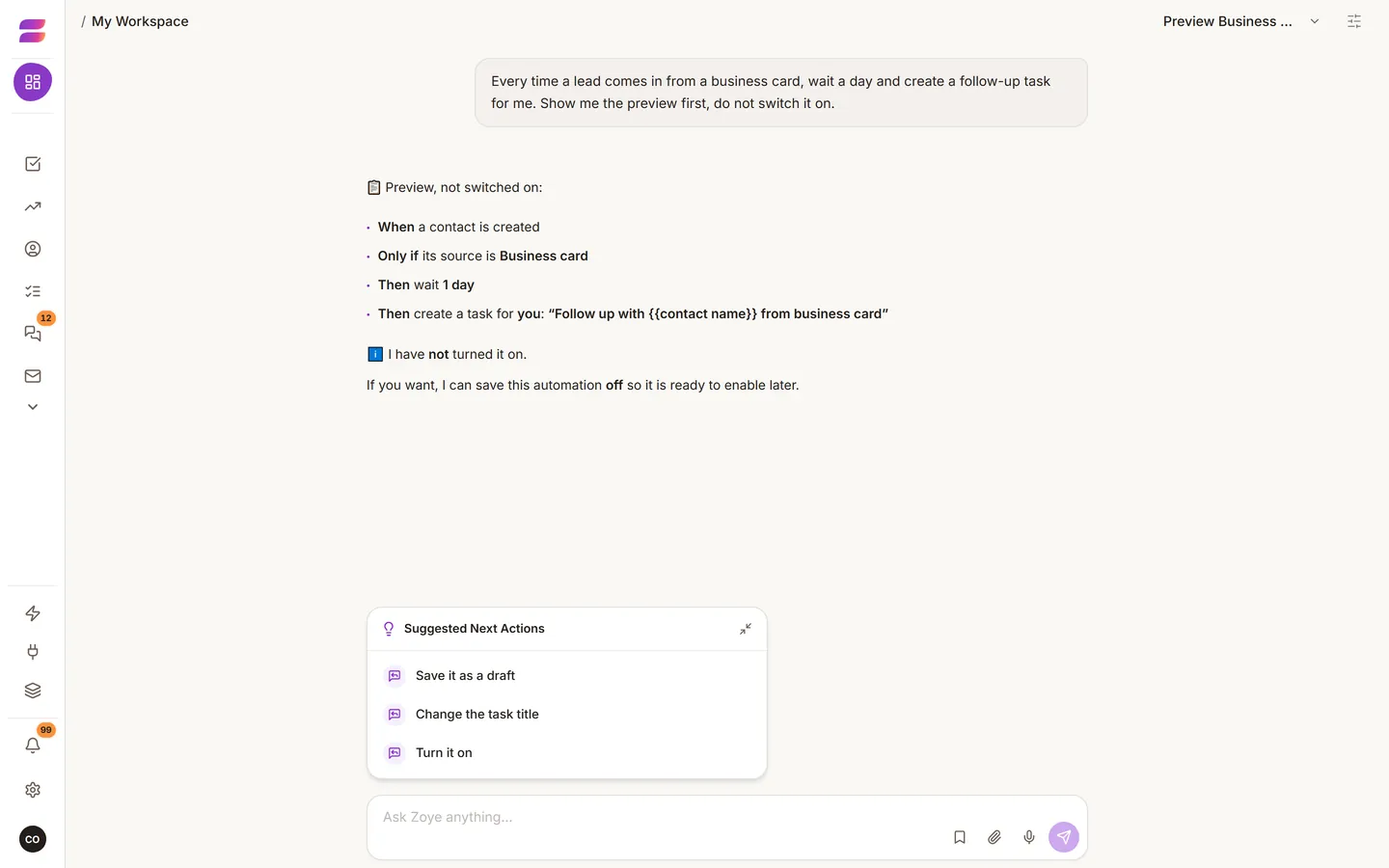
- Say what you want: "Every time a lead comes in from a business card, wait a day and create a follow-up task for me."
- The assistant shows a draft and a plain-language preview of exactly what will happen.
- Read the preview carefully. This is the moment to catch a misunderstanding.
- Approve it. It is created switched off.
- Turn it on when you are ready.
While a draft is open, your next messages change that draft: "Make the delay two days." "Only for deals over 10,000." To change subject, say "forget that, suggest something else".
Good ones to start with
- Follow up every business card.
- Chase a quote with no reply after three days.
- Remind people of an appointment.
- Notify yourself about a big deal.
- Win back customers who have gone quiet.
Check they work
Ask the assistant: "What automations do I have?" or "Why didn't that one run?" Every run is logged, so you get a real answer. If one misbehaves, pause it instead of deleting it.
Two cautions
- Anything that messages customers still follows the WhatsApp rules on consent and approved templates. See Consent and templates.
- An automation runs with the permissions of the person who built it.