Zoye LogoZoye Logo
All FeaturesWorkflow AutomationsAI NotetakerAgent on WhatsAppWhatsApp AutomationsFacebook & InstagramChats InboxTeam WhatsAppBookings & Packages
Small BusinessReal Estate AgentsCoaches & TherapistsTrainers & Fitness StudiosCourse Creators & EventsSalons & BarbershopsTravel Agents & ToursAgencies & Client WorkCreators & InfluencersVacation Rentals
AI Business AssistantPricingAboutDiscord
HomeHelpWhatsApp

Auto-messages, audiences and broadcasts

Greet every new lead automatically, build an audience and send a broadcast on WhatsApp, with the rules that protect your number.

Updated: 11 November 2026

Auto-messages, audiences and broadcasts

Pick the right tool for what you want to do.

The four tools

  • Lead bot: someone messages you and you want them answered and qualified. See Set up the lead bot.
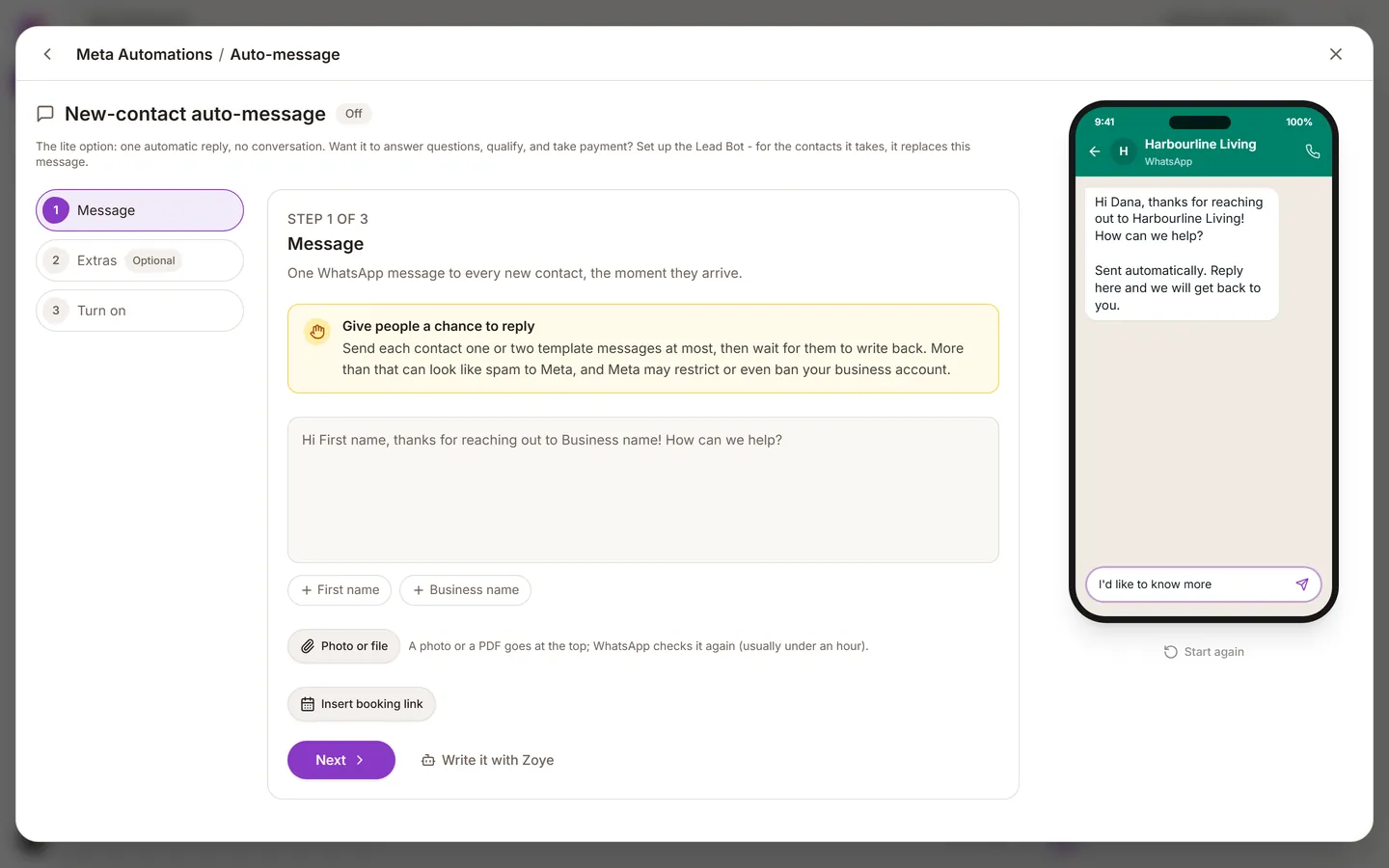
  • Auto-message: every brand-new lead gets a greeting the moment they are added, from any source.
  • Broadcast: one campaign to many existing contacts, such as an announcement or an offer.
  • Audience: a saved group of contacts to aim a broadcast at. It is for targeting, not for filing. To organise contacts, use tags or a pipeline stage.

You will find Auto-message, Audiences and Broadcasts in the left sidebar.

The new-lead auto-message

  1. Open Auto-message, or ask the assistant to set one up.
  2. Write a short message: who you are, that a person will follow up, and one question that moves things forward.
  3. Choose which lead sources it applies to.
  4. Confirm consent, then turn it on.

Consent here is separate from the lead bot. See Consent and templates.

Send a broadcast

  1. Build the audience: who, by stage, tag or another attribute.
  2. Pick an approved template.
  3. Preview it and check the placeholders fill in with a real contact.
  4. Send it, or schedule it for a sensible hour in your customers' time zone.
  5. Watch the first few minutes. If people are blocking or reporting, stop.

Keep your number safe

  • Only message people who agreed to it.
  • Do not broadcast every week.
  • Meta may charge for business-started messages. See The 24-hour window and pricing.
  • A QR code or a click-to-WhatsApp advert gets customers to message you first, which is better for them and for your costs.

Was this helpful?

PreviousSet up the lead bot
Zoye LogoZoye Logo

The AI-native CRM and agent you run your whole business with

hello@zoye.io
StartupBase Daily Winner - GoldStartupBase Weekly Winner - Gold
AES-256 EncryptionMeta Tech ProviderMeta Tech ProviderNVIDIA Inception ProgramNVIDIA Inception Program
Product
  • All Features
  • Workflow Automations
  • AI Notetaker
  • Agent on WhatsApp
  • WhatsApp Automations
  • Facebook & Instagram
  • Chats Inbox
  • Team WhatsApp
  • Bookings & Packages
  • AI Business Assistant
  • Pricing
  • Blog
  • Sync Users Guide
Solutions
  • Small Business
  • Real Estate Agents
  • Coaches & Therapists
  • Trainers & Fitness Studios
  • Course Creators & Events
  • Salons & Barbershops
  • Travel Agents & Tours
  • Agencies & Client Work
  • Creators & Influencers
  • Vacation Rentals
  • Playbooks
Company
  • About
  • Affiliates
  • Help
  • Discord
  • Try Zoye
Available in
  • EN
  • HE
  • FR
  • ES
  • RU
  • HU
  • PL
  • DE
  • PT
  • NL
  • IT
  • AR

© 2026 Zoye - ManyTours Kft. All rights reserved.

Privacy PolicyTerms of ServiceSecurity