Zoye LogoZoye Logo
All FeaturesWorkflow AutomationsAI NotetakerAgent on WhatsAppWhatsApp AutomationsFacebook & InstagramChats InboxTeam WhatsAppBookings & Packages
Small BusinessReal Estate AgentsCoaches & TherapistsTrainers & Fitness StudiosCourse Creators & EventsSalons & BarbershopsTravel Agents & ToursAgencies & Client WorkCreators & InfluencersVacation Rentals
AI Business AssistantPricingAboutDiscord
HomeHelpWhatsApp

Set up the lead bot

A menu on WhatsApp that answers new enquiries in seconds, asks your qualifying questions and moves good leads into your pipeline.

Updated: 11 November 2026

Set up the lead bot

The lead bot answers a new enquiry within seconds, asks the questions you would ask, and moves the promising ones into your pipeline. Availability depends on your plan, see pricing. Building it is for owners and admins.

Plan it first

Do not copy your website. Write down:

  • The three or four questions customers ask you most, with a one or two sentence answer each.
  • The two or three things you need to know to judge if an enquiry is real: budget, timing, location, size.
  • Whether you want to take a deposit.

Build it

You can do either, and both give the same result.

  • Ask the assistant, from the web or from WhatsApp. For example: "Set up a lead bot for my fit-out business. Answer questions about pricing and timelines, and ask whether it is an office or a shop, and when they need it." It builds the setup and asks you for anything missing.
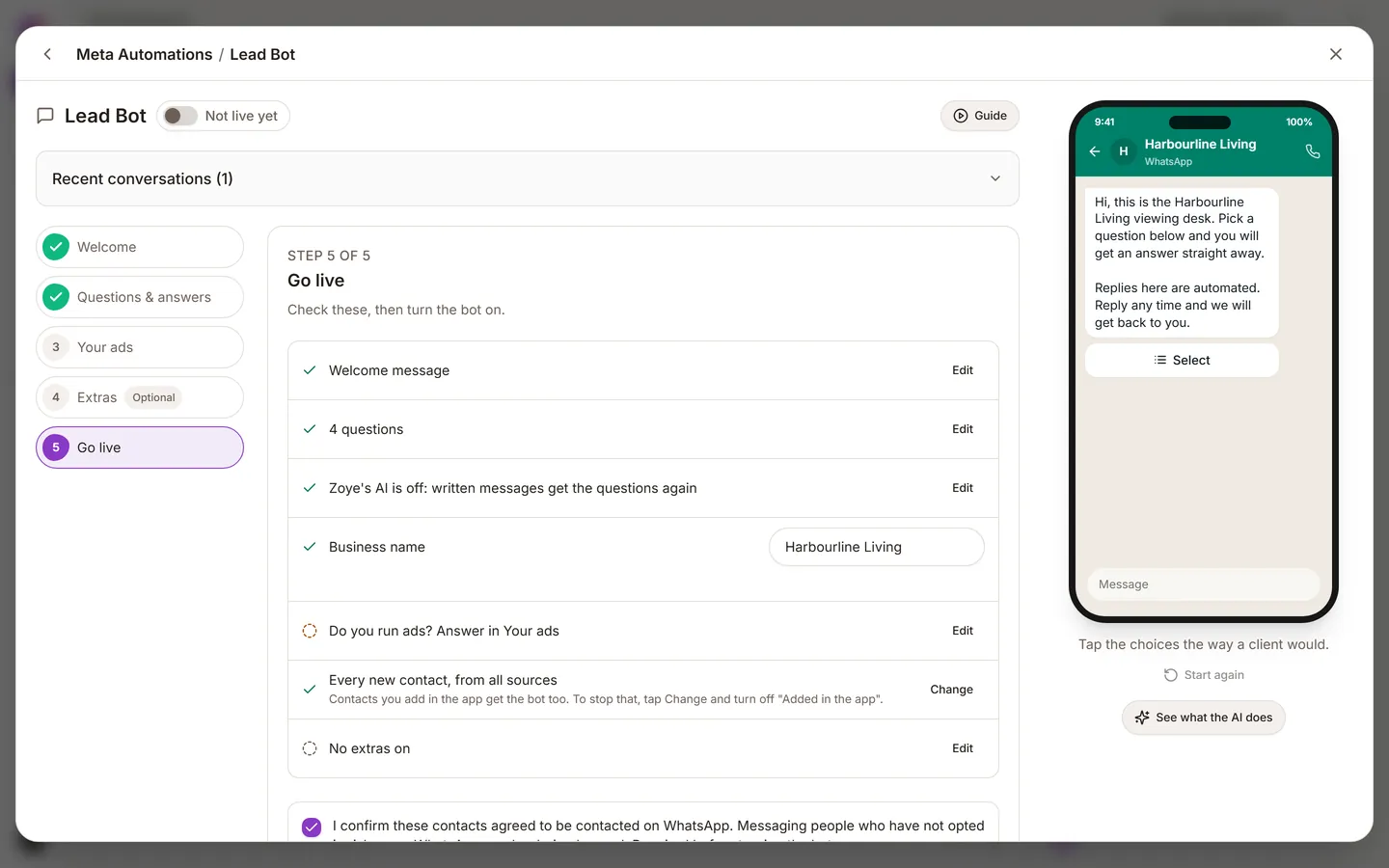
  • Build it yourself on the Lead Bot page in the left sidebar. Add the menu questions and answers, add your qualifying questions, choose which pipeline stage a qualified lead lands in, optionally add a payment link for a deposit, confirm consent, then turn it on.

Why it may refuse to turn on

The bot is only enabled when it is truly ready.

  • Consent not confirmed: you confirm this yourself, the assistant cannot do it for you.
  • No questions yet: add at least one.
  • A pay option without a link: add the link or remove the option.
  • A template not approved yet: only needed if the bot starts conversations. See Consent and templates.

Test it like a stranger

  1. Message your business number from a different phone.
  2. Walk the whole menu, including the paths you think nobody will take.
  3. Give a deliberately weak answer and check that the lead does not look urgent in your pipeline.
  4. Open the record it created and check the stage, the fields and the conversation.

Was this helpful?

PreviousConsent and templates on WhatsAppNextAuto-messages, audiences and broadcasts
Zoye LogoZoye Logo

The AI-native CRM and agent you run your whole business with

hello@zoye.io
StartupBase Daily Winner - GoldStartupBase Weekly Winner - Gold
AES-256 EncryptionMeta Tech ProviderMeta Tech ProviderNVIDIA Inception ProgramNVIDIA Inception Program
Product
  • All Features
  • Workflow Automations
  • AI Notetaker
  • Agent on WhatsApp
  • WhatsApp Automations
  • Facebook & Instagram
  • Chats Inbox
  • Team WhatsApp
  • Bookings & Packages
  • AI Business Assistant
  • Pricing
  • Blog
  • Sync Users Guide
Solutions
  • Small Business
  • Real Estate Agents
  • Coaches & Therapists
  • Trainers & Fitness Studios
  • Course Creators & Events
  • Salons & Barbershops
  • Travel Agents & Tours
  • Agencies & Client Work
  • Creators & Influencers
  • Vacation Rentals
  • Playbooks
Company
  • About
  • Affiliates
  • Help
  • Discord
  • Try Zoye
Available in
  • EN
  • HE
  • FR
  • ES
  • RU
  • HU
  • PL
  • DE
  • PT
  • NL
  • IT
  • AR

© 2026 Zoye - ManyTours Kft. All rights reserved.

Privacy PolicyTerms of ServiceSecurity