Zoye LogoZoye Logo
All FeaturesWorkflow AutomationsAI NotetakerAgent on WhatsAppWhatsApp AutomationsFacebook & InstagramChats InboxTeam WhatsAppBookings & Packages
Small BusinessReal Estate AgentsCoaches & TherapistsTrainers & Fitness StudiosCourse Creators & EventsSalons & BarbershopsTravel Agents & ToursAgencies & Client WorkCreators & InfluencersVacation Rentals
AI Business AssistantPricingAboutDiscord
HomeHelpGetting started

Get started with Zoye

Create your account, take the tour and learn the two levels, organisation and workspace, in about fifteen minutes.

Updated: 11 November 2026

Get started with Zoye

You can go from an empty account to a workspace with your real contacts in it in about fifteen minutes. Do this once, properly, and everything else has something to work with.

Create your account

Go to app.zoye.io and register with your work email. Confirm the email, then sign in. You can start on the smallest plan. To compare plans, see pricing.

Take the guided tour

The app has a short tour of the main screens. It is the fastest way to find your feet. To start it again later, tap the compass button at the bottom of the left sidebar, or ask the assistant to start the tour.

Organisation and workspace

These are two levels, and it helps to know the difference.

  • Organisation: your business. Billing, your team and all your records belong to it.
  • Workspace: a part of the business, such as a branch, a brand or a client. Each record lives in exactly one workspace, and permissions are set per workspace.

Most small businesses need only one workspace. Add a second only when two parts of the business should not see each other's records. The workspace switcher is in the left sidebar, under Connectors.

Find your way around

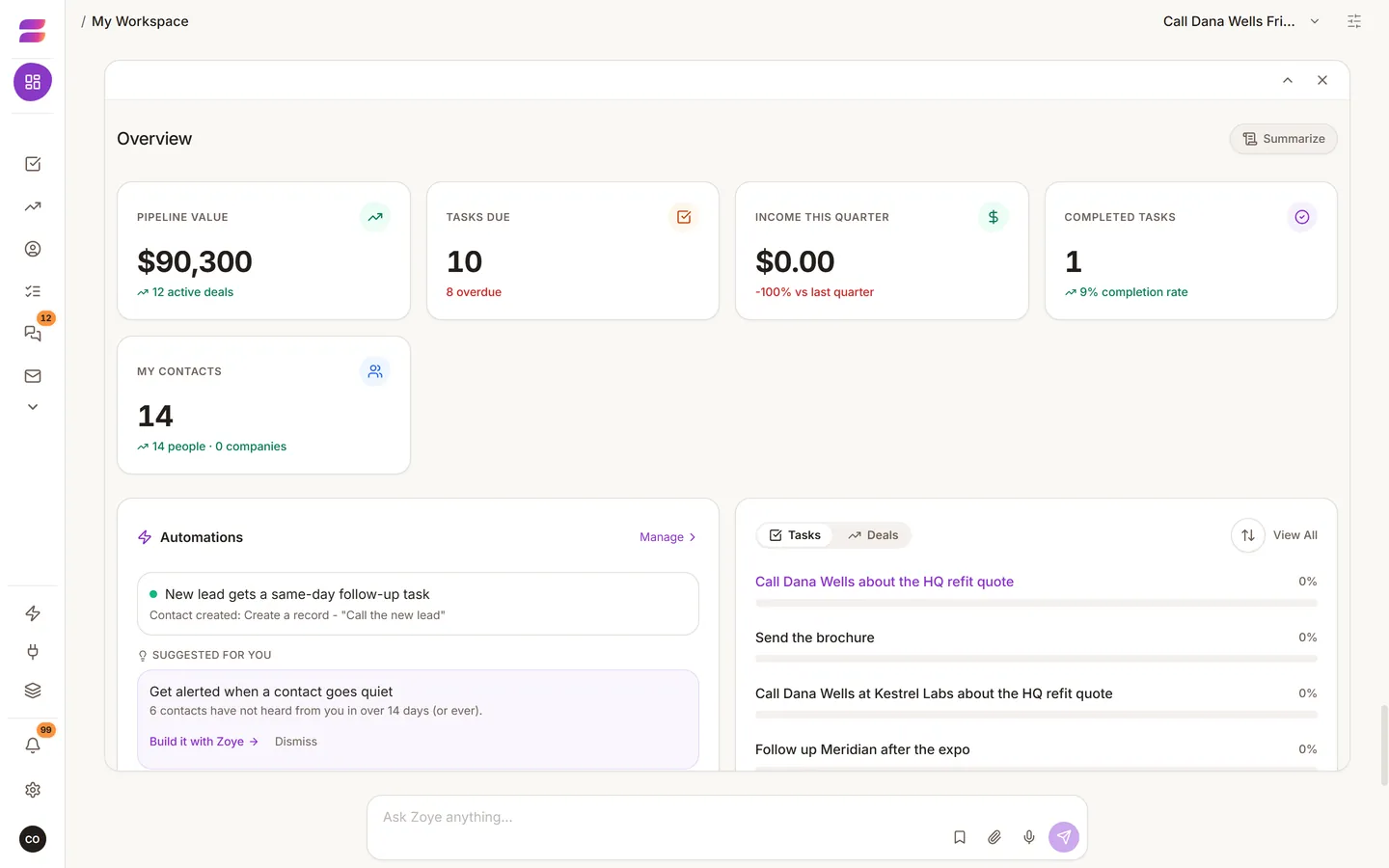
The left sidebar holds the main pages: Overview, Contacts, Deals, Tasks, Calendar, Docs, Budget, Meetings, Team, Reports and Archive. Pages you do not use can be hidden with Change tools in the profile menu (your photo at the bottom of the sidebar). Only owners and admins see it. Anything you hide is hidden from the assistant too.

On a phone, the same things are under More.

Next steps

  • Connect your accounts
  • Talk to the assistant
  • Link your WhatsApp number

Was this helpful?

NextConnect your accounts and bring your contacts in
Zoye LogoZoye Logo

The AI-native CRM and agent you run your whole business with

hello@zoye.io
StartupBase Daily Winner - GoldStartupBase Weekly Winner - Gold
AES-256 EncryptionMeta Tech ProviderMeta Tech ProviderNVIDIA Inception ProgramNVIDIA Inception Program
Product
  • All Features
  • Workflow Automations
  • AI Notetaker
  • Agent on WhatsApp
  • WhatsApp Automations
  • Facebook & Instagram
  • Chats Inbox
  • Team WhatsApp
  • Bookings & Packages
  • AI Business Assistant
  • Pricing
  • Blog
  • Sync Users Guide
Solutions
  • Small Business
  • Real Estate Agents
  • Coaches & Therapists
  • Trainers & Fitness Studios
  • Course Creators & Events
  • Salons & Barbershops
  • Travel Agents & Tours
  • Agencies & Client Work
  • Creators & Influencers
  • Vacation Rentals
  • Playbooks
Company
  • About
  • Affiliates
  • Help
  • Discord
  • Try Zoye
Available in
  • EN
  • HE
  • FR
  • ES
  • RU
  • HU
  • PL
  • DE
  • PT
  • NL
  • IT
  • AR

© 2026 Zoye - ManyTours Kft. All rights reserved.

Privacy PolicyTerms of ServiceSecurity