Quick answer: As of October 2026, the regular WhatsApp and WhatsApp Business apps still have no general "send later" button for a normal chat message, although a native scheduler was rolling out to some Android beta testers. You can schedule today with an iPhone Shortcuts automation, an Android scheduler app, scheduled business broadcasts in the WhatsApp Business app, or software on the WhatsApp Business Platform that sends approved templates at a set time.
Key takeaways (October 2026)
- WhatsApp's Help Center, checked on 23 October 2026, has no article for scheduling an ordinary chat message. It does document scheduled away messages, scheduled business broadcasts, events and Meta AI reminders.
- A native scheduler reached some Android beta testers in build 2.26.40.7, reported by WABetaInfo on 12 October 2026: messages from 10 minutes to two weeks ahead, delivered even if the phone is offline.
- Scheduled business broadcasts in the WhatsApp Business app are paid, reviewed by Meta, available in limited countries, and can take up to 3 hours to process.
- On the Platform, anything sent more than 24 hours after the customer's last message must be an approved template, and Meta bills per delivered message by category.
- For a business, the useful question is not "what time" but "what event": a reminder 24 hours before a booking, a nudge 3 days after a quote, a payment message on the due date.
Scheduling a WhatsApp message sounds like a small feature. In practice it covers three very different jobs. Some people want to send a birthday message at midnight without staying awake. Some want a message to land in another time zone during that person's working hours. And businesses want reminders, follow-ups and offers to go out on time without someone remembering to press send. The tools that solve the first job are mostly the wrong tools for the third, which is why so many guides leave readers with a fragile workaround.
This guide takes each route in turn: what WhatsApp itself offers in October 2026, how the iPhone and Android workarounds work and where they break, what the WhatsApp Business app can and cannot schedule, how scheduling works on the WhatsApp Business Platform, and how a business moves from "send at 9am" to messages that follow the customer record. If you already know you want the business version, our WhatsApp automations page shows the whole set.
Can you schedule a message on WhatsApp? The honest answer
No native scheduler for normal chats exists in the standard WhatsApp apps as of October 2026. WhatsApp's Help Center documents no way to write a message to a contact or group and have it sent later. A scheduler was rolling out to some Android beta testers in October, so the answer may change soon, but most people cannot use it yet.
We checked WhatsApp's own Help Center on 23 October 2026, searching for "schedule message" and "scheduled". Neither search returned an article about scheduling a chat message. What the Help Center does document is narrower, and worth knowing because each piece solves part of the problem:
- Away messages in the WhatsApp Business app can be scheduled: always on, on a custom schedule, or outside the business hours on your profile. They only answer people who write to you. The Help Center adds that your device needs an active internet connection for them to send.
- Business broadcasts in the WhatsApp Business app can be sent now or scheduled. They are paid once your free allowance is used, reviewed by Meta before sending, and "currently available in limited countries".
- Events can be created in individual and group chats with a name, date and time. People who answer Going or Maybe get a notification when the event starts. Useful for a meetup, not for sending a message later.
- Meta AI scheduled tasks can remind you of something one time, daily, weekly or monthly. The reminder goes to you, not to a customer, and Meta AI is only available in some countries.
The native scheduler is the part that is moving. WABetaInfo, which tracks WhatsApp beta builds, reported on 12 October 2026 that scheduled messages were rolling out to some testers on WhatsApp beta for Android 2.26.40.7, with wider availability expected over the following weeks. According to that report, you can schedule text, links and one photo or video per message, no earlier than 10 minutes ahead and no later than two weeks ahead, and WhatsApp sends it at the chosen time even if your phone is offline or the app is closed. Scheduled messages stay end-to-end encrypted, and you can view or delete them before they go out.
Two things follow. First, if you are on a recent Android beta, check your send button before installing anything. Second, even when this ships to everyone, it will be a personal convenience: one message, one chat, chosen by hand. It will not know that the customer already paid, rebooked or asked you to stop.
Six ways to schedule WhatsApp messages, compared
There are six workable routes in October 2026. Personal users usually need one of the first three. Businesses sending reminders, follow-ups or offers to customers need one of the last two, because those are the routes that respect Meta's rules and scale beyond a handful of messages.
| Method | Works for | Phone must be on at send time | Personalised per person | Scale | Main risk or limit |
|---|---|---|---|---|---|
| Native scheduler (Android beta) | One chat or group | No, per WABetaInfo | Written by hand | A few messages | Only some beta testers, two weeks ahead at most |
| iPhone Shortcuts automation | One contact per automation | Yes | Written by hand | A few messages | Repeats daily, weekly or monthly; may need a tap on some setups |
| Android scheduler apps | One or more chats | Usually yes, often unlocked | Limited | A few dozen | Accessibility permission sees your whole screen |
| Browser extensions for WhatsApp Web | Chats on desktop | Computer and browser open | Limited | A few dozen | Unofficial, can stop working after any update |
| WhatsApp Business app broadcasts | Opted-in customers | Keep the window open until set | Same text for everyone | Larger audiences | Paid, reviewed by Meta, limited countries, up to 3 hours delay |
| WhatsApp Business Platform via software | Any opted-in contact | No | Yes, through template variables | Grows with your messaging limit | Templates need approval; per-message charges |
The pattern is simple. The closer a method sits to your phone screen, the more it depends on that phone being on, unlocked and running the right app version. The closer it sits to the official Platform, the more rules it asks you to follow, and the more reliably it sends.
How to schedule a WhatsApp message on iPhone with Shortcuts
On iPhone, the dependable workaround is a personal automation in Apple's Shortcuts app. It runs at a time you choose and uses WhatsApp's Send Message action, the same Siri integration WhatsApp documents in its Help Center. It works well for a few recurring messages, but the phone must be on and online.
Here is the setup, which takes about five minutes:
- Turn on WhatsApp for Siri. Go to Settings, then Siri (or Apps, then Siri on newer iOS), open WhatsApp and turn on "Use with Siri Requests". WhatsApp's Help Center describes this step for sending messages with Siri, and the Shortcuts action depends on it.
- Create the automation. Open Shortcuts, tap Automation, then the plus button, and choose Time of Day. Pick the time and choose how often it repeats: daily, weekly or monthly.
- Make it run without asking. Select "Run Immediately" (older iOS versions call this "Ask Before Running", which you switch off). Turn off "Notify When Run" if you do not want a banner.
- Add the message. Tap New Blank Automation, search for WhatsApp, choose Send Message, write the text and pick the recipient.
- Test it on yourself. Set the time two minutes ahead and send to your own chat (WhatsApp lets you message yourself). If it arrives, change the recipient and the real time.
Where it breaks. Time-of-day automations repeat; there is no "once on 14 March" option, so a one-off message needs the automation switched off after it fires, or it will go again next week. If the iPhone is off, in a dead zone or out of battery at that minute, nothing is sent later. Depending on the iOS version, a locked phone or Focus mode, some setups still open WhatsApp and wait for you. And each automation is one fixed message to one chat, so it suits a weekly note to a team or a monthly reminder to a supplier, not twenty personalised customer messages.
How to schedule WhatsApp messages on Android
On Android, first check whether your WhatsApp build shows a schedule option on the send button, since a native scheduler was reaching some beta testers in October 2026. Otherwise, the common route is a scheduler app from the Play Store that drives WhatsApp through Android's accessibility permission. Treat that permission seriously.
Check for the native option first. If you are on WhatsApp beta for Android, open a chat, write a message and press and hold the send button. If you see a schedule option, choose a date and time between 10 minutes and two weeks ahead. Per the WABetaInfo report, the message is held by WhatsApp and sent at that time even if your phone is offline, and members who join a group after you scheduled it will not receive it.
Scheduler apps, if you must. Most Android scheduler apps work the same way. You write the message and set the time in the app; at that time it opens WhatsApp on your phone and presses send for you. To press buttons inside another app, it needs the accessibility permission, which Android designed for assistive tools. That permission lets an app read what is on your screen and act on it. Before you grant it, ask three questions:
- Who makes it? A developer with a privacy policy, a clear business model and a long review history is a different bet from a new app with no address.
- What does it read? An app with accessibility access can, in principle, see every chat you open while it is active, including customers' details.
- Does the phone need to be unlocked? Many such apps can only send when the screen is on and unlocked, or ask you to disable your lock screen. On a business phone, that trade is rarely worth it.
What never to install. Some "WhatsApp with scheduling" offers are modified copies of WhatsApp itself. WhatsApp's Help Center names examples of unofficial apps, including GB WhatsApp, FM WhatsApp and TM WhatsApp, and says that using them violates the Terms of Service and can lead to a temporary or permanent ban. A banned business number takes its customer conversations with it. No scheduling feature is worth that.
Scheduling from WhatsApp Web and desktop
WhatsApp Web and the desktop apps have no scheduler either. Browser extensions add one by sitting on top of WhatsApp Web and pressing send at the chosen time, so they only work while your computer is on, the browser is open and your session is logged in.
Extensions have the same weakness as Android scheduler apps, plus one more. They read the WhatsApp Web page you have open, so they can see your chats, and they depend on the page's structure, so a WhatsApp update can break them overnight without warning. Some also offer bulk sending to unsaved numbers, which is exactly the pattern WhatsApp's spam detection looks for. If you use one for personal convenience, keep it to your own chats and keep the volume low. For customer messages, the next two sections are the routes built for the job.
Want to see it in action?
See Zoye catch a new lead, answer on WhatsApp and set up the follow-up, all from one message.
See How It WorksCan you schedule messages in WhatsApp Business?
The WhatsApp Business app cannot schedule a single message to one customer as of October 2026. It can schedule away messages, and in some countries it can schedule paid business broadcasts that Meta reviews before sending. For one-to-one reminders and follow-ups at volume, the Business app is the wrong tool.
Scheduled away messages. In the app, go to Tools, then Away message, turn it on, write the text and tap Schedule. You can send it always, on a custom schedule such as a holiday, or outside the business hours set in your profile. This is not sending later: it is a timed auto-reply to people who message you. For wording ideas, see our guide to WhatsApp greeting messages.
Scheduled business broadcasts. Where the feature is available, you go to Tools, then Business broadcasts, choose an audience, add text, media and an optional button (catalog, custom reply, call or website), preview, and either send now or schedule. WhatsApp's Help Center spells out the conditions: you pay once your free messages are used, an amount equal to the selected contacts is reserved, you only pay for delivered messages, and you are refunded for broadcasts not delivered within 5 days. Every broadcast is reviewed by Meta before it goes out, processing usually takes a few seconds but can take up to 3 hours, and you must keep your window open until the campaign is set. You also need opt-in from every recipient and must honour any request to stop.
Old-style broadcast lists. The classic broadcast list still caps at 256 contacts and only reaches people who saved your number, and it sends at the moment you press send. Our WhatsApp broadcast guide covers those rules in detail.
What is missing in the app is the thing businesses need most: a message to Dana on Thursday at 10, a different message to Omar on Friday at 4, both personalised and both cancelled if they reply first. For that, you need the Platform.
Scheduling on the WhatsApp Business Platform
The WhatsApp Business Platform (the API) has no "send later" button, because it is not an app. Your software holds the schedule and calls Meta at the right moment. That means scheduling is as smart as the software, while every message still follows Meta's rules on templates, the 24-hour window, consent and pricing.
These are the rules that decide what a scheduled message can be, verified on Meta's developer documentation in October 2026:
- The 24-hour window. For 24 hours after a customer's last message, you can reply with free-form text. Outside that window, you can only send an approved message template. Almost every scheduled message falls outside the window, so in practice scheduled messages are templates. Our guide to WhatsApp message templates explains categories and approval.
- Per-message billing. Meta bills per delivered message, by category (marketing, utility, authentication, service) and by the recipient's country. Marketing templates are always charged. Since 1 October 2026, utility templates sent inside an open customer service window are charged again; they were not charged from July 2025 to 30 September 2026.
- Service messages. A free-form reply inside the window is a service message. As of October 2026, Meta gives each business phone number 1,000 of them at no charge every month, unused ones do not carry over, and the rest are billed.
- The free entry point. A conversation that starts from a click-to-WhatsApp ad opened in the WhatsApp app on Android or iOS (not on desktop or web), answered within the window, opens a window of up to 7 days in which marketing, utility, authentication and service messages are free.
- Rates. Meta can change rates only on the first day of a quarter, and rates vary by country, so read Meta's current rate card rather than a figure in an article. Our WhatsApp Business API pricing guide walks through the categories.
- Messaging limits. The Platform has no 256-contact cap. Instead, a messaging limit governs how many unique people you can start conversations with in a rolling 24 hours, starting low and rising with quality and verification. Scheduling 3,000 messages for 9:00 sharp on a new number is a quick way to hit it; pacing them protects your quality rating.
- Consent. You may only message people who gave you their number and permission. A scheduled message to someone who never opted in is still spam, however polite.
There is one more practical point. A number registered on the Platform is managed through software, not through the regular app on one phone. If you are deciding between the two, our comparison of the WhatsApp Business app vs API covers what changes.
See what Zoye can do for you
CRM, deals, tasks and your Instagram, Facebook and WhatsApp automations in one workspace. Just ask Zoye and it sets any of it up for you.
Explore FeaturesWhat businesses actually schedule: reminders, follow-ups and broadcasts
Businesses rarely need a message at a fixed clock time. They need a message tied to an event on the customer record: a booking tomorrow, a quote sent three days ago, an invoice due today. Scheduling from the record means the message moves when the date moves and stops when the customer acts.
A clock-time scheduler has one blind spot. You set "remind Lena about her appointment on Tuesday at 9", then Lena rebooks to Friday on Monday night. The reminder still goes out on Tuesday, for the wrong day. Or you schedule a follow-up for a quote, the customer pays the next morning, and your "just checking in on the quote" lands an hour after their payment. Both are small, and both teach the customer that nobody is paying attention.
Record-driven scheduling fixes this by asking two questions for every message: what starts it, and what stops it.
| Message | What starts it | What stops it | Usually sent as |
|---|---|---|---|
| Appointment reminder | Booking time minus 24 hours | Booking moved or cancelled | Utility template |
| Final appointment nudge | Booking time minus 2 hours | Customer already confirmed | Utility template |
| Quote follow-up | Quote sent, 3 days with no reply | Customer replies, pays or declines | Utility or marketing template, by content |
| Payment reminder | Invoice due date arrives | Invoice marked paid | Utility template |
| Re-engagement offer | Last purchase 60 days ago | Customer bought again or opted out | Marketing template |
| Scheduled broadcast | A date you choose | Recipient opted out | Marketing template |
The numbers in that table are starting points, not rules. Our guide to WhatsApp appointment reminders covers reminder timing in depth, and the WhatsApp follow-up sequence guide covers spacing and stop conditions for sales follow-ups.
Timing rules that make scheduled messages land
Scheduled messages work when they arrive at a sensible hour in the customer's own time zone, never interrupt a live conversation, and carry the right details. Most failures are not about the copy but about timing: 7am pings, duplicate sends, and reminders for appointments that already moved.
Use the recipient's time zone. A message scheduled for 10:00 in your time zone may land at 03:00 for a customer abroad. Store the customer's time zone or country on the record and schedule in their local time.
Set quiet hours. Decide a window you will never send outside, for example 08:30 to 20:00 local time, with weekends off for anything non-urgent. A reminder for a Monday 09:00 booking can go on Sunday afternoon rather than at 07:00 on Monday.
Pause when a person is talking. If the customer wrote to you in the last hour, a scheduled template on top of a live chat reads like a robot that did not notice. Hold or skip the scheduled message while the conversation is active.
One message per person per moment. A customer in two audiences should not receive the same offer twice. Deduplicate before sending.
Check the details at send time, not at scheduling time. If your message includes a name, date or amount, for example "Hi {first_name}, your booking is on {date}", fill those fields from the record at the moment of sending, so a rebooked date is correct.
Pace large sends. Spread a broadcast over minutes or hours instead of firing everything at 09:00. It keeps you inside your messaging limit and gives you time to stop if replies show a mistake.
Always offer a way out. Every scheduled marketing message should tell people how to stop, and a STOP reply should end all scheduled messages to that person, not only the current one.
Ready to hand off the busywork?
Zoye brings AI-powered CRM, task management, and automation into one workspace.
Get StartedHow Zoye schedules WhatsApp messages from the customer record
Zoye is an AI Business Operator: thirteen connected tools, including CRM, tasks, deals, calendar, documents, invoices and WhatsApp automations, plus an AI assistant that operates them for you in the app, on WhatsApp, in Slack and through the Claude connector. For scheduling, that means a WhatsApp message is attached to the record it belongs to, not to a phone alarm.
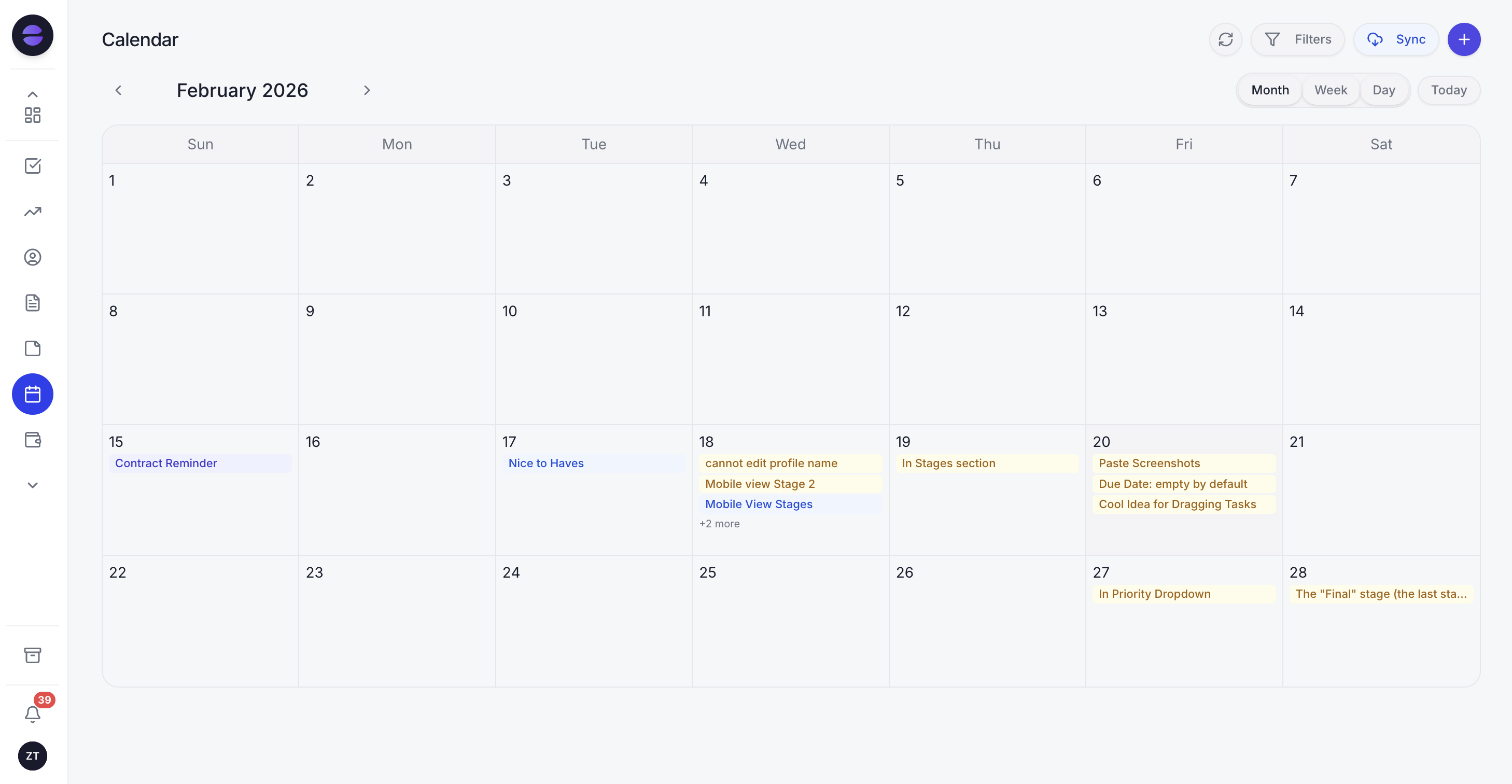
The calendar and the customer record decide when a WhatsApp reminder or follow-up goes out, so a moved booking moves its message too.
Scheduled broadcasts. Send one message to a whole audience now or at the time you choose. Each message is personalised for each person rather than one blunt blast, spaced out to protect sending quality, and tracked per contact for delivery and replies. Audiences are built by stage, source or tag and stay live as records change, so a broadcast scheduled for Thursday goes to whoever matches on Thursday.
Messages on a schedule or on a date. Workflow automations can run on a plain schedule (hourly, daily, weekly or monthly, such as every Monday at 08:00) or when a due date arrives or passes, a field changes or a deal moves stage. One of the actions is sending a WhatsApp message. That covers the table above: a reminder before a booking, a nudge when a deal has gone quiet for 7 days, a message when an invoice becomes overdue. Bookings come from one Booking list, times are offered in the chat, and reminders go out automatically.
You describe it, Zoye builds it. Tell the assistant what should happen, for example "every weekday at 9, send a WhatsApp reminder to clients with a booking tomorrow, and skip anyone who already confirmed". Zoye builds the rule, shows it to you in plain English, and waits for your approval. A visual builder exists, but you never have to open it. Every run is logged with what fired and what it sent.
Meta's rules are handled. Zoye runs on the official WhatsApp Business Platform (Cloud API). All six WhatsApp automations are off by default and confirm before sending. Anything sent as a first message or more than 24 hours after the customer's last reply uses an approved template automatically, and Zoye categorises templates, submits them to Meta, tracks their status and resubmits your edits. Every outbound message carries an opt-out, STOP is honoured across the workspace, and nobody gets the same message twice. If Meta rejects a send, you are told the reason.
The owner side. On WhatsApp itself, you can ask Zoye to remind you of something, set a follow-up task or schedule a meeting, by text or voice note, and it lands on the right record.
Honest limits. Zoye does not schedule messages from your personal WhatsApp account, and it is not a bulk-sender for lists you did not collect, a social post scheduler or a BSP reseller. Today Zoye runs WhatsApp conversations with your leads on the Platform, and connecting your own business number is coming soon. Meta's own message charges apply on top, as with any provider.
Pricing: four plans plus a custom one. Almost Free costs $5 a month, or $4 a month on annual billing, for 1 team member with 1GB, the core tools, 15 AI prompts a month and Google integrations, without automations. Starter is $29 a month ($23 annually) for 10 members and 5GB. Growth is $59 ($47) for 20 members and 10GB. Scale is $119 ($95) for 100 members and 25GB. Customize is quoted. See pricing for details.
Best for: small teams that send reminders, follow-ups and offers on WhatsApp and want each message tied to the booking, deal or invoice it is about.
Pick the method that fits the job
If you want to send one personal message later, check for the native scheduler, then use Shortcuts on iPhone or a trusted app on Android. If you send to customers, schedule from the record on the Platform, so every message follows the booking, the quote or the invoice it belongs to.
The test is simple. Count the scheduled messages you sent last month and how many of them would have been wrong if a customer had rebooked, paid or replied first. If the answer is "none, I send three a month", a phone automation is fine. If the answer makes you wince, the message needs to know about the customer, not only the clock.
See pricing for the plan that fits, and let your reminders and follow-ups go out on time from the record they belong to.