Most WhatsApp greeting messages say the same thing in the same tired way: "Hi! Thanks for contacting us. We will get back to you as soon as possible." It confirms that a machine received the message, which the customer already assumed, and it tells them nothing they can act on. As soon as possible could mean ten minutes or Thursday. The person reads it, puts the phone down, and messages the next business in their search results.
A greeting is the cheapest message you will ever send and one of the most read. It arrives at the exact second someone has decided to talk to you, while their attention is still on your chat. A good one keeps that attention for long enough that a human can take over. A bad one quietly hands the customer to a competitor who answered with a question instead of a promise.
This guide gives you 31 short greeting and away messages, grouped first by type of business and then by the moment they are sent, and written so you can paste them and change three words. Before the examples, it clears up the thing most guides skip: the WhatsApp Business app greeting and a first message on the WhatsApp Business Platform are different tools with different rules. If you want the bigger picture of what can run on WhatsApp once a lead arrives, our WhatsApp automations page covers the rest of the flow. The Meta rules below were checked against Meta's own developer documentation in October 2026; Meta revises them regularly.
Two very different things are called a greeting message
The WhatsApp Business app greeting. Inside the app, under Business tools, there is a greeting message setting. When it is on, the app sends one fixed text when a person messages you for the first time, or when they message again after 14 days with no activity in the chat. You choose the audience: everyone, only people who are not in your address book, everyone except chats you select, or only chats you select. Next to it sits the away message, which fires outside the hours you set or on a custom schedule, and quick replies, which are shortcuts a person types to insert saved text. All three are reactive. The app never sends a greeting to someone who has not written to you, and because the text is fixed, it cannot address anyone by name.
A first message on the WhatsApp Business Platform. The Platform (often called the API) has no greeting switch. Whatever software is connected to your number decides what to send and when. That makes it far more flexible: the greeting can use the person's name, change by the ad or form they came from, and land on a customer record. It also brings rules the app never asks you to think about.
- If the customer wrote first, you are inside the 24 hour customer service window that opens from their last message, and you can reply with free-form text. That reply counts as a service message. Since 1 October 2026 each business phone number gets 1,000 free service messages a month, with no rollover, and service messages beyond that are charged.
- If you write first, for example to a lead who filled in a form, or if more than 24 hours have passed since their last message, you can only send an approved message template. Marketing templates are always charged per delivery, and utility templates sent inside an open window are charged again since October 2026. Meta's prices vary by country and can change at the start of each quarter, so check the current rate card rather than trusting a number in an article.
- If the conversation came from a click-to-WhatsApp ad or a call-to-action button on your Facebook Page and you answer in time, Meta opens a free entry point window of up to 7 days in which marketing, utility, authentication and service messages are free. That makes the greeting on an ad conversation one of the cheapest messages in your whole funnel, and the one you can least afford to waste.
Consent sits on top of all of this. Meta requires that a person gave you their number and permission to message them before you send anything, and an open window is not the same thing as consent. The full mechanics of categories, variables and approvals are in our guide to WhatsApp message templates.
| App greeting | Platform reply (customer wrote first) | Platform template (you write first) | |
|---|---|---|---|
| Who triggers it | The customer | The customer | You |
| Personalised with a name | No, fixed text | Yes | Yes, through approved variables |
| Needs Meta approval | No | No | Yes |
| Typical Meta cost | None | Service message, 1,000 a month per number then charged | Charged by category |
| Lands on a customer record | No | Depends on your software | Depends on your software |
What a good greeting does in three lines
Every example below follows the same shape, because the shape is what works.
Line one: who they reached. The name of the business, and if it helps, the person or team behind it. A customer who messaged three businesses this morning needs to know which one this is.
Line two: what happens next, honestly. A real time ("within the hour", "before 6pm", "tomorrow from 9am"), or a real next step ("a stylist will confirm the slot"). If you cannot keep a promise of speed, promise a time window you can keep.
Line three: one easy question. Not five. One question that moves the conversation forward and that a person can answer in a few words, such as the service they want, the day that suits them, or the area they are in. A greeting that ends with a question gets a reply far more often than one that ends with a full stop, because it gives the customer something to do.
Keep the whole thing short enough to read in a notification preview. If someone has to open the chat and scroll to understand your greeting, it is too long.
What a greeting must never do
Promise a reply time you will miss. "We reply within 5 minutes" sent at 11pm on a Saturday is worse than no greeting at all, because it turns silence into a broken promise.
Interrogate. Asking for name, email, address, budget and preferred date in the first message reads like a form, and people abandon forms. Ask one thing. The rest can come in the next three messages, or from a qualification flow that writes the answers onto the record.
Pretend a person is typing. If the reply is automated, do not dress it up as a named human who will then go quiet. Customers notice. Saying plainly that this is an automatic reply and a person will follow is more honest and usually lands better.
Sell before it listens. A discount code in the first line tells the customer you did not read their message. Answer the reason they wrote, then offer.
Ask for sensitive details. Never ask for card numbers, passwords, ID numbers or medical details in an automatic first message. If payment is needed later, a payment link is the right tool, not a chat field.
Fire twice. The app limits the greeting with its 14 day rule. On the Platform, nothing limits it unless your software does, and a lead who submits two forms in an evening and gets two identical greetings has learned that nobody is watching. One greeting per person, per real new conversation.
Want to see it in action?
See Zoye catch a new lead, answer on WhatsApp and set up the follow-up, all from one message.
See How It WorksGreeting messages by type of business
Two examples per business type, one for the app (fixed text, no name) and one for the Platform, where {name} is filled from the lead record or the WhatsApp profile. Swap in your own details.
Salon and beauty
1. App greeting. Hi, thanks for messaging {business}. We are usually with clients, so replies come between appointments, normally within 2 hours. What would you like to book, and which day works best?
2. Platform greeting. Hi {name}, this is the {business} team. Tell us the treatment you have in mind and a day or two that suit you, and we will send back the nearest free slots.
Clinic and health practice
3. App greeting. Hello, you have reached the reception at {business}. This is an automatic reply: our team answers messages from 8am to 6pm on weekdays. Please do not send medical details here. Would you like a new appointment or to change an existing one?
4. Platform greeting. Hi {name}, thanks for contacting {business}. Reception will reply today during opening hours. To help us find the right practitioner, is this about a new injury or an ongoing treatment?
Agency and studio
5. App greeting. Thanks for reaching out to a small creative studio that reads every message. A producer will reply within one working day. In a few words, what are you hoping to build or fix?
6. Platform greeting. Hi {name}, good to hear from you. One of our producers will pick this up today. So we come back with something useful rather than a generic deck, roughly when would you like this live?
Real estate
7. App greeting. Hello and thanks for getting in touch. An agent will reply within the hour during office time. Are you looking to buy, sell or rent, and in which area?
8. Platform greeting. Hi {name}, thanks for your interest in the listing. An agent will message you shortly with viewing times. Would a weekday evening or a weekend suit you better?
Coach and consultant
9. App greeting. Hi, thanks for your message. I coach a small number of clients and reply personally, usually the same day. What is the one thing you would most like to change in the next three months?
10. Platform greeting. Hi {name}, thanks for reaching out. I read every message myself and will reply today. Would a short intro call this week help, or would you prefer to ask your questions here first?
E-commerce and online store
11. App greeting. Hi, thanks for messaging our store. If this is about an existing order, please send your order number and we will check it. For product questions, tell us what you are looking for and we will reply within a few hours.
12. Platform greeting. Hi {name}, thanks for writing to us. Is this about an order you already placed, or something you are thinking of buying? Reply 1 for an order or 2 for a product question and we will route you straight to the right person.
Restaurant and cafe
13. App greeting. Hello, thanks for messaging. For a table, send us the date, time and number of guests and we will confirm it here. Opening hours and the menu are in our profile.
14. Platform greeting. Hi {name}, thanks for contacting us. Shall we book you a table? Send the day, time and how many guests, and mention anything we should know, such as allergies or a celebration.
Trades and home services
15. App greeting. Hi, thanks for your message. We are often on site, so replies come at lunch and after 5pm. A photo of the job and your postcode help us give you a quick idea of price and timing.
16. Platform greeting. Hi {name}, thanks for getting in touch. To get you a rough quote faster, could you send a couple of photos of the job and tell us roughly when you need it done?
Greeting messages by moment
The same business sends different first messages depending on when and how the conversation starts. These are written to be adapted across industries.
First contact
17. Hi {name}, thanks for messaging. You are talking to the team at {business}, and a real person will reply within the hour during working hours. What can we help you with?
18. Hello and welcome. This is an automatic reply so you know your message arrived safely. We answer every chat in order, usually the same day. Feel free to add any details now so we can reply with an answer, not a question.
19. Hi {name}, nice to hear from you. Before we reply properly, one quick question: is this your first time with us, or have we worked together before?
After hours
20. Thanks for your message. We are closed right now and will reply from 9am tomorrow. If you leave the details of what you need, it will be the first thing we handle in the morning.
21. Hi, our team is offline for the evening. Your message is safe here and someone will answer it tomorrow before 10am. For a booking, send the day and time you would like and we will confirm it then.
22. Thanks for getting in touch outside our hours. We open again on Monday at 8am. If it is urgent and about an existing job, reply URGENT and the on-call person will be notified.
Only use the third version if somebody really is on call. An urgent keyword that reaches nobody is the after-hours equivalent of a broken promise.
Holiday and closures
23. Hello, we are closed for the holidays from 24 December and reopen on 2 January. Messages sent in the meantime will be answered in the order they arrived. Thank you for your patience, and happy holidays.
24. Hi, the team is away for a few days and back on the 14th. We are not checking messages until then, but every chat will get a reply when we return. If you need to reschedule an appointment, just send the new date you would like.
After an ad click
On an ad conversation the customer already told Meta what caught their eye, so the greeting should continue that thought instead of starting from zero. The full campaign side is covered in our guide to click-to-WhatsApp ads.
25. Hi {name}, thanks for tapping our ad about the spring garden clean-up. Want us to check a date for you? Send your postcode and roughly how big the garden is.
26. Hi {name}, great timing. The offer in the ad runs until the end of the month. Which of these would you like to know more about: prices, availability, or how it works?
27. Hi {name}, thanks for your interest in the open day. Shall we save you a place? Reply with how many people are coming.
Returning customer
28. Hi {name}, good to hear from you again. Would you like to book the same service as last time, or try something different?
29. Welcome back, {name}. It has been a while since we last spoke. What can we help with this time?
30. Hi {name}, thanks for coming back to us. Is this about the order you placed with us before, or something new?
31. Hi {name}, lovely to see your name again. Your usual stylist is in on Thursday and Saturday this week. Shall we check a time with them?
Returning-customer greetings only work if your system knows the person is returning. The app's greeting cannot tell, which is why its audience setting (only people not in your address book) is the closest it gets.
See what Zoye can do for you
CRM, deals, tasks and your Instagram, Facebook and WhatsApp automations in one workspace. Just ask Zoye and it sets any of it up for you.
Explore FeaturesPersonalising with {name} without getting it wrong
Merge fields make a greeting feel written for one person, and they fail in ways that are easy to predict.
The name may be missing. A lead from a website form might have only a phone number. Always set a fallback, so "Hi {name}" becomes "Hi there" rather than "Hi ," with a lonely comma.
The name may not be a name. WhatsApp profile names are whatever the person typed: a nickname, a shop name, an emoji, or "Mum". Prefer the name from your own records over the profile name, and if the only source is the profile, consider leaving the name out of the first message altogether.
Templates need sample values. On the Platform, a template with variables is submitted with an example for each one, and Meta reviews the message with those examples in place. Write the samples as real-looking values, not "test" or "xxx", or approval can be slower.
Do not over-personalise. One name in the first line is warm. A name, the exact product they looked at and the time they visited your site reads as surveillance. Use what the customer would expect you to know.
How to tell if your greeting works
A greeting has one job, so it is easy to measure. Look at three numbers for a few weeks.
Reply rate after the greeting. Of the people who got it, how many sent a second message? If most go quiet, the greeting probably ends without a question, or asks something too hard.
Time to the first human message. The greeting buys you time; it does not replace the answer. If the gap between greeting and human reply keeps growing, the greeting is covering for a staffing problem rather than solving it.
Leads that never got an owner. A greeting sent to a chat that no one is assigned to is the most polite way to lose a customer. Every conversation that receives a greeting should also land with a named person.
Change one line at a time and compare a fortnight against the one before. Greetings are short enough that a single changed sentence, usually the question at the end, is the whole experiment.
Ready to hand off the busywork?
Zoye brings AI-powered CRM, task management, and automation into one workspace.
Get StartedHow Zoye handles the first message
Zoye is an AI Business Operator: thirteen connected tools, including CRM, tasks, deals, calendar, documents and WhatsApp automations, and an AI assistant that operates them for you in the app, on WhatsApp, in Slack and through the Claude connector. For greetings, the point is that the first message is not a separate gadget bolted onto a phone; it is part of the same record as the lead, the owner and the follow-up.
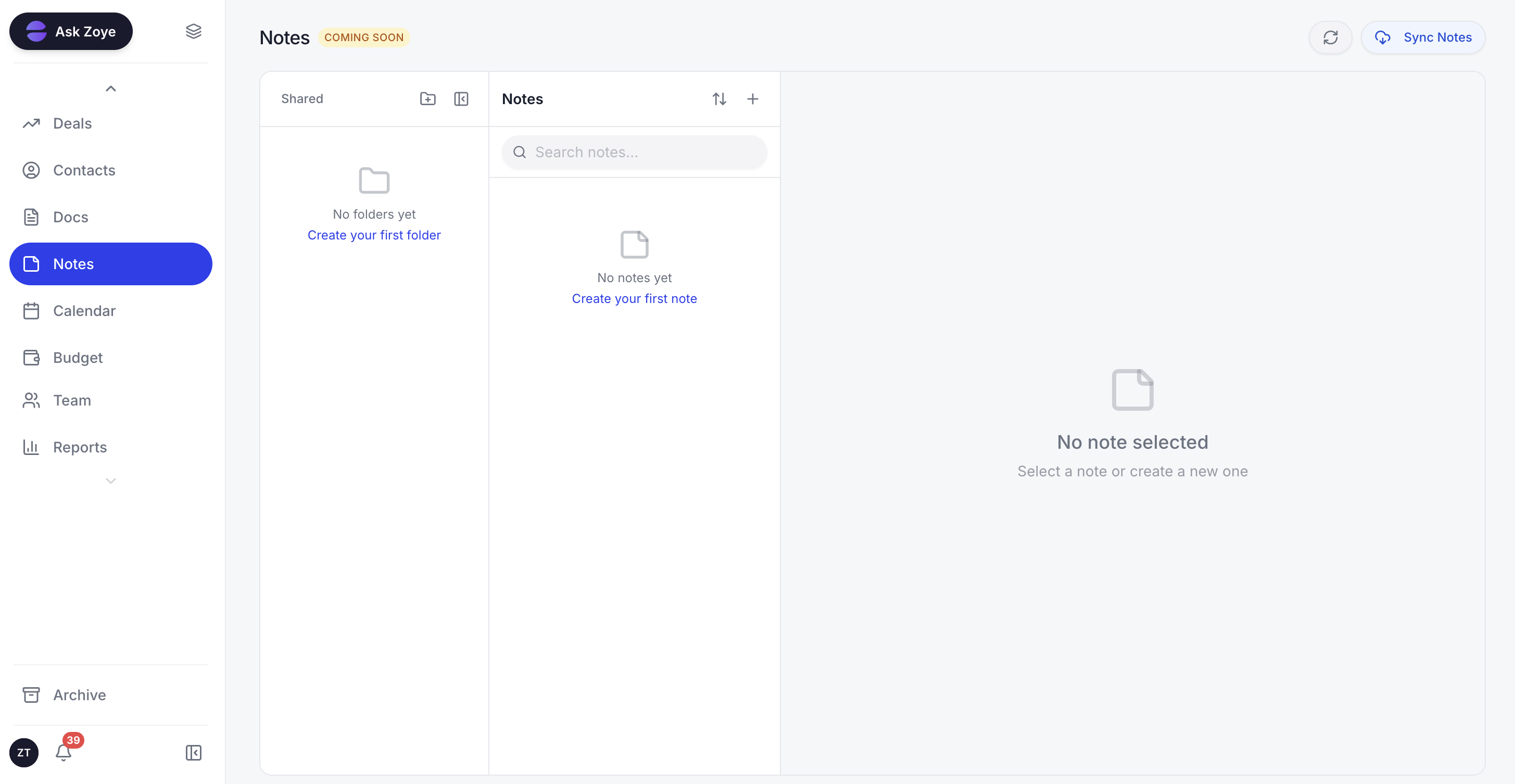
Keep the agreed wording for every greeting in one shared place, so everyone who answers WhatsApp starts the conversation the same way.
The new-lead auto-message sends a WhatsApp greeting when a lead arrives, with separate switches per source: ads, forms, website, API and manual entry. It sends one message per person, so a lead who submits twice does not get two greetings. It runs on the official WhatsApp Business Platform, asks you to confirm consent for each automation, and uses an approved template automatically whenever one is required, for a first message or for anything sent more than 24 hours after the customer's last reply. Every outbound message carries an opt-out, and STOP is honoured across the whole workspace.
You do not have to deal with Meta's template process yourself. Zoye categorises the template, submits it to Meta, tracks the status and resubmits your edits. After the greeting, a lead qualification bot can ask the next few questions and write the answers straight into CRM fields, rather than leaving them in a chat log. Leads from Facebook and Instagram are ordinary Zoye leads, so the same greeting fires on them too.
To set it up, describe what should happen to the assistant, for example "when a lead comes in from the website form, greet them on WhatsApp and assign them to me". Zoye builds the rule, shows it to you in plain English, and waits for your approval. All six WhatsApp automations are off by default, and every run is logged with what fired and what was sent. If Meta rejects a message or a permission lapses, you are told the reason rather than given a false confirmation.
Two honest limits. Zoye is not a helpdesk ticketing suite, and it does not run your ads; it captures and works the leads your ads and forms produce.
Pricing: Almost Free $5 a month or $4 a month billed annually (1 team member, 1GB), Starter $29 or $23 (10 members, 5GB), Growth $59 or $47 (20 members, 10GB), Scale $119 or $95 (100 members, 25GB), and Customize on quote. Meta's own WhatsApp message charges apply on top, as they do with any provider.
Best for: small businesses that get leads from several places and want each one greeted once, quickly, and remembered.
Write the greeting your customer actually needs
The best greeting messages are not clever. They tell people where they are, when a human will answer and what to send next, and then a human actually answers. Pick the two or three examples above that fit your business, set the app greeting and away message today if you are on the app, and if your leads are arriving faster than your team can say hello, let the first message and the follow-up run from the same record.
See pricing for the plan that fits, and greet every new lead on WhatsApp the moment they arrive. See how it works on our WhatsApp automations page.
For more context, see our guides to WhatsApp message templates, click-to-WhatsApp ads, and WhatsApp for customer service.