
Quick answer: a good WhatsApp customer service message is a few lines long, says who is writing, solves the issue or gives a concrete time, and ends with a next step. Below are 40 ready-to-use messages for nine everyday situations (first contact, holding, after hours, order status, payment, complaints, follow-up, feedback and goodbye), a six-step customer service script, and a simple test for which messages to automate.
Key takeaways (October 2026)
- Meta opens a 24-hour customer service window with every customer message; outside it, a business on the WhatsApp Business Platform can only write with an approved template.
- Since 1 October 2026, every number on the Platform gets 1,000 free service messages a month, and utility templates sent inside the window are charged again, according to Meta's pricing page.
- The WhatsApp Business app holds up to 50 quick replies and 20 labels, according to the WhatsApp Help Center.
- The app runs on one phone plus up to 4 linked devices, and everyone sees every chat, so a team of three can answer the same customer twice without noticing.
- Distance purchases come with a cooling-off period: 14 days in the EU under the Consumer Rights Directive, 7 days in Brazil under article 49 of its Consumer Defense Code. Your returns message should match the rule where you sell.
On WhatsApp, a customer asks the price, sends proof of payment, complains about a delay and says thank you, often in one thread. Whoever answers types the same replies dozens of times a day, slightly differently each time. Ready-made messages take care of the repetitive part and leave your attention for what needs it.
This is not a list of greetings or a manual on Meta templates; our guides to WhatsApp greeting messages and WhatsApp message templates cover those. This is the everyday customer service kit. If you want to see what can run automatically first, the WhatsApp automations page lists Zoye's six automations.
What a WhatsApp customer service message is
A WhatsApp customer service message is any reply a business sends to solve a customer's question, request or problem: confirming an order, sharing opening hours, asking for a minute, sending payment details, handling a complaint. Unlike a marketing message, it answers something the customer started.
The difference is more than tone. On the WhatsApp Business Platform, a free-form reply inside the 24-hour window is a service message; an update the business starts the next day, like "your order is on its way", has to be an approved utility template; an offer is marketing. In the app none of this shows on screen, but the logic still holds: customers welcome what answers their question and have little patience for what arrives unasked.
Ready-made replies do not replace the conversation. They make sure the predictable part goes out right, fast and in one voice, whoever is on shift: opening hours become a two-tap shortcut, the returns window is the same for everyone, and payment details stop being typed in a hurry with one digit wrong.
The 5 rules of a good customer service message
A good WhatsApp customer service message is short, personal, specific, has a real time in it and ends with a clear next step. When a ready-made reply breaks one of these five rules, the customer can tell they are reading copied text and the chat cools down, even when the information is correct.
- Short. Three or four lines on a phone screen. If it needs more, split it into two messages or send a link.
- Named on both sides. Use the customer's name and say who is answering. "This is Ana from [Business]" changes the tone of any canned line.
- Specific. "Soon" is not a time; "by 3 p.m." is.
- With a next step. Say what happens now, who does it and when. A closed question helps: "Shall I reserve it for you?"
- In the customer's register. If they write casually, answer casually. One emoji per message at most, and none in a complaint.
One more rule matters a lot on WhatsApp: many people prefer voice notes. Accept the voice note, but answer in writing anything that is information (amount, deadline, address, payment details), because text is what the customer can reread and forward to whoever pays.
WhatsApp customer service script: the 6-step sequence
A WhatsApp customer service script is the sequence your team follows in every chat: greet, understand, confirm, solve or give a time, check, and close. It does not dictate exact words. It sets the order, so no conversation ends without an answer, an agreement or a record.
| Step | What to do | Messages in this guide |
|---|---|---|
| 1. Greet | Reply fast, introduce yourself, show a person has read it | 1 to 5 |
| 2. Understand | Ask one question at a time until you know what they want | 3 and 5 |
| 3. Confirm | Repeat the request in one line before acting | 6 and 15 |
| 4. Solve or give a time | Answer, or say exactly when you will | 6 to 9, 15 to 24 |
| 5. Check | Ask whether everything is sorted | 18 and 30 |
| 6. Close and record | Say goodbye and note the outcome on the customer record | 37 to 40 |
Step 3 is the one that gets dropped. Repeating the request ("so that is two of [product], delivered to the usual address, right?") feels like red tape, but the customer fixes the mistake before it becomes a parcel. Step 6 is close behind: if nobody writes down what was agreed, the next person to answer asks everything again. With more than one person answering, also agree that whoever replied first keeps the customer to the end, and that any handover to another team comes with a one-line summary.
40 ready-to-use customer service messages, by situation
The 40 messages below cover nine situations in WhatsApp customer service. Replace the parts in square brackets with your details. Fields like {name} are filled in automatically by tools that read the customer record; in the app, type the name yourself.
First contact
1. Reply to the first "hi"
Hi {name}! This is [your name] from [Business]. I have your message. What can I help you with today?
2. When the customer already asked the question
Hi {name}, thanks for writing. I have your question about [topic] and I will answer it properly in a moment.
3. To understand the request
So I can help you faster: are you looking for [option A] or [option B]? If it is something else, tell me in your own words.
4. Returning customer
Good to hear from you again, {name}! Last time you had [product or service]. Is this about that, or something new?
5. Customer who came from an ad or post
Hi {name}! I see you came from our [ad or post] about [offer]. Shall I send you prices and timings now?
Asking for a moment
6. Confirming the request and asking for time
Got it: you need [summary of the request]. I will check and get back to you by [time]. Does that work?
7. Checking with another team
This answer depends on our [team] team. I have passed your question on and will update you by [day and time], even if it is only to say we are still on it.
8. When the wait ran past what you promised
{name}, sorry for the wait. I do not have the final answer on [topic] yet, but the new estimate is [new time]. I have not forgotten you.
9. Busy period
We are busy right now, {name}, and your chat is number [number] in the queue. Expect a reply in about [time]. If you like, write everything down now and I will answer it all at once.
Outside business hours
10. Business hours message
Hi! Our team answers [days], from [time] to [time]. Your message is saved and we reply in the order messages arrive as soon as we open.
11. With a reply time
Thanks for writing to [Business]. We are closed right now, but someone from the team will reply tomorrow from [time]. If you can, tell us what you need now.
12. Weekends and holidays
Today is [weekend or holiday] and the team is off. We are back [day] at [time]. To place an order, [link] works any time.
13. With a route for urgent cases
We are closed right now. If it is urgent and about [type of urgency], call [phone]. For everything else, we reply from [time] on [day].
14. Break during the day
We are on a break until [time]. When we are back we answer messages in the order they came in, and yours is already on the list.
Order and delivery status
15. Order confirmed
Order confirmed, {name}! [quantity] x [product], [amount] in total. Expected delivery: [date]. If anything changes, I will tell you here.
16. Order dispatched
Your order is on its way! Tracking code: [code]. It should arrive [day or time window].
17. Delay
{name}, your order is delayed and the new estimate is [date]. I know that is a nuisance. If you would rather cancel or swap the item, tell me and I will sort it now.
18. Order delivered
Our system shows your order as delivered. Did everything arrive as expected? If something is missing or different, send me a photo and I will fix it.
19. Appointment confirmed, for services
Your appointment is confirmed: [day] at [time], at [place or link]. I will send a reminder the day before. Need to move it? Just reply here.
Payment
20. Sending payment details
The total is [amount]. You can pay by [payment method] to [payment details], account name [legal business name]. Please check that name before you confirm, then send me the receipt here.
21. Payment link or code
Here is the payment [link or code] for your order, for [amount]. It is valid until [date and time]. Once you have paid, just let me know.
22. Receipt received
Got your receipt, {name}, thank you! As soon as the payment shows in our account I will confirm and release [order or service].
23. Payment not showing yet
I cannot see the payment of [amount] yet. Could you check that it went through and that the recipient was [legal business name]? If it was scheduled, it will arrive on that date.
24. Security reminder
A quick reminder: [Business] never asks for passwords, verification codes or payment to any account other than [payment details]. If you get a message like that in our name, check with us before paying.
Complaints
25. First reply
{name}, I am sorry about this, and thank you for telling us. I want to get it right: can you tell me what happened and, if you have one, send a photo?
26. Owning the mistake
You are right, that was our mistake. I am on it, and by [time] I will tell you exactly how we will fix it.
27. Offering options
To put it right, I can [option 1, such as replace or resend] or [option 2, such as refund]. Which works better for you?
28. Change of mind within the legal period
Because you bought from us at a distance, you have [number] days from delivery to change your mind. Tell me whether you prefer an exchange or a refund, and I will handle the rest.
29. Very upset customer
I understand why you are upset, and it is fair. I am passing this chat to [name], who can decide on this right now. [Name] sees everything you have written, so you do not need to repeat anything.
Follow-up
30. After solving a problem
Hi {name}! Just checking that [solution] worked. Is everything sorted?
31. Quote with no reply
Hi {name}, the quote for [product or service] I sent is valid until [date]. Any questions I can answer?
32. Order left halfway
I noticed you picked [product] but did not finish. Did something go wrong at payment? If you like, we can complete the order here.
33. Reorder
{name}, it has been [time] since you got [product]. If you are running low, I can set it aside again for the same address. Shall I?
Feedback
34. Simple rating
From 1 to 5, how would you rate today's service? Just reply with the number. It really helps us improve.
35. Reply to a low score
Thank you for being honest, {name}. What could we have done differently? I will read it myself and reply.
36. Public review
Glad it all worked out! If you could leave a review at [link], it helps other people find [Business]. It takes under a minute.
Goodbye
37. All solved
Happy to help, {name}! I will close this chat now, but message us any time.
38. No reply from the customer
Since I have not heard back, I will close this conversation. If you still need anything about [topic], reply to this message and I will pick up where we left off.
39. Thanks for the purchase
Thank you for your order, {name}! Any questions about [product], we are here. Enjoy!
40. Asking them to save the number
It was a pleasure helping you. Save our number as [Business] so updates about your orders never land among unknown senders.
Read each line out loud before you save it; if it sounds like a bank notice, cut it. Note too that messages 15 to 19 and 31 to 33 usually go out on the business's initiative, sometimes days after the customer's last message. In the app that changes nothing; on the Platform it changes the rule and the cost.
Want to see it in action?
See Zoye catch a new lead, answer on WhatsApp and set up the follow-up, all from one message.
See How It WorksBusiness hours message: how to set it up in WhatsApp Business
In the WhatsApp Business app, the business hours message is the away message. You add opening hours to the profile, switch on the away message and choose the "Outside of business hours" schedule. From then on, anyone who writes outside those hours gets your text automatically.
Step by step, following the WhatsApp Help Center (menu names and positions shift a little between Android, iPhone and app versions):
- Open Business tools: on Android from the three-dot menu, on iPhone from Settings.
- In Business profile, add your opening hours for each day.
- In Away message, switch it on and write the text, starting from messages 10 to 14.
- Under Schedule, choose "Outside of business hours". "Custom schedule" suits a holiday closure.
- Under Recipients, choose who gets it: everyone, everyone not in your address book, everyone except some contacts, or only some.
Three neighbouring features complete the kit. Quick replies hold up to 50 lines, each with a shortcut such as "/pay" or "/returns" that you call up by typing a slash in the chat. The greeting message goes to people who write for the first time or after 14 days without messages. Up to 20 labels, such as "Awaiting payment", "Paid" and "Complaint", show where each chat stands; at the end of the day, filter "Awaiting payment" and check each one.
The app's limit shows when the team grows: one main phone and up to 4 linked devices, everyone sees every chat and there is no assignment, so two people answer the same customer, or nobody does. If your away message is not going out, our guide to WhatsApp auto reply covers the usual causes.
Which messages to automate and which to leave to a person
Automate what is predictable and the same for everyone: opening hours, order confirmation, delivery status, reminders, sending payment details and review requests. Leave to a person whatever needs judgement or empathy: complaints, exceptions, negotiation and upset customers. Automation opens and follows up the conversation; the delicate part stays with someone on the team.
| Situation | Automate? | How |
|---|---|---|
| First contact | Yes, the first reply | Greeting in the app, or an automatic reply on the Platform |
| After hours | Yes | Away message, or a Platform reply |
| Common questions | Yes | Quick replies, or AI trained on the business's own information |
| Order status | Yes | Utility template sent when the order changes |
| Payment | Partly | Details sent automatically, a person checks the money |
| Complaint | Only the first reply | A person takes over the chat |
| Follow-up | Yes, within limits | One or two messages, with an easy way out |
| Feedback | Yes | A message after delivery or after the appointment |
| Goodbye | Partly | A ready-made line, sent by whoever handled the chat |
The handover is what decides whether automation helps. Set three triggers: the customer asks ("I want to talk to someone"), the topic is sensitive (complaint, cancellation, large amount), or the automation does not know the answer. In each case the chat goes to a teammate with the full history, and the customer is told in one line, as in message 29.
On AI: since 15 January 2026, Meta's terms bar general-purpose AI chatbots, where the AI itself is the product, from the Platform. AI that serves your own business's customers by answering, qualifying and booking is still allowed. Tell customers when they are talking to an automated assistant. Our guide to automated WhatsApp customer service goes deeper into the layers.
See what Zoye can do for you
CRM, deals, tasks and your Instagram, Facebook and WhatsApp automations in one workspace. Just ask Zoye and it sets any of it up for you.
Explore FeaturesMeta's rules once customer service moves beyond the app
On the WhatsApp Business Platform, you reply freely for 24 hours after each customer message, outside that only with approved templates, and Meta charges per delivered message by category and the customer's country. Meta does not charge for messages customers send you. These rules were checked on Meta's own pages in October 2026:
- Service messages. Free-form replies inside the window, such as messages 1 to 14, 20 to 30 and 34 to 40. Since 1 October 2026 every number gets 1,000 of them free per month, with no rollover; beyond that they are charged.
- Utility templates. Order confirmations, dispatch notices, reminders and payment confirmations sent on the business's initiative, such as messages 15 to 19 outside the window. They are charged per delivery and, since 1 October 2026, also inside an open window (from July 2025 to 30 September 2026 those in-window sends were free).
- Marketing. A follow-up with a promotion, such as messages 31 to 33 with an offer, tends to be classed as marketing, which is always charged.
- Rates. Per-message billing has applied since 1 July 2025, and Meta only changes rates on the first day of a quarter. Rates vary by country, so check Meta's rate card; our guide to WhatsApp Business API pricing explains the categories.
- Free entry point window. A customer who taps a click-to-WhatsApp ad in the Android or iOS app and gets your answer in time opens a window of up to 7 days in which your messages cost nothing. Taps on desktop or web do not count.
- Messaging limits. Business-started messages have a cap on unique recipients per rolling 24 hours that starts at 250 and rises to 2,000, 10,000, 100,000 and unlimited with quality and verification.
- Consent. Only message first people who gave you their number and agreed to hear from you. Data protection laws such as the GDPR and Brazil's LGPD expect a clear purpose, so note on the record when and where the customer agreed.
In practice, confirm everything while the window is open (message 6 followed by 15 in the same chat) rather than sending the confirmation as a template the next day.
How to tell whether your messages work
Track four numbers: time to the first human reply, chats solved without changing hands, chats that reopen for the same reason within 7 days, and the average score from message 34. If a ready-made line keeps appearing just before a complaint or a silence, the line is the problem. Measure a normal week as your baseline, read ten random chats every week, and change two or three lines at a time so you know what made the difference.
Ready to hand off the busywork?
Zoye brings AI-powered CRM, task management, and automation into one workspace.
Get StartedHow Zoye handles WhatsApp customer service messages
Zoye puts the conversation, the customer record and the automations in one place. WhatsApp conversations with your leads and Instagram and Facebook messages and comments arrive in one inbox, Chats, and every conversation is saved on the contact. Zoye's AI answers, qualifies and offers times; a person steps in when needed.
Zoye is an AI Business Operator: thirteen tools that already link to each other, such as contacts, tasks, deals, calendar and invoices, plus an AI assistant that operates them for you in the web app, on WhatsApp, in Slack and through the Claude connector.
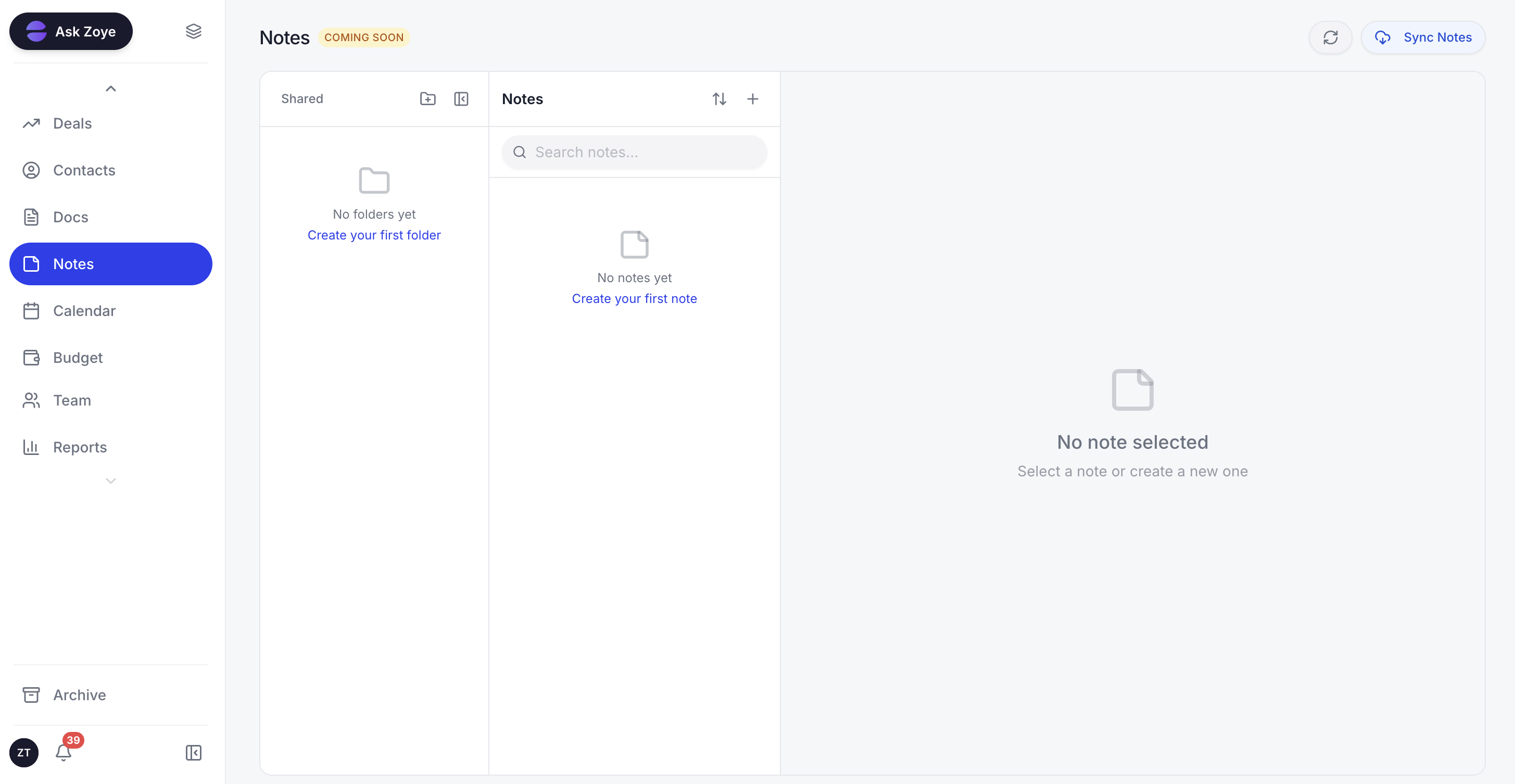
The service script and approved replies live in a shared Notes document, so the whole team answers the same way.
- An inbox with owners. In Chats, each conversation can be assigned to a person, the team leaves internal notes the customer never sees, and quick replies hold the lines from this guide.
- First reply straight away. The new-lead auto-message has a switch per source (ads, forms, website, API, manual entry) and sends one message per person.
- Questions that become data. The qualification bot writes answers straight into fields on the record.
- Times and payment in the chat. Zoye offers times from your Booking list, with automatic reminders, and sends a payment link through Stripe, with the money going to your own account and the lead moving stage once it pays. If your customers prefer another payment method, messages 20 to 24 still apply.
- Handover without repeating. Anything Zoye should not answer goes to a teammate with the whole chat on the lead's record.
- Meta's rules taken care of. Zoye handles template approval and automatically uses an approved template for the first message or after 24 hours without a reply. Every send has an opt-out, a STOP applies across the workspace, and if Meta rejects a message you hear the reason.
- You describe it, Zoye builds it. Tell the assistant something like "when an order is marked as shipped, send the customer the tracking message". Zoye builds the rule, shows you how it will work and waits for your approval. The six WhatsApp automations start switched off and confirm before sending.
Honest limits. Zoye runs on the official WhatsApp Business Platform (Cloud API). Connecting your own business number is coming soon, pending WhatsApp's approval. Zoye is not a helpdesk ticketing suite or a bulk-sending tool, Notes is still rolling out, and Meta's message fees are billed separately.
Pricing (October 2026): Almost Free costs $5 a month ($4 a month on the annual plan) and covers 1 team member, 1GB of storage, the core tools, Google integrations and 15 AI prompts a month, with no automations. Starter is $29 ($23 annually) for 10 members and 5GB; Growth, $59 ($47) for 20 members and 10GB; Scale, $119 ($95) for 100 members and 25GB; Customize is quoted. Details on pricing.
Start with the 10 replies you type most
You do not need all 40 messages at once. Open last week's chats, mark the ten replies you typed most and rewrite each with the five rules. Save them as quick replies, set up the business hours message and agree the six-step script with the team. When the first reply is already fast but chats still stall, automate the predictable messages and leave the team with the ones that need a person. That is the moment to look at Zoye's pricing.