
Quick answer: the best Calendly alternative depends on what should happen after someone books. Zoye ranks first for small teams whose bookings start in WhatsApp and Instagram chats and need to land on the customer record, the pipeline and the follow-up. Cal.com is the strongest like-for-like replacement, Acuity is built for appointment businesses, and SavvyCal, TidyCal, YouCanBookMe, Microsoft Bookings and Google Calendar cover cheaper or already-paid-for options.
Key takeaways (October 2026)
- Calendly charges per hosting seat: Standard $10 and Teams $16 a seat a month on yearly billing, about $12 and $20 monthly, and Enterprise starts at $15,000 a year with 50 seats.
- Calendly's free plan allows 1 event type and 1 calendar connection. Round-robin and form routing start on Teams.
- The cheapest like-for-like swaps: Cal.com Teams at $12 a user a month (yearly), SavvyCal Basic at $10, TidyCal at $29 once for a lifetime licence, YouCanBookMe Individual at $9 a month.
- A booking link fills a calendar. It does not answer the customer's question in WhatsApp, chase the person who never booked, or move a deal. That is where an operator like Zoye earns its place.
- WhatsApp reminders follow Meta's rules: a 24-hour customer service window, approved templates outside it, and in-window utility templates charged again since 1 October 2026.
Why people look for a Calendly alternative
Calendly is the reference product for booking links, and for pure scheduling it is excellent. People leave for four documented reasons: per-seat pricing that grows with every host, a free plan capped at one event type, team features such as round-robin held back for the Teams tier, and bookings that live in Calendly rather than in the system that runs the customer relationship.
Start with what Calendly does well, because it is a lot. The booking page is fast and familiar to invitees, availability checks work across several connected calendars, and the paid plans add workflows that send email and text reminders. Teams adds round-robin distribution, lead qualification and routing from forms, and Salesforce sync. If your job is to fill a calendar of video calls with minimum friction, Calendly is hard to beat. Now the limits, all from Calendly's own pages as of October 2026:
Per-seat math. Calendly prices every person who connects a calendar and hosts meetings. Standard is $10 per seat a month on yearly billing and Teams is $16; the page marks those as savings of 17% and 20%, which puts monthly billing at about $12 and $20. A team of six on Teams pays $96 a month billed yearly before any add-on. Invitees never need a seat, which is fair, but the bill grows in a straight line with your team.
The free plan is a trial in disguise. Calendly's free tier allows one event type and one calendar connection. The moment you want a 15-minute intro call and a 60-minute session as separate links, you are on a paid seat.
Team features sit one tier up. Round-robin distribution, routing from forms and centrally managed event types are listed under Teams, not Standard. A small business with two people sharing incoming calls needs the $16 tier, not the $10 one.
Enterprise is a contract, not a plan. Calendly's Enterprise tier starts at $15,000 a year and at 50 seats, which is where SSO, audit logs and Salesforce lookup routing live.
Text reminders come with conditions. Calendly's help centre says text reminders through workflows are available on paid plans but not during the trial, each message is capped at 180 characters, the sending number is assigned automatically from a toll-free long code you cannot choose, and invitees must opt in, so the phone number field cannot be required. The article does not mention WhatsApp.
The booking stops at the booking. This is the real reason most small service teams look around. Calendly records who booked and when, then hands off through integrations (HubSpot and Mailchimp on Standard, Salesforce on Teams). The conversation that led to the booking, the deal it belongs to, the invoice that follows and the reminder in the customer's preferred chat all live somewhere else, and someone has to join them up.
Who should stay on Calendly? Sales teams of ten or more running round-robin demos into Salesforce, hiring teams that schedule interviews at volume, and anyone whose customers reliably click a link from an email. Calendly is built for exactly that flow.
What to look for in a Calendly alternative
Judge a replacement on six things: the real cost for your number of hosts, which features need a higher tier, how reminders reach customers, whether it takes payment at booking, where the booking record ends up, and whether customers can book in the channel they already use. The last two matter most for small service businesses and are the ones a pricing table hides.
- Price for your real team. Multiply the per-seat price by the people who host, then check which tier the features you need sit on.
- Event types on the cheapest plan. One link is rarely enough once you offer an intro call, a full session and a follow-up.
- Group and team booking. Round-robin, shared availability, group sessions with a fixed number of spots, and a waitlist when they fill.
- Reminders. Email, text or WhatsApp, how many, whether they cost extra, and whether no-shows trigger a rebooking message.
- Payment. Can you take a deposit or the full price when someone books, into your own Stripe account, and sell packages of sessions?
- Where the booking lands. A name in the scheduling tool, or a customer record that already holds the chat, the deal, the tasks and the invoices?
- Where customers book. Only through a link, or also inside a WhatsApp or Instagram conversation?
- Who sets it up. Forms and settings you configure, or an assistant you can ask to open a session or move a booking.
The 8 best Calendly alternatives in 2026
These eight cover the realistic choices for a small business: an operator that runs bookings inside the customer relationship, five dedicated schedulers at different price points, and two booking tools you may already own through Microsoft 365 or Google. Each entry opens with the limitation to know, then the price as of October 2026 and who it suits.
1. Zoye: bookings that land on the customer record, the pipeline and WhatsApp
Zoye is not a scheduling app. It is an AI Business Operator: one workspace where contacts, deals, tasks, calendar, documents, invoices, reports, bookings, Chats and WhatsApp automations are already linked, with an AI that operates them for you in the app, on WhatsApp, in Slack or through the Claude connector. Bookings are one of those tools, so a booking is never a separate list.
Here is how bookings work in Zoye. Each bookable thing (a consultation, a class, a workshop, a webinar, a one-to-one session) is one Booking list, and its items are the times. You set the number of spots, a price if there is one, and a waitlist for when the last spot goes. Every session has its own booking link to share in a message, a post or your bio. The same Booking list feeds every place a booking can happen, so the times a customer sees on the link are the times Zoye offers in a chat.
That last part is the difference from every other tool here. When a lead writes in on WhatsApp, or comments on an Instagram post and gets a DM, Zoye can answer the question, run the qualifying questions, and offer open times from the Booking list right in the conversation. The booking lands on the contact card next to their chats, deals, tasks and invoices. Confirmations and reminders go out automatically, and when someone misses a session, a rebooking nudge follows without anyone remembering to send it.
What else comes with it:
- Payment when they book. Connect your Stripe account once, set a price, and clients pay online into your own account. Free sessions skip the payment step.
- Passes and packages. Sell ten sessions or a monthly pass from the client's card; each attended session is counted off automatically.
- Payment links in chat. Send a payment link inside the WhatsApp conversation (Stripe, or Grow in Israel), and a paid lead moves stage automatically.
- Google Calendar. Zoye books, moves and reminds through Google Calendar, so bookings appear in the calendar you already check.
- Ask instead of configure. "Open a Thursday workshop with 12 spots at $40", "who has not booked this month?", "move tomorrow's 10:00 session to Friday". Zoye does it and shows you the result. For new automatic rules, describe what should happen; Zoye builds the rule, shows it in plain English and waits for your approval before it runs.
The online booking page has the full feature list.
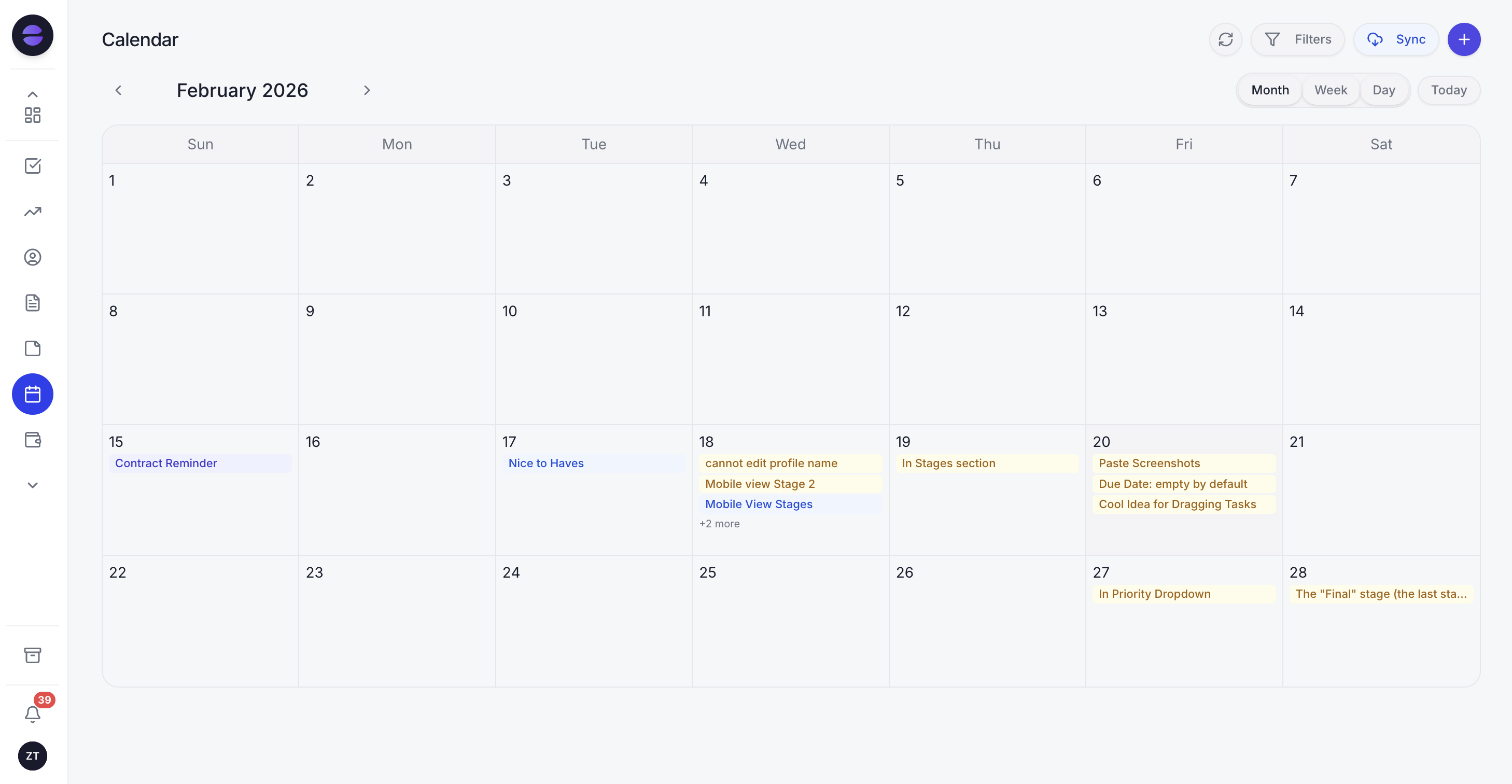
Every booking in Zoye sits on the calendar and on the customer's card, so the session, the chat and the payment are one record.
The honest limits. Zoye is not a dedicated sales-routing scheduler: if you run round-robin demo distribution across 30 reps with Salesforce lookups, Calendly Teams or Cal.com is the more specialized tool. Zoye is not a class check-in or point-of-sale system. Connecting your own business WhatsApp number is coming soon; today Zoye holds the WhatsApp conversations with your leads on the official WhatsApp Business Platform, and Chats brings those together with your Instagram and Facebook messages and comments in one inbox. Automatic reminders are automations, which the Almost Free plan does not include.
Pricing (as of October 2026): Zoye is priced per workspace, not per host. Starter is $29 a month, or $23 billed yearly, and covers up to 10 team members. Growth is $59 ($47 yearly) for 20 members and adds the WhatsApp automations with 250 messages a month; Scale is $119 ($95 yearly) for 100 members with 500. The entry plan, Almost Free, costs $5 ($4 yearly) for one member with the core tools, 15 AI prompts a month and the Google integrations, and has no automations. Customize is quoted. See the pricing page.
Best for: small service teams whose bookings start as a conversation and must end as a customer record, a deal, a payment and a follow-up.
2. Cal.com: the closest like-for-like replacement
Cal.com is an open-source scheduling platform that copies little and gives away a lot: unlimited event types and calendars on the free plan, plus SMS and email notifications, Stripe and PayPal payments, two-way Salesforce and HubSpot sync and a one-click import of Calendly events. The limitation is the same per-user model as Calendly once you add a team.
Pricing (as of October 2026): Free for one user. Teams $12 per user a month billed yearly (marked as a 25% saving), Organizations $28 per user a month billed yearly, Enterprise on quote. Round-robin, routing forms, customizable notifications, recurring events and removing Cal.com branding are listed under Teams. The pricing page we loaded showed yearly prices only.
Best for: solo professionals who want more than Calendly's free plan for nothing, and technical teams that want to self-host or build on the API.
3. Acuity Scheduling: built for appointment businesses
Acuity, part of Squarespace, is a scheduler for businesses that sell time: intake forms, packages, memberships, gift certificates and a waitlist. Its limitation is that pricing climbs by calendars, and text reminders are not on the entry plan.
Pricing (as of October 2026): Starter $16 a month billed yearly or $20 monthly with 1 calendar and no text reminders, packages or memberships. Standard $27 yearly or $34 monthly with up to 6 calendars, text reminders, packages, memberships and the waitlist. Premium $55 yearly or $69 monthly with up to 36 calendars, an AI booking assistant and a HIPAA business associate agreement. Enterprise on request.
Best for: appointment-based businesses that sell packages and need a polished client-facing booking page, and are happy to keep the customer relationship in a separate tool.
4. SavvyCal: the friendliest booking experience
SavvyCal lets invitees overlay their own calendar on your availability, which makes picking a time easier, and includes team scheduling and round-robin on both plans. The limitation: there is no free trial, and taking payment at booking needs the higher plan.
Pricing (as of October 2026): Basic $10 per user a month billed yearly ($120 a year) or $12 monthly. Premium $17 per user a month billed yearly ($200 a year) or $20 monthly, adding custom domains, removed branding, delegated access and Stripe payments. There is a 30-day money-back guarantee instead of a trial; the free sign-up covers calendars and meeting polls but not bookable links.
Best for: individuals and small sales teams who send links to busy people and care about the invitee's experience.
5. TidyCal: pay once, book forever
TidyCal, from AppSumo, is the budget pick: unlimited booking types on every plan, Stripe and PayPal payments, bundles such as five or ten sessions, and Google, Microsoft and Apple calendar sync. The limitation is depth. It is a straightforward booking link, with fewer team controls and no customer record behind it.
Pricing (as of October 2026): Free with 1 readable calendar. Individual Lifetime $29 once, Agency Lifetime $79 once (round-robin and collective meetings), both with 10 readable calendars. Pro $12 a month or $99 a year with unlimited calendars.
Best for: solo owners who want a paid booking link without a monthly bill.
6. Microsoft Bookings: already in your Microsoft 365 plan
Microsoft Bookings gives you personal and shared booking pages tied to Outlook, Teams meeting links on every online appointment, staff and service settings, and email and SMS text notifications. Microsoft's documentation lists it in Business Basic, Business Standard, Business Premium, Teams Essentials and Teams Premium, among others. The limitation: data sits in Exchange shared mailboxes, and the customer side is thin.
Pricing (as of October 2026): included with those Microsoft 365 subscriptions. Microsoft's own pricing page would not load for us when we checked in October 2026, and industry press reported higher business-plan prices from 1 July 2026, so confirm the current per-user price with Microsoft before you compare.
Best for: teams already living in Outlook and Teams who need internal or customer booking pages without another subscription.
7. Google Calendar appointment schedules: good enough for one page
Google Calendar can publish a booking page from your availability. With a personal Google account or Workspace Business Starter you get a single booking page. The limitation is that most of what makes Calendly useful sits in paid tiers.
Pricing (as of October 2026): Google's comparison chart lists more than one appointment schedule, automatic email reminders and availability checks across multiple calendars for Google One Premium, Google AI Pro and Ultra, Workspace Individual, Business Standard and Plus, and higher editions. Accepting payments and verifying emails are not in the Google One column; secondary calendars and up to 20 co-hosts start at Business Standard. Google's pricing page showed us euro prices only (Business Standard at €13.60 per user a month on a one-year commitment), so check the price for your region.
Best for: a single person on Google Workspace who needs one simple booking page and nothing more.
8. YouCanBookMe: flexible pages, add-on texts
YouCanBookMe turns a calendar into a booking page with plenty of control over availability views, booking forms and workflows. The limitation is that SMS is charged on top of every plan, and the pricing page does not show amounts until scripts load.
Pricing (as of October 2026): Free with 1 calendar, 1 booking page and YouCanBookMe branding. Individual $9 a month ($8.10 billed yearly), Professional $13 ($11.70), Team $18 per member ($16.20), with 10% off for yearly and 20% off for two-year billing. These figures come from the price data on YouCanBookMe's own pricing page; confirm at checkout.
Best for: individuals and small teams who want a highly configurable booking page and are fine paying for texts separately.
Want to see it in action?
See Zoye catch a new lead, answer on WhatsApp and set up the follow-up, all from one message.
See How It WorksCalendly alternatives compared side by side
The table puts the nine options, Calendly included, on the questions that decide value for a small team: the lowest paid price, how the bill grows, whether payment at booking is included, and where the booking ends up. Prices are as of October 2026 from each vendor's own page, yearly billing where the vendor shows both.
| Tool | Lowest paid price (Oct 2026) | Bill grows with | Payment at booking | Booking inside a WhatsApp chat | Where the booking lands |
|---|---|---|---|---|---|
| Calendly | $10/seat/mo yearly (Standard) | Hosting seats | Stripe, PayPal (Standard) | No | Calendly, then integrations |
| Zoye | $47/mo yearly (Growth, 20 members) | Workspace plan | Stripe | Yes, times offered in chat | Contact card, deal, calendar |
| Cal.com | $12/user/mo yearly (Teams) | Users | Stripe, PayPal (free plan) | No | Cal.com, then integrations |
| Acuity | $16/mo yearly (Starter, 1 calendar) | Calendars | Stripe, Square, PayPal | No | Acuity client list |
| SavvyCal | $10/user/mo yearly (Basic) | Users | Premium only | No | SavvyCal, then integrations |
| TidyCal | $29 once (Individual Lifetime) | Plan | Stripe, PayPal | No | TidyCal |
| Microsoft Bookings | Included in Microsoft 365 | Microsoft 365 users | Not covered here | No | Exchange mailbox |
| Google appointment schedules | Included in Google plans | Workspace users | Paid Workspace plans | No | Google Calendar |
| YouCanBookMe | $8.10/mo yearly (Individual) | Members | Stripe | No | YouCanBookMe |
Two notes. First, "no" in the WhatsApp column means the vendor's pages do not describe booking inside the conversation; you can still paste the link into a chat. Second, Zoye's price covers the whole workspace (CRM, deals, tasks, invoices, reports and Chats), so compare it with your scheduler plus whatever you use to track customers, not with the scheduler alone.
What a team of five really pays
Per-seat pricing looks small until you multiply it. The illustrative example below uses October 2026 list prices on yearly billing for a five-person service team where everyone takes bookings, and then adds the job that a scheduler does not do: keeping track of the customer afterwards.
Five hosts, yearly billing, per month:
- Calendly Standard: 5 x $10 = $50. Need round-robin between two of them? Everyone moves to Teams: 5 x $16 = $80.
- Cal.com Teams: 5 x $12 = $60, with round-robin and routing forms included.
- SavvyCal Basic: 5 x $10 = $50; taking payment at booking means Premium, 5 x $17 = $85.
- YouCanBookMe Team: 5 x $16.20 = $81, plus text messages at extra cost.
- Acuity Standard: $27 for up to 6 calendars, with text reminders and packages.
- Zoye Starter: $23 for the workspace, up to 10 members, with bookings on the customer record and the CRM, deals and tasks included.
Now add the second bill. A standalone scheduler leaves the team to note each booking against a customer somewhere, chase the people who asked about prices but never booked, and send the invoice. Most small teams pay for a CRM to do that, typically per user as well. That combined number, not the scheduler line, is what to compare.
See what Zoye can do for you
CRM, deals, tasks and your Instagram, Facebook and WhatsApp automations in one workspace. Just ask Zoye and it sets any of it up for you.
Explore FeaturesBooking reminders on WhatsApp: what Meta's rules mean
If your customers live on WhatsApp, a reminder there gets read where an email may not. WhatsApp Business Platform rules decide what a booking tool can send: free-form replies inside a 24-hour window after the customer's last message, approved templates outside it, and charges per delivered message by category and country.
According to Meta's developer documentation, as of October 2026:
- The 24-hour window. When a customer messages you, you can reply freely for 24 hours. A reminder sent two days after the booking is usually outside that window, so it must use an approved template, typically in the utility category.
- Per-message billing. Meta has billed per delivered message since 1 July 2025, by category and recipient country. Messages customers send you are not charged. Rates differ by country and can change at the start of a quarter, so use Meta's current rate card rather than a figure from an article.
- What changed on 1 October 2026. Each business phone number now gets 1,000 free service messages a month, without rollover, and utility templates sent inside an open customer service window are charged again.
- Opt-in and opt-out. Message people who agreed to hear from you, and honour STOP.
Zoye handles this part for you. When a reminder falls outside the window, or it is the first message to that person, Zoye switches to an approved template automatically. Each automation asks you to confirm consent before it runs, each outgoing message includes a way to opt out, a STOP reply covers the whole workspace, and the same person is never sent a duplicate. When Meta refuses a message, Zoye tells you why instead of reporting it as sent. For the reminder wording and timing, our WhatsApp appointment reminders guide has templates.
How to switch from Calendly without losing bookings
Switching is low risk if you run both tools in parallel. Keep existing Calendly bookings where they were made, publish new links from the new tool, update every place your old link lives, move your past invitees into the new system, and switch off each Calendly event type once its last booking has passed. Two to four weeks is usually enough.
- List every place your link lives. Website buttons, email signature, Instagram bio, WhatsApp quick replies, proposal templates, ad landing pages. Missing one is how bookings get lost.
- Recreate your event types. Note durations, buffers, minimum notice, questions on the booking form, and reminder timing. In Zoye, each one becomes a Booking list with its times, spots and price; you can also ask Zoye to set it up.
- Bring your people with you. Pull past invitees into a spreadsheet from what Calendly lets you export on your plan, or from your calendar events. Zoye imports spreadsheets, and the assistant also extracts records from a CSV, a PDF or a screenshot you send it. Teams coming from Trello or Monday.com can import those too. Jira, Notion and ClickUp imports are coming soon.
- Run in parallel. New bookings go through the new tool; existing ones stay in Calendly until they happen.
- Switch off and cancel. When the last Calendly booking has passed, turn off the event types and downgrade or cancel the seats.
Ready to hand off the busywork?
Zoye brings AI-powered CRM, task management, and automation into one workspace.
Get StartedWhich Calendly alternative should you choose?
Choose by where the booking needs to end up. If it should become a customer record, a deal and a WhatsApp conversation your team follows up, start with Zoye. For a like-for-like scheduler at a lower price, Cal.com or SavvyCal. For appointment businesses selling packages, Acuity. For a one-off payment, TidyCal. If you already pay for Microsoft 365 or Google Workspace, try their built-in booking pages first.
Some typical shapes:
- A solo owner who books a few intro calls a week from email: Cal.com's free plan or TidyCal is enough. Stay simple.
- A 4-person service team whose enquiries arrive on WhatsApp and Instagram: Zoye, because the conversation, the booking, the payment and the follow-up are one record, and Zoye Growth, the plan that includes the WhatsApp and Meta automations, covers up to 20 members for $59 a month ($47 billed yearly).
- A studio selling class packs with a waitlist: Zoye or Acuity, depending on whether you also want the CRM and the chat in the same place.
- A sales team of 15 routing demos into Salesforce: stay on Calendly Teams or move to Cal.com Teams.
- An office on Microsoft 365 booking internal and client meetings: Microsoft Bookings.
- Someone who sends links to busy senior people: SavvyCal.
Whichever you shortlist, run the same two-week test. Send ten real enquiries through it, from the channels your customers actually use. Count how many became a booked session with a reminder, a payment where one was due, and a follow-up with a name on it. A scheduler that fills the calendar but leaves the rest to you is cheaper on the invoice and more expensive in hours.
If you want bookings that start in the conversation and end on the customer's record, with the reminder, the payment and the follow-up handled, book a Zoye demo and bring the booking flow you run today.