
Quick answer: a client intake form exists to answer three questions before you spend time on someone: can we help, how soon, and roughly at what size. Start from six core fields, add the few that your type of business truly needs, mark everything else optional, and keep sensitive details out of the form. Below are eight copy-ready templates and a chat version for WhatsApp and Instagram.
Key takeaways (October 2026)
- 6 fields cover almost every intake: name, contact method, need, timing, budget or size, and source. The eight templates below run to 6 to 9 fields each.
- Under the EU GDPR, Article 5(1)(c) says personal data must be limited to what is necessary, and Article 9(1) puts health data in a special category with stricter rules.
- Form tools start at no cost and climb fast: as of October 2026, Jotform's free Starter plan allows 5 forms and 100 submissions a month, and Paperform's Free plan allows 30 submissions a month.
- On WhatsApp, intake questions asked within 24 hours of the customer's last message are service messages, and Meta gives each business number 1,000 free service messages a month since 1 October 2026.
- Zoye has no form builder: intake happens in the chat, and each answer is written to a field on the contact.
What is a client intake form for?
A client intake form collects just enough about a new enquiry to decide three things: whether you are the right fit, who should handle it, and what to prepare for the first conversation. It is a sorting tool, not a file.
Most intake forms go wrong the same way: they try to collect everything the business will ever need, so a person who only wanted a price is asked for a full history, and leaves. It helps to split the client's journey into two steps:
- Intake (before they say yes). You need to know the request, the timing, the rough size and how to reach them. Your output is a reply, a quote or a booked call.
- Onboarding (after they say yes). You need access, approvers, preferences, documents and payment details. Your output is a smooth start. Our client onboarding checklist covers that stage, including the questionnaire that picks up where intake stops.
Unsure where a question belongs? If the answer would not change whether you take the work or how you reply today, it belongs in onboarding.
The 6 fields every client intake form needs
Every intake form, whatever the business, needs six fields: the person's name, how to reach them, what they need, when they need it, a budget or size range, and how they found you. These six let you reply with something useful on the first try. Everything after them is business-specific.
| Field | Why you ask | Required or optional |
|---|---|---|
| Name | So the reply is personal and the record can be found later | Required |
| Best way to reach you (phone, email or this chat) plus the detail | So you reply where they will actually read it | Required |
| What do you need help with? (pick list of your services plus "Other") | Routes the enquiry to the right person and the right answer | Required |
| When would you like to start? (this week, this month, later, just looking) | Separates urgent work from research, so you reply in the right order | Required |
| Rough budget or size (ranges that match your price bands) | Avoids quoting work that will never fit, and saves both sides a call | Optional, but strongly encouraged |
| How did you hear about us? | Tells you which source brings real clients; skip it if your system records the source automatically | Optional |
Use ranges for budget and size, because an exact figure feels like a commitment, and write the service list in your clients' words rather than internal names. Under the six fields, add one line rather than a field: how you will use the answers, and, if you plan to follow up on WhatsApp, a request for permission to message them there. The templates below leave out the source question to save space; add it from this table if your system does not record the source automatically.
How to write intake form questions people finish
Good intake questions are short, closed where the answer is predictable, and clearly marked as required or optional. One idea per question, ranges instead of exact figures, and a visible promise of how long it takes. A form that a person can finish on a phone in two minutes gets more complete answers than a longer one that looks thorough.
- One question, one idea. "What do you need and when?" gets half an answer. Split it.
- Offer choices. A pick list is faster to answer and to sort. Always add "Other".
- Tag optional questions and say how long it takes: "Six questions, about two minutes".
- Never ask twice for something they already gave you.
- Keep sensitive details out of a first-contact form (see the privacy section).
- Decide the follow-up first. A perfect form answered in two days loses to a plain one answered the same hour.
Want to see it in action?
See Zoye catch a new lead, answer on WhatsApp and set up the follow-up, all from one message.
See How It Works8 client intake form templates by business type
Each template below is a field list you can copy into any form tool or turn into chat questions, with why you ask and whether the field is required. The core fields are folded in, and each one stays short enough to finish on a phone. Adjust the pick lists to your own services.
1. Coaching intake form
A coaching intake decides fit: is the person ready for coaching, is their goal something you work on, and can they commit to the schedule.
| Field | Why you ask | Required or optional |
|---|---|---|
| Name | Personal reply and record | Required |
| Best way to reach you | Reply where they read | Required |
| What would you like to change in the next 3 months? (short text) | Shows the goal in their own words, which is the core of fit | Required |
| Which area is closest? (career, business, leadership, personal habits, other) | Routes to the right programme or coach | Required |
| How often could you meet? (weekly, every two weeks, monthly) | Matches them to a package | Required |
| When would you like to start? | Priority and scheduling | Required |
| Budget range per month | Saves a call when the package is out of reach | Optional |
Leave health questions out of a coaching intake; raise them in the first session if they matter, and refer the person on when it is outside your scope.
2. Legal practice front desk intake
A legal front desk intake gathers enough to run a conflict check and route the enquiry to the right person, without collecting the confidential detail of the matter. The detail belongs in the consultation, recorded in the practice's own system. This template is a general starting point, not legal advice; your professional rules decide what you may ask and store.
| Field | Why you ask | Required or optional |
|---|---|---|
| Full name | Conflict check and record | Required |
| Best way to reach you, and whether it is safe to leave a message | Some enquirers cannot receive calls or messages at home | Required |
| Type of matter (pick list of your practice areas plus "Other") | Routes to the right person | Required |
| Names of the other people or organisations involved | Needed for the conflict check before anyone hears details | Required |
| Is there a deadline or a date you have been given? | Flags urgent matters for same-day handling | Required |
| A one or two line summary (please do not send documents yet) | Gives context while keeping confidential detail out of the form | Optional |
Say plainly, above the submit button, that sending the form does not create a client relationship.
3. Clinic front desk intake
A clinic front desk intake books the right appointment with the right person. It is not a medical history. Ask for the reason for the visit in broad terms and leave clinical detail to the clinic's records system, where access is controlled. Health privacy laws apply to clinics in most places, so check what yours require.
| Field | Why you ask | Required or optional |
|---|---|---|
| Full name | Booking and record matching | Required |
| Date of birth | Matches the right patient record, avoids duplicates | Required |
| Phone number and whether you prefer calls or messages | Reminders and changes | Required |
| New or returning patient | Decides the appointment length and paperwork | Required |
| Reason for visit (broad pick list: check-up, follow-up, new concern, other) | Books the right slot and practitioner without clinical detail | Required |
| Preferred days and times | Scheduling | Required |
| Preferred practitioner, if any | Continuity of care | Optional |
A pre-visit health questionnaire belongs in the clinic's patient system after booking, never in the intake form or a chat thread.
4. Creative agency intake
An agency intake turns a vague "we need a new website" into a brief you can price. It asks about the deliverable, the deadline, the budget band and who decides, because those four things decide whether the project fits your team.
| Field | Why you ask | Required or optional |
|---|---|---|
| Name and role | Tells you whether you are talking to the decision maker | Required |
| Company or brand name | Lets you look at their current work before the call | Required |
| Best way to reach you | Reply where they read | Required |
| What do you need? (brand identity, website, campaign, content, video, other) | Routes to the right team and price model | Required |
| What is the deadline, and is it fixed? | Fixed dates change price and staffing | Required |
| Budget range | The single fastest fit check for agency work | Required |
| Who signs off the work? | Prevents surprises at the approval stage | Optional |
| Links to work you like (optional) | Speeds up the first conversation | Optional |
5. Contractor quote request
A contractor quote request collects what you need to price a job or decide whether a site visit is worth it: the type of job, where it is, how big it is, photos, timing and access. Photos do more work than any written description, so ask for them early.
| Field | Why you ask | Required or optional |
|---|---|---|
| Name | Personal reply and record | Required |
| Phone number | Site visits are arranged by phone or message | Required |
| Job type (pick list of your services plus "Other") | Routes to the right crew | Required |
| Job address or area | Checks it is inside your service area | Required |
| Rough size (one room, several rooms, whole property, outdoor) | Decides whether a quote can be given remotely | Required |
| Photos of the area (optional upload) | Often removes the need for a first visit | Optional |
| Do you own the property? | Owners can approve work; tenants usually need the owner's consent | Required |
| When would you like the work done? | Scheduling and priority | Required |
| Budget range | Avoids quoting a full job when a repair was wanted | Optional |
6. Accountant and bookkeeping onboarding intake
An accountant or bookkeeper intake sizes the work: what kind of entity, which services, how many transactions, which software and which deadlines. It never asks for tax numbers, ID copies or bank logins. Those arrive later through a secure client portal once the engagement is signed.
| Field | Why you ask | Required or optional |
|---|---|---|
| Name and business name | Record and engagement letter | Required |
| Best way to reach you | Reply where they read | Required |
| Type of business (sole trader, partnership, company, other) | Decides the filings involved | Required |
| Services needed (bookkeeping, payroll, year-end accounts, tax returns, advice) | Scope and price | Required |
| Roughly how many transactions a month? (ranges) | The main driver of bookkeeping effort | Required |
| Number of employees (ranges) | Payroll scope | Optional |
| Accounting software you use now, if any | Decides migration work | Optional |
| Any deadline or overdue filing? | Urgent work gets handled first | Required |
7. Salon and beauty first visit intake
A salon first-visit intake books the right service, the right length of slot and the right person, and flags anything the professional must know before starting. Keep it short; most of the conversation happens in the chair.
| Field | Why you ask | Required or optional |
|---|---|---|
| Name | Booking and record | Required |
| Phone number | Reminders and changes | Required |
| Service wanted (pick list) | Slot length and price | Required |
| Preferred team member, if any | Matching | Optional |
| Preferred days and times | Scheduling | Required |
| Have you had this treatment before? | Some treatments need a test or a longer first slot | Required |
| Anything we should know before your visit, such as allergies or sensitivities? | Safety, kept to a short note | Optional |
| Inspiration photos (optional upload) | Aligns expectations before the visit | Optional |
Keep the allergy note on the client's record, visible only to the team who need it, and confirm it again before each treatment.
8. Consultant discovery questionnaire
A consultant discovery questionnaire checks whether there is a real problem worth paying to solve, who owns it and how success will be judged. Ask for impact and timing early: a problem with no cost and no deadline rarely becomes a project.
| Field | Why you ask | Required or optional |
|---|---|---|
| Name and role | Decision power | Required |
| Organisation name and size (ranges) | Fit and scope | Required |
| Best way to reach you | Reply where they read | Required |
| What problem are you trying to solve? (short text) | The core of the engagement | Required |
| What happens if it stays unsolved for six months? | Shows urgency and value | Required |
| What have you tried so far? | Avoids repeating failed work | Optional |
| How will you judge success? | Sets the measure for the proposal | Optional |
| Timeline and budget range | Fit check | Required |
Privacy basics for intake forms
The privacy rule for intake is simple: collect only what you need for the next step, keep it only as long as you need it, and put sensitive details in a system built for them, never in an open chat or a shared inbox. What follows is general information, not legal advice; your local rules and professional bodies decide the details.
Collect the minimum, keep it briefly. The EU GDPR, Article 5(1)(c), requires personal data to be "adequate, relevant and limited to what is necessary", and Article 5(1)(e) says it should be kept in an identifiable form "for no longer than is necessary". Both are good habits even where the GDPR does not apply: decide how long you keep enquiries that never became clients, then delete them on that schedule.
Know which data is special. Article 9(1) of the GDPR lists special categories with stricter rules: racial or ethnic origin, political opinions, religious or philosophical beliefs, trade union membership, genetic and biometric data, health data, and data about sex life or sexual orientation. Clinics, and salons asking about allergies, touch health data. In the United States, rules such as HIPAA may apply to clinics and their software vendors. If your intake needs this data, use a tool that supports those requirements; as of October 2026, Jotform lists HIPAA-friendly features from its Gold plan.
Keep sensitive details out of chat. WhatsApp, Instagram and email are fine for what someone needs and when, and wrong for ID numbers, bank details, medical history or case documents. Ask for those later through a secure portal, and say so: "Please do not send ID or bank details here. We will send you a secure link."
Say why you ask, and limit who sees it. One line such as "we use your answers only to reply to your request" covers transparency in plain words. The answers then live on the client's record, visible to the people handling the enquiry, not forwarded in screenshots.
Form tool or chat intake: which fits?
Use a web form when people find you through your website and the intake is long or structured. Use a chat intake when people already message you on WhatsApp or Instagram, because sending them out of the chat to a form loses some of them. Running both works if both write to the same record. Common form tools, with prices from each vendor's pricing page as of October 2026:
| Tool | Option at no cost | Paid plans from | Worth knowing |
|---|---|---|---|
| Google Forms | Part of Google's apps; check the terms for your account | Business use is offered through Google Workspace plans | The product page shows no price, so check Google's plan comparison |
| Tally | Free plan, unlimited forms and submissions under fair use | Pro $24 a month, Business $74 a month | Yearly billing gives 2 months off |
| Jotform | Starter: 5 forms, 100 submissions a month | Bronze $39 a month ($34 billed yearly) | HIPAA-friendly features from the Gold plan, $129 a month ($99 yearly) |
| Typeform | A free plan is mentioned | Basic, with 100 responses a month | Its pricing page showed two different price sets on 24 October 2026, so confirm at checkout |
| Paperform | Free plan, 30 submissions a month | Pro $59 a month ($49 billed yearly) | Business plan $149 a month ($124 yearly) |
A form tool collects answers well but rarely replies: the submission lands in an inbox or a spreadsheet, and someone has to create the record and write back. That gap is where most enquiries go cold. A chat intake trades some structure for speed: half-finished answers still leave something to follow up, and the person can ask their own question in the middle. It suits 4 to 7 questions with predictable answers; for twenty fields, a form is kinder. The WhatsApp Flows explainer covers the in-between option of a native form inside WhatsApp.
See what Zoye can do for you
CRM, deals, tasks and your Instagram, Facebook and WhatsApp automations in one workspace. Just ask Zoye and it sets any of it up for you.
Explore FeaturesClient intake over WhatsApp or Instagram DM: a copy-ready sequence
To run intake in a chat, ask one question per message, offer tap options where the answer is predictable, say up front how many questions there are, and answer the person's own question first. Save every answer to a field on the contact as it arrives, so a half-finished intake still leaves a usable record and a reason to follow up.
The rules that shape it. On the WhatsApp Business Platform you can reply freely within 24 hours of the customer's last message; outside that window, only approved templates can be sent. Questions asked inside the window are service messages, and since 1 October 2026 Meta's pricing documentation gives each business number 1,000 free service messages a month before charges apply. On Instagram, Meta's messaging policy allows replies within 24 hours of the person's message. Always tell people they are chatting with an automated assistant when one is asking the questions.
A sequence to copy (replace the braces with your merge fields):
Message 1, the opener: "Hi {name}, thanks for writing to {business}. So we can give you a proper answer, I have 5 quick questions. It takes about two minutes. Shall we start?" Options: Start / I have a question first
Message 2, the need: "What can we help you with?" Options: your 3 to 5 most common services, plus Something else
Message 3, the timing: "When would you like to start?" Options: This week / This month / Later / Just looking
Message 4, the size: "Roughly what size or budget do you have in mind? A range is fine." Options: your price bands, plus Not sure yet
Message 5, the contact preference: "If we need to reach you, what works best: this chat, a call or email?"
Message 6, anything else: "Anything else we should know before we reply? You can send a photo or a voice note. Please do not send ID or bank details here."
Message 7, the close: "Thank you, {name}. {owner_name} will get back to you by {reply_time} with the next step. If anything changes, just write here."
Message 8, the nudge if they stop halfway (sent inside the 24-hour window): "Hi {name}, you were nearly done. Would you like to finish the last {remaining_count} questions now, or would you prefer that {owner_name} calls you?"
For Instagram DMs, cut it to three questions (need, timing, best way to reach them) and move the details to WhatsApp, a call or email once they agree.
If the person asks something in the middle, answer it, then return to the next question. Hand the chat to a person the moment the answers show a hot lead, a complaint or anything unusual, with the whole conversation visible. Our guide to the WhatsApp lead qualification bot goes deeper on question order, and AI lead qualification covers scoring the answers once you have them.
How Zoye runs client intake without a form
Zoye is an AI Business Operator, an agent that works inside your business across linked tools: contacts, deals, tasks, calendar, documents, invoices, reports and the WhatsApp, Facebook and Instagram automations. Zoye has no forms product. Intake happens in the conversation, and the answers are written straight into the fields on the contact.
On WhatsApp: the Lead Bot. The lead qualification bot asks your questions, in your order and wording, and saves every answer into the right CRM field, so a qualified lead is already filled in when you open it. It hands over to you or the AI at any point, books a slot, follows up when someone goes quiet and can send a payment link. Every new lead, from an ad, a form or your website, can get an instant first message. The WhatsApp conversations with your leads run through Zoye on the official WhatsApp Business Platform; connecting your own business WhatsApp number is coming soon. The WhatsApp automations page shows the full set.
On Instagram and Facebook. When someone DMs your Page or Instagram account, or replies to a story, Zoye answers right away with buttons, a file or a reply in your brand's voice, and hands anything it should not answer to you with the whole chat on the lead's card. Lead-ad Instant Form submissions land as contacts, and your team answers every message in Chats, with assignment and notes.
If you already have a website form, keep it: one embedded snippet sends every submission into Zoye as a lead, which then gets the same reply and follow-up as a chat enquiry.
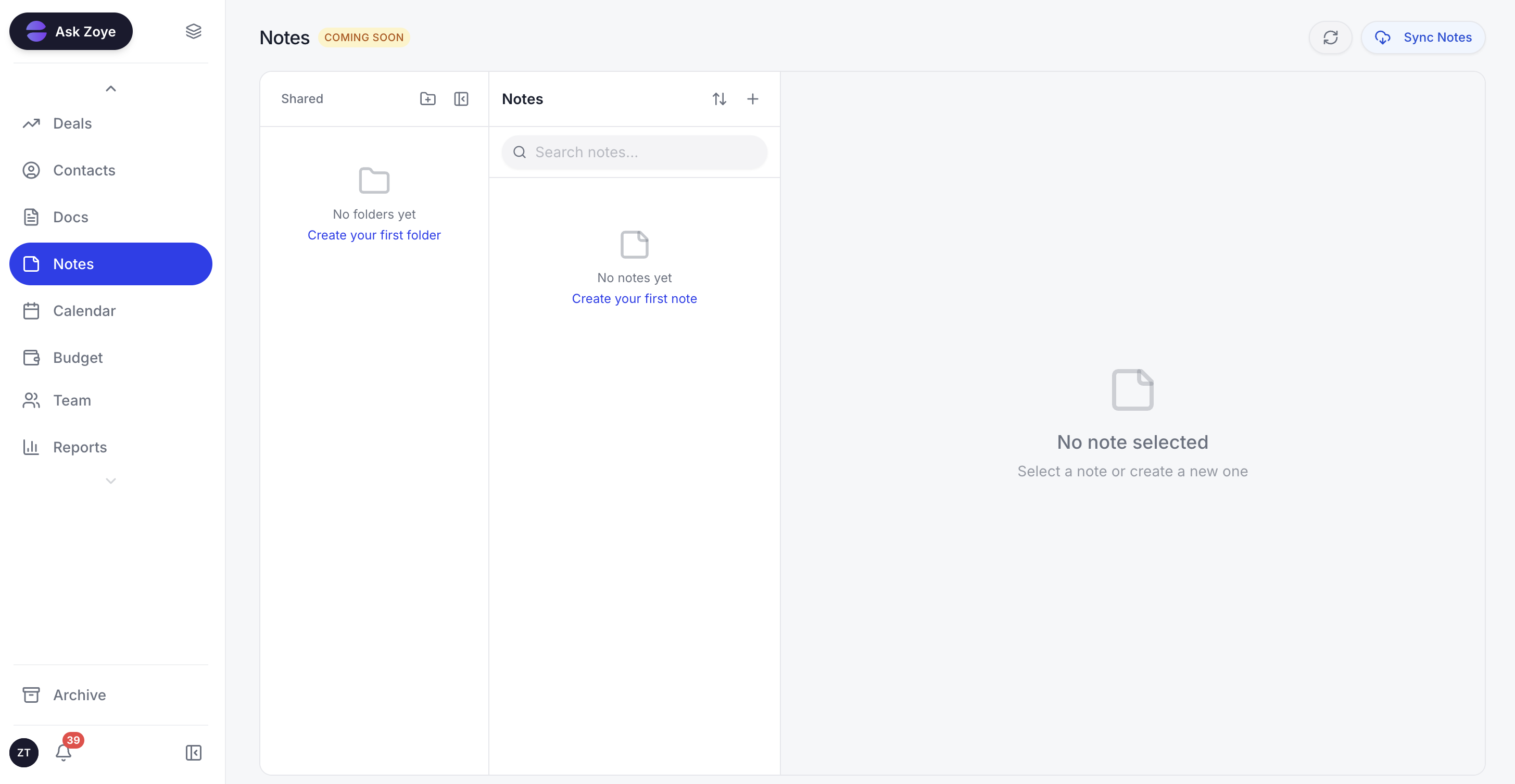
Intake answers sit on the contact next to the team's notes, so whoever replies starts with the full picture instead of a chat thread.
Built by describing it. Describe what should happen, for example "ask every new WhatsApp lead which service, when and what budget, then create a call task for the owner if they want it this month", and Zoye builds the rule, shows it to you and waits for your approval. Every WhatsApp automation starts switched off and confirms before sending.
Honest limits. Zoye does not design or host forms, and it does not replace a regulated records system: medical histories, case files and tax documents belong in the system your profession requires. It is not a helpdesk ticketing suite, and it does not run ads.
Pricing (as of October 2026, from our pricing page): Almost Free is $5 a month ($4 billed yearly) for 1 team member with the core tools; automations are not part of it, so the Lead Bot and auto-replies above are not included there. Starter is $29 a month ($23 a month billed yearly) for up to 5 members, Growth $59 ($47) for up to 10, Scale $119 ($95) for up to 30, and Customize is quoted. The pricing page lists what each plan includes.
Ready to hand off the busywork?
Zoye brings AI-powered CRM, task management, and automation into one workspace.
Get StartedStart your intake this week: a 5-step plan
A working intake, form or chat, can be live within a week: pick the closest template, cut it to the questions that change your reply, give each answer a field, write the replies, and test it with three real people.
- Day 1: pick and cut. Copy the closest template and remove every field that would not change your reply. Aim for 6 to 10.
- Day 2: create the fields. Each answer needs its own field on the client record, not a paragraph in a notes box.
- Day 3: write the replies. A quote, a booking link, a call, or a polite "not a fit" with a referral.
- Day 4: privacy pass. Drop any sensitive question that can wait, add your purpose line, set a retention period.
- Day 5: test. Three people outside your team complete it on a phone. Fix the question where they hesitate.
After a month, keep the questions whose answers predicted a signed client and question the rest. The second version of an intake form is usually shorter than the first.
If your clients already write to you on WhatsApp or Instagram, book a Zoye demo and bring your intake questions: we will show you the same questions running as a conversation, with every answer landing on the contact.