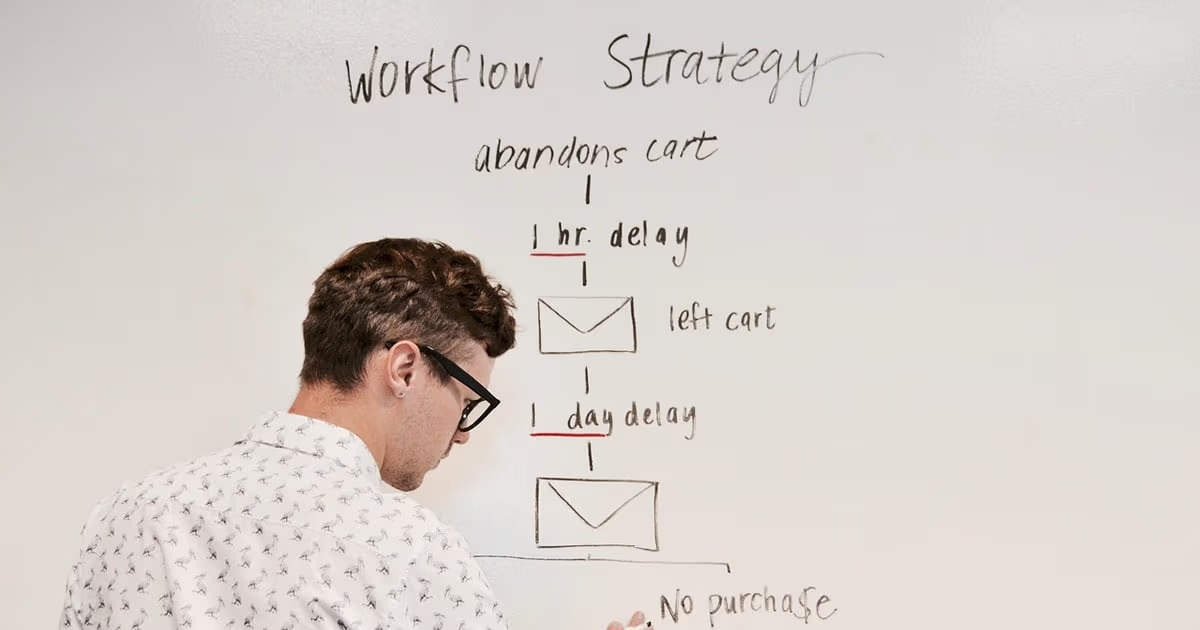
Make is a genuinely good builder. The canvas is clear, routers and iterators let you express logic other tools struggle with, and for a technical person the entry price is low. People rarely leave Make because it cannot do something. They leave because of two bills that arrive every month: the one that counts credits, and the one paid in hours spent opening scenario history to find out why a bundle stopped at module seven.
The first bill got harder to predict when Make replaced operations with credits. Most module actions still cost one credit each, so the arithmetic did not change much on a simple flow, but every iterator, every search step and every AI module multiplies it, and the scenarios that matter most to a business are rarely simple. The second bill never appears on an invoice. A scenario that fails at 2am leaves an incomplete execution, and someone has to read the bundle, fix the mapping, and replay it before the lead goes cold.
This guide compares seven alternatives on exactly those two costs: how each one bills a run, and who carries the repair work when something breaks. Some answers are technical (n8n, Pipedream), some fit a particular stack (Power Automate), some are about price (Pabbly Connect, Activepieces), and one removes the scenario layer altogether (Zoye).
Pricing reflects each vendor's published rates as of October 2026; plans change often, so confirm on the vendor's own pricing page before you buy.
What actually pushes people off Make
Credits are counted per module, and loops multiply them. Make's pricing page states that reading, searching, creating, updating, transforming, aggregating and iterating data each count as a credit. An iterator over 40 line items runs every downstream module 40 times. A scenario that looks like eight boxes on the canvas can burn several hundred credits on one order, and the monthly allowance disappears faster than the canvas suggests.
AI steps are priced differently from the rest. Make notes that some features using its AI provider may consume more credits, and it now lets paid plans connect their own AI provider and pay for tokens directly. That is fair, but it means the cost of a scenario with a classification or summary step depends on prompt length, which no one estimates in advance.
Debugging is a craft, not a button. When a run fails, Make stores it as an incomplete execution and gives you the bundle, the error and the module. That is good tooling for a builder. For an owner it is a puzzle: which field was empty, which app changed its response, did the retry run twice? Error handler modules help, and Make does not charge credits for them, but someone still has to design them for every scenario.
Scenarios become infrastructure that nobody owns. The person who built the lead routing scenario changes roles, and eighteen months later nobody remembers why there is a filter on the third route. Make did nothing wrong here. A scenario is software, and software without an owner decays.
Price one of your scenarios before you shop
Before comparing plans, take your busiest scenario and do the sums. The example below is illustrative, not a benchmark.
A webshop order scenario: a webhook trigger, a search for the customer in the CRM, a router with two paths, an iterator over the order lines, a create step per line in an inventory sheet, an email, and a Slack message. On an order with five lines, that is roughly one credit for each search, create and send, plus five for the line-item creates, so somewhere around ten to twelve credits per order. At 1,500 orders a month that is 15,000 to 18,000 credits, already past the 10,000 credits that Make's paid plans start at, before any other scenario runs.
Now run the same flow through each alternative's billing unit:
- Per run (n8n executions, Activepieces credits): one unit per order regardless of lines, so 1,500 a month.
- Per action step (Zapier tasks): each successful action counts, so a similar figure to Make, often a little lower because triggers do not use tasks.
- Per action, internal steps free (Pabbly Connect tasks): the actions count, filters, routers, formatters and iterators do not.
- Per compute time (Pipedream credits): one credit per 30 seconds of compute, so a fast flow is cheap and a slow API call is not.
- Per user or per bot (Power Automate): volume barely matters; seats do.
- Flat workspace price (Zoye): no unit per run, because the automation is part of the workspace price.
Whichever unit matches the shape of your heaviest scenario is usually the cheapest option for you, whatever the headline price says.
The 7 best Make.com alternatives in 2026
1. Zoye - automations that live inside your business records
Most tools on this list are better versions of the same idea as Make: a canvas that connects other apps. Zoye takes the opposite route. Your contacts, deals, tasks, calendar, documents, budget, invoices and reports already sit in one workspace and already link to each other, so the automation does not have to carry data between apps. It fires on the record itself, which is where a small business actually needs it.
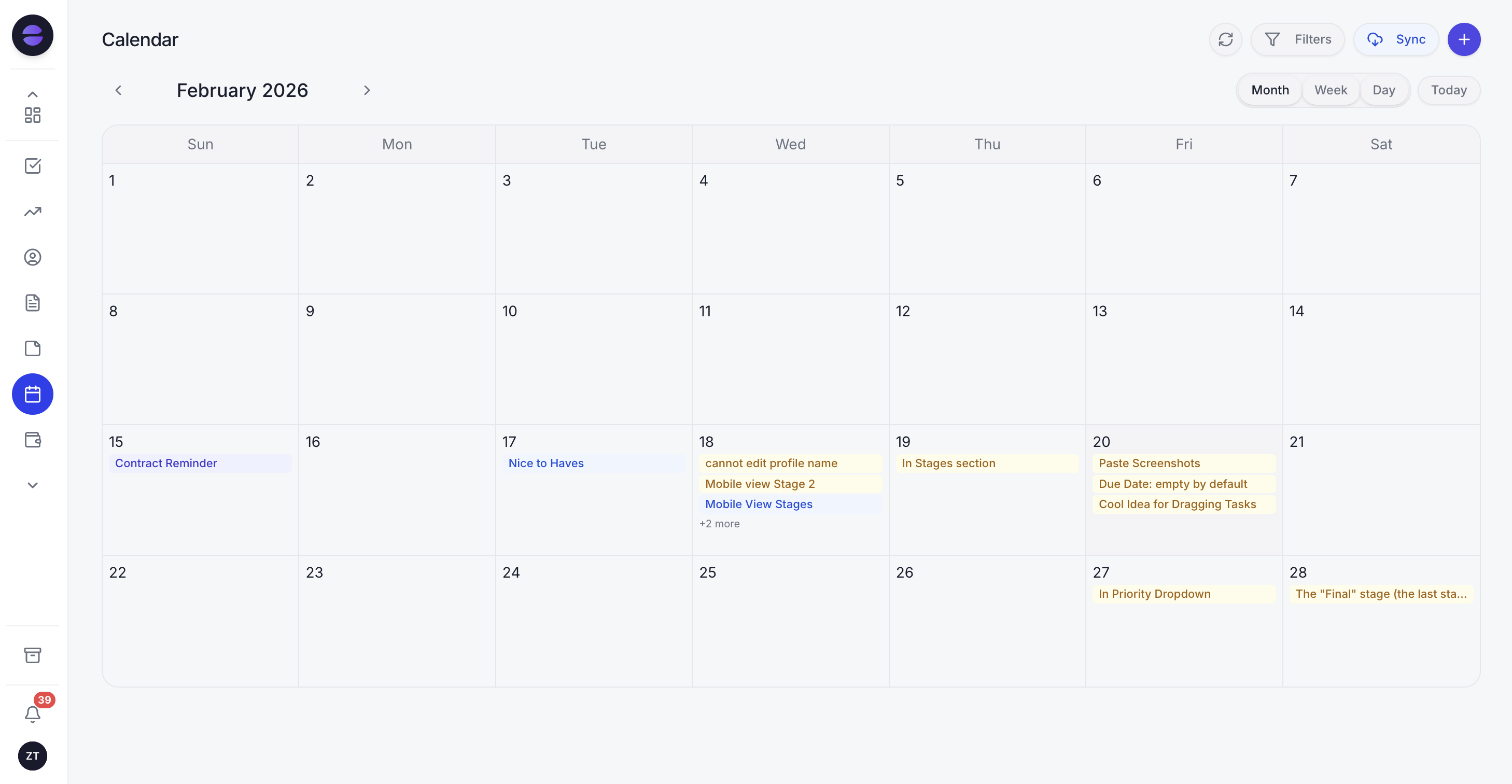 The Zoye calendar: meetings, deadlines and follow-ups that automation rules create land in the same place your team plans its week
Building a rule looks like a conversation, not a canvas. You describe what should happen, in the app, on WhatsApp, in Slack or through the Claude connector: "when a deal sits in Proposal for seven days, create a call task for its owner and remind me on Friday". Zoye builds the rule with its trigger, conditions and actions, shows it to you in plain English, and nothing runs until you approve it. There is a visual builder for people who enjoy one, and using it is optional. A rule can start from, and act on, eight of the workspace tools, from CRM and deals to tasks, calendar and invoices.
Debugging, the part of Make that eats evenings, is designed differently. Each run leaves an entry showing the trigger, the records it touched and any message it sent, and you can undo a run that did the wrong thing. Ready-made recipes cover the jobs most owners automate first: instant follow-up on a new lead, a nudge on a deal that has gone quiet for seven days, onboarding when a deal is won, chasing an overdue invoice, surfacing blocked tasks, and closing a parent task once all its subtasks are done.
The AI assistant also works the records directly. Ask on WhatsApp which invoices are overdue, send a voice note with three updates after a client meeting, or forward a photo of a business card and it becomes a contact. On the customer side, Zoye answers WhatsApp leads on the official Meta platform and replies to Facebook and Instagram comments and DMs, and every one of those leads triggers the same rules.
Zoye is an AI Business Operator, not a connector platform. If your whole job is syncing two outside systems with no customer or team work around them, a connector tool is the more natural fit. If the scenarios you keep fixing are about leads, follow-ups, deals and invoices, they belong inside the records.
Pricing (as of October 2026): Almost Free costs $5 a month, or $4 a month on annual billing, and gives 1 team member and 1GB the core tools. Starter is $29 a month ($23 on annual billing) with 10 members and 5GB. Growth is $59 ($47) with 20 members and 10GB. Scale is $119 ($95) with 100 members and 25GB. Customize is quoted. See pricing for what each plan includes.
Best for: Owners and small teams whose Make scenarios exist to move leads, deals, tasks and invoices around, and who would rather approve a rule than maintain one.
2. Zapier - the bigger library and the gentler editor
Zapier is the alternative most Make users already know, and the switch is usually about ease rather than price. Its step-by-step editor is easier to read than a canvas, the app library is the largest in the category, and its Copilot can draft a Zap from a description. The limitation for a cost-driven migration is that Zapier also bills per action: a task is each successful action step, so long flows stay expensive, and branching and loops cost extra effort compared with Make's routers and iterators. You will likely pay more for the same volume and get less control over complex logic.
Pricing (as of October 2026): Free plan with 100 tasks a month and two-step Zaps only. Professional costs $19.99 a month on annual billing or $29.99 month to month, with 750 tasks. Team costs $69 a month on annual billing or $103.50 month to month, with 2,000 tasks. Enterprise on quote.
Best for: Teams that value the widest app coverage and an easier editor more than the lowest cost per run.
3. n8n - per-execution billing and the option to self-host
n8n is where most technical Make users land when the credit bill is the reason. It counts one execution per workflow run regardless of how many nodes it passes through, so the order scenario above costs one unit per order rather than a dozen. It also offers code nodes in JavaScript and Python, strong AI agent nodes, and a Community Edition you can self-host. The limitation is the same as Make's, only sharper: you still design, test and repair every workflow, and self-hosting adds updates, backups and uptime to that list. It is a builder's tool for builders.
Pricing (as of October 2026): Cloud Starter 20 euros per month billed annually for 2,500 executions. Pro 50 euros per month billed annually for 10,000 executions. Business 667 euros per month billed annually (self-hosted only). Community Edition self-hosted from GitHub at the cost of your server.
Best for: Developers and technical teams running long, high-volume workflows who want to own the stack.
4. Pipedream - code-first automation for developers
Pipedream treats automation as code with managed infrastructure around it. Steps can be written in Node.js or Python, thousands of prebuilt connectors handle authentication, and its current focus, Pipedream Connect, gives developers API, SDK and MCP access to wire those connectors into their own apps and AI agents. The limitation for a Make refugee is the audience: Pipedream assumes you are comfortable reading and writing code, and its public pricing now speaks mostly to developers building products rather than owners automating a business. Billing is compute time, so a slow external API raises your cost even when volume stays flat.
Pricing (as of October 2026): Free plan for development use. Startup $99 per month billed annually ($150 monthly) with 10,000 credits, where one credit covers 30 seconds of compute. Business on quote.
Best for: Developers who prefer writing a function to arranging modules, and teams building connectors into their own product.
5. Activepieces - open source with one credit per run
Activepieces is an open-source automation builder with a friendlier editor than n8n and a billing model aimed squarely at Make's weakest point. A run costs one credit regardless of how many steps it has, flows are unlimited on every plan, and the self-hosted Community Edition is free. The limitation is maturity and AI pricing: the connector library is smaller than Make's, and AI steps add between 2 and 20 credits depending on the model you pick, so AI-heavy flows need the same estimating discipline you were trying to escape. On the Free plan, runs over the limit wait until credits reset the next day.
Pricing (as of October 2026): Free with 1,000 credits a month and up to 5 users. Plus $20 per month for 10,000 credits. Team $200 per month for 50,000 credits and 25 users. Ultimate on quote. Community Edition self-hosted free.
Best for: Small technical teams that want open source and per-run billing without n8n's learning curve.
6. Microsoft Power Automate - the default for Microsoft 365 shops
If your business runs on Outlook, Teams, SharePoint and Excel, Power Automate is already close to hand, and many Microsoft 365 licences include basic cloud flows with standard connectors (check what your licence covers). It adds desktop automation for legacy software that has no API, which Make cannot do. The limitations are licensing complexity and an experience built for IT departments: premium connectors and unattended bots are priced per user or per bot, the editor is dense, and outside the Microsoft ecosystem the connectors feel thinner than Make's.
Pricing (as of October 2026): Premium $15 per user per month, paid yearly. Process $150 per bot per month, paid yearly. Hosted Process $215 per bot per month, paid yearly.
Best for: Companies standardised on Microsoft 365, especially those with desktop software that needs robotic automation.
7. Pabbly Connect - the budget pick that ignores internal steps
Pabbly Connect competes on price and counts tasks generously: filters, routers, formatters, schedules and iterators are not charged, which is the exact opposite of where Make's credits accumulate. It also sells one-time lifetime plans for businesses that want a fixed cost. The limitations are depth and polish. The connector library and error tooling are thinner than Make's, regional pricing pages vary, and Pabbly states that a one-time plan cannot be upgraded later, so buy the size you will need.
Pricing (as of October 2026): Free plan with 100 tasks a month (2 workflows of up to 2 steps). Standard from around $16 per month billed annually for 10,000 tasks. Unlimited plan and one-time lifetime plans also offered; prices are shown in local currency by region.
Best for: Price-sensitive businesses with stable, mostly linear flows that lean on filters and iterators.
Want to see it in action?
See Zoye catch a new lead, answer on WhatsApp and set up the follow-up, all from one message.
See How It WorksThe seven side by side
| Tool | What you pay for | Self-host | Who repairs a failed run |
|---|---|---|---|
| Zoye | Flat workspace plan, no per-run unit | No | Zoye logs every run and can reverse it; rules are approved before they run |
| Zapier | Each successful action step (task) | No | You, from Zap history |
| n8n | One execution per workflow run | Yes | You or your developer |
| Pipedream | Compute time (30 seconds per credit) | No | Your developer |
| Activepieces | One credit per run, more for AI steps | Yes | You or your developer |
| Power Automate | Per user or per bot | No | You or IT |
| Pabbly Connect | Action steps; internal steps free | No | You |
| Make (for reference) | Credits per module action | No | You, from incomplete executions |
Which alternative fits which kind of Make user
The cost-cutter with long scenarios. If your bill is driven by iterators and multi-step flows, move to a per-run model: n8n if you are comfortable with expressions and hosting, Activepieces if you want something gentler. Re-price your top three scenarios first; the gap is often large on long flows and small on short ones.
The developer who outgrew the canvas. If half your Make modules are already custom HTTP calls and JSON parsing, Pipedream or n8n's code nodes will feel like relief rather than a downgrade.
The Microsoft shop. If your data lives in SharePoint lists and Excel files and IT already manages licences, Power Automate saves you a separate vendor, a separate login and a separate bill.
The owner who never wanted to build. If you inherited Make scenarios from a freelancer, or you built them yourself on weekends and now dread the error emails, the honest answer is that a cheaper builder will not fix the real problem. The work is the problem. Look at what the scenarios do. If they create leads, send follow-ups, move deals and chase invoices, Zoye covers that work inside its own records and builds each rule from your description. Our guide on how to automate follow-ups shows what those rules look like in practice.
See what Zoye can do for you
CRM, deals, tasks and your Instagram, Facebook and WhatsApp automations in one workspace. Just ask Zoye and it sets any of it up for you.
Explore FeaturesLeaving Make without losing a single run
A migration fails quietly when a scenario stops in Make before its replacement is proven. A safe order of work:
- List every active scenario with its trigger, the apps it touches, how often it runs, and what breaks for a customer if it stops. Turn off anything nobody can explain; if no one complains within two weeks, delete it.
- Export the blueprints. Make lets you download a scenario blueprint as a JSON file. It will not import into other tools, but it documents every module and mapping for whoever rebuilds the flow.
- Rebuild the highest-risk flow first, usually lead capture or order handling, and run it in parallel with the Make version for a week, comparing outputs.
- Move webhooks last. Point the form or the shop at the new endpoint only after the parallel run matches, and keep the old scenario paused rather than deleted for a month.
- Write down who owns each automation. Whatever tool you choose, every flow needs a named person or a system that reports on it. That is the step that prevents the next migration.
If most of your list turns out to be lead, deal and invoice handling, consider skipping the rebuild and describing those rules to Zoye instead. For the wider market, including enterprise platforms, see our comparison of workflow automation software; if you are coming from Zapier rather than Make, our Zapier alternatives guide is the better starting point.
Ready to hand off the busywork?
Zoye brings AI-powered CRM, task management, and automation into one workspace.
Get StartedWhy teams pick Zoye
Teams that move from Make to Zoye are usually not chasing a cheaper credit. They are done being the maintenance department. In Zoye the automation sits on the same records the team works on every day, so a new lead, a stalled deal or an overdue invoice triggers the rule directly, without a webhook, a mapping or a scenario to keep alive. You describe the rule, Zoye shows it in plain English, and it waits for your yes. Afterwards every run is in the log, and a mistake can be reversed instead of replayed by hand.
The price stops moving with volume as well. Almost Free is $5 a month ($4 billed annually) for one person with the core tools, and Starter covers a team of ten for $29 a month; see pricing for what each plan includes. Explore Zoye's workflow automations and see which of your scenarios you could simply describe instead of rebuild.
For more context, see our guides to the best Zapier alternatives, the best workflow automation software, and how to automate follow-ups.