Quick answer: A WhatsApp newsletter is a regular update sent to people who asked for it, and in October 2026 there are three ways to send one: a WhatsApp Channel for one-way public updates, a broadcast list in the WhatsApp Business app for up to 256 contacts per list, or approved marketing templates on the WhatsApp Business Platform for a growing, opted-in list. The right choice depends on whether you need replies, names and segments.
Key takeaways (October 2026)
- WhatsApp Channels are one-way: followers react and vote in polls but cannot reply, and WhatsApp stores channel history for up to 30 days. The Updates tab where they live is used by 1.5 billion people a day, per Meta's June 2025 announcement.
- A broadcast list in the WhatsApp Business app holds up to 256 contacts and only reaches people who saved your number, according to WhatsApp's Help Center.
- On the Platform, a new business portfolio starts with a messaging limit of 250 unique recipients per rolling 24 hours, rising to 2,000, 10,000, 100,000 and unlimited as quality and verification allow.
- Marketing templates are billed per delivered message. Low-quality templates are paused for 3 hours, then 6 hours, and disabled on the third strike, per Meta's developer documentation.
- Meta's per-user limits page says marketing templates are not currently delivered to United States phone numbers, so a US-heavy list needs a different plan.
A newsletter on WhatsApp sounds like email with better open rates. It is not quite that. Email lets you write long, send to anyone on your list at almost no marginal cost, and live with a few unsubscribes. WhatsApp sits in the same inbox as a person's family chats, so every message is judged against a message from a friend. People who feel spammed do not just ignore you: they mute, block or report, and on the Platform those signals feed directly into whether Meta lets you keep sending.
That is why the question "how do I send a WhatsApp newsletter" has three different answers. This guide compares them honestly, with the rules Meta and WhatsApp publish as of October 2026, then covers consent, cadence, five example newsletters you can adapt, and how to send one edition to several audiences built from live customer data. If you want the full set of business messaging tools first, our WhatsApp automations page lists them.
What a WhatsApp newsletter is, and what it is not
A WhatsApp newsletter is a recurring update, weekly, fortnightly or monthly, sent to people who chose to receive it. It is short, usually one image and a few lines, and it ends with one clear next step. It is not a one-off promotion blast and not a support reply, although a good newsletter often starts conversations that become both.
The difference matters because each mechanism treats it differently. A one-off broadcast, the kind our WhatsApp broadcast guide covers, is a single campaign with a single goal. A newsletter is a promise: "every Thursday you will get three useful things from us". The promise is what earns the opt-in, and keeping it is what keeps your quality rating healthy. Break it, by sending daily when you promised weekly or by turning every edition into a discount, and readers start blocking.
A useful newsletter on WhatsApp has four traits:
- It is expected. The reader knows the rhythm and recognises your name.
- It is short. Most people read WhatsApp on a phone between other things. Three short items beat ten.
- It invites a reply. Unlike email, a reply here is one tap away, and every reply is a warm conversation.
- It is easy to leave. A visible way to stop is not a weakness. It is what Meta asks for, and it removes the reason to press Block.
The three ways to send a WhatsApp newsletter, compared
As of October 2026 you can send a WhatsApp newsletter through a WhatsApp Channel, through broadcast lists in the WhatsApp Business app, or through marketing templates on the WhatsApp Business Platform. Channels give reach without replies, broadcast lists give personal reach at small scale, and the Platform gives scale with rules and a per-message cost.
| WhatsApp Channel | Broadcast list (Business app) | Marketing template (Platform) | |
|---|---|---|---|
| Where it lands | Updates tab, not the chat list | Chat list, as a one-to-one message | Chat list, as a one-to-one message |
| Can readers reply? | No, emoji reactions and polls only | Yes, as a private chat | Yes, as a private chat |
| Who you can reach | Anyone who follows | Up to 256 contacts per list who saved your number | Opted-in contacts, within your messaging limit |
| Personalised per person | No | No, same text for all | Yes, through template variables |
| Do you see who reads? | Follower count only, not identities | Delivery and read ticks per person | Delivery, read and reply per person |
| Approval needed | No | No | Each template is reviewed by Meta |
| Cost to send | None | None | Per delivered message, by country |
| Best for | Public announcements, a community following | A small, loyal list | A growing list you want to segment and sell to |
Many businesses end up using two of these: a Channel for anyone who wants occasional news, and a chat-based newsletter for customers who want to hear from you personally. The sections below show where each one breaks.
Option 1: WhatsApp Channels
A WhatsApp Channel is a one-way broadcast feed that lives in the Updates tab. Admins post text, photos, videos, stickers and polls; followers can react with emojis and vote but cannot reply. Neither side sees the other's phone number, and channel history is stored for up to 30 days, according to WhatsApp's own announcements.
Channels launched in 2023 and WhatsApp has added to them since. Here is what WhatsApp and Meta state on their official pages, checked in October 2026:
- Privacy both ways. WhatsApp's launch post says an admin's phone number and profile photo are not shown to followers, and Meta's guide adds that following a channel does not reveal your number to the admin or other followers.
- One-way by design. Followers cannot write back in the channel. They can react with emojis, and the total count of reactions is visible, but individual reactions are not shown to other followers.
- Forwarding with a link back. A forwarded update carries a link to the channel, so good posts can recruit new followers.
- Admin controls. Admins can decide whether the channel appears in the directory and can block screenshots and forwards.
- Discovery. A searchable directory, filtered by country, lets people find channels that are new, most active or popular.
- Short memory. Channel history is kept on WhatsApp's servers for up to 30 days, so a Channel is not an archive.
- Monetisation features rolling out. In June 2025 Meta announced channel subscriptions (a monthly fee for exclusive updates), promoted channels in the directory, and ads in Status, to be rolled out gradually over several months. Check what your account shows before planning around them.
Setting one up takes a few minutes in the WhatsApp or WhatsApp Business app: open the Updates tab, start a new channel, add a name, a short description and an icon, then share the channel link wherever your audience already finds you. Post a pinned welcome that says what you will share and how often.
Where Channels fall short for a business newsletter. You do not know who your followers are, so you cannot tell a loyal customer from a curious stranger, cannot segment, and cannot follow up. Readers cannot reply, which removes the single biggest advantage WhatsApp has over email. Followers choose whether to turn on notifications, so many will only see your update if they open the Updates tab. And because nothing lands in the chat list, a Channel does not create a customer conversation. Treat it as a public notice board that builds awareness, then invite readers to message you directly for anything personal.
Option 2: Broadcast lists in the WhatsApp Business app
A broadcast list sends the same message to up to 256 contacts at once, and each recipient sees it as a private chat from you. It only reaches people who saved your number in their address book, and replies come back as one-to-one chats. It suits a small, loyal list and stops working as the list grows.
The rules come from WhatsApp's Help Center: up to 256 contacts per list, recipients must have your number saved, broadcast lists are created on the phone (not on Windows, Mac or Web), and a reply never goes to the rest of the list. The saved-number rule is the one that quietly breaks newsletters. Someone who gave you their number at the counter, but never saved yours, receives nothing, and you get no error telling you so.
How to run a newsletter on broadcast lists without losing track:
- Ask people to save your number when they subscribe. "Save this number as [Your business] so our Thursday update reaches you" belongs in the confirmation message.
- Split by interest, not by alphabet. If you need more than one list, make each list a segment, for example new customers and regulars, so each edition can differ slightly.
- Keep a stop list. Anyone who asks to stop must come off every list the same day, and the app will not do that for you across lists.
- Answer replies the same day. The replies are the point. If nobody answers them, the newsletter becomes a one-way channel with extra steps.
Business broadcasts in the app. In some countries, the WhatsApp Business app now offers paid business broadcasts with audience selection and scheduling. WhatsApp's Help Center describes them as reviewed by Meta before sending, charged once the free allowance is used, and "currently available in limited countries". If you see the option, it removes the 256 cap for that send, but it is still one message for everyone, managed by hand on one phone.
The ceiling is practical as much as technical. One person on one phone can keep a few hundred readers happy. At a thousand subscribers, with several people answering replies, you need a shared view of who said what, which the app does not give. Our guide to the WhatsApp Business app vs API covers the move in detail.
Want to see it in action?
See Zoye catch a new lead, answer on WhatsApp and set up the follow-up, all from one message.
See How It WorksOption 3: Marketing templates on the WhatsApp Business Platform
On the WhatsApp Business Platform, a newsletter is an approved marketing template sent to opted-in contacts through software. It can carry a header image, a greeting with each person's name, buttons and a stop option. Meta bills each delivered message, limits how many people you reach per day, and watches reader feedback through a quality rating.
These are the rules that shape a newsletter on the Platform, verified on Meta's developer documentation in October 2026:
Templates and approval. Any message that starts a conversation, or arrives more than 24 hours after the subscriber's last message, must be an approved template. A newsletter is almost always in the marketing category. Meta reviews each template before you can use it, so write your newsletter frame once (header, greeting, three variable slots, buttons) and fill it per edition. Our guide to WhatsApp message templates covers categories and approval.
Per-message billing. Meta charges per delivered message by category and by the recipient's country, and may change rates only on 1 January, 1 April, 1 July or 1 October. Rates differ widely between countries, so read Meta's current rate card instead of trusting a number in a blog post. Our WhatsApp Business API pricing guide explains the categories.
What is not charged. If a subscriber replies, a 24-hour customer service window opens, and your free-form answers inside it are service messages. Since 1 October 2026, each business phone number gets 1,000 service messages a month at no charge, without rollover. Separately, when someone messages you from a click-to-WhatsApp ad on the Android or iOS app and you reply within the window, a free entry point window of up to 7 days opens in which marketing messages are not charged. Desktop and web do not qualify.
Messaging limits. Meta caps how many unique people you can deliver to outside an open service window in a rolling 24 hours. A new business portfolio starts at 250. Verifying your business, or delivering 2,000 high-quality template messages to unique numbers within 30 days, unlocks 2,000; after that, limits step up to 10,000, 100,000 and unlimited when you use at least half your limit within 7 days and keep quality high. The limit is shared by every number in the portfolio.
Quality rating and pausing. Each template carries a rating: green (high), yellow (medium), red (low) or unknown while new. Meta's documentation names negative feedback from multiple users and low read rates as the signals. A marketing template that falls to low quality is paused for 3 hours the first time, 6 hours the second time, and disabled the third time. For a newsletter, this is the rule that matters most: a dull or too-frequent edition damages the template you rely on every week.
Per-user marketing limits. Meta also limits how many marketing templates one person receives from all businesses, adapting to that person's recent engagement. A blocked send returns error 131049, and Meta asks you to wait at least 24 hours before trying that person again. As of October 2026 the same page states that marketing templates are not currently delivered to United States phone numbers. If most of your readers have US numbers, plan on a Channel, email or SMS for them.
AI and consent. Meta's terms have barred general-purpose AI chatbots from the Platform since 15 January 2026, while AI that serves a business's own customers, answering replies to your newsletter for example, is allowed. And you may only message people who gave you their number and agreed to hear from you.
Opt-in and opt-out: the consent checklist for a WhatsApp newsletter
A WhatsApp newsletter needs explicit permission. Meta's documentation says the opt-in must state that the person is agreeing to receive messages and name the business, and it can be collected on a website, by SMS, in a phone call or on paper. Every edition then needs a clear way to stop, honoured immediately across every list.
Use this checklist when you set up sign-up:
- Say what they get. "Our Thursday update: one tip, one new product, one offer, on WhatsApp. Stop anytime." A specific promise attracts the right readers and makes the opt-in meaningful.
- Name the business. Use the same name readers will see on your WhatsApp profile.
- Keep it separate. Do not hide the newsletter consent inside terms of service or a purchase checkbox that is ticked by default. Meta recommends separate opt-ins for each type of message.
- Record it. Store when, where and how each person agreed, on their contact record. If a reader complains, you can show the source.
- Confirm the subscription. Send a short first message that says what they signed up for and how to stop. On the Platform this is itself a template.
- Make stopping easy. Add a quick-reply button such as "Stop updates" to the template, and treat a typed "stop" the same way. WhatsApp users can also turn off marketing messages from a business in the app, or block and report it.
- Honour it everywhere. A stop request should end every newsletter, campaign and scheduled message to that person, not just the list it arrived on.
Good sign-up points are the places where people already talk to you: a checkout page, a booking confirmation, a QR code on a receipt, a link in your email footer, or the first reply a new lead receives. Our guide to WhatsApp marketing for small business covers list-building in more depth.
See what Zoye can do for you
CRM, deals, tasks and your Instagram, Facebook and WhatsApp automations in one workspace. Just ask Zoye and it sets any of it up for you.
Explore FeaturesHow often to send a WhatsApp newsletter
For most small businesses, weekly or every two weeks works best, with monthly as the safe floor. Pick the rhythm you can sustain with useful content, state it at sign-up, and keep it. Read rates and stop requests, not your calendar, should decide whether you send more or less often.
Because Meta's quality rating and per-user limits both react to engagement, cadence is not just a style choice on WhatsApp. A rhythm that suits email, three sends a week, can turn a green template red within a few editions. Some practical rules:
- Weekly suits businesses with something new every week: fresh stock, a weekly schedule, a regular tip. Keep each edition to three items.
- Every two weeks suits most service businesses. It is frequent enough to be remembered and rare enough to be welcome.
- Monthly suits slower-moving businesses and lists that were collected a while ago. It is also the right starting point when you move an old list onto WhatsApp.
- Same day, same hour. Pick a slot that fits the reader's day, in their own time zone, and stick to it. Familiar timing is part of what makes a newsletter feel expected.
- Watch three numbers per edition: read rate, reply rate and stop requests. If stops rise for two editions running, slow down or change the content before Meta decides for you.
- Pace large sends. Spread an edition over an hour or two rather than releasing it all at once. It keeps you inside your messaging limit and gives you time to stop if early replies reveal a mistake.
5 WhatsApp newsletter examples you can adapt
Each example below is a frame, not a script. Replace the bracketed parts, keep the length, and make sure the template includes a stop option. Fields such as {first_name} are filled per person when the message is sent. These are illustrative examples, not results from a specific business.
1. The weekly "three things" edition
Hi {first_name}, your Thursday three from [Business]:
- New this week: [item], [one line on why it is useful].
- Quick tip: [one practical tip your customers ask about].
- Back in stock: [item], while it lasts. Reply with a number to hear more about it. [Button: Show me the new item] [Button: Stop updates]
Why it works: the numbered list makes replies effortless, and each reply tells you exactly what the reader cares about.
2. The monthly roundup for a service business
Hi {first_name}, here is [Business] in [month]: Open slots: [days or times still available]. What changed: [new service, new hours or new team member]. Worth knowing: [one useful fact about your service]. Want a slot? Reply BOOK and we will send the times. [Button: Book a time] [Button: Stop updates]
Why it works: it turns a newsletter into a booking prompt without sounding like an advert, and the reply keyword lets you answer automatically.
3. The launch note
Hi {first_name}, something new from [Business]: [product or service name]. It is for [who it helps] and it [main benefit in plain words]. Newsletter readers get it first, from [date], before we announce it anywhere else. [Button: See it] [Button: Not for me] [Button: Stop updates]
Why it works: early access rewards subscribers for staying, and the "Not for me" button gives you a polite signal for segmenting without a stop.
4. The member or community digest
Hi {first_name}, this fortnight at [Business]: Coming up: [event or session], [date and time]. From the community: [short highlight, with permission]. Question for you: [one simple poll-style question]? Reply A or B and we will share the results next time. [Button: Save my place] [Button: Stop updates]
Why it works: asking a question and promising to share the answers makes the next edition something readers wait for.
5. The "we miss you" digest for quiet customers
Hi {first_name}, it has been a while since your last [order or visit] with [Business]. Since then: [two short lines on what is new]. If you would like a hand choosing, just reply and a person from our team will answer. [Button: What is new] [Button: Stop updates]
Why it works: it is honest about the gap, offers a human, and only goes to people whose last purchase was a while ago, which is the segment where a newsletter earns back the most.
For more broadcast wording beyond newsletters, see WhatsApp follow-up sequences, which cover what to send after someone replies.
The segmented newsletter: one edition, several audiences
A segmented WhatsApp newsletter sends the same edition in two or three versions, each to an audience defined by customer data: new subscribers, active customers, quiet customers. It respects per-user limits, raises read rates and lowers stop requests, because each person gets the version that fits where they are.
On email, sending everything to everyone is wasteful. On WhatsApp it is risky, because every irrelevant message is a chance for a block that lowers your quality rating. Segmentation is how a newsletter stays green as the list grows.
Start with three segments that most businesses can build from data they already have:
| Segment | Defined by | What changes in the edition |
|---|---|---|
| New subscribers | Opted in during the last 30 days | A welcome line, your most useful item first, no offer yet |
| Active customers | Bought or booked in the last 90 days | The full edition, with a reorder or rebook button |
| Quiet customers | No purchase in 90 days or more | Example 5 above, sent less often, with a human offer |
The numbers in that table are starting points; adjust them to how often your customers usually buy. Two rules make segments work in practice. First, segments must be live: when a quiet customer buys again on Tuesday, they should get Thursday's active-customer version, not the "we miss you" one. Second, segments must be deduplicated: a person who fits two segments receives one edition, never two.
Replies are the other half of segmentation. When a reader answers "2" to your three-item edition, that is a stated interest. Write it on their record, as a tag or a field, and the next edition can lead with that topic for everyone who chose it.
Ready to hand off the busywork?
Zoye brings AI-powered CRM, task management, and automation into one workspace.
Get StartedHow Zoye sends a WhatsApp newsletter from live audiences
Zoye is an AI Business Operator: thirteen connected tools, including CRM, tasks, deals, calendar, invoices, reports and WhatsApp automations, plus an AI assistant that operates them for you in the app, on WhatsApp, in Slack and through the Claude connector. For a newsletter, that means the audience, the send and every reply live on the same customer record.
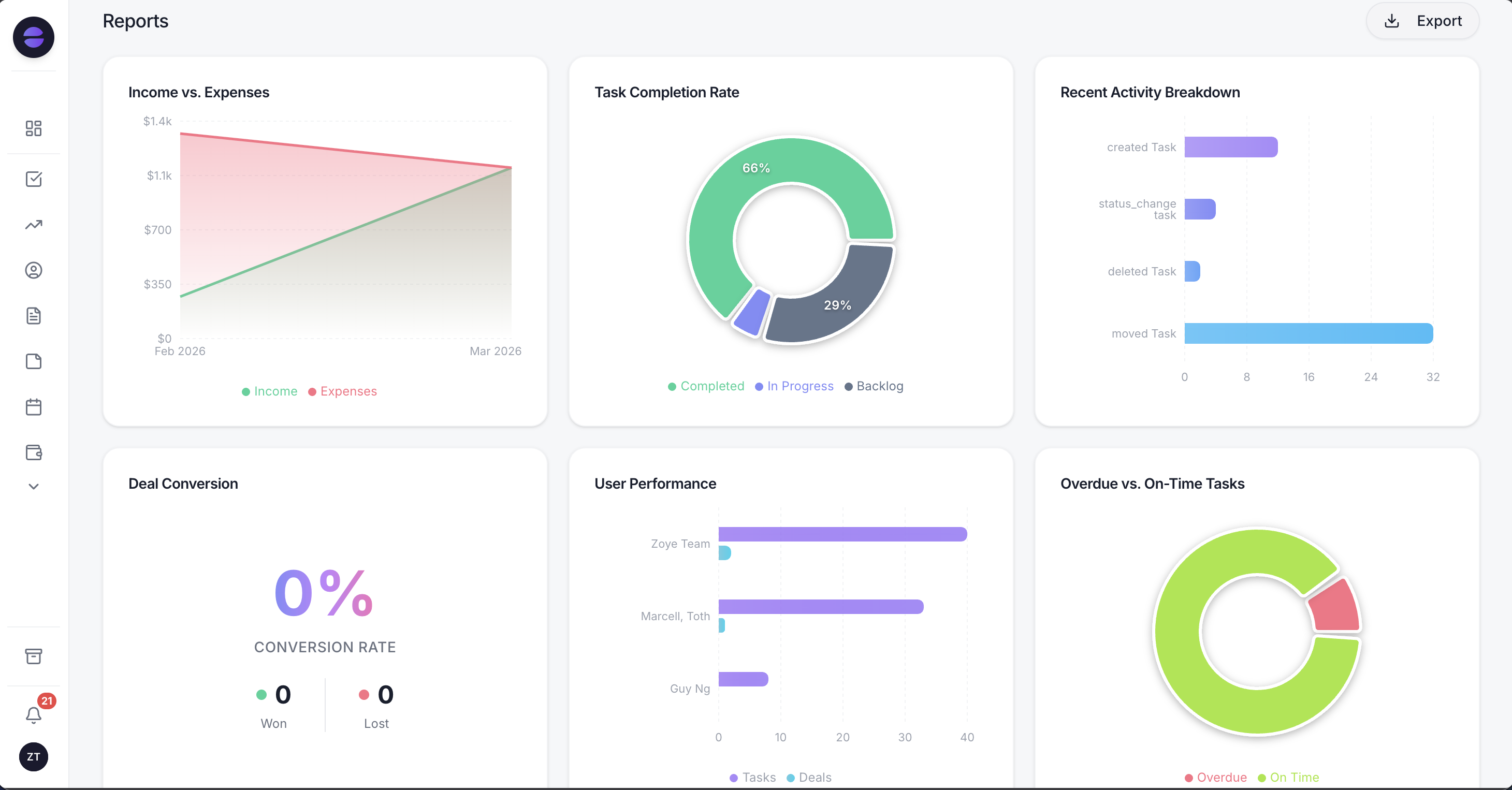
Each send is tracked per contact for delivery and replies, and reports sit beside it, so you can see which editions start conversations.
Audiences that stay live. Build an audience by stage, source, tag or any field, such as "bought in the last 90 days" or "replied 2 to last week's edition". Audiences update automatically as records change, so an edition scheduled for Thursday goes to whoever matches on Thursday.
Scheduled broadcasts, personalised and paced. Send an edition now or at the time you choose. Each message is filled for each person from their record, so {first_name} and other fields are correct at send time, and delivery is spaced out to protect sending quality. Nobody in two audiences receives the same edition twice.
Templates handled. Zoye categorises your newsletter template, submits it to Meta, tracks its status and resubmits your edits. Anything sent as a first message or more than 24 hours after a subscriber's last reply uses an approved template automatically. If Meta rejects a send, you are told the reason, never a false confirmation.
Consent and opt-out built in. Each automation asks you to confirm consent, every outbound message carries an opt-out, and a STOP reply is honoured across the whole workspace, not only on one list.
Replies become conversations. Every reply lands on the contact's record with the full chat. Zoye can answer common questions, qualify a reader who shows interest with the lead qualification bot that writes answers into fields, offer booking times from your Booking list, send a payment link in the chat, or hand the chat to a person on your team with the whole history on the lead's card.
You describe it, Zoye builds it. Tell the assistant what should happen, for example "every other Thursday at 10, send the newsletter to active customers, and the short version to anyone who joined this month". Zoye builds the rule, shows it to you in plain English, and waits for your approval. All six WhatsApp automations are off by default and confirm before sending, and every run is logged.
Honest limits. Zoye runs on the official WhatsApp Business Platform (Cloud API). Today Zoye runs WhatsApp conversations with your leads, and Chats keeps them in one inbox with Instagram and Facebook messages and comments, with assignment, team notes and quick replies; connecting your own business number is coming soon. It does not post to WhatsApp Channels, it is not a bulk sender for lists you did not collect, and it is not a BSP reseller. Meta's own per-message charges apply on top, as with any provider.
Pricing: four plans plus a custom one. Almost Free costs $5 a month, or $4 a month billed annually, for 1 team member with 1GB, the core tools, 15 AI prompts a month and Google integrations, without automations. Starter is $29 a month ($23 annually) for 10 members and 5GB. Growth is $59 ($47) for 20 members and 10GB. Scale is $119 ($95) for 100 members and 25GB. Customize is quoted. See pricing for details.
Best for: small teams that want a WhatsApp newsletter with names, segments and replies that turn into bookings and sales, all on one customer record.
Choose your WhatsApp newsletter route
If you want public reach and do not need replies, start a WhatsApp Channel. If you have a few hundred loyal customers who saved your number, broadcast lists work. If your list is growing and you want names, segments, replies and sales, send approved templates on the Platform and keep every edition tied to the customer record.
A quick way to decide: count how many subscribers you expect in six months and how many replies you want each edition to start. Under 256 readers and a handful of replies, the app is enough. Thousands of readers and replies you want to turn into bookings call for the Platform, paced, segmented and with a stop option in every message.
Whichever route you pick, the newsletter only works if people are glad to see it. Promise something specific, send it on the rhythm you promised, and make leaving as easy as joining. See pricing to choose a plan, and start sending a newsletter your customers actually read.