
Quick answer: the best WhatsApp marketing software is the one that turns a campaign into sales your team can see, without putting your number at risk. Zoye ranks first for small teams because replies become contacts, deals and follow-ups in one workspace. Wati, Interakt and AiSensy win on broadcast tooling, respond.io and SleekFlow on shared inboxes, and Brevo, ManyChat and Twilio on narrower jobs.
Key takeaways (October 2026)
- Software fees in this comparison run from $45 a month (AiSensy Basic) to $499 a month (Brevo Professional, the first Brevo tier that includes WhatsApp campaigns), before Meta's message charges.
- Meta has billed per delivered message since 1 July 2025, and marketing templates are always charged; since 1 October 2026 each business number gets 1,000 free service messages a month.
- A new business on the Platform can reach 250 unique people per rolling 24 hours, rising to 2,000, 10,000, 100,000 and then unlimited as quality and verification allow.
- Meta currently does not deliver marketing templates to US phone numbers, as of October 2026. A US-heavy list needs a second channel.
- A low-quality marketing template is paused for 3 hours, then 6 hours, then disabled. Segmentation is a cost control and a safety feature at the same time.
What WhatsApp marketing software actually does
WhatsApp marketing software sends approved template messages to people who opted in, at a volume the WhatsApp Business app cannot handle. Good tools add segmentation, scheduling, pacing, reply handling and reporting. The best ones also make sure a reply turns into a real customer record with an owner, instead of a chat nobody follows up.
The WhatsApp Business app is fine for a handful of customers. Its broadcast lists stop at 256 contacts each and only reach people who saved your number, there is no segmentation beyond labels, and nothing tells you which message produced a sale. Once a list grows or a second person starts answering, the business moves to the WhatsApp Business Platform, and that is where marketing software lives.
A tool in this category usually covers six jobs:
- Audience building. Import contacts with their consent, tag them, and build segments by source, stage, purchase or activity.
- Templates. Write marketing templates with variables such as {first_name} and buttons, submit them to Meta and track approval.
- Campaigns. Send now or schedule, with pacing so a big list does not trip your messaging limit in one burst.
- Replies. Catch what people answer, route it to a person or an automated reply, and keep the 24-hour customer service window in view.
- Automation. Welcome messages, abandoned cart nudges, follow-ups and re-engagement that fire from data rather than from someone remembering.
- Reporting. Delivered, read, replied, clicked and, ideally, revenue.
Job four is where most campaigns quietly fail. A broadcast that gets 80 replies is a win only if those 80 people get an answer and a next step. If you want the strategy side (what to send, how often, how to build the list), our WhatsApp marketing for small business playbook covers it. This article is about choosing the software.
The rules every tool has to live with (October 2026)
Every tool below sends through the same Meta infrastructure, so Meta's rules apply equally to all of them. As of October 2026, Meta bills per delivered message by category and country, limits how many people you can reach in 24 hours, rates every template on quality, and caps how many marketing messages each person receives. No vendor can switch these off.
According to Meta's developer documentation on WhatsApp pricing and messaging, as of October 2026:
- Per-message billing. Meta charges for each delivered template by category (marketing, utility, authentication) and by the recipient's country. Messages customers send you are not charged. Meta can change rates only on the first day of a quarter, so a figure copied from an article goes stale; use Meta's current rate card.
- Marketing is always charged. Every delivered marketing template carries a fee. Since 1 October 2026, each business phone number also gets 1,000 free service messages per month (no rollover), which covers ordinary replies inside an open window.
- The 24-hour window. When a customer writes to you, a 24-hour customer service window opens. Inside it you can reply freely; outside it only an approved template can start the conversation again.
- The free entry point. A conversation that starts from a click-to-WhatsApp ad opened in the WhatsApp app on Android or iOS, answered in time, opens a window of up to 7 days in which marketing, utility, authentication and service messages are free. Desktop and web clicks do not qualify. Our click-to-WhatsApp ads guide explains the setup.
- Messaging limits. A new business portfolio can send templates to 250 unique recipients in a rolling 24 hours. Verification or a run of good-quality sends lifts that to 2,000, then 10,000, 100,000 and unlimited.
- Template quality. Meta rates each template from user signals such as blocks, reports and low read rates. A marketing template that drops to low quality is paused for 3 hours, then 6 hours on the second occurrence, and disabled on the third.
- Per-user marketing caps. Meta also limits how many marketing templates any one person receives from all businesses, based on their recent engagement. A blocked send comes back with error 131049, and Meta advises waiting at least 24 hours before trying that person again.
- US numbers. Meta's documentation states that marketing templates are not currently delivered to users with US phone numbers. Utility and authentication templates are unaffected.
Two consequences matter when you compare tools. First, a "cheap" platform does not make campaigns cheap, because the Meta charge per delivered marketing message is the same whichever vendor sends it (unless the vendor adds a markup, which is worth asking about). Second, the tools differ mainly in how well they help you stay inside the limits: segmentation, pacing, failed-send reporting and opt-out handling. We break the categories down further in WhatsApp Business API pricing.
How we compared the 9 tools
We judged each tool on five things: whether it runs on the official Platform, how it segments and paces campaigns, what happens to replies, how honest the pricing is, and who it suits. Prices come from each vendor's own pricing page as of October 2026 and exclude Meta's per-message charges.
A few notes on method. Where a vendor lists different prices by billing period, we give both. Where a vendor publishes prices for one market only, we say so. Where we could not read a vendor's page directly, we say that too, and tell you to confirm at sign-up. We have not invented any engagement or revenue statistics; the only numbers below are prices, limits and policies with a named source. Every tool here except Twilio is a finished app you log into; Twilio is developer infrastructure, included because many custom WhatsApp marketing setups are built on it.
The 9 best WhatsApp marketing software tools in 2026
These nine cover the realistic options for a small or growing business, from broadcast-first tools to inboxes, an email platform and a developer API. Each entry gives what the tool is built for, its October 2026 price, the catch to check and the business it suits. Meta's per-message charges come on top of every price.
1. Zoye: campaigns that end in a customer record, not a chat log
Zoye is an AI Business Operator: one workspace with thirteen tools that already link to each other (CRM and contacts, deals, tasks, calendar, documents, invoices, reports, WhatsApp automations, Facebook and Instagram, and more), plus an AI that operates them. Its marketing side is built for one idea: a campaign is only finished when the replies have become customers someone owns.
Zoye runs on the official WhatsApp Business Platform and ships six WhatsApp automations, all off by default and all confirming before anything sends:
- Smart audiences that stay live as records change. "Leads from the website in the last 30 days who have not booked" updates automatically, so a campaign never goes to someone who already bought.
- Scheduled broadcasts with per-recipient merge fields and pacing, so a list goes out at a rate that respects your messaging limit.
- Template approval handled for you. Zoye categorizes the template, submits it to Meta, tracks the status and resubmits edits.
- New-lead auto-message with per-source switches (ads, forms, website, API, manual) and one message per person.
- A lead qualification bot that writes answers straight into CRM fields.
- Click-to-chat capture, so a person who taps your WhatsApp link becomes a contact with a source.
Compliance is part of the setup rather than a page in the help centre: consent confirmation per automation, first messages and anything more than 24 hours after the customer's last reply use an approved template automatically, every outbound message carries an opt-out, STOP is honoured across the workspace, and nobody gets the same message twice. If Meta rejects a send, you hear the reason rather than a false confirmation.
Where Zoye differs most from the tools below is what happens after the send. Replies land in Chats, one inbox for Instagram and Facebook messages and comments plus the WhatsApp conversations Zoye has with your leads, with assignment, team notes and quick replies, and every chat saved on the contact's card. A reply can trigger the qualifying questions, offer times from one Booking list, send a payment link in the chat (Stripe, or Grow in Israel) and move the deal stage when it is paid. To change any of this, you describe what should happen in the app, on WhatsApp or in Slack; Zoye builds the rule, shows it in plain English, and waits for your approval. Every run is logged and reversible. The full list is on the WhatsApp automations page.
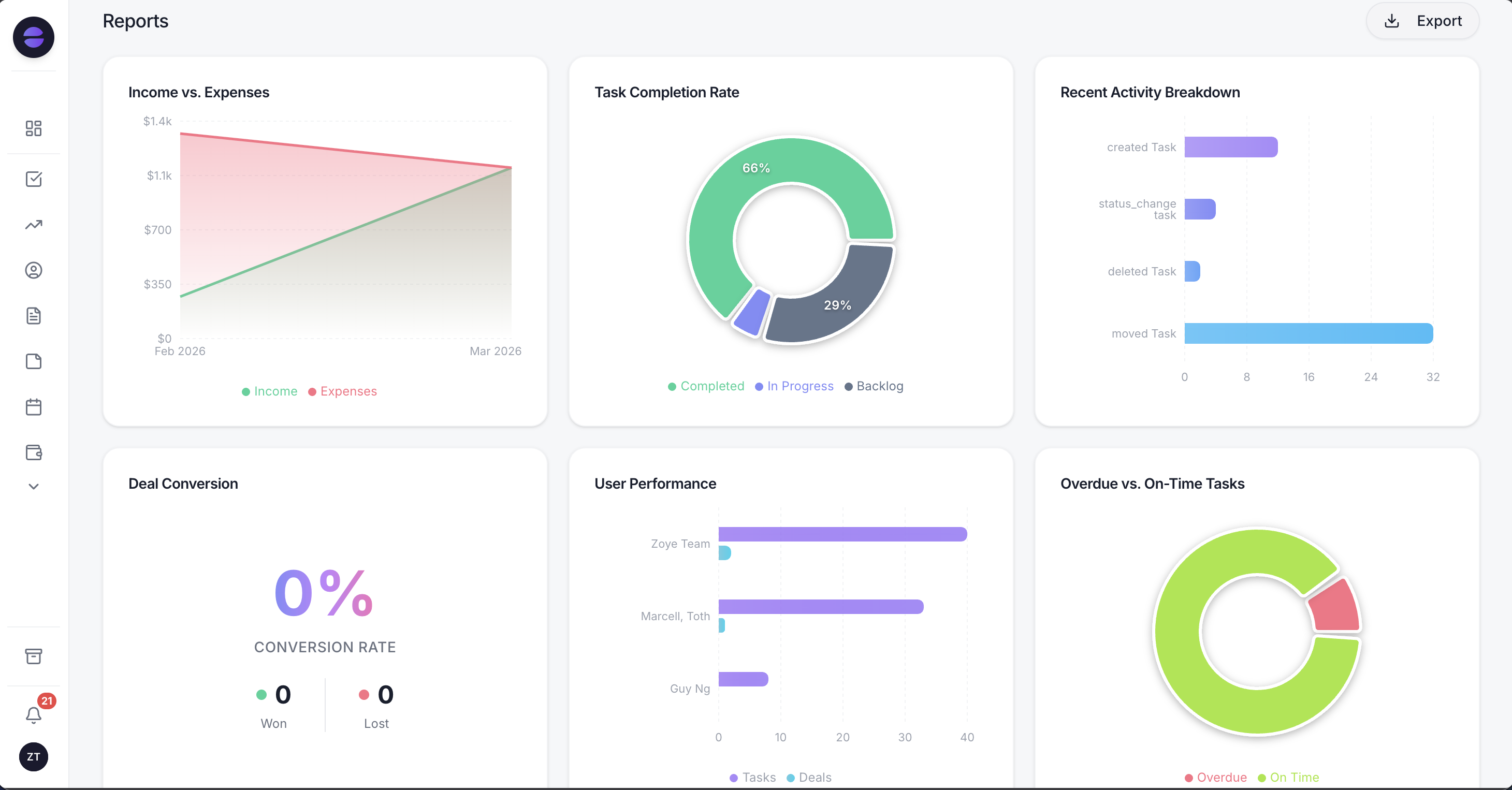
Zoye reports read the same records your WhatsApp replies update, so a campaign is judged on deals and revenue rather than read receipts.
The honest limits: Zoye is not a bulk-sender, not a WhatsApp reseller and not a helpdesk suite, and it does not run ads. Connecting your own business WhatsApp number is coming soon; today Zoye holds the WhatsApp conversations with your leads through the official Platform. If your plan is to send a million promotional messages a month to a cold list, Zoye is the wrong tool, and so is every other tool on this page.
Pricing (as of October 2026): Almost Free at $5 a month ($4 billed yearly) for 1 member with the core tools, 15 AI prompts a month and the Google integrations, without automations. Starter $29 a month ($23 yearly) for 10 members, Growth $59 ($47) for 20, Scale $119 ($95) for 100, and Customize on quote. Priced on the people in your workspace, not on contacts or messages. Details on the pricing page.
Best for: small teams that want a campaign to produce booked calls, paid orders and owned follow-ups, not just a delivery report.
2. Wati: the well-known broadcast and inbox tool
Wati is one of the most widely used WhatsApp Business Platform tools, built around a shared team inbox, broadcasts and a no-code chatbot builder. It is a natural first look for a business moving off the Business app.
Pricing (as of October 2026): Growth $59 a month billed yearly for 3 users, Pro $119 a month billed yearly for 5 users with extra users at $39 each, and Business on quote.
Watch out for: the per-user add-on. A team of eight on Pro pays for three extra seats on top of the plan, and Meta's charges come on top of that. Our best Wati alternatives guide covers who outgrows it and why.
Best for: marketing-led teams of three to five whose main WhatsApp activity is campaigns, with a person answering the replies.
3. Interakt: commerce-first with catalog campaigns
Interakt bundles a WhatsApp inbox with catalog, notifications, campaigns and automation, and is popular with direct-to-consumer brands that sell products in chat.
Pricing (as of October 2026): Growth $55 a month and Advanced $69 a month (plus taxes), Enterprise on request. The $12 Starter plan is for Instagram only, so it is not the WhatsApp entry point. Interakt's page notes that some prices apply to Indian numbers, so check the figure for your market before comparing.
Watch out for: market-specific pricing. A business selling outside India should confirm both the plan price and how Meta's charges are passed through.
Best for: catalog brands sending order updates and product campaigns, especially into markets where Interakt's pricing is strongest.
4. AiSensy: low entry price for broadcast-heavy teams
AiSensy is a broadcast-first WhatsApp marketing tool with retargeting, segmentation, click-to-WhatsApp ad tooling and a shared inbox. It publishes separate pricing in Indian rupees and in US dollars.
Pricing (as of October 2026, USD page): a Free Forever plan that does not include broadcasting, then Basic at $45 a month (with 1 owner and 5 agents), Pro $99, Premium $299, Unlimited $899 and Enterprise on request. Quarterly billing saves 5% and yearly 10%, which puts Basic at $486 a year. Extra agents cost $20 a month each, the drag-and-drop chatbot builder is an $80 monthly add-on, and the WhatsApp AI Agent Builder is a $50 monthly add-on with 1,000 AI messages. Message credits are prepaid.
Watch out for: the add-ons. Basic plus the chatbot builder plus the AI agent is $175 a month before Meta's charges, so price the plan you will actually run.
Best for: marketing teams running frequent campaigns and retargeting on a tight software budget.
5. respond.io: the omnichannel inbox with broadcasts
Respond.io is a conversation platform for teams handling WhatsApp, Instagram, Messenger, email and web chat in one place, with routing, assignment, workflows and reporting. Broadcasts are part of it, but the core is the inbox.
Pricing (as of October 2026): Starter $79 a month billed yearly or $99 monthly (5 users), Growth $159 or $199, Advanced $279 or $349, Enterprise on request. Each tier starts with 1,000 monthly active contacts, and the bill follows active contacts as you grow.
Watch out for: a successful campaign raises monthly active contacts, which raises the bill. Our best respond.io alternatives guide goes through the contact-based model in detail.
Best for: support and sales teams of five or more that answer across several channels and want campaigns in the same inbox.
6. SleekFlow: inbox, broadcasts and AI for retail
SleekFlow combines a shared inbox, broadcasts, automation and AI agents across WhatsApp, Instagram, Messenger and web chat, with a strong following in retail and ecommerce.
Pricing (as of October 2026): Essential $49 a month billed yearly ($69 monthly) with 3 users, but without broadcasts or AI agents. Pro $109 a month billed yearly ($139 monthly) with 10 users, Premium $279 billed yearly ($349 monthly), Enterprise custom.
Watch out for: broadcasts start on Pro, so for a marketing buyer the real entry price is $109, not $49.
Best for: online stores and retail brands that sell through chat across several channels.
7. Brevo: WhatsApp as a channel inside an email platform
Brevo is an email and marketing automation platform with SMS, WhatsApp, push and a light CRM. For a business whose marketing already lives in email, adding WhatsApp to the same journeys is the appeal.
Pricing (as of October 2026): Brevo's WhatsApp page says WhatsApp campaigns are available on the Professional and Enterprise plans. Professional is listed from $499 a month with 10 seats and 150,000 emails; Enterprise is custom. The lower Free, Starter ($9) and Standard ($18) plans do not include WhatsApp campaigns. WhatsApp messages are priced on volume and destination, on top of the plan.
Watch out for: the jump. If WhatsApp is your main channel, $499 a month buys a lot of email capability you may not use.
Best for: email-led marketing teams at a size where Professional already makes sense, adding WhatsApp to existing journeys.
8. ManyChat: Instagram-first, WhatsApp as a second channel
ManyChat is the best-known chat marketing tool for Instagram and Messenger, with WhatsApp as an additional channel and a visual flow builder marketers learn quickly.
Pricing (as of October 2026): plans are tiered by active contacts: a free tier capped at 25, Essential from $14 a month (250 contacts), Pro from $29 (2,500), Business from $69 (7,500) and Advanced from $139 (25,000), with a per-contact charge above each allowance. ManyChat's pricing page blocked automated reading when we checked, so these figures come from our October 2026 review in best Instagram automation tools; confirm on the live page.
Watch out for: contact-based pricing grows with every campaign that works, and the person who replied lives in ManyChat as a subscriber with tags. See best ManyChat alternatives for when that becomes a problem.
Best for: creators and marketers whose audience starts on Instagram and only sometimes moves to WhatsApp.
9. Twilio: the developer route
Twilio is a communications API, not a marketing app. Developers use its WhatsApp API and its Studio flow builder to create custom sending, reply logic and integrations.
Pricing (as of October 2026): Twilio charges $0.005 per WhatsApp message, inbound or outbound, plus Meta's fee. Its page also lists $0.001 for each message that ends in a failed status, and $0.015 per message for link shortening, click tracking and scheduling after the first 1,000 a month. Studio includes 1,000 flow executions a month, then $0.0025 per execution.
Watch out for: there is no campaign screen, inbox or segment builder until someone builds one. The cheapest line on the bill is rarely the cheapest project.
Best for: businesses with developers who need WhatsApp inside their own product or a custom system.
Want to see it in action?
See Zoye catch a new lead, answer on WhatsApp and set up the follow-up, all from one message.
See How It WorksSide-by-side comparison
The table compares the nine tools on what decides value for a marketing buyer: the cheapest plan that includes WhatsApp campaigns, how the bill grows, and where a reply ends up. All prices are as of October 2026, from each vendor's own page, and exclude Meta's per-message charges.
| Tool | Built for | Lowest price with WhatsApp campaigns (Oct 2026) | Bill grows with | Where a reply ends up |
|---|---|---|---|---|
| Zoye | Running the business from the conversation | $29/mo Starter (10 members) | People in the workspace | Contact, deal, task and booking |
| Wati | Broadcasts plus team inbox | $59/mo yearly (3 users) | Users | Conversation in the inbox |
| Interakt | Catalog commerce | $55/mo (check your market) | Plan tier, add-ons | Conversation and orders |
| AiSensy | Broadcast-heavy marketing | $45/mo (Basic) | Agents, add-ons | Conversation in the inbox |
| respond.io | Omnichannel team inbox | $79/mo yearly (Starter) | Monthly active contacts | Conversation in the inbox |
| SleekFlow | Retail across channels | $109/mo yearly (Pro) | Plan tier, contacts | Conversation and contact |
| Brevo | Email-led journeys | $499/mo (Professional) | Plan tier, message volume | Contact in Brevo's CRM |
| ManyChat | Instagram-first flows | From $14/mo, by active contacts | Active contacts | Subscriber with tags |
| Twilio | Custom builds | $0.005 per message | Every message | Wherever you build it |
Two things the table does not show. First, Zoye's Almost Free plan at $5 a month has no automations, so the realistic Zoye starting point for campaigns is Starter. Second, "conversation in the inbox" is not a weakness for a team that staffs an inbox all day. It does mean someone must turn each reply into a sale, by hand or through an integration you maintain.
What a campaign really costs: an illustrative example
The real monthly cost is the software fee plus Meta's charge for every delivered marketing template plus whatever add-ons you need, and the Meta part scales with your list. The example below is illustrative, with the Meta rate left as a variable on purpose, because rates differ by country and change by quarter.
Take a 4-person business with 3,000 opted-in contacts that sends two campaigns a month to a segment of 1,200 people each, so 2,400 marketing templates delivered.
- Meta's charge: 2,400 multiplied by the marketing rate for your recipients' country on Meta's current rate card. This line is identical on every tool that does not add a markup.
- Replies: if people answer, your replies inside the 24-hour window are service messages, and the first 1,000 a month per number are free since 1 October 2026.
- Software: on AiSensy Basic, $45. On Wati Growth, $59 a month billed yearly for 3 users, so a fourth person means a step up to Pro at $119. On respond.io Starter, $79 billed yearly, plus more as active contacts grow. On Zoye Starter, $29 for up to 10 members, with replies landing on the contact record.
Now change one assumption: send to all 3,000 contacts instead of the 1,200 who match. Meta's line rises by 150%, and the people who did not care start blocking and reporting, which pushes the template toward the 3-hour pause. The cheapest lever in WhatsApp marketing is not the software price; it is sending fewer messages to the right people. That is why live segments matter more than a long feature list.
See what Zoye can do for you
CRM, deals, tasks and your Instagram, Facebook and WhatsApp automations in one workspace. Just ask Zoye and it sets any of it up for you.
Explore FeaturesWhat about bulk WhatsApp marketing software?
"Bulk WhatsApp sender" usually means a tool that automates WhatsApp Web or a modified app to message a list without the Platform. As of October 2026 that breaks WhatsApp's terms, skips templates and opt-in, and is a common way to lose a number. Legitimate bulk sending happens on the Platform, within Meta's messaging limits.
The warning signs are easy to spot: a desktop app or browser extension, a promise of "no template approval", "unlimited messages without the API", or the option to upload a purchased list. These tools work until WhatsApp's systems notice the pattern, and then the number is restricted, often with the customer chats on it.
The Platform route is slower at the start (250 unique recipients a day for a new business) but compounds. Good-quality sends lift the limit to 2,000, 10,000 and 100,000, and every message is delivered under your verified business name. Meta also bars general-purpose AI chatbots from the Platform since 15 January 2026, while business-specific AI that serves your own customers remains allowed, so check that any AI a vendor bundles is scoped to your business. For list building and frequency, our WhatsApp broadcast guide covers the mechanics, and our WhatsApp newsletter guide covers recurring sends.
The buying checklist: 10 questions before you sign
Ask every vendor the same ten questions and get the answers in writing. A demo shows a campaign going out; these questions show what happens around it, which is where money and numbers are lost.
- Is it the official WhatsApp Business Platform? If not, stop.
- Do you add a markup to Meta's message charges? Some pass them through at cost, some do not. Ask for the exact wording.
- What does the plan I need actually cost? Include users, active contacts, add-ons for chatbots or AI, and taxes.
- How do segments work? Static lists you re-export, or live audiences that update when a contact buys or books?
- Is there pacing? Can a campaign be spread over hours to respect your messaging limit?
- What happens to replies? Who sees them, how fast, and does the reply land on a customer record with an owner?
- How are opt-outs handled? STOP should remove the person from every future campaign, automatically.
- How are failed sends reported? Error 131049, a paused template or a rejected send should be shown in plain words, not counted as delivered.
- Can I see revenue, not just reads? A campaign report that stops at "read" cannot tell you what to send next.
- How do you handle US contacts? As of October 2026 marketing templates do not reach them; the tool should flag or exclude them before you pay for a failed send.
If a vendor is vague on questions 2, 6 and 8, assume those are the places the bill or the number will hurt.
Protecting your number while you grow
Your number's health comes from three habits: message only people who opted in, send each campaign to the segment it is meant for, and make leaving easy. Meta's quality rating and per-user caps reward exactly that, and the right software makes those habits the default instead of a discipline.
Practical rules that hold in any tool:
- Collect consent that names your business and what people will receive. Keep a record of when and where each person agreed.
- Start small. Send a new template to a few hundred engaged contacts before the full segment. Watch blocks and replies for a day.
- Match category to content. A promotion dressed up as a utility template can be recategorized by Meta, and the attempt does not help your standing.
- Use buttons. A "Not interested" quick reply gives people a softer exit than the block button, which protects quality.
- Space your campaigns. Two useful messages a month beat two a week that people ignore.
- Write it so it gets read. Low read rates count against a template, so a clear first line matters more than a long one. Our WhatsApp message templates guide has formats that work.
Ready to hand off the busywork?
Zoye brings AI-powered CRM, task management, and automation into one workspace.
Get StartedWhich WhatsApp marketing software should you choose?
Choose by what should happen after people reply. If replies should become customers, deals and bookings in the system you run the business from, start with Zoye. For broadcast volume on a tight budget, look at AiSensy, Interakt or Wati. For a staffed multichannel inbox, respond.io or SleekFlow. Email-led teams fit Brevo, Instagram-first creators ManyChat, developers Twilio.
A few typical shapes:
- A 3-person service business with a few thousand past customers: the money is in reactivation and fast follow-up. Live segments and replies that land on the contact matter more than raw send speed. Zoye Starter covers 10 members for $29 a month.
- A catalog brand sending weekly product campaigns: Interakt or AiSensy, with the add-ons you need priced in from day one.
- A 10-person support and sales team across WhatsApp, Instagram and email: respond.io or SleekFlow Pro, with the contact-based growth in your forecast.
- An email-first marketer already on a large Brevo plan: add WhatsApp there before buying a second tool.
- A creator whose audience lives on Instagram: ManyChat, with WhatsApp as the follow-up channel.
- A product team that needs WhatsApp inside its own app: Twilio.
Whichever you shortlist, run the same two-week test: import a small opted-in segment, send one campaign with a clear call to action, answer every reply from the tool itself, and at the end look at what is left behind. Count the replies that became a booked call, an order or a follow-up with a name on it. The tool with the most owned outcomes, not the most messages sent, is the one to keep.
If you want campaigns that end in customers your team can see, with the follow-up, the booking and the invoice in the same place, book a Zoye demo and bring one real campaign you want to send.