
Quick answer: the best CRM for financial advisors is the one that keeps the relationship on a schedule: every household's next review, every referral partner's next touch, every prospect who asked you to call back after their bonus lands. For solo advisors and small firms that lose more to missed follow-up than to missing data feeds, Zoye is our pick from $29 a month for 10 members. Firms that want an advisor-built database should test Wealthbox and Redtail, and larger firms Practifi or Salesforce Financial Services Cloud.
Key takeaways (October 2026)
- The Bureau of Labor Statistics counts 299,400 personal financial advisor jobs in 2025, a median pay of $105,070 (May 2025) and growth of only 1% from 2025 to 2035, so new clients come from existing relationships more than from a growing market.
- Advisors usually meet each client at least once a year to update the plan, according to the BLS. A tiered book of 120 households can mean 230 review meetings a year, roughly 5 a week.
- Published per-user prices run from $39 (Redtail Launch, billed yearly) to $700 (Salesforce Financial Services Cloud Max), and Wealthbox and Redtail keep their Enterprise tiers on quoted pricing.
- In the US, SEC Rule 204-2 asks for five years of retention on adviser books and records and FINRA Rule 4511 sets six years where no other period applies. That is the job of a compliance archive, not of a sales CRM.
- Zoye is not a portfolio, planning or compliance archiving tool. It runs the review cadence, referrals, prospects, meeting notes, tasks and client messages around them.
How an advisory practice grows, and where relationships slip
A small advisory practice earns its revenue from relationships that last decades, and it grows mostly through introductions from people who already trust it. The work that keeps both going (reviews on time, referrals thanked, prospects called back, promises from meetings kept) is easy to describe and hard to do by memory once the book passes a hundred households.
The numbers behind the profession explain why. According to the Bureau of Labor Statistics, the outlook is 1% growth for personal financial advisors between 2025 and 2035, slower than the average for all occupations, with about 17,100 openings a year mostly from people leaving the field. A market that is not expanding rewards the firm that keeps its clients and earns their introductions. The same BLS profile notes that advisors spend a lot of time marketing, meet potential clients through seminars and networking, and often see clients in the evenings and at weekends. That leaves little room for administration.
The review is the product
For many clients, the review meeting is the service they pay for. It is where the plan gets updated, the risk profile gets rechecked and life changes surface: a new job, a child starting university, an inheritance, a health scare. A review that slips by three months tells the client the relationship runs on autopilot. A firm needs to see who is due, who is overdue and who has a meeting booked, at a glance, for the whole book.
Referrals come from clients and from professional partners
Introductions arrive from two places. Clients refer friends, colleagues and family, often after a good review. Professional partners, sometimes called centers of influence, refer clients of their own: accountants at tax time, estate attorneys when a will is drafted, insurance agents when a policy review raises an investment question. Both sources need tracking. You want to know who sent whom, whether the introduction became a client, and when you last thanked or met that source.
Life events and deadlines drive the calendar
Reviews are not only calendar-based. Rules and life events create their own dates, and they differ by country. In the US, for example, the IRS says most people must take their first required minimum distribution for the year they reach age 73, with the first withdrawal allowed to wait until April 1 of the following year. A retirement date, a pension election window, a fixed-term deposit maturing, a mortgage fixed rate ending: each is a reason to call that the client will remember you for, if the CRM reminds you in time.
Prospects take months, not days
An enquiry rarely turns into a signed engagement in one meeting. A prospect wants to understand fees, compare you with another firm, wait for a pension statement, or talk it over at home. Without a stage and a next step on every open prospect, the ones who said "call me in the new year" quietly disappear.
Notes have to hold up later
Advisors write notes for three readers: themselves before the next meeting, a colleague who covers when they are away, and sometimes a compliance reviewer months later. That third reader is why the habit matters. Factual notes that record what was discussed, what the client decided and what was agreed as the next step serve all three.
Where the relationships leak, in one list
- Reviews that drift past their due date because nobody owned the booking.
- Action items from a review meeting that never become tasks.
- Introductions that were never thanked, and referral partners who hear from you once a year.
- Prospects who asked for a call later and never got one.
- Missing documents (statements, tax returns, beneficiary forms) that nobody chased.
- Life-event dates kept in someone's head rather than on the record.
None of these needs a new data feed. They need a system that remembers and nudges, which is what a CRM is for.
What a CRM for financial advisors must do: a 10-point checklist
A CRM for financial advisors must hold each household with its people and history, show who is due for a review, track referral sources and partners, run prospects through stages, turn meeting commitments into tasks, and send reminders automatically. It also has to keep notes factual and work from a phone between meetings. Score every trial against these ten points.
- Households, not just contacts. Partners, children and other family members linked to one household, with the advisor who owns the relationship.
- A review tier on every household. Quarterly, twice a year or annual, so the due date follows from the tier.
- Live "due for review" lists. A list that updates as meetings are booked, not a spreadsheet rebuilt every month.
- Booking from the reminder. The client picks a time from the message and the meeting lands on the calendar against their record.
- Referral source on every new contact. Who introduced them, linked to that person's record, with a report by source.
- Partner follow-up. Accountants, attorneys and other partners kept as contacts with a regular touch schedule.
- A prospect pipeline. Stages from first meeting to signed engagement, each with a next step and a date.
- Meeting notes to tasks. What was agreed in the review becomes a task with an owner and a date.
- Document chasing. A checklist of what is missing for each household and a reminder until it arrives.
- Approval before anything goes out. Automations that you read and approve before they send, with a log of every run.
Portfolio data, rebalancing, financial planning and compliance archiving are separate categories. Many firms connect them to a CRM; some keep them apart. This guide stays on the relationship side.
Compliance-minded notes and messages: what a CRM can and cannot do
A CRM helps advisors write cleaner notes and keep follow-ups visible, but it does not by default meet regulatory recordkeeping rules. In the US, SEC Rule 204-2 and FINRA Rule 4511 set retention periods of five and six years for certain records, and in the EU, MiFID II requires certain communications to be recorded and kept. Archiving belongs to compliance tools.
The details matter enough to state carefully. Under SEC Rule 204-2, investment advisers keep written communications they send and receive about recommendations and advice, among other records, for not less than five years from the end of the fiscal year of the last entry, the first two in an appropriate office. FINRA Rule 4511 asks member firms to keep records with no other specified period for at least six years, in a format that meets SEA Rule 17a-4. In the EU, MiFID II requires investment firms to record telephone conversations and electronic communications relating to certain transactions and to keep them for five years, and up to seven where the regulator asks. Your obligations depend on your registration, your country and your firm's policies, so your compliance officer decides which tools satisfy them.
What a CRM can do is support good habits:
- Factual notes. Record what was discussed, what the client decided and the agreed next step. Keep opinions about the client out of the record.
- Sensitive data in the right place. Keep account numbers and identity documents in the systems your firm approves for them, not in free-text notes.
- Approved channels only. If your firm requires every client message to be captured by an archiving tool, use a messaging channel for client business only after compliance confirms that the archive captures it.
- Recording consent. If an AI notetaker joins a client call, tell the client and follow your firm's rules on recording.
Zoye makes no claim to meet SEC, FINRA, MiFID II or any other regulatory recordkeeping standard. Treat it as the operator for your relationships and tasks, and keep books-and-records archiving in the compliance tools your firm has chosen.
The 6 best CRMs for financial advisors in 2026
These six cover the realistic choices for an advisory practice: one AI operator for the relationship work, two advisor-specific CRMs with published per-user prices, two platforms for larger firms and one general CRM. For each one we name the catch first, then give the price as the vendor's own page showed it in October 2026, then the kind of firm it fits.
1. Zoye: review cadences, referral tracking and follow-up for small firms
First, the limits. Zoye is not a portfolio or financial planning tool, and it is not a compliance archive. It does not pull balances or holdings from custodians, it does not build plans or rebalance accounts, and it makes no regulatory recordkeeping claim. If your firm needs those, keep the specialist tools and run Zoye next to them for the relationship work.
That relationship work is where Zoye is strong. It is an AI Business Operator: the CRM, tasks, deals, calendar, documents, budget and invoices, reports, workflow automations, WhatsApp automations, Facebook and Instagram, email tracking, the AI Notetaker and team management live in one workspace and already link to each other, and an AI operates them for you. The features page walks through each tool. For an advisory practice it breaks down like this.
Review cadences. Give each household a tier, and a smart audience such as "quarterly-tier households with no review in the last 90 days" stays live as records change. A workflow automation creates a preparation task two weeks before each due date, and a scheduled message invites the client to pick a time from your Booking list. When they choose a slot, the meeting lands on the calendar against their record, reminders go out automatically and they leave the "due" list.
Meeting notes and action items. The AI Notetaker joins Zoom, Google Meet and Teams as a visible participant, transcribes with speaker labels and returns a short summary, the decisions made, action items with owners and dates, and a drafted follow-up recap. Commitments become tasks when you approve them, or you edit first, so the record says exactly what you want it to say. Our guide to AI meeting notes covers how teams review notes before they are saved.
Referral tracking. Every new contact carries its source, and the person who introduced them is a linked record, so a report shows introductions and new clients per referrer. Accountants, attorneys and other partners sit in the CRM with their own touch schedule: describe "remind me to call each referral partner every quarter and log the call" and Zoye builds the rule, shows it to you in plain English and waits for your approval.
Prospects and documents. Prospects move through deal stages with a next step and a date. A follow-up rule nudges a quiet prospect after the interval you set (our guide on how to automate follow-ups lists common timings). For onboarding, a task list per household tracks which statements and forms are still missing, and the reminder repeats until they arrive through whichever channel your firm approves.
Running it between meetings. The same assistant works in the app, on WhatsApp, by voice note and in Slack. After a meeting, a voice note such as "log the review with the household from this morning, the client decided to raise the monthly contribution, book the next review for March and remind me to send the beneficiary form" is enough. Destructive or bulk actions ask for confirmation first, and every automation run is logged and reversible.
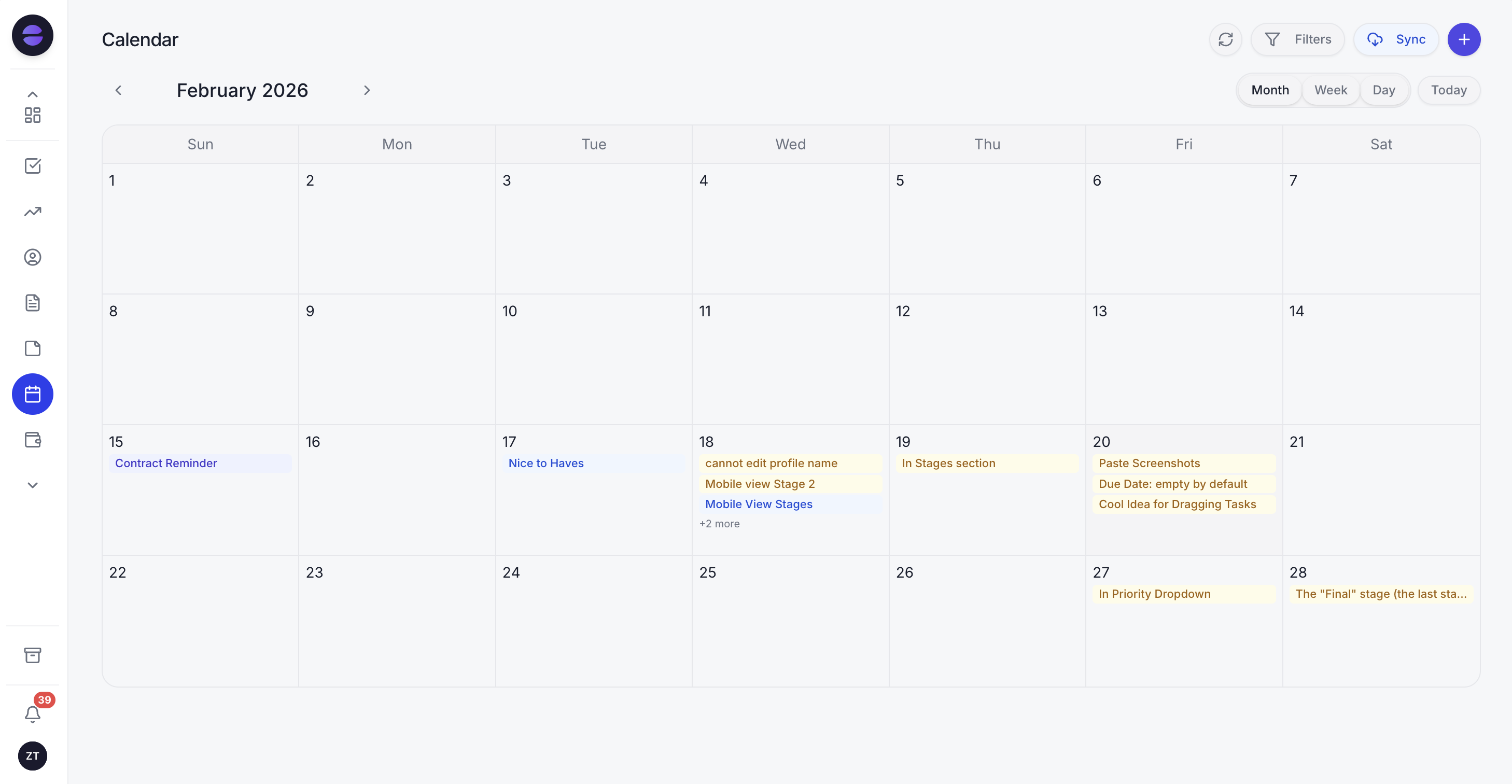
Client reviews in the Zoye calendar: each meeting was booked from a reminder and sits on the household's record.
On messaging, a plain note. Connecting your own business WhatsApp number is coming soon. Today Zoye holds WhatsApp conversations with your leads through the official WhatsApp Business Platform, and Chats brings those together with Instagram and Facebook messages and comments, with assignment, team notes and every chat on the contact card. Whether you use any messaging channel for client business is a decision for your compliance policy, as above.
Pricing (as of October 2026): one price per workspace plan rather than per seat. Almost Free costs $5 a month ($4 billed yearly) for 1 member and includes the core tools, 15 AI prompts a month and the Google Calendar, Gmail and Drive integrations, without automations, so review reminders and follow-up rules need a higher plan. Starter is $29 a month ($23 yearly) for 10 members, Growth $59 ($47) for 20, Scale $119 ($95) for 100, and Customize is quoted. See the pricing page.
Best for: solo advisors and firms of up to about 20 people whose reviews, referrals and follow-ups depend on someone remembering, and who want an AI that runs those for them.
2. Wealthbox: an advisor CRM with workflows from the middle plan
Wealthbox is a CRM built for advisors, with contact and household management, tasks, opportunity pipelines and a calendar. The limitation to check is where automation starts: the pricing page lists workflows and automations, two-way email sync and broadcast email from Pro, so the Basic seat is mainly a contact, task and pipeline database with one pipeline.
Pricing (as of October 2026): Basic $59 per user a month, Pro $75, Premier $99, and Enterprise on custom pricing. The page does not spell out the billing term. A 14-day trial is offered, and the AI Notetaker add-on is listed at $49 per user a month as an introductory rate. The comparison table lists "Compliant Note Archiving" under compliance and security; ask how it fits your firm's archive.
Best for: small and mid-sized advisory firms that want an advisor-specific CRM with published prices and are ready to pay for Pro once workflows matter.
3. Redtail: low entry price with a five-user cap
Redtail is one of the longest-standing advisor CRMs, with contact and account management, segmentation, a mobile app and a large integration list. The limitation is plan structure: Launch caps a firm at 5 users, and process workflows, automation triggers and document storage start on Growth.
Pricing (as of October 2026): Launch $39 per user a month billed yearly or $45 monthly, up to 5 users; Growth $59 billed yearly or $65 monthly with unlimited users, adding imaging and Speak; Enterprise customizable, with a minimum license commitment and no published price. Growth lists compliant texting, subject to broker-dealer approval.
Best for: firms that want an established advisor CRM at the lowest published per-user price and can live without workflows on the entry plan.
4. Salesforce Financial Services Cloud: depth for firms with an admin team
Financial Services Cloud adds an industry data model, financial goals and plans, and AI credits to Salesforce. The limitation is cost and upkeep: per-user prices start in the hundreds of dollars, the page says detailed pricing needs a sales conversation, and most firms need an administrator or a partner to configure and maintain it.
Pricing (as of October 2026): Sales Core and Service Core $325 per user a month billed yearly, Advanced $500 and Max $700. Advanced adds a full sandbox, backup and recovery and archiving; Max adds the Agentforce for Industries suite and Data Cloud. Our Salesforce alternatives guide compares lighter options.
Best for: larger advisory firms, banks and enterprises with an operations team, complex data and the budget for a configured platform.
5. Practifi: published per-user pricing for growing firms
Practifi sells two CRM products for advisory firms: Sentir, described as AI-native, and Naya, a configurable CRM. The limitation for a small firm is the seat price: at the listed rates, three users on Naya cost $405 a month before any configuration, and the Naya price is tiered by firm size and configuration, so confirm your own figure.
Pricing (as of October 2026): Sentir $195 per user a month at launch pricing, which the page says runs until 31 December 2026; Naya $135 per user a month, tiered by firm size and configuration. The page offers a demo and a call to choose between them.
Best for: growing firms with several advisors and an operations lead who want a wealth-specific platform and can budget per seat.
6. HubSpot: strong marketing, general-purpose CRM
HubSpot is a general CRM with pipelines, forms, email and reporting, and many advisors know it from earlier jobs. The limitation is the advisor layer: households, review tiers and referral partners have to be built as custom properties and associations, and its marketing tools do not replace a compliance review of what you send.
Pricing (as of October 2026): HubSpot's pricing page lists a set of free tools, then Starter at $20 per seat a month (some offers bring it near $7). Sales Hub Professional is $90 a seat each month on a yearly contract or $100 month to month, with a one-time $1,500 onboarding fee on top.
Best for: firms with a marketing person running seminars and content campaigns who are willing to build the advisor structure themselves.
Want to see it in action?
See Zoye catch a new lead, answer on WhatsApp and set up the follow-up, all from one message.
See How It WorksFinancial advisor CRMs compared side by side
The table sets the six on one footing: what each is built for, the lowest published price as of October 2026, where review workflows start, and what each vendor's page says about compliance features. Every compliance item comes from the vendor's own page; confirm fit with your compliance officer.
| Tool | Built for | Lowest published price (Oct 2026) | Review and follow-up automation | Compliance items on the vendor page |
|---|---|---|---|---|
| Zoye | Solo advisors and small firms; reviews, referrals, prospects | $5/mo (1 member, no automations); $29/mo for 10 members | From Starter, approved before they run | None claimed; keep a separate archive |
| Wealthbox | Advisory firms of most sizes | $59 per user/mo (Basic) | Workflows from Pro ($75) | Compliant Note Archiving listed |
| Redtail | Advisory firms, broker-dealer networks | $39 per user/mo billed yearly (Launch, max 5 users) | Process workflows on Growth ($59) | Compliant texting on Growth, subject to broker-dealer approval |
| Salesforce Financial Services Cloud | Larger firms and enterprises | $325 per user/mo billed yearly | Yes, configured by an admin | Archiving and backup from Advanced |
| Practifi | Growing multi-advisor firms | $135 per user/mo (Naya, tiered) | Ask the vendor for your configuration | Ask the vendor |
| HubSpot | Marketing-led firms | Free tools; Starter from $20 per seat | Workflows on Professional | Not advisor-specific |
An illustrative review cadence for a 120-household book
Tiering turns "review everyone sometime" into a schedule a CRM can run. The figures below are an illustration, not a benchmark: a firm with 120 households splits them by complexity and sets a cadence per tier, which gives a weekly meeting load you can plan around.
| Tier | Households | Reviews a year each | Meetings a year | Typical trigger for an extra call |
|---|---|---|---|---|
| A: complex planning | 20 | 4 | 80 | Business sale, inheritance, retirement within 2 years |
| B: active planning | 50 | 2 | 100 | New job, home purchase, education costs |
| C: maintenance | 50 | 1 | 50 | Contribution change, beneficiary update |
| Total | 120 | 230 | About 5 a week over 50 working weeks |
At that volume, booking by hand turns into a part-time job. Each tier becomes a live list, each list gets its invitation two to three weeks before the due date, and the calendar fills without anyone counting.
An illustrative week in a three-person advisory firm
Here is how the pieces fit in an ordinary week. Treat it as an illustration, not a case study: one lead advisor, one associate advisor and one client service associate, running Zoye alongside their planning software and their compliance archive.
Monday. The client service associate opens the "due in the next 30 days" lists. Nine households are due; six have no meeting booked. She approves the invitations, and by the afternoon four have picked times from the Booking list. Preparation tasks for this week's reviews are already assigned to the associate advisor, with each household's last summary attached.
Tuesday. The lead advisor holds two reviews on video calls with the notetaker present and announced. After each, he reads the summary, corrects one phrase so it records the client's decision rather than his impression, and approves the action items: update the contribution, send a beneficiary form, review the household's insurance cover with their agent in January.
Wednesday. A long-standing client introduces a colleague by email. The associate creates the contact with the client as referral source, and the rule that thanks a referrer fires when the new contact becomes a client, not before. A quarterly reminder also comes up for an accountant who has sent three introductions this year, and the lead advisor books lunch.
Thursday. Two prospects from last month's seminar are in "considering". One gets the planned follow-up asking whether the fee summary raised questions; the other replied that they are waiting for a pension statement, so the deal moves its next step to the date they gave. A new client's onboarding list still shows two missing statements, and the reminder goes out again.
Friday. The weekly report shows reviews held against reviews due, introductions by source and prospects by stage. One quarterly-tier household has slipped past its date because the client cancelled twice; the lead advisor calls personally. Nobody built a spreadsheet, and every commitment from the week sits as a task with a name and a date.
See what Zoye can do for you
CRM, deals, tasks and your Instagram, Facebook and WhatsApp automations in one workspace. Just ask Zoye and it sets any of it up for you.
Explore FeaturesHow to move your book into a new CRM
A move takes one quiet fortnight if you plan around reviews in progress. Export households and contacts, list open prospects and upcoming review dates, import, rebuild the cadence and referral rules, then run both systems until in-flight work closes. Avoid the weeks before tax deadlines and year-end reviews.
- Export contacts and households. Most advisor CRMs and spreadsheets export a CSV with names, emails, phone numbers and household links. Include the tier or segment field if you have one.
- List what is in flight. Every open prospect with its stage and next date, every review booked or due in the next 90 days, every open onboarding checklist.
- Import. Zoye imports from Trello, Monday.com or a spreadsheet, and the assistant can extract records from a CSV, a PDF or a screenshot you send it, so a printed client list can become records you check before saving. Jira, Notion and ClickUp imports are coming soon.
- Rebuild the rules. Describe the cadence per tier, the partner touch schedule, the referral thank-you and the prospect follow-ups. Zoye shows each rule in plain English and waits for your approval.
- Keep the old system read-only. Your compliance archive and your old records stay where your policy requires; the new CRM takes over the forward-looking work.
Ready to hand off the busywork?
Zoye brings AI-powered CRM, task management, and automation into one workspace.
Get StartedWhich CRM should a financial advisor choose?
Choose by the shape of your firm and where it leaks. A firm with an operations team and complex data should get proposals from Salesforce Financial Services Cloud and Practifi. A small firm that wants an advisor-specific database at a published per-user price should trial Wealthbox and Redtail. A practice losing reviews and referrals between meetings should start with Zoye.
A few common shapes:
- A solo advisor with 60 to 150 households: Zoye for reviews, referrals, prospects and meeting notes, with planning software and an archive alongside.
- A firm of 3 to 10 that wants advisor-specific household screens: Wealthbox Pro or Redtail Growth, and Zoye if the follow-up and meeting work is what hurts.
- A firm that also sells insurance: one place for renewals and reviews helps; our guide to CRMs for insurance agents covers the policy side.
- A firm of 30 or more with an operations lead: Practifi or Financial Services Cloud, with configuration costs and renewal terms in writing.
Whatever you trial, trial it on real work. Import twenty households, set the cadence for one tier, run three reviews with notes and log two referrals, then count what got booked and followed up by the end of the trial. If the follow-up is the part you want handled, book a Zoye demo and bring the review list that slipped last quarter.