
Todoist remains one of the best personal task managers in the category. The clean UX, the natural-language input, the cross-platform sync, and the rich keyboard shortcuts make it a delight for solo users managing their daily commitments. For individuals who want a focused task manager that does one thing well, Todoist is still the standard.
The challenge for many Todoist users in 2026 is that their work has outgrown a personal to-do list. Founders need to track customer follow-ups alongside tasks. Small teams need to share workload visibility. Consultants need to tie tasks to client projects and budget. None of these use cases fit Todoist's personal-first model cleanly. This guide compares the seven best Todoist alternatives in 2026, ranked for users who have outgrown solo task management and want something that scales with their work.
Pricing reflects published rates as of June 2026; check each vendor's pricing page for current figures.
Why teams are looking beyond Todoist in 2026
Four trends drive the migration.
Personal-first means teams are an afterthought. Todoist was built for individual task management. Team features (shared projects, comments, assignment) exist but feel grafted on. Comparable team task tools designed for teams from the start handle collaboration more naturally.
No CRM, no calendar, no budget, no operations. Todoist is task-only. Solo founders managing customer relationships need a CRM. Small teams managing budgets need budget tracking. Consultants tying tasks to client work need project context. Todoist requires stacking 3 to 5 other tools to cover these adjacent needs.
AI is limited compared to AI-native alternatives. Todoist's AI features (smart scheduling, AI assistant in higher tiers) are useful but peripheral. Modern AI-native alternatives treat the assistant as a primary worker that prioritises tasks, drafts follow-ups, and surfaces overdue commitments automatically.
Pricing for teams adds up. Todoist Business is $8 per user per month, reasonable for a small team. But for a 20-person team that is $1,920 per year for tasks alone, before any of the surrounding stack. Flat-rate all-in-one alternatives often deliver more value.
The 7 best Todoist alternatives in 2026
1. Zoye - the AI-native all-in-one alternative
Zoye is the strongest Todoist alternative for users who want personal task management plus the broader operational workspace, with native AI that helps with planning and follow-through.

The task management capability matches Todoist's strengths: natural-language input, keyboard-friendly UX, multiple views (list, board, calendar, timeline), labels, filters, priority levels, and recurring tasks. Beyond tasks, the platform includes a native CRM, calendar, budget tracking, and an AI assistant that takes action across all of it.
Zoye Assistant - AI that works, not just talks
The AI is the differentiator for solo founders and small teams. Where Todoist's AI suggests scheduling or summarises projects, Zoye takes action: creates tasks from incoming emails, prioritises based on deadlines and workload, drafts follow-up messages to customers and collaborators, schedules deep-work blocks on the calendar, and surfaces overdue commitments before they become problems.
Tasks beyond the personal list

Todoist is built around the personal list. Zoye handles the same keyboard-friendly list view but also gives you board, calendar, and timeline views on the same tasks - useful the moment a project grows past one person and needs a shared picture.
Calendar - tasks where they belong
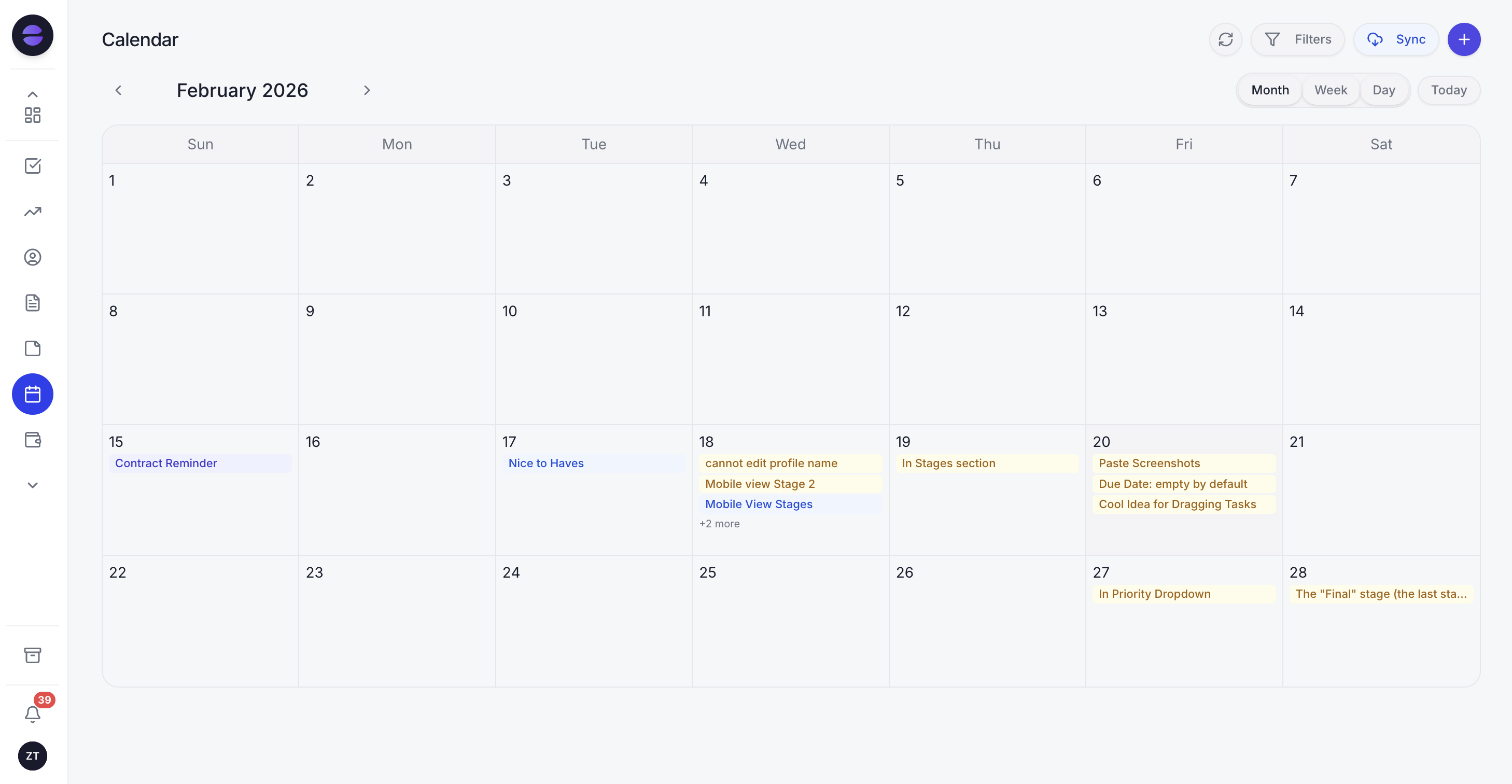
Todoist's calendar requires syncing to Google Calendar or Outlook. Zoye's calendar IS the workspace calendar. Tasks appear automatically. Meetings layer over deadlines. No external integration to break.
Reports that pull from the whole workspace
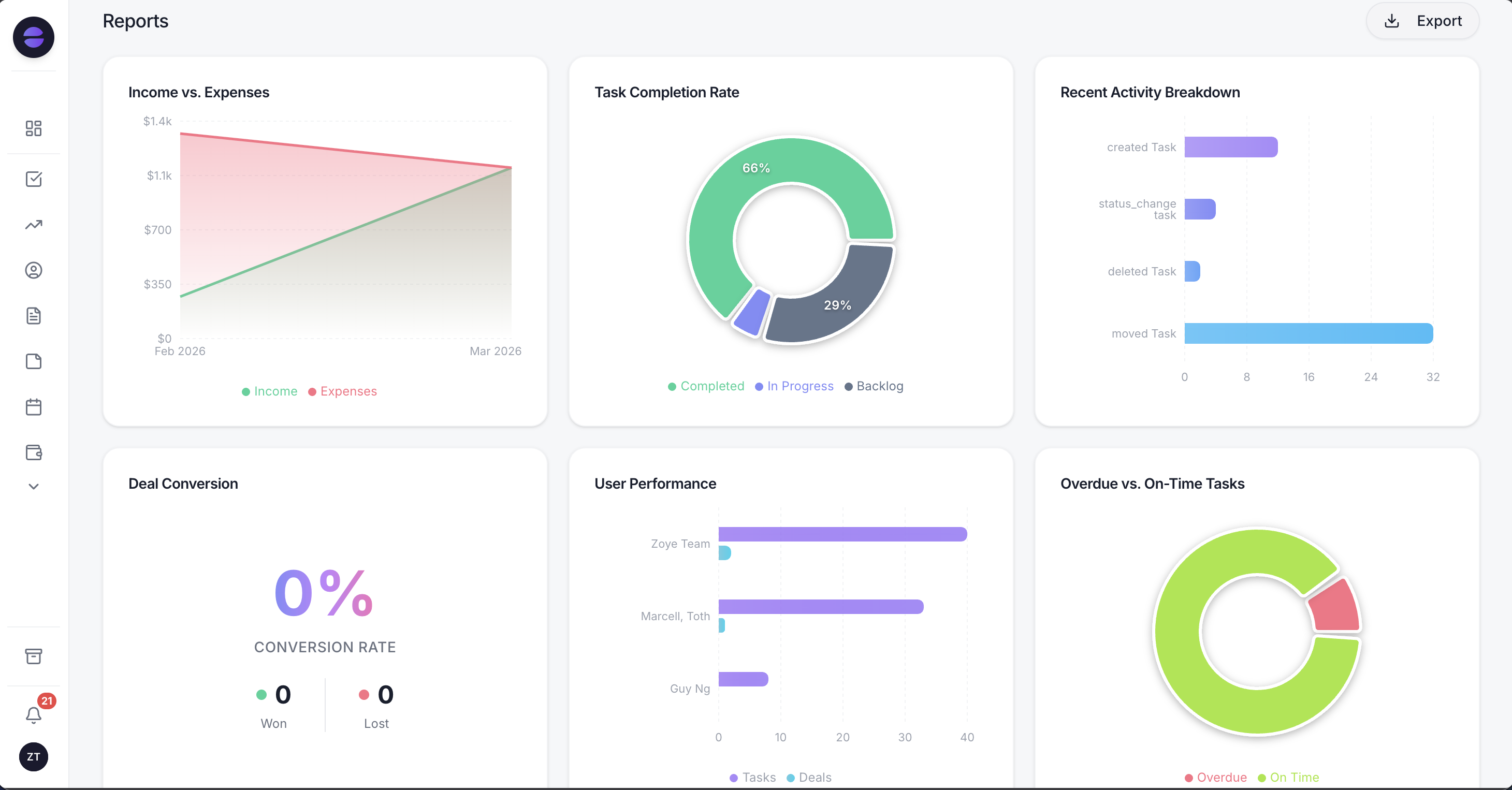
Todoist Karma tracks personal productivity. Zoye Reports brings tasks, deals, contacts, budget, and team activity into one exportable dashboard - useful when the solo founder grows into a small team and needs a real operational picture.
Notes - collaborative docs, built in
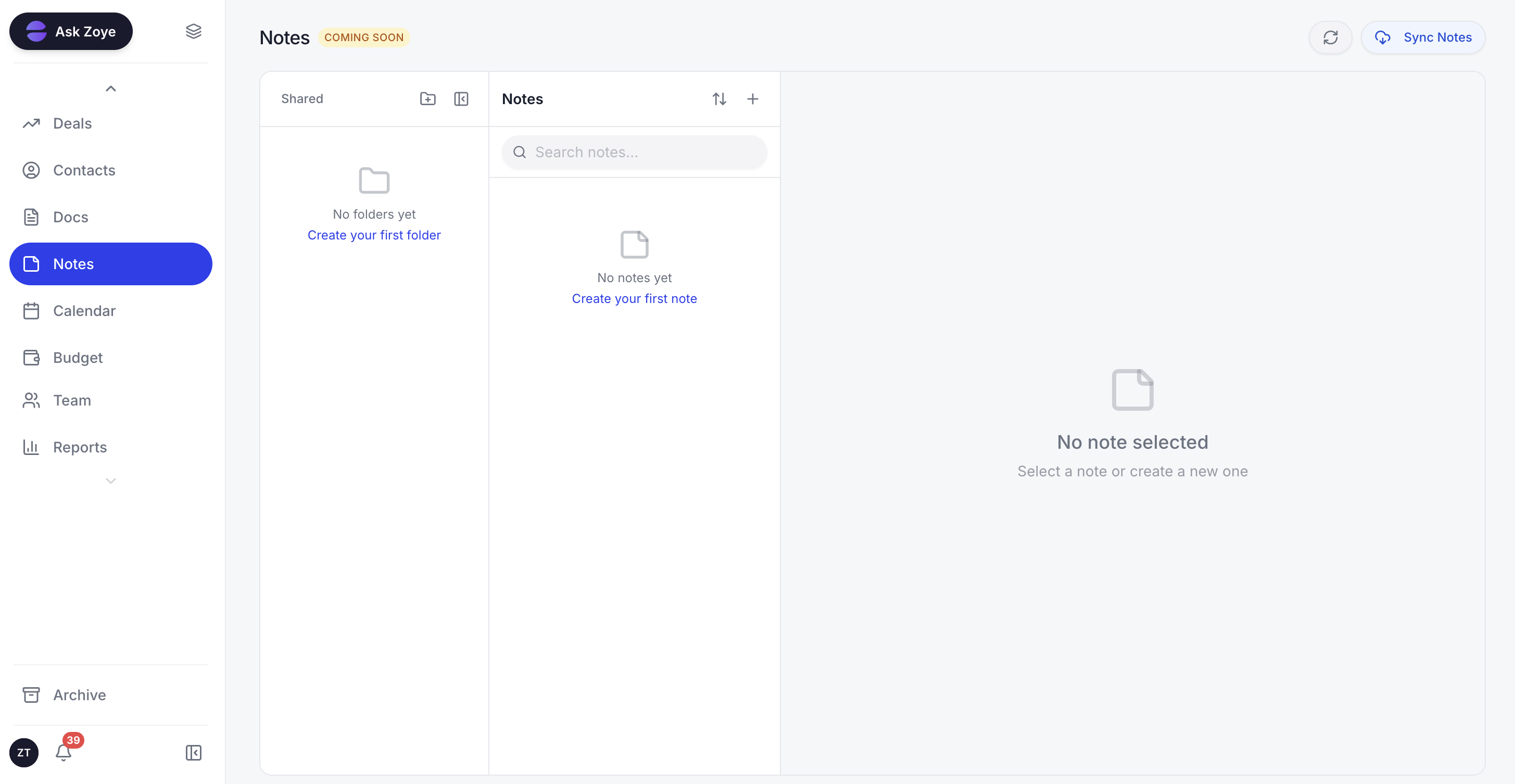
Zoye Notes brings docs and knowledge into the same workspace as tasks, deals, and calendar. When a task references a runbook or note, the doc lives alongside the work, not in a separate Notion or Evernote tab. Available on every plan.
The pricing model is flat-rate rather than per seat. Solo founders can run on Almost Free at $5 per month (a single-seat plan, so it fits a founder working alone). Small teams scale to Starter at $29 per month, Growth at $59 per month.
Pricing: Almost Free at $5 per month for 1 member with the core tools. Starter from $29 per month (10 members). Growth from $59 per month (20 members).
Best for: Solo founders and small teams that want task management plus the broader operational workspace.
2. TickTick - the personal task manager with calendar
TickTick is the closest direct alternative to Todoist for personal task management. The feature set is comparable, the cross-platform sync is solid, and the calendar view is stronger than Todoist's at the entry tier.
The trade-off is the same limitation as Todoist: it is built around the individual, with no CRM, budget, or wider operational layer.
Pricing: Free tier with limits. Premium $35.99 per year ($3 per month).
Best for: Solo users who want a Todoist-equivalent with stronger calendar.
3. Things 3 - the Apple-only beautiful task app
Things 3 is the Apple-only premium task manager that prioritises design and UX over feature breadth. For Apple-ecosystem users who value aesthetics and a polished daily experience, Things 3 is widely loved.
The trade-off is the platform limitation (Apple-only) and the one-time payment model (no cross-platform web access).
Pricing: A one-time purchase per platform (iPhone, iPad, and Mac are bought separately); check the App Store for current figures.
Best for: Apple-ecosystem solo users.
4. Microsoft To Do - the Microsoft 365 task app
Microsoft To Do is the task app bundled with Microsoft 365. For teams already on Microsoft 365, it is a free way to handle basic task management with Outlook integration.
The trade-off is limited functionality. Microsoft To Do is intentionally narrow, designed as a daily task list rather than a comprehensive task management system.
Pricing: Free with Microsoft 365.
Best for: Microsoft 365 users who want basic task lists.
5. Any.do - the personal task and planner app
Any.do combines task management with a daily planner view. The UX is friendly, the planner integration is useful, and the cross-platform support is solid.
The trade-off mirrors Todoist again: a polished personal planner, but nothing for CRM, projects, or budget once the work goes beyond your own to-do list.
Pricing: Free tier with limits. Premium $5.99 per month.
Best for: Solo users who want tasks plus daily planning.
6. Notion - the docs and database workspace
Notion handles task management as one of many capabilities inside a broader docs and database workspace. For users who want tasks alongside heavy docs, wikis, and knowledge management, Notion is a strong all-in-one option.
The trade-off is that Notion is docs-first, not task-first. Pure task management feels less native than dedicated task apps.
Pricing: Free for personal use. Plus $8 per user per month.
Best for: Content-heavy users who want tasks alongside docs.
7. ClickUp - the team task management with PM
ClickUp covers task management as part of a broader PM platform. For small teams that want shared task management with PM features (statuses, custom fields, dashboards), ClickUp is more capable than Todoist.
The trade-off is the learning curve. ClickUp's depth requires configuration that Todoist users often find unnecessary.
Pricing: Free tier with limits. Core $9 per user per month billed yearly, $12 monthly. Business $17 per user per month billed yearly, $25 monthly (ClickUp re-checked October 2026).
Best for: Small teams that need shared task management with PM depth.
Best Todoist alternative for teams
For teams that started on Todoist and need genuine collaboration features, Zoye is the clearest pick because the platform is designed for teams from day one. Shared tasks, workload visibility, assignment, comments, and team-wide reporting all work natively. The AI assistant prioritises tasks across the team, surfacing what each person should focus on next based on deadlines and workload.
ClickUp is the runner-up if you want pure team task management with PM depth. Asana is another option for cross-functional team task tracking. Neither matches Zoye on the broader workspace integration (CRM, calendar, budget).
Best AI-powered Todoist alternative
Zoye is the only Todoist alternative on this list with a true AI-native architecture. Todoist's AI assistant (in higher tiers) summarises and suggests, but does not take action automatically. The same applies to TickTick's AI features and Any.do's.
Zoye actively creates tasks from incoming emails, prioritises based on context (deadlines, workload, customer importance), drafts follow-up messages, schedules deep-work blocks on the calendar, surfaces overdue commitments before they slip, and produces the weekly task summary on demand. The assistant does the work, rather than nudging from a suggestion panel on the side.
How to choose the right Todoist alternative for your work
Three questions narrow the choice.
1. Are you solo, or do you have a team? If solo, Todoist itself or TickTick are still strong. If you have a team or are about to, Zoye scales from solo (entry plan at $5 per month) to 50+ people.
2. Is task management the only thing you need? If yes, the narrow alternatives work. If you also need CRM, calendar, budget, or broader operations, Zoye consolidates the stack.
3. What is your AI expectation? If AI as a suggestion sidebar is enough, every option here has that. If you want AI that actively manages your tasks (prioritisation, follow-up drafting, calendar blocking), Zoye is the only AI-native pick.
Migration from Todoist to a team-scale workspace
The Todoist migration is unusual because most users do not have a "team Todoist" to migrate from. They have a personal Todoist that grew alongside the business as the solo founder hired a team, and the personal-task patterns started to break under team complexity. The migration is not a data move; it is a workflow rethink.
The pragmatic approach is to take only the active commitments forward. Export the open tasks from Todoist, filter to the genuinely active ones (anything older than 90 days that is not actually being worked on gets archived), and rebuild the task structure in the new workspace with team collaboration in mind. What lived in personal projects becomes shared team projects. What lived in personal contexts (like @home or @calls) becomes shared workflows.
For teams moving to Zoye specifically, the AI assistant helps the founder think through this restructuring interactively. Describe the team and the recurring workflows, and the assistant proposes a project and task structure that scales beyond solo. The whole reorganisation usually completes in 60 to 90 minutes.
What changes when task management becomes team-scale
The post-migration experience is shaped by three changes that make team-scale task management feel fundamentally different from solo Todoist usage.
First, workload visibility becomes shared. In Todoist, only the founder saw the founder's tasks. In a team workspace, every team member sees their own tasks plus the shared workload. The founder stops being the central traffic controller because the team can self-coordinate.
Second, the AI assistant prioritises across the whole team. Where Todoist's AI suggested scheduling for one user, Zoye sees the full workload across all team members and proposes how to distribute new work based on capacity and expertise. This eliminates the founder's manual triage bottleneck.
Third, the workspace covers everything the team needs operationally. CRM, calendar, budget, and reports all live with the task lists. The founder no longer maintains a separate Todoist plus a CRM plus a calendar plus a budget tracker. One workspace covers everything.
Why teams pick Zoye as their Todoist replacement
A few themes come up consistently.
The workspace scales with the user. Solo founder today, 15-person team in a year, same workspace, same workflow, same assistant.
The broader stack consolidates. Tasks plus CRM plus calendar plus budget plus AI all live together. No more switching apps.
The AI actively manages tasks. Prioritisation, follow-up drafting, calendar blocking, and weekly reports all happen automatically, freeing the user from manual task triage.
Try Zoye with your team. The entry plan is Almost Free.
For more context, see the best project management apps in 2026, the best Asana alternatives, the best Trello alternatives, and Zoye vs ClickUp.