Best Otter.ai Alternatives in 2026: Choose by the Wall You Hit
Nobody searches for an Otter.ai alternative on their first day with Otter. They search for one in month four, usually on the same afternoon they discovered something specific and annoying: the recording stopped at the ninety minute mark, the transcript turned a client's name into three different spellings, or a colleague asked what was agreed in Tuesday's call and the honest answer was that the summary is sitting in a tab nobody has opened since Tuesday.
That is the useful way to shop for a replacement. Not "which one is best", because the tools in this category have genuinely diverged and none of them is best at everything. The right question is which of Otter's walls you have hit, because the three common ones have completely different answers, and picking a tool that fixes the wrong wall is how people end up switching twice.
Otter deserves fairness here. It is one of the reasons this category exists at all, its live transcription view is still among the most readable in the market, and the mobile capture experience is excellent for the classic use case of recording a conversation in a room. What follows criticises specific published limits, not the product's competence.
All competitor figures below were checked on the vendors' own pages as of August 2026 and are attributed. Pricing in this category changed repeatedly during 2026, so verify before you buy.
What Otter actually caps, as published in August 2026
Otter's pricing page lists four tiers. Basic is free and includes 300 transcription minutes per month with a 30 minute limit per conversation and a maximum of five workspace members. Pro is $16.99 per user per month, or $8.33 per user per month billed annually, with 1,200 in-app recording minutes per month and up to 90 minutes per meeting, capped at five billed users. Business is $30 per user per month, or $19.99 billed annually, with unlimited meetings and in-app recordings, a four hour ceiling per meeting, and up to 25 billed users. Enterprise is quote-only.
Two of those numbers do most of the damage in practice.
The first is the 90 minute per-meeting ceiling on Pro. It is generous for a standup and useless for a workshop, a quarterly review, or a discovery call that ran long because it was going well. The recording does not warn you as it approaches; you find out afterwards.
The second is 1,200 minutes per month on Pro. That is twenty hours. A salesperson doing four calls a day burns it in the second week. Once it is gone, the workaround is upgrading to Business at nearly double the per-seat rate, which is a fine outcome for Otter and a slightly irritating one for a four-person company.
The third limit is not a number at all. Otter's supported-languages help article covers a short list, with English, Spanish and French the longest-established entries. If your meetings are in one of those, you are fine. If your calls are in Dutch, Hungarian, Polish, Hebrew or Arabic, or if they are in English but the speakers are Indian, Nigerian, Scottish and Brazilian on the same bridge with two people talking over each other, the transcript degrades in exactly the places you most need it to be right: proper nouns, numbers, and the moment somebody committed to something. No transcription engine is immune to crosstalk, but engines trained on a wider language spread tend to fail more gracefully. Check Otter's current supported-languages list before assuming your meetings are covered.
The wall almost nobody names out loud
There is a fourth wall, and it is the one that makes people quietly stop opening the tool rather than actively cancel it.
The transcript is not the work. The summary is not the work either. The work is the four things that were decided, the two people who now owe something by Friday, the email address that turned out to be wrong, and the budget figure that changed from the one sitting in your CRM. A meeting assistant that produces a beautiful document has moved that work by exactly zero metres. Somebody still has to read the document, extract the commitments, type them into a task list, correct the contact record, and write the follow-up.
This is why so many teams have an archive of hundreds of accurate, well-formatted, entirely unread meeting summaries. The archive is not a failure of transcription. It is a failure of handoff, and it is the single biggest reason to consider changing tools even when your minutes and your accuracy are both fine.
Keep that distinction in mind as you read the shapes below, because it splits the market cleanly in half.
Want to see it in action?
Watch how Zoye automates your daily workflow - from lead management to team collaboration.
See How It WorksSix shapes of Otter alternative
These are not ranked, because a ranking would imply they compete with each other, and mostly they do not. They are shapes. Find the one that matches the wall you hit.
Shape one: the same thing with much more headroom
This is the straight swap. You liked what Otter did, you just want the meter to stop running.
Fireflies.ai is the obvious candidate. Its pricing page advertises unlimited transcription and unlimited AI summaries on every tier, including free, with the difference between tiers expressed as storage rather than transcription: 400 minutes per team on Free, 8,000 minutes per seat on Pro at $18 per seat monthly or $10 billed annually, and unlimited storage on Business at $29 per seat monthly or $19 annually. Enterprise is $39 per seat, annual billing only. Fireflies' homepage claims support for 100 or more languages, which is the specific reason it comes up so often for teams whose meetings are not exclusively in English. It is also the most integration-heavy option in this group, which is a virtue if you already run a stack and a liability if you do not want to maintain one.
Fathom attacks the same wall from the pricing side. Its pricing page offers unlimited recordings, unlimited transcriptions and instant AI summaries on a genuinely free tier, with Premium at $20 monthly or $16 billed annually adding advanced summaries, AI action items and a conversational assistant. Team is $19 per user monthly or $15 annually with a two-user minimum and basic CRM syncs, and Business is $34 per user monthly or $25 annually, adding CRM field sync, deal views and coaching metrics. For a small sales team that hit Otter's minute cap and wants call review, Fathom is the least painful landing spot.
The honest caveat for this shape: you are solving the meter problem and importing the document problem unchanged. Unlimited transcripts that nobody reads are still transcripts that nobody reads.
Shape two: the quiet notepad that does not join the call
Some people did not want a robot in the meeting at all. A visible bot participant is fine internally and awkward in a first conversation with a prospective client, and in some jurisdictions and company policies it is a consent conversation you would rather not open every single time.
Granola is the best-known tool in this shape. It runs on your machine, captures the audio locally alongside the notes you type yourself, and merges the two into something structured afterwards. Its pricing page lists a permanently free Basic plan with limited meeting history, Business at $14 per user per month, and Enterprise at $35 per user per month, with the page not listing annual rates as of August 2026. The pricing page highlights Mac, an iOS app and an Apple Watch companion; Windows support is not mentioned there, which is a real constraint for mixed-hardware teams.
The trade-off in this shape is deliberate. You get discretion and a notes experience that respects the fact that you were paying attention, and you give up the guarantee that a meeting you forgot about got captured anyway.
Shape three: the searchable video library
If the reason you record is that somebody will need to watch the moment again, you are not shopping for a transcription tool. You are shopping for a library.
tl;dv is built around exactly that: timestamped highlights, clips you can share, and a searchable archive of recordings rather than a pile of text files. Its pricing page publishes in euros as of August 2026: Free at zero, Pro at 29 euros per month or 216 euros per year working out to 18 euros a month, and Business at 39 euros per month or 348 euros per year working out to 29 euros a month. Its homepage advertises unlimited recordings and transcriptions in 30 or more languages on the free plan. Because it publishes in euros, the dollar figure you pay depends on your billing country, so treat any USD number you see quoted elsewhere as approximate.
This shape earns its keep in user research, sales coaching, and any situation where the actual artefact is a 40 second clip of a customer saying something inconvenient.
Shape four: the one already included in your video platform
Before paying for anything, check what you already own.
Zoom AI Companion is included at no additional cost with paid Zoom user accounts, per Zoom's own announcement, and Zoom's cheapest paid tier is listed at $13.33 per user per month billed annually as of August 2026. Microsoft and Google both ship equivalent meeting intelligence inside their own stacks, with Microsoft's Copilot historically sold as a separate per-user licence rather than bundled.
The argument for this shape is unbeatable on price if you are already paying for the platform. The argument against it is fragmentation: a platform-native assistant only knows the meetings that happened on that platform. The moment your Monday internal call is on Teams and your Wednesday client call is on Zoom, your meeting history lives in two places and neither one can answer a question that spans both.
Shape five: the multilingual transcription workhorse
If your problem is specifically that the words come out wrong, the tools built for transcription rather than for meeting culture are worth a look.
Notta sits here. Its pricing page lists a free tier at 120 transcription minutes per month with a three minute per-conversation limit, Pro at $13.61 per month standard or $8.17 per month on an annual plan totalling $97.99, with 1,800 transcription minutes per month and up to five hours per recording, and Business at $27.78 per month standard or $16.67 per month annually totalling $199.99, with unlimited transcription. Enterprise is custom and requires a minimum of 51 seats. The per-recording ceiling of five hours is the number that matters if long sessions are what broke Otter for you.
Read AI belongs adjacent to this shape but solves a different itch: it scores the meeting itself. Its pricing page lists a free tier limited to five meetings per month, Pro at $19.75 per seat monthly or $15 annually, Enterprise at $29.75 per seat monthly or $22.50 annually, and Enterprise Plus at $39.75 per seat monthly or $29.75 annually with a five licence minimum. If your real complaint is that the meetings are bad rather than that the notes are bad, that is a legitimate different purchase.
See what Zoye can do for you
From CRM and deal tracking to AI-powered task management - explore everything Zoye offers in one workspace.
Explore FeaturesShape six: the meeting that changes your records
The last shape exists because of the fourth wall, and it is the one the rest of the market mostly does not attempt. Instead of asking "how do we produce a better document", it asks "why is a human still the integration layer between the meeting and the systems the meeting was about".
Zoye is an AI Business Operator: one workspace with thirteen tools that already link to each other, plus an AI that operates them. The AI Notetaker is one of those tools, and it sits next to the CRM, the tasks, the deals, the calendar and the documents rather than beside them in a different product.
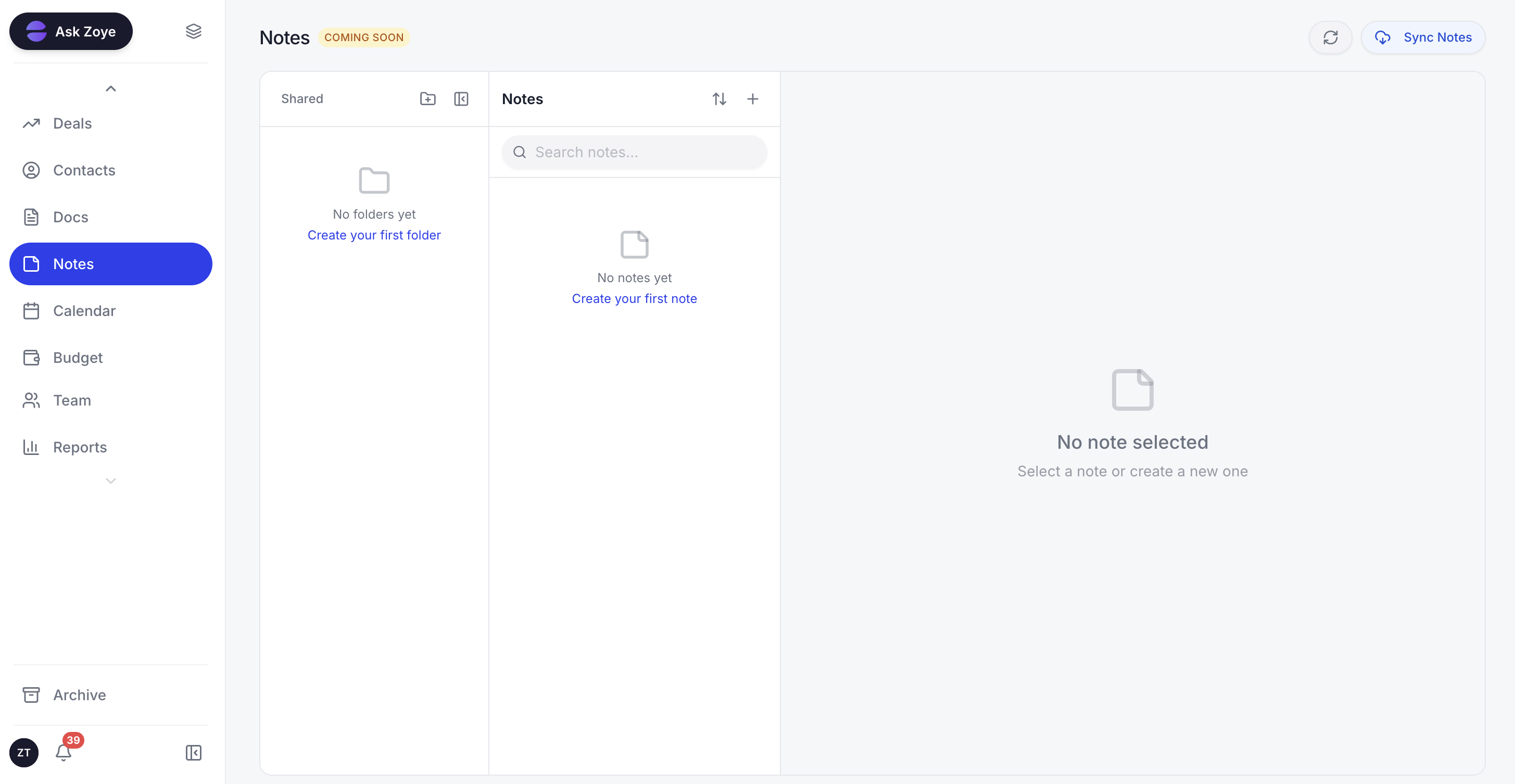
Notes, decisions and commitments live where the work lives, not in a separate document tool.
Mechanically, it joins Zoom, Google Meet and Teams, either from a link you paste or by auto-joining anything on your calendar that has one. It appears as a visible participant, which is the right default for consent. It transcribes live with speaker labels. So far, so familiar.
The difference is what it produces. Alongside the short summary and the searchable transcript, it produces decisions made, action items with owners and dates, and CRM updates: a new contact who turned up on the call, an email address somebody corrected out loud, a budget figure that moved, a timeline that shifted, each one landing on the right contact, company or deal. Commitments become real tasks on one-tap approval, or you edit them first. It drafts the follow-up recap so the person who ran the call is editing rather than composing.
The practical consequence is that the meeting stops being an event that generates homework. A typical case: a twelve-person agency runs a Thursday client review, and by Thursday evening the deal has the revised timeline on it, two tasks exist with the right owners and dates, the client's new finance contact is in the CRM with the correct spelling, and the recap draft is waiting for a glance before it goes out. Nobody transcribed anything by hand and nobody opened a summary document.
Because the assistant is the same on every channel, you can ask for what happened in a meeting from the web app, from WhatsApp, by voice note, from Slack, or through the Claude connector, and get the same answer from the same live data. See the AI Notetaker page for how the capture and the write-back fit together.
Zoye's own pricing is flat-rate rather than per seat: Almost Free at $5 per month or $4 on the annual equivalent covering 1 member, Starter at $29 per month or $23 annual for 10 members, Growth at $59 per month or $47 annual for 20 members, Scale at $119 per month or $95 annual for 100 members, and a quoted Customize tier. Full details are on the pricing page.
The honest limits, because this article would be worthless without them: Zoye is not a call-coaching platform, so if you want scorecards and talk-ratio analytics on every rep's calls, Fathom's Business tier or Read AI are built for that and Zoye is not. Zoye is not an accounting ledger, a helpdesk or a channel manager either. And the Notes module is collaborative docs and is still rolling out. If a searchable video library of every call is the artefact you care about most, tl;dv is a better fit than any of this.
The four questions that actually decide it
| What you care about | Where to look |
|---|---|
| Long meetings without a ceiling | Fireflies (unlimited transcription on all tiers), Notta (five hours per recording), Otter Business (four hours) |
| Meetings not in English | Fireflies (claims 100+ languages), tl;dv (30+ languages), Notta |
| No bot visible in the call | Granola (local capture, Mac and iOS) |
| Rewatching moments, not reading them | tl;dv |
| Call coaching and scorecards | Fathom Business, Read AI |
| The meeting updating your CRM, tasks and follow-up | Zoye |
| Spending nothing extra | Whatever is bundled with the video platform you already pay for |
Notice that only one row in that table is about the last mile. That is not an accident of how the table was written; it reflects where the category has actually invested.
Ready to streamline your business?
Zoye brings AI-powered CRM, task management, and automation into one workspace.
Get StartedHow to switch without losing four months of history
Three things, in order, and none of them take long.
Export before you cancel, not after. Otter supports exporting conversations, with bulk options on higher tiers. Pull everything to a folder and keep it. You will almost certainly never read it, and the once-a-year occasion when somebody needs to prove what was agreed in March justifies the twenty minutes.
Migrate a quarter, not an archive. Whatever you switch to, only carry across meetings from roughly the last ninety days. Older transcripts have already served whatever purpose they were going to serve. Importing them wholesale just moves clutter into a clean tool and makes the new search worse.
Run both for two weeks on the calls that broke the old one. Not on your easy internal standups, where everything works. On the long ones, the accented ones, the ones with four people on speakerphone. That is the only test that tells you anything. Compare on three axes: did it capture the whole meeting, did it get the names and numbers right, and how much typing did you still do afterwards. The third axis is the one people forget to measure and the one that decides whether you are still using the tool in month four.
The honest summary
If your wall was minutes, go to Fireflies or Fathom and you are done in an afternoon. If your wall was a bot you did not want in the room, Granola. If your wall was that people need to rewatch moments, tl;dv. If your wall was language and accents, the engines with the wider language spread. If you never actually hit a wall and just want to stop paying separately, look at what your video platform already includes.
And if your wall was the fourth one, that the notes are accurate and nothing happens as a result, no amount of extra transcription minutes will fix it. That one is fixed by moving the output somewhere it can act: onto the contact, onto the deal, onto a task with an owner and a date. That is the shape Zoye is built in, and it is the only reason to consider it over the specialists on this list.
Ready to see a meeting turn into updated records instead of another document? Explore the AI Notetaker or book a demo.
Related reading: the best AI meeting assistants for a full buyer's comparison across the category, and how to run a meeting so the AI notes are worth having for the part that no tool can do for you.


