
Best AI Meeting Assistants in 2026: 8 Tools Compared Honestly
There has never been a better time to stop taking notes by hand. The AI meeting assistant category matured fast, and the tools in this guide are genuinely good software. Transcription that used to be unreliable is now dependable for clear speech. Summaries that used to be padded filler now read like something a competent person wrote. If you are still typing bullet points during calls, almost any tool here is an upgrade.
There is a catch that the category has been slow to admit. Almost every one of these products ends at the document. You finish the call, a beautifully structured summary appears, and then a human being has to read it, decide what it means, and go do something in a different piece of software. The transcript is not the deliverable. The follow-up is: the email that goes out, the task that gets assigned, the deal stage that moves, the phone number that was wrong in the CRM and is now correct. Every minute you save on note taking gets partly handed back the moment someone has to retype the outcome somewhere else.
This guide covers eight tools, ranked for how far they carry the work past the document. It is fair to each one, because most readers already own one of them and are deciding whether to keep it. Where a product is best in class at something, it says so. Where a claim could not be verified on the vendor's own site, it says that too.
Prices are the vendors' published rates as of August 2026, taken from each vendor's own pricing page. Vendors change pricing often, and several in this category changed it during 2026, so check the vendor page before you buy.
What an AI meeting assistant has to do to be worth paying for
Four capabilities separate the tools, and only one of them is hard.
Capture. Joining the call reliably, on the platforms your customers actually use, and producing a transcript that survives crosstalk and accents. Every tool here is competent at this. Some join as a visible bot, some record your machine's audio instead. Neither approach is wrong, and the choice has consent implications covered further down.
Compression. Turning sixty minutes into the six lines that mattered. This is largely solved. The differences between vendors here are stylistic rather than substantive, and you should judge it on your own calls rather than on a demo.
Attribution. Speaker labels, so a decision can be traced to the person who made it. Otter and Fireflies both publish speaker recognition explicitly. Several other vendors do not describe it on their marketing pages, which is not the same as lacking it, but it is not something to assume.
Delivery. Getting the output into the system where the work lives. This is the capability with real variance, and it is the reason the ranking below looks the way it does. A summary that lands in a notes app is a document. A summary that updates a contact record, opens a task with an owner and a date, and drafts the recap email is a piece of work already done.
At a glance: eight AI meeting assistants compared
| Tool | Platforms | Speaker labels | Action items | CRM write-back | Where the output lands |
|---|---|---|---|---|---|
| Zoye | Zoom, Google Meet, Microsoft Teams | Yes, live | Yes, with owners and dates | Native, same workspace | Contacts, deals, tasks and a drafted recap |
| Otter.ai | Zoom, Microsoft Teams, Google Meet | Yes, speaker recognition | Yes, captured and assigned | Via Salesforce and HubSpot integrations | Otter workspace, then pushed out |
| Fireflies.ai | Zoom, Google Meet, Microsoft Teams, plus dialers | Yes, speaker recognition | Yes | Salesforce, HubSpot and more | Fireflies notebook, then pushed out |
| Fathom | Google Meet, Zoom, Microsoft Teams | Not stated on the vendor site | Yes, AI generated | CRM field sync listed on Business | Fathom, then Slack, Salesforce, HubSpot, Notion, Asana |
| Granola | Runs on your device audio, no bot | Not stated on the vendor site | Yes, in the note | Not listed on the vendor site | Granola notes on Mac, Windows, iOS, Android |
| tl;dv | Google Meet, Zoom, Microsoft Teams | Not stated on the pricing page | Yes | Listed on higher tiers | tl;dv library of recordings and notes |
| Read AI | Google Meet, Zoom, Microsoft Teams | Not stated on the vendor site | Yes, auto generated | HubSpot and Salesforce integrations | Read AI recaps, then email and chat |
| Zoom AI | Zoom first, with wider reach in the paid product | Yes, within Zoom | Yes | Not native, via other tools | Zoom Workplace |
Want to see it in action?
Watch how Zoye automates your daily workflow - from lead management to team collaboration.
See How It WorksThe 8 best AI meeting assistants in 2026
1. Zoye - the meeting assistant that finishes the job
Zoye is an AI Business Operator: one workspace with thirteen tools that already link to each other, plus an AI that operates them. The AI Notetaker is one of those thirteen, which is the entire reason it belongs at the top of a list like this. It is not a notes product with a CRM integration bolted on. The CRM is in the room already.
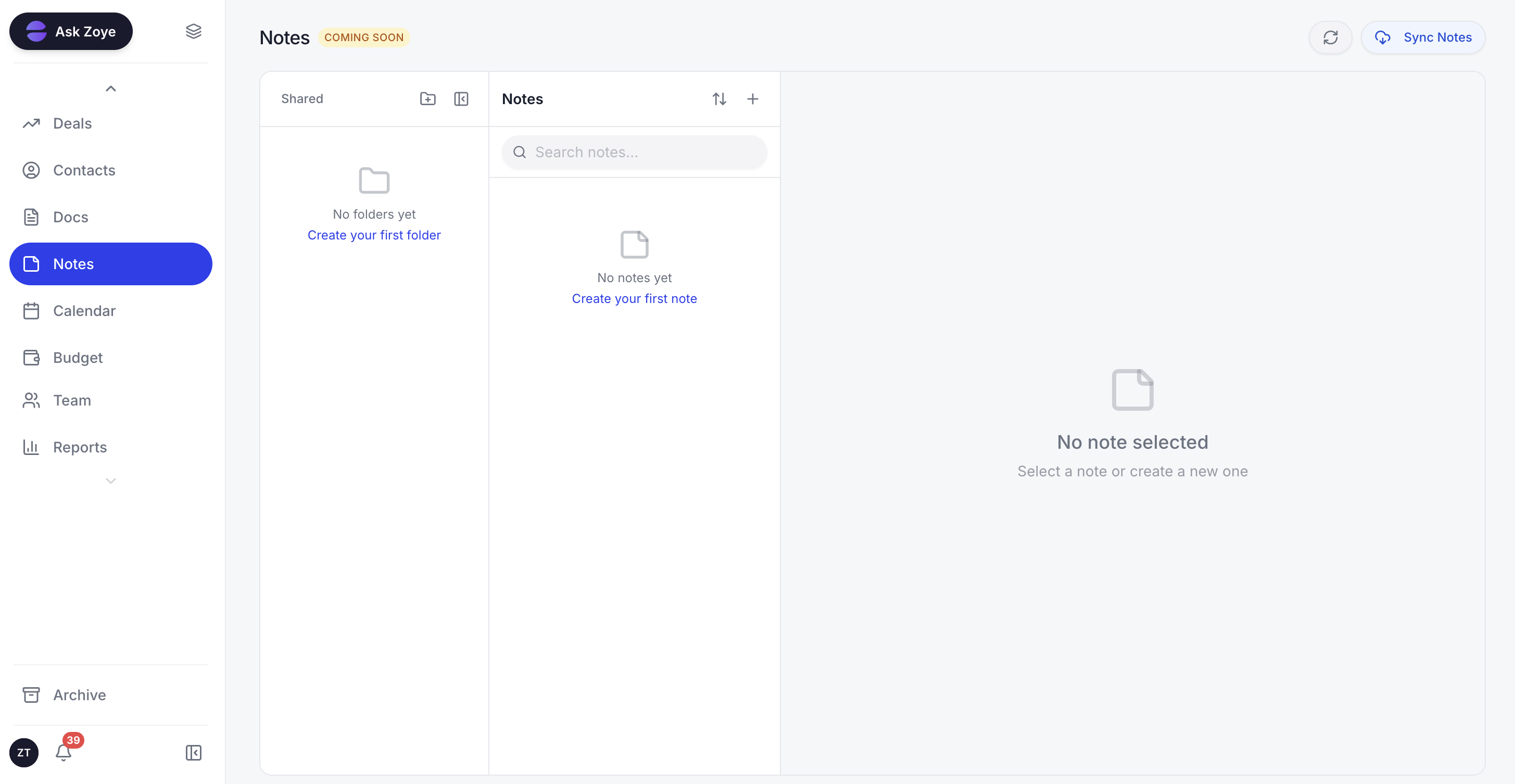
Zoye Notes keeps the written record next to the records it changed, so nobody has to copy an outcome from one app into another.
The capture side is conventional and solid. The notetaker joins Zoom, Google Meet and Microsoft Teams, either from a link you paste or by auto joining everything on your calendar that has one. It appears as a visible participant, so nobody is recorded without seeing it in the attendee list. Transcription is live, with speaker labels.
What happens afterwards is the difference. A finished meeting produces a short summary, the decisions that were made, action items with owners and dates, a searchable transcript, and a drafted follow-up recap you can send. It also produces CRM updates: a new contact who joined the call, an email address the transcript shows was wrong, a budget figure that was named out loud, a timeline that shifted. Those land on the right contact, company or deal rather than sitting in a paragraph for someone to transcribe later. Commitments become real tasks on one tap of approval, or you edit them first if the AI misheard.
The approval step matters and is deliberate. Nothing writes itself into your pipeline silently. You see the proposed changes in plain English and confirm them, which is the honest answer to the accuracy problem that every tool in this category has.
Because the notetaker sits inside the wider workspace, the meeting connects to everything downstream. The task it created is the same task on your board. The deal it updated is the deal your reports are built from. The contact it corrected is the one your WhatsApp automations message. The same assistant is reachable in the web app, on WhatsApp, by voice note, in Slack and in Claude through the connector, so you can ask what a meeting decided from a phone in a car park.
Honest limits: Zoye is not a conversation intelligence suite for large sales floors. There is no call scoring against a playbook, no rep coaching scorecards, no cross meeting talk ratio analytics of the kind a 60-seat sales organisation buys. The Notes module is collaborative docs and is still rolling out. If your requirement is sales coaching at scale, the specialists below are built for that and Zoye is not.
Pricing: flat rate rather than per seat, from Almost Free at $5 per month for 1 member, Starter at $29 per month for 10 members, Growth at $59 per month for 20 members, and Scale at $119 per month for 100 members, with a Customize option quoted per business. See pricing for the current figures.
Best for: small teams and owner-operators who want the meeting to change the CRM, not just describe it.
2. Otter.ai - the category incumbent with the strongest name recognition
Otter is the tool most people mean when they say "AI meeting notes", and the ubiquity is earned. It transcribes well, it has been doing it longer than almost anyone, and the product is polished. Otter's site states that it can automatically join all your Zoom, Microsoft Teams and Google Meet meetings through calendar integration, that it does live transcription with speaker recognition, that action items are captured and assigned automatically, and that it logs transcripts and insights into both Salesforce and HubSpot.
The honest criticism is about limits rather than quality. Otter's plans are metered in transcription minutes, which is a real constraint for anyone in back to back calls, and the output still lands primarily in Otter. The CRM integrations push a record of the conversation across; they are not the same thing as the meeting maintaining your customer data.
Pricing (as of August 2026, from otter.ai/pricing): Basic is free with 300 monthly transcription minutes. Pro is $16.99 per user per month, or $8.33 per user per month billed annually, with 1,200 minutes per user. Business is $30 per user per month, or $19.99 per user per month billed annually. Enterprise is quoted after a demo.
Best for: individuals and teams who want the best known, most broadly supported transcription product and already have a CRM they like.
3. Fireflies.ai - the broadest integration surface
Fireflies is the tool to look at when the meeting is not always on a meeting platform. Its site describes joining live meetings by invitation or auto joining calendar meetings, a Chrome extension for Google Meet, and integrations with dialers including Aircall and RingCentral, which matters if a meaningful share of your conversations are phone calls. It publishes speaker recognition, generates notes and action items after every meeting, and lists Salesforce and HubSpot among more than five CRM integrations that auto fill notes and call logs.
The trade off is that the breadth invites sprawl. Fireflies becomes another searchable archive alongside your CRM and your task tool, and the value depends on whether anyone actually goes back into it. Storage is the tiering axis on the paid plans, so heavy users should read the limits carefully.
Pricing (as of August 2026, from fireflies.ai/pricing): Free at $0 with 400 minutes of storage per team. Pro at $18 per seat per month, or $10 per seat billed annually, with 8,000 minutes of storage per seat. Business at $29 per seat per month, or $19 per seat billed annually, with unlimited storage. Enterprise at $39 per seat, annual only.
Best for: teams whose conversations span video calls and dialers, and who want the widest integration menu.
See what Zoye can do for you
From CRM and deal tracking to AI-powered task management - explore everything Zoye offers in one workspace.
Explore Features4. Fathom - the strongest free tier in the category
Fathom is the most generous entry point here by a distance, and it is a serious product rather than a stripped demo. The free plan is published as unlimited recordings and transcriptions, a choice of bot free capture in beta or bot capture, instant AI call summaries, and clips, playlists and search across calls. That is more than most competitors give away, and for a solo consultant it may genuinely be enough.
The site lists Google Meet, Zoom, Microsoft Teams and Gmail as where it works, and describes AI generated action items and insights flowing automatically to Slack, Salesforce, HubSpot, Notion and Asana. CRM field sync appears specifically on the Business plan, which is the honest read: the deeper CRM behaviour is the paid upgrade, not the default. Fathom does not state speaker labelling on its public pages, so verify it on your own calls if attribution matters.
Pricing (as of August 2026, from fathom.ai/pricing): Free at $0. Premium at $20 per user per month, or $16 per user billed annually. Team at $19 per user per month, or $15 annually, with a two user minimum. Business at $34 per user per month, or $25 annually, two user minimum. Enterprise is quoted by sales.
Best for: solo operators and small sales teams who want a capable tool at zero cost before committing to anything.
5. Granola - the one that does not send a bot
Granola took a different design decision and it is a genuinely good one. Its site states plainly that it uses your computer audio, so it does not invite a bot. Nothing appears in the participant list. For sensitive conversations, for meetings with clients who visibly stiffen when a robot joins, and for the many in person conversations that never had a meeting link at all, this is the most natural capture model in the category. It runs on macOS, Windows, iOS and Android, with an Apple Watch companion.
The trade offs follow directly from that choice. Capture depends on your device being in the room, so a meeting you skipped is a meeting with no notes, and there is no shared team record by default. Granola's site does not mention speaker diarization, and it lists no CRM integrations, showing instead an MCP connector to tools like Claude and Cursor. It is a superb personal thinking tool and it is not a system of record.
Pricing (as of August 2026, from granola.ai/pricing): Basic at $0 per user per month, Business at $14 per user per month, Enterprise at $35 per user per month. Granola does not publish annual pricing on that page.
Best for: individuals who take their own notes, value the absence of a bot, and do not need the output to reach a CRM.
6. tl;dv - the recording library for revenue teams
tl;dv leans harder on the recording than on the note. Its site states that it integrates with Google Meet, Zoom and Microsoft Teams, provides transcription, automatic recording and smart summaries, and that a free forever plan exists with no time limit. The strength is the searchable video library: timestamped clips you can send to someone who missed the call, which is a different and legitimate use case from a written summary.
The weakness is the same as the strength. A library needs a librarian. Teams that adopt tl;dv without a habit of clipping and sharing end up with a large archive nobody opens, and the CRM behaviour sits on the higher tiers rather than being the default posture of the product.
Pricing (as of August 2026, from tldv.io/app/pricing, listed in euros): Free at 0 euros per seat. Pro at 29 euros per seat per month, or 216 euros per year, which the page shows as 18 euros per seat per month. Business at 39 euros per seat per month, or 348 euros per year, shown as 29 euros per seat per month.
Best for: teams who want to rewatch and share moments from calls, not only read about them.
7. Read AI - meeting notes plus conversation analytics
Read AI is the most analytics minded pick here. Its site lists support for Google Meet, Zoom and Teams, auto generated recaps, action items and highlights, and integrations with HubSpot and Salesforce. Where it differentiates is in extending beyond the meeting into email and messaging, so the picture it builds is of a working relationship over time rather than of one call.
Two caveats worth stating. The site does not explicitly describe per speaker attribution in transcripts, so confirm it if you need it. And engagement or sentiment metrics on colleagues are a real cultural decision, not a neutral feature. Introduce them deliberately or not at all.
Pricing (as of August 2026, from read.ai/pricing): Free at $0 with 5 meetings per month. Pro at $19.75 per user per month, or $15 per user billed annually. Enterprise at $29.75 per user per month, or $22.50 annually. Enterprise Plus at $39.75 per user per month, or $29.75 annually, with a five licence minimum and a sales conversation.
Best for: teams who want relationship level analytics across meetings and messages, and who have thought about the culture question.
Ready to streamline your business?
Zoye brings AI-powered CRM, task management, and automation into one workspace.
Get Started8. Zoom AI - the one that is already switched on
If your organisation lives in Zoom, the cheapest AI meeting assistant is very often the one you are already paying for. Zoom's AI meeting features are bundled into paid Zoom Workplace plans, and for a team whose calls are all internal and all on Zoom, that is frequently sufficient. Nothing to procure, nothing to install, no bot to explain.
Two things to be aware of as of August 2026. Zoom has been reworking this area of its product line and the AI Companion branding has been changing, with a separate agentic product now sold alongside the features included in Workplace. Zoom does not publish a plain per user price for that separate product on its AI product page; the page shows the free Basic entitlements and then a plan whose rate is not rendered in the page text, so treat any figure you see quoted elsewhere as second hand and confirm it with Zoom directly. Second, the offering is Zoom centred by design. If a third of your calls are on Google Meet or Teams, a platform neutral tool will serve you better.
Pricing: included with paid Zoom Workplace plans, with limited AI entitlements on Basic. The separate paid AI product's per user price is not published on Zoom's AI product page as of August 2026.
Best for: Zoom first organisations that want adequate notes with zero additional procurement.
Where the document stops and the work starts
Line the eight up and a pattern appears. Seven of them are excellent at producing an artefact and then handing it to a person. The handoff is invisible in a demo and expensive in practice, because it happens after every single meeting, forever.
Consider a typical week for a 12-person agency. Fourteen client calls. Each one produces a summary with, say, three action items, one changed budget number, and two contacts whose details need correcting. That is 42 tasks, 14 record updates and 28 field corrections that a tool has described accurately and not performed. Someone spends their Friday afternoon doing the transcription of the transcription. In most small businesses that someone is the owner, and in practice about half of it never happens at all, which is why CRMs decay.
The alternative is not better summarisation. It is the summary having somewhere to go. When the meeting assistant and the customer record are the same system, a corrected email address is corrected, not reported. A commitment becomes a task with an owner and a due date on a board someone already looks at. A named budget lands on the deal that reporting is built from. The follow-up recap is drafted against a record that is already up to date.
That is the whole argument for the operator shape, and it is worth being precise about who it does not suit. If you run a 40-seat sales floor with a mature Salesforce instance and a coaching programme, you want a specialist that plugs into what you have, and Fireflies or Fathom will serve you better. The operator argument is strongest for small teams, where the integration layer between six tools is a human being who has other things to do.
How to choose in three questions
1. Where does the output need to end up? Answer this before you compare feature lists. If the answer is "a document I reread before the next call", Granola or Fathom are excellent and cheap. If it is "our CRM", check whether the tool integrates with your CRM or contains one. If it is "tasks my team actually does", ask specifically whether action items become real assignable work or stay as text.
2. Bot or no bot? A visible participant is transparent, captures cleanly and works for meetings you skip. Device audio capture is unobtrusive, works for in person conversations, and only exists where you are. Neither answer is wrong. Pick the one that matches how your meetings actually feel.
3. How does the price behave at three times your size? Almost everything in this category is per seat. A seven person team on a $19 per seat plan is paying $133 a month; the same tool at 20 people is $380. That is fine if the tool is load bearing and painful if it is a convenience. Flat rate pricing behaves differently as you grow, which is worth modelling before you standardise.
Accuracy, consent and the parts AI gets confidently wrong
Every tool here will occasionally be confidently wrong, and the failure modes are consistent enough to check for deliberately.
Proper nouns are the first. Company names, product names and unusual surnames get transformed into whatever the model thought was most probable, and a summary that credits a decision to the wrong person is worse than no summary. Numbers spoken quickly are the second, especially prices, dates and percentages, where a plausible wrong figure can travel a long way before anyone notices. Crosstalk is the third: when two people talk over each other, attribution degrades exactly when the conversation is most interesting. Accented speech and mid sentence language switching are the fourth, and this is where the gap between vendors is widest, so test on your own accents rather than trusting a benchmark.
The practical defence is a confirmation step. Read the decisions and the numbers before anything acts on them. This is why Zoye's approval gate exists and why any tool that writes into a system of record should have one. It costs about thirty seconds and it is the difference between an assistant you trust and one you quietly stop reading.
Consent is the other half. Recording law varies by jurisdiction and several places require all parties to agree. A visible bot in the participant list does a lot of this work for you socially. Device audio capture does not announce itself, so the announcement has to come from you. Say at the start of the call that you are taking AI notes. It takes four seconds and it removes the whole problem.
Why small teams pick Zoye
Three reasons come up repeatedly, and none of them is transcription quality, because at this point transcription quality is table stakes.
The meeting changes the business, not a document. Contacts get corrected, deals get updated, tasks appear with owners and dates, and the recap arrives drafted. Nobody spends Friday retyping Tuesday.
There is no integration layer to maintain. The notetaker, the CRM, the tasks, the calendar and the reports are the same workspace with the same records, so nothing breaks quietly at three in the morning and nothing needs reconnecting after a token expires.
The assistant is reachable wherever you are. Web app, WhatsApp, voice note, Slack, or Claude via the connector, with the same tools and the same permissions. Asking what a meeting decided should not require a laptop.
See what the AI Notetaker does with your next call, and let the meeting update the workspace instead of describing it.
For more context, see the best Otter.ai alternatives and the best AI tools for business.


