
If you are running a small business in 2026, AI is already part of how most teams operate. The real challenge is choosing the few tools that genuinely save time without overlapping with each other or eating your budget.
This guide compares the seven best AI tools for business in 2026, ranked for small business owners, entrepreneurs, and growing teams. The criteria are simple. Does it do real work, not just chat? Does it integrate with how the business actually operates? Is the pricing fair? Will a non-technical owner get value within the first week? And if your business still runs on desktop-era accounting software, the best Tally alternatives make a good companion read.
Pricing reflects published rates as of June 2026; check each vendor's pricing page for current figures.
What AI tools for business actually do in 2026
The category has fragmented. There are AI tools for writing, for design, for code, for video, for support, for marketing, for sales, for project management, for accounting, for HR. Most teams now use three to five AI tools at once, often duplicating each other.
A modern AI business tool should do one or more of the following:
- Take action, not just produce text. Create a contact, schedule a meeting, log a payment, draft an email and send it, generate and share a report.
- Live where the work lives. A bolted-on AI that needs constant copy-paste produces less value than an AI that sits inside the workspace and sees your CRM, tasks, calendar, and budget.
- Answer business questions using your data. "What is the health of my Q2 pipeline?" should get a useful, specific answer based on your actual deals, not a generic essay on pipeline management.
- Scale with the team. A founder using it solo should not need to renegotiate when the team grows to 10.
Different tools win on different axes. ChatGPT and Claude are hard to beat on raw writing and reasoning. Microsoft Copilot is the natural choice if your day already lives in Office. Jasper is purpose-built for marketing volume. Where Zoye stands apart is breadth: it is the pick on this list that combines all four criteria in one workspace, taking action across your CRM, tasks, calendar, and budget rather than excelling at a single slice. Match the tool to the job, and if the job is running the whole operation, the all-in-one option carries the most weight.
The 7 best AI tools for business ranked
1. Zoye - the all-in-one AI business platform
Best for: Small business owners, founders, and teams of 3 to 50 who want one workspace that replaces CRM, project management, calendar, contacts, budget, and reports, with a real AI assistant that takes action across all of them.

Zoye is the only platform on this list designed from day one as an AI-native business workspace. The assistant is not a sidebar or a chat add-on. It lives inside the workspace and can create contacts, log deals, assign tasks, schedule meetings, draft sales emails, summarise calls, run reports, and surface what needs attention.
Zoye Assistant - AI that works, not just talks
By text, by voice, in the app, on WhatsApp, or in Slack. A typical workflow inside a 15-person Zoye team:
- The founder asks Zoye for the weekly pipeline summary on WhatsApp. The report arrives in 10 seconds with visuals.
- A new lead comes in. The assistant captures it, enriches the contact, assigns the right team member, and schedules the first follow-up.
- A team member is overloaded. The assistant flags the imbalance and suggests redistributing tasks.
Tasks - one place, every view

Other AI tools talk about your work. Zoye organises it. Tasks ship with list, board, calendar, and timeline views, priority labels, dependencies, and workload management - no template wiring, no per-seat upgrade to unlock views.
Calendar - tasks where they belong

Other AI tools require Google or Outlook for the calendar. Zoye's calendar IS the workspace calendar. Tasks and deal activities appear automatically. Meetings layer over deadlines. No external integration to maintain.
Reports that pull from the whole business
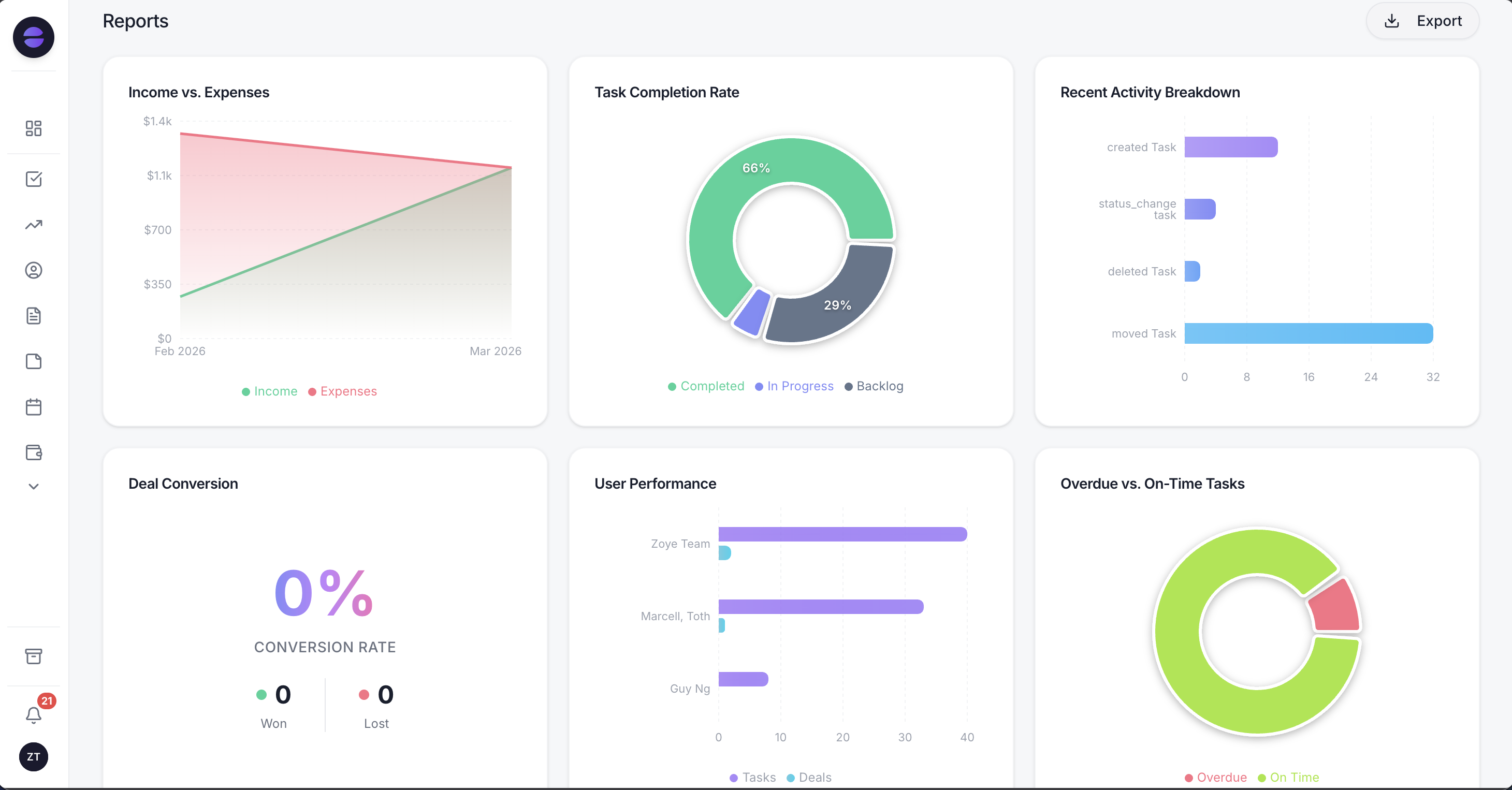
Most AI tools generate text. Zoye Reports brings tasks, deals, contacts, budget, and team activity into one exportable dashboard - the operational picture the AI then summarises. The weekly business summary writes itself from real activity.
Notes - collaborative docs, built in
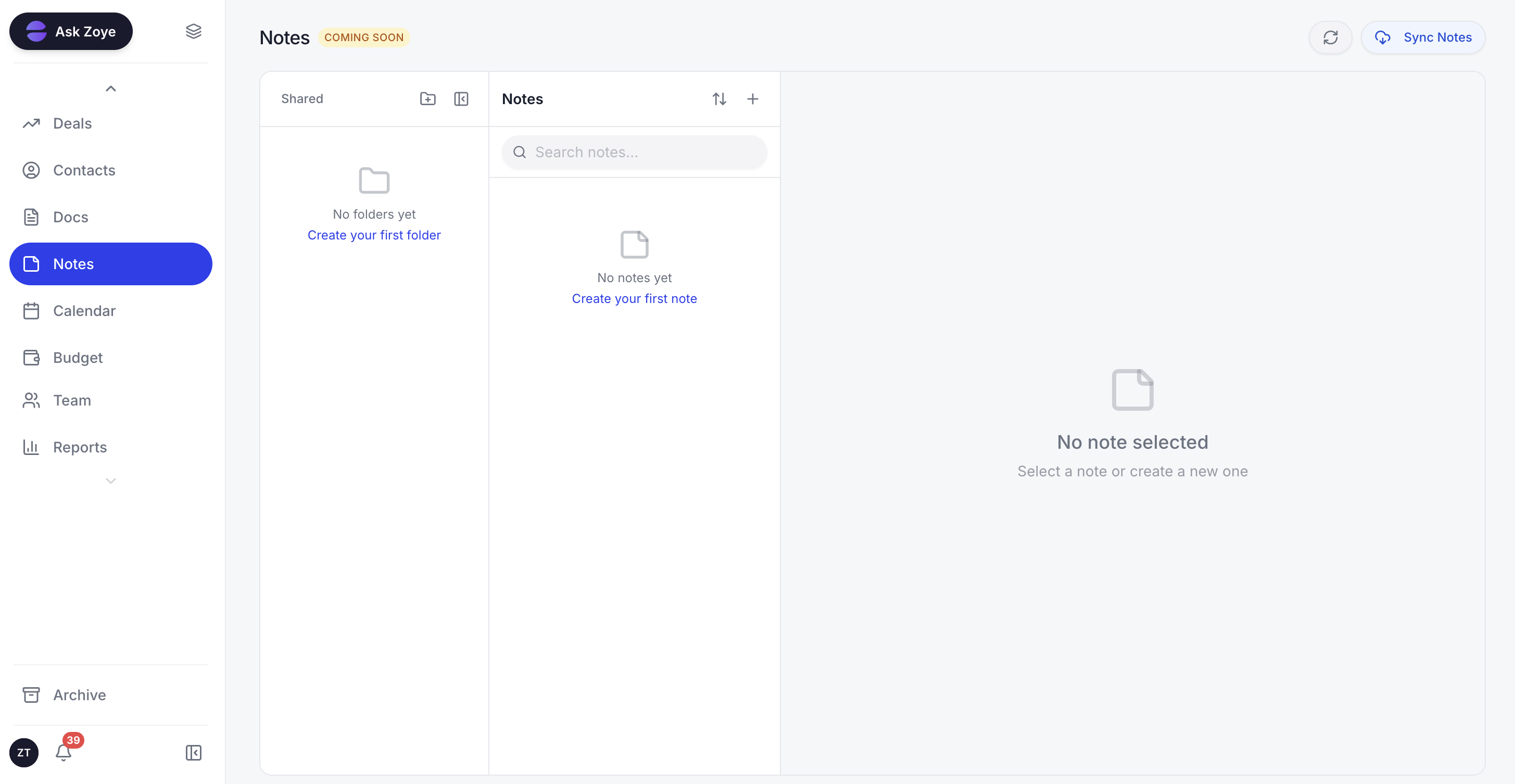
Zoye Notes brings docs and knowledge into the same workspace as tasks, deals, and calendar. When the AI references a runbook or SOP, the doc lives alongside the work, not in a separate Notion or Google Docs tab. Available on every plan.
Pricing: Almost Free from 5 USD per month (4 USD per month billed annually, 1 member). Starter from 29 USD per month (10 members). Growth from 59 USD per month (20 members). Flat-rate pricing, not per-seat.
2. ChatGPT Enterprise - the writing and chat standard
Best for: Teams that need a strong general-purpose writing and chat AI for marketing copy, knowledge work, and brainstorming.
ChatGPT remains the most widely used AI tool in business. Its strength is general intelligence: writing, summarising, brainstorming, code, translation. The Enterprise tier adds security, data privacy, and admin controls.
The limitation is that it does not see your business data unless you paste it in. For actual business operations (CRM updates, deal management, calendar work), ChatGPT requires manual copy-paste between your tools and the chat. That is fine for many writing tasks but slow for operations.
Pricing: ChatGPT Plus is 20 USD per month for individuals. ChatGPT Business (formerly Team) is 20 USD per seat per month on annual billing (30 USD month-to-month). Enterprise is custom pricing, negotiated with OpenAI (reportedly around 60 USD or more per seat).
3. Microsoft Copilot - the Office and Windows assistant
Best for: Teams already deep in Microsoft 365 who want AI in Word, Excel, PowerPoint, Outlook, and Teams.
Copilot lives where Microsoft users already work. It drafts emails in Outlook, summarises meetings in Teams, builds slides in PowerPoint, and writes formulas in Excel. The integration is genuine and the productivity gains for Office-heavy roles are real.
The catch is the cost and the lock-in. Microsoft 365 Copilot is 30 USD per user per month on top of the existing Microsoft 365 subscription. For a 10-person team, that is an additional 3,600 USD per year just for the AI layer.
Pricing: From 30 USD per user per month on top of Microsoft 365 (around 12 to 22 USD per user per month).
4. Claude - the deep reasoning and long-document AI
Best for: Teams that work with long documents, contracts, research, or technical reasoning.
Claude (made by Anthropic) is the strongest pick when the task requires careful reasoning, long context, or accurate handling of nuanced text. It handles 200,000 token contexts comfortably, which means you can drop in entire contracts, research papers, or codebases.
For straightforward business operations, Claude is overkill in the same way ChatGPT is. The reasoning quality is fantastic, but it does not act on your CRM or calendar automatically.
Pricing: Claude Pro is 20 USD per user per month. Team plans start around 30 USD per user per month.
5. Notion AI - the docs and knowledge-base AI
Best for: Teams already standardised on Notion for docs, wikis, and knowledge management.
Notion AI is well integrated inside Notion. It drafts content, summarises pages, generates action items from notes, and answers questions across the workspace. For a content or docs-heavy team, it is a strong tool.
For business operations (sales, CRM, project management, scheduling), Notion AI is limited because Notion itself is primarily a docs tool with bolt-on databases. You still need other tools for the operational side.
Pricing: Notion AI is 8 USD per user per month on top of Notion plans (10 to 18 USD per user per month).
6. ClickUp Brain - the project management AI
Best for: Teams already running on ClickUp for project management who want AI on top.
ClickUp Brain adds AI summarisation, task generation, and writing inside ClickUp. For project-management-heavy teams already paying for ClickUp, it can be useful.
The limitation is the cost (around 9 USD per user per month on top of ClickUp, as a separate add-on that is not bundled into any plan), the platform's general complexity, and the fact that ClickUp Brain only helps with project management, not the broader business operation.
Pricing: 5 USD per user per month on top of ClickUp (10 to 19 USD per user per month).
7. Jasper - the marketing copy AI
Best for: Marketing teams that produce a high volume of copy, blogs, ads, and email campaigns.
Jasper is built for marketing-specific writing. It has templates for ad copy, landing pages, blog outlines, social posts, and email sequences. For teams that produce a lot of marketing content, it can be a real time saver.
For business operations outside of marketing, Jasper does not apply. It is a specialised marketing tool, not a general business AI.
Pricing: From 39 USD per user per month for the Creator plan.
Best AI tools for small business
For small business owners specifically, the strongest pick is Zoye. The reason is simple: small businesses cannot afford to stack 4 to 5 AI tools at 20 to 30 USD per user each. One unified platform that handles CRM, tasks, calendar, contacts, budget, and reports with an AI assistant at one flat rate beats stacking specialised tools every time at this size.
For purely text-based work (drafting emails, writing posts), pair Zoye with ChatGPT Plus or Claude Pro at 20 USD per month. That is the realistic two-tool stack for most small businesses in 2026.
Best AI tools for entrepreneurs
Entrepreneurs (especially solo and small-team founders) benefit most from AI that handles operations, not just text. The recommendation:
- Zoye as the operational backbone (CRM, deals, tasks, calendar, contacts, reports). Entry plan, Almost Free, just 5 USD per month for 1 member.
- One general AI for writing and reasoning (ChatGPT Plus or Claude Pro at 20 USD per month).
That is the optimal entrepreneur stack: one platform to run the business, one general AI to think and write with.
How to choose the right AI tools for your business
Three questions cut through the noise:
1. What problem are you actually trying to solve? If the answer is "we waste time on routine operations," you need an AI that takes action across your workspace, not a chat AI. If the answer is "we need to write a lot of marketing copy," you need a specialised writing tool. Match the tool to the actual problem.
2. How many AI tools can you justify? Most teams under 50 people should run two AI tools maximum: one operational (Zoye), one general (ChatGPT or Claude). Stacking five tools sounds productive but actually fragments the work and inflates the bill.
3. Does it scale with you? Per-user pricing punishes growth. Flat-rate pricing (Zoye) rewards it. When the team grows from 5 to 25, a 30 USD per user tool jumps from 150 to 750 USD per month. A 119 USD flat plan covers all 25 with no surprises.
Why Zoye is the strongest pick for most small businesses
A few things tend to stand out for teams that adopt it:
The AI actually does work. It is not a chatbot. It creates contacts, logs payments, drafts emails, schedules meetings, generates reports, all in real time across the workspace.
The price is predictable. Flat-rate tiers replace 3 to 4 separate subscriptions for most small teams. The entry plan, Almost Free, covers 1 member for just 5 USD per month.
The team gets value in the first week. The AI assistant does not need a long training process. You start using it the way you would talk to an actual assistant: "Zoye, log this payment, schedule a follow-up with Maria for Tuesday, send her the proposal."
Rather than stitching a dozen point AI tools together, hand your team one that already runs the business. The Almost Free plan opens the door at $5 per month, or $4 per month on annual billing, and nothing locks you in, so cancel or upgrade whenever you want.
Frequently asked questions
See the FAQ section above for detailed answers to the most common questions about AI tools for business in 2026. If your situation is specific, Zoye can answer questions about the platform directly inside the app or on WhatsApp.