
Trello was the right answer for visual task management when it launched in 2011. The Kanban model is intuitive, the drag-and-drop UX is clean, and the free tier is generous enough to run small projects forever. Millions of teams still use it daily for exactly the use case it was built for: simple visual tracking of work-in-progress.
In 2026, the question for most teams is no longer whether Trello is good but whether it is enough. As teams grow past 10 people, projects multiply, deadlines get tighter, and the need for CRM, budget tracking, and AI automation becomes pressing, Trello increasingly shows its limits. This guide compares the seven best Trello alternatives in 2026, ranked for teams that have outgrown simple Kanban and want richer functionality without sacrificing the visual clarity that made Trello great in the first place. If your starting point is a personal to-do list rather than team boards, our guide to the best Todoist alternatives covers that side of the market.
Why teams are looking beyond Trello in 2026
The pressure to leave Trello comes from four directions that compound as teams grow.
Limited views beyond Kanban. Trello is fundamentally a board tool. Free and Standard tiers offer the Kanban board view only. Calendar, timeline (Gantt), and dashboard views require Premium (around $10 per user per month). For teams that need to see work by date, dependency, or workload, the upgrade is mandatory, and at that point the price comparison with broader alternatives changes meaningfully.
Pricing reflects published rates as of June 2026; check each vendor's pricing page for current figures.
No native CRM, budget, or operations. Trello is PM-only. To run a complete small business operation, teams stack Trello plus a separate CRM, plus a budget tracker, plus a calendar tool, plus an AI tool. Each subscription is its own login and its own monthly bill. The total cost of the Trello-anchored stack often exceeds an all-in-one platform that includes everything.
Automation is limited at the free tier. Trello's Butler automation is powerful but the free tier limits monthly run quotas. Teams that depend on automation hit the ceiling quickly and need to upgrade.
AI is bolted on, not native. Atlassian Intelligence (Trello's AI layer) launched in 2024 as a chat sidebar that summarises cards and suggests actions. It does not take action on the board automatically. Modern AI-native PM tools treat the assistant as an active worker, not a chat helper.
The 7 best Trello alternatives in 2026
1. Zoye - the AI-native all-in-one alternative
Zoye is the strongest Trello alternative for growing teams that want Kanban plus the broader operational stack in one workspace, with a real AI assistant that takes action across all of it.

The platform includes Kanban boards (the same model as Trello, with familiar drag-and-drop) plus list view, calendar view, timeline (Gantt) view, and dependency view. Beyond PM, Zoye covers CRM (contacts, deals, pipeline), tasks, calendar, budget tracking, and reports.
Zoye Assistant - AI that works, not just talks
The AI assistant lives inside the workspace and takes action: creates cards from incoming emails, assigns them based on team workload, drafts the customer update on a delayed project, schedules the next sync meeting, and produces the weekly progress summary. Where Trello Butler runs rules you configure, Zoye acts without setup.
Tasks - Kanban plus the views Trello charges for

Trello locks list, calendar, and timeline views behind Premium. Zoye gives you all four views on every board from the entry plan. Priority labels, dependencies, and workload work without configuration.
Calendar - tasks where they belong

Trello Calendar is a Power-Up that syncs to Google or Outlook. Zoye's calendar IS the workspace calendar. Tasks appear automatically. Meetings layer over deadlines. No Power-Up to install or maintain.
Reports that pull from the whole workspace

Trello Dashboard view is per-board. Zoye Reports brings tasks, deals, contacts, budget, and team activity into one exportable dashboard. The weekly status report writes itself from real workspace activity.
Notes - collaborative docs, built in
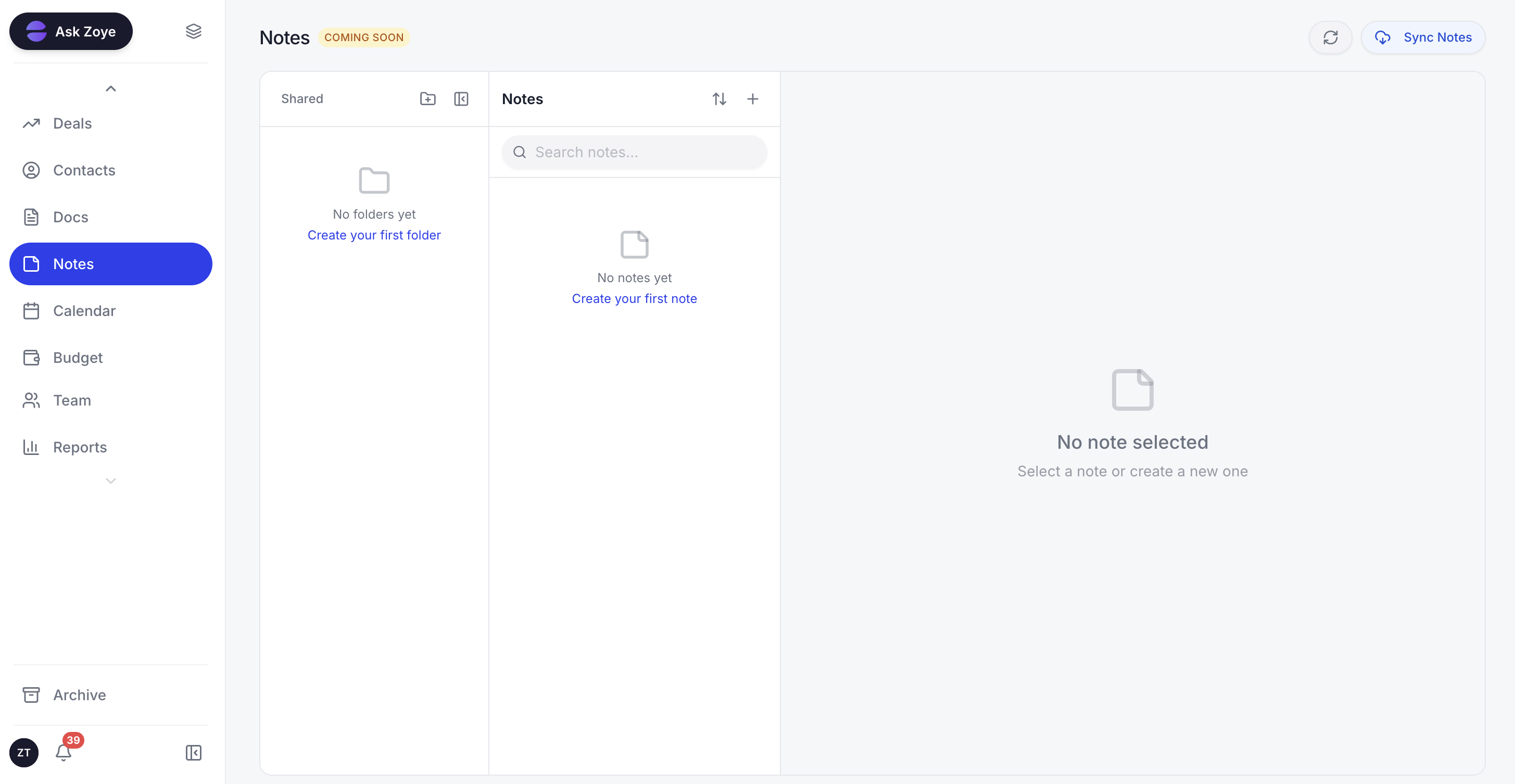
Zoye Notes brings docs and knowledge into the same workspace as boards, deals, and calendar. When a card references a runbook, the doc lives alongside the work. Available on every plan.
The pricing model is the most consequential difference from Trello. Zoye is flat-rate, not per-seat. A 15-person team pays $59 per month total on Zoye Growth, versus $150 per month on Trello Premium ($10 per user × 15 users), which only adds the views, not CRM or budget or AI.
Pricing: Almost Free from $5 per month ($4 per month billed annually) for 1 member with the core tools. Starter from $29 per month (10 members). Growth from $59 per month (20 members).
Best for: Growing teams of 5 to 50 that want Kanban plus operations in one workspace.
2. Asana - the project-structure pick
Asana is the strongest Trello alternative when you specifically want richer project structure (timelines, dependencies, portfolios) without abandoning the visual board metaphor. Asana's Kanban view is comparable to Trello's, and its timeline and list views are stronger.
The trade-off is the same scope limitation that affects most PM-only alternatives: Asana is project-focused only. No native CRM, no budget, no AI assistant that takes action. Asana Intelligence (the AI layer) is included in higher tiers but functions as a summary and draft tool, not an action-taker.
Pricing: Free for up to 10 users. Starter $10.99 per user per month. Advanced $24.99 per user per month.
Best for: Cross-functional teams of 10 to 50 that need richer project structure than Trello.
3. ClickUp - the all-in-one PM alternative
ClickUp markets itself as "one app to replace them all," and it does cover an enormous surface area: tasks, docs, goals, time tracking, and basic CRM through custom fields. For teams that want PM plus a lot of adjacent capability without committing to a separate platform, ClickUp is a serious option.
The downside is complexity. ClickUp's strength is its breadth, but that breadth comes with a learning curve. New users frequently get lost in the depth of configuration. ClickUp Brain (the AI layer) is also a paid add-on at around $9 per user per month, not bundled into any workspace plan.
Pricing: Free tier with limits. Unlimited at around $7 per user per month. Business at around $12 per user per month. Brain AI add-on around $9 per user per month (not included in any plan).
Best for: Mid-size teams (15 to 100) willing to invest in configuration.
4. Monday.com - the visual board sibling
Monday.com is the closest spiritual sibling to Trello in the alternatives list. Both prioritise visual board representation. Monday goes further with timelines, dashboards, and stronger automation, plus optional Monday Sales CRM for basic CRM use cases.
The pricing climbs fast with team size. Monday charges per seat tier with a 3-user minimum, and the Pro tier ($19 per seat per month) is required for most automation depth.
Pricing: Basic $9 per seat per month. Standard $12 per seat per month. Pro $19 per seat per month.
Best for: Visual-first teams of 5 to 30 that want richer automation than Trello.
5. Notion - the docs-and-database alternative
Notion is the answer if your team needs Kanban-style tracking alongside heavy docs, wikis, or knowledge base work. Notion's database views include Kanban, calendar, gallery, list, and timeline, and the docs layer is best-in-class.
The catch is that Notion is docs-first, not PM-first. Teams that need pure PM functionality often find Notion's setup overhead frustrating, and the database-as-PM model requires more configuration than Trello's purpose-built board.
Pricing: Free for personal use. Plus $8 per user per month. Business $15 per user per month.
Best for: Content-heavy teams that want PM bundled with docs and wiki.
6. Airtable - the database-with-Kanban alternative
Airtable is a database platform that includes Kanban as one of many views. For teams whose work is fundamentally about structured data (inventory, customer records, project assets) with Kanban as one way to visualise it, Airtable is a strong fit.
The trade-off is the database-first mindset. For pure visual task tracking, Airtable is overkill. The price also climbs faster than Trello's, especially when teams need automations or larger record counts.
Pricing: Free for limited use (up to 1,000 records per base). Team around $20 per seat per month (billed annually). Business around $45 per seat per month (billed annually).
Best for: Data-heavy teams that want Kanban plus database power.
7. Jira - the heavy PM for technical teams
Jira sits at the opposite end of the spectrum from Trello: maximum PM depth, dense UX, built for software teams. For technical teams that have outgrown Trello and need formal sprints, story points, and detailed reporting, Jira is the upgrade path.
The trade-off is that Jira is dense and developer-first. Non-technical team members typically struggle with the interface. For mixed-discipline teams, Jira is a step backward in UX even if it is a step forward in functionality.
Pricing: Free for up to 10 users. Standard around $8.60 per user per month. Premium around $17 per user per month.
Best for: Technical engineering teams of 10 to 100 needing formal PM structure.
Best Trello alternative for growing teams
For teams that started on Trello and are now 10 to 50 people with multiple active projects, Zoye is the clearest pick. The reasons line up directly with how growing teams change:
- They need calendar, timeline, and dependency views, not just Kanban. Zoye includes all of them.
- They need CRM (customer pipeline, contacts, deals). Zoye includes a full native CRM.
- They need budget tracking. Zoye includes it.
- They need an AI assistant that takes action across the operation. Zoye does exactly that.
- They want flat-rate pricing as the team grows. Zoye is flat-rate at every tier.
The alternative is to stack Trello Premium ($10/user) plus a CRM ($25 to $80/user) plus a budget tracker plus an AI subscription. For a 15-person team, that stack runs $1,200 to $1,800 per month. Zoye Growth runs $59 per month.
Best Trello alternative for non-technical teams
Non-technical teams (marketing, agencies, content, design, operations) are Trello's core audience and the audience most often disappointed when they try to scale. Asana is the safest like-for-like upgrade because the UX remains friendly. Zoye is the strongest pick if the team is also responsible for client relationships (CRM), budget oversight, and AI-augmented workflows.
Best AI-powered Trello alternative
Zoye is the only Trello alternative on this list with a true AI-native architecture. Atlassian Intelligence (Trello's AI), Asana Intelligence, ClickUp Brain, and Monday AI all function as chat-or-summary layers that answer questions or draft text. They do not take action on the board on your behalf.
Zoye actively creates cards from incoming customer emails, assigns them based on team workload, drafts the response to the customer, schedules the related meeting on the team calendar, and updates the budget tracker if the work has cost implications. The architecture difference is whether the AI sits beside your board describing it or works inside it on your behalf.
How to choose the right Trello alternative for your team
Three questions narrow the choice.
1. Is Kanban the only view you actually need, or are you ready for more? If pure Kanban is enough and the team is under 10 people, staying on Trello is fine. If you need timelines, dependencies, and richer reporting, you have outgrown Trello. Time to pick a real alternative.
2. Is PM the only thing you need, or do you also need CRM, budget, and AI? If PM is the only need, Asana or Monday are strong narrow picks. If you want PM plus CRM plus operations in one workspace, Zoye is the only platform on this list that delivers that natively.
3. What is your team size trajectory? Per-seat pricing punishes growth. A 5-person team on Trello Premium pays $50/month. A 25-person team pays $250/month. The same team on Zoye Growth pays $59/month flat. The economics shift hard as the team grows.
Why teams pick Zoye as their Trello replacement
Three things tend to tip the decision.
First, the Kanban experience matches Trello closely (same drag-and-drop, same card model), so the migration feels familiar and most teams are productive on the new board quickly.
Second, the broader workspace finally consolidates the stack. CRM, budget, calendar, AI all live with the boards. The team stops switching apps.
Third, the AI actually does work. Cards can be created from emails automatically, customer follow-ups drafted, and recurring summaries generated on demand, so routine board upkeep stops eating the day.
Keep the simple board you loved in Trello, but back it with a CRM, reporting, and an AI that actually moves the cards. Almost Free starts at $5 per month (or $4 per month billed annually), cancel or upgrade whenever it suits you.
For more context, see ClickUp vs Trello, the best Asana alternatives, the best Monday.com alternatives, and the best project management apps in 2026.