
monday.com is everywhere. Your agency uses it. Your last job used it. Someone in a LinkedIn comment swears by it. And yet - here you are, looking for something better.
Maybe the per-seat bill keeps climbing every time you bring someone new on board. Maybe the AI features feel like a paid-extra layer on top of an already expensive subscription. Maybe you sat down to onboard a new hire and realised the platform requires a small tutorial just to create a task. Whatever brought you here, you're not alone.
Below are ten platforms that are genuinely worth considering as monday.com alternatives in 2026 - covering everything from lean Kanban boards to full AI-native business workspaces. We're biased about one of them (you'll figure out which), but we've been honest about all of them, including where each one falls short.
At a Glance: 10 monday.com Alternatives Compared
Before we go deep, here's the full picture in one table. Scroll past it if you already know what you're looking for, or use it to orient yourself before reading the detailed breakdowns below.
| Tool | Ideal for | Standout capability | Starting price | Pricing model |
|---|---|---|---|---|
| Zoye | AI-native all-in-one workspace | Personal AI assistant + WhatsApp + everything in one place | $5/mo ($4/mo annual) | Plan + add-ons, change anytime |
| Asana | Goal-aligned team coordination | Work Graph links tasks to strategy | $10.99/user/mo | Per seat |
| ClickUp | Consolidating multiple tools | 15+ views, docs, and native chat | $7/user/mo | Per seat |
| Trello | Simple visual task tracking | Drag-and-drop Kanban boards | $5/user/mo | Per seat |
| Notion | Docs-first knowledge teams | Flexible wiki + database structure | $8/user/mo | Per seat |
| Wrike | Enterprise PM governance | Advanced approvals and capacity | $10/user/mo | Per seat |
| Jira | Software engineering teams | Sprint planning and backlog mgmt | $7.91/user/mo | Per seat |
| Basecamp | Remote-first flat-fee teams | Hill Charts and async comms | $15/user/mo or $299 flat | Per seat or flat |
| Smartsheet | Spreadsheet-oriented PMs | Grid-based PM with automation | $9/user/mo | Per seat |
| Zoho Projects | Zoho ecosystem users | Deep cross-suite integration | $5/user/mo | Per seat |
Why Are So Many Teams Reconsidering monday.com?
monday.com has genuine strengths - it's polished, it has enterprise credibility, and the visual boards are satisfying to use. But the complaints we hear repeatedly from teams switching away tend to cluster around the same pain points.
The pricing model punishes growth. Every new hire adds to your monthly bill. A 25-person team on the Pro plan can easily exceed $475/month. Add AI credits, premium integrations, and WorkOS features, and you're looking at a significant recurring cost for tooling alone.
AI is not truly native. monday.com has added AI features, but they sit on top of the product rather than running through it. You still manage most of your work manually - the AI helps you write status updates, not actually run your projects.
It's a project management tool, not a business workspace. If you need CRM, financial tracking, or document management, monday.com doesn't cover those - you need separate subscriptions alongside it.
If any of those sound familiar, read on.
1. Zoye - The AI-Native Workspace Built for How Modern Teams Actually Work
Most project management tools were designed in a world where AI didn't exist, and AI has been retrofitted into them since. Zoye was designed the other way around: the AI comes first, and everything else is built to work with it.
Zoye is not a task manager with a chatbot sitting in the corner. It's a complete business workspace - tasks, CRM, deals pipeline, contacts, calendar, budget, documents, notes, and reports - woven together by an AI assistant that understands your entire operation and can take real action inside it.
That distinction matters more than it might sound.
Open Zoye and the first thing you see is an Overview that actually means something: live pipeline value, how many tasks are due and whether they're on track, income for the quarter, and your team's completion rate. Two AI Insights cards sit alongside that data - not as reports you have to generate, but as live flags Zoye raises automatically.
"3 high-priority tasks have not been started. Want me to plan them?" That's not a notification. That's Zoye Assistant identifying a risk in your project and offering to fix it before you even knew it was a problem.

Zoye Assistant - AI That Works, Not Just Talks
The AI assistant in most tools is a co-pilot for writing. Zoye Assistant is a co-pilot for running your business. It's connected to everything in your workspace: your tasks, your deals, your contacts, your calendar, your reports. It doesn't just surface information - it acts on it.
Type "add a new contact: John Smith, zoye.io, Project Manager" and Zoye adds John Smith to your CRM, confirms every field, and asks if you'd like to create a linked deal or schedule a follow-up. No clicking through menus. No form filling. The conversation is the interface.
This is what AI-native actually means in practice: less time managing your tools, more time doing the work your tools are supposed to support.
Task Management That Stays Out of Your Way
Zoye's task board is clean by design. The Kanban layout gives you Backlog, In Progress, and Done columns that your team can move cards between without any configuration required. Priority labels - High, Medium - appear directly on each card. Creating a task takes seconds. Assigning it to a team member and setting a deadline takes a few more.

If you'd rather not set it up yourself, ask Zoye Assistant. It can create tasks, assign them, set priorities, and organise them into a plan from a single conversation. For teams that have spent hours configuring boards in other tools, this alone is a revelation.
Calendar
Scheduling and task management live in the same data layer in Zoye, which means your calendar is never out of sync with your project board. Switch between month, week, and day views. Every task with a due date appears automatically. No integration required - it just works.

Reports That Show the Full Picture
Zoye's reporting module pulls data from every part of your workspace into a single dashboard. Income versus expenses over time. Task completion rates. User performance across your team. Deal conversion. Overdue versus on-time tasks. All of it in one place, exportable with a single click.

For a growing business, this replaces the spreadsheet dashboards most founders build by hand - and updates automatically as your team works.
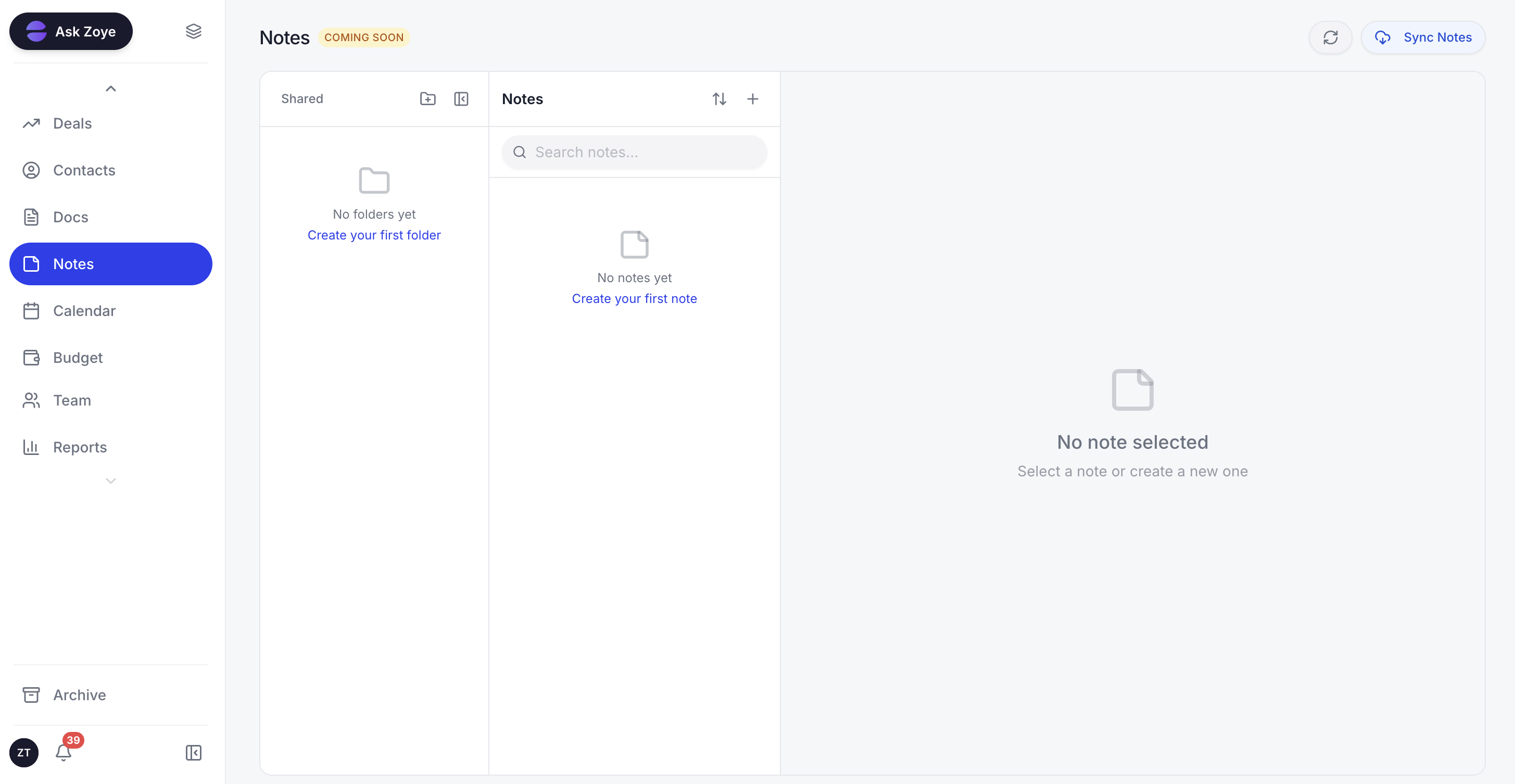
Notes - Collaborative Docs, Built In
Zoye's Notes module brings shared documentation into the workspace, so you're not paying for a separate Notion subscription to store your SOPs and meeting notes alongside your tasks and CRM.
Pricing: One Plan, Whole Team, Change Anytime
Pricing reflects published rates as of June 2026; check each vendor's pricing page for current figures.
Every other tool on this list charges per seat - so your bill grows with every hire. Zoye doesn't. One plan covers your whole team:
- Almost Free: $5/mo ($4/mo billed annually) - 1 member, 1GB storage, full platform + AI assistant included
- Starter: $29/mo ($23/mo annual) - 10 members, 5GB
- Growth: $59/mo ($47/mo annual) - 20 members, 10GB, 24/7 priority support (most popular)
- Scale: $119/mo ($95/mo annual) - 100 members, 25GB
- Customize: Custom pricing - tailored limits, white-glove onboarding
Every tier includes the whole platform and the AI assistant, with AI usage that scales as you move up. Scale your monthly AI prompts with the in-plan slider, and add Storage or Team Plus seats whenever you need them. Change plan or add-ons at any moment - just ask Zoye.
For a 20-person team, Zoye Growth costs around $708/year versus monday.com Standard at roughly $2,880/year - and because Zoye also replaces your CRM, docs, and reporting tools, the saving grows by whatever you currently pay for those separate subscriptions.
Ready to hand off the busywork?
Zoye brings AI-powered CRM, task management, and automation into one workspace.
Get StartedWhy Zoye Wins the Comparison
- AI that takes action: Zoye Assistant executes tasks inside your workspace from a natural language conversation (text or voice) - not just text suggestions.
- Full business coverage: One workspace for tasks, CRM, deals, contacts, calendar, budget, docs, and reports. No extra subscriptions.
- One plan, whole team: No per-seat math. Entry plan from $5/mo, $59/mo Growth covers 20 members, change anytime.
- Run from anywhere: Native WhatsApp integration means you can manage everything by text or voice from the messaging app you already use.
- Fast adoption: New team members can start contributing on day one - no training required, no complex configuration.
2. Asana - Connecting Daily Work to Company Goals
Asana's core idea is that individual tasks should trace back to company-level objectives - and it has built more infrastructure around that idea than any other tool on this list. The Work Graph data model links everything: tasks, projects, portfolios, and goals sit in a connected system that shows how effort at the team level translates into results at the executive level. For organisations where strategic alignment is a genuine priority, not just a talking point, Asana delivers.
Where it shines:
- Work Graph connects every task to a project, every project to a portfolio, every portfolio to a goal - creating a visible chain from individual effort to company strategy
- AI features include smart status updates, workflow generation via AI Studio, and automatic summaries of project progress
- Enterprise security credentials: SOC 2/3, ISO 27001, HIPAA eligibility, FedRAMP In Process
Pricing:
- Personal (1 to 2 users): Free
- Starter: $10.99/user/month (billed annually)
- Advanced: $24.99/user/month (billed annually)
- Enterprise and Enterprise+: Custom pricing
The trade-off: Asana AI requires a separate subscription on most plans, and the platform's depth means new users often need several weeks before they're comfortable with the full feature set. It's a serious tool for serious teams - not the fastest to get started with.
3. ClickUp - Replacing Your Entire Tool Stack with One Platform
ClickUp's pitch is consolidation. Rather than paying for separate tools for task tracking, document creation, and team communication, ClickUp wants to be the single place where all of that happens. It supports 15+ views - including Gantt, Kanban, timeline, workload, and more - and includes native docs and a chat module. For teams that have tool sprawl and want to simplify, it's the most comprehensive option available at its price point.
Where it shines:
- 15+ project views accommodating everything from individual task lists to portfolio-level Gantt charts
- Native document creation and team messaging reduce reliance on Google Docs and Slack
- 100+ automation templates plus Connected Search that reaches into external apps like GitHub and Google Drive
Pricing:
- Free Forever: $0 (unlimited tasks, limited storage)
- Unlimited: $7/user/month (billed annually)
- Business: $12/user/month (billed annually)
- Enterprise: Custom pricing
- Note: AI features cost an additional $5/user/month
Where it gets tricky: ClickUp is powerful but demanding. Teams that don't invest time in governance often end up with a workspace that's as disorganised as the tool sprawl they were trying to fix. The learning curve is real, and performance can slow in very large workspaces.
4. Trello - Visual Task Tracking That Anyone Can Use in Five Minutes
Trello made Kanban boards mainstream, and for good reason: the drag-and-drop interface requires almost no explanation. Cards move between columns, checklists track subtasks, and the whole system is intuitive enough that most people can contribute on their first day. For small teams with straightforward projects, Trello remains one of the fastest ways to get organised.
Where it shines:
- Drag-and-drop Kanban boards with zero learning curve - new team members are productive within minutes
- Butler no-code automation handles repetitive board actions with 200+ pre-built recipes
- Multiple views available on paid plans: Timeline, Calendar, Table, Dashboard, and Map alongside the standard board
Pricing:
- Free: $0 (up to 10 boards, 10 collaborators)
- Standard: $5/user/month (billed annually)
- Premium: $10/user/month (billed annually)
- Enterprise: $17.50/user/month (billed annually)
The catch: Trello's simplicity has a ceiling. As projects grow in complexity - more dependencies, more team members, more reporting requirements - it starts to strain. The free plan's limits on boards and collaborators also catch growing teams by surprise.
5. Notion - The Workspace for Teams That Live in Their Documents
Notion sits at the intersection of a wiki, a database, and a lightweight project manager. Its strength is flexibility: you can build almost any system you want inside it, from a product roadmap to a hiring pipeline to a personal knowledge base. Teams with heavy documentation needs - especially product, content, and design teams - tend to gravitate toward it naturally. If Notion's task management feels too light, compare the best Notion alternatives.
Where it shines:
- Highly flexible page and database structure that adapts to almost any workflow or information architecture
- Strong knowledge base and documentation capabilities make it a natural Confluence alternative
- Notion AI assists with writing, summarising content, generating first drafts, and answering questions about your workspace
Pricing:
- Free: Personal use (limited blocks)
- Plus: $8/user/month (billed annually)
- Business: $15/user/month (billed annually)
- Enterprise: Custom pricing
Worth weighing: Notion's flexibility is also its biggest risk. Without clear conventions, workspaces become impossible to navigate. It has no native CRM, no financial tracking, and its task management is basic compared to dedicated project tools - so most teams end up pairing it with another platform.
6. Wrike - For Large Organisations That Need Governance and Control
Wrike is built for enterprise project management in the most literal sense: complex hierarchies, formal approval workflows, capacity planning, and security certifications that satisfy even the most demanding compliance requirements. If your organisation has a dedicated PMO and multiple departments running simultaneous programmes, Wrike provides the infrastructure to manage it.
Where it shines:
- Resource management tools include capacity planning, job role assignment, and utilisation tracking across teams
- Security stack covers SOC 2 Type II, ISO 27001, and Wrike Lock - customer-managed encryption for sensitive environments
- Full project lifecycle support: intake forms, approvals, proofing, and analytics in a connected workflow
Pricing:
- Free: Basic task management
- Team: $10/user/month (2 to 15 users)
- Business: $25/user/month (5 to 200 users)
- Enterprise and Pinnacle: Custom pricing
Be aware: Wrike rewards investment. Teams that take the time to configure it properly get a genuinely powerful governance platform. Teams that don't often feel overwhelmed by its complexity. It's not the right choice for small teams or organisations without dedicated project management resources.
7. Jira Software - The Standard for Engineering and Agile Development Teams
Jira has dominated agile software development for over a decade, and it has earned that position. Its sprint planning, backlog management, velocity tracking, and integration with developer tools like GitHub and Bitbucket make it the natural choice for engineering teams. Recent additions - including Rovo AI agents that interpret natural language queries and automate routine developer tasks - have strengthened its position further.
Where it shines:
- Scrum and Kanban boards built specifically for agile workflows: sprint planning, backlog grooming, velocity charts
- Rovo AI agents handle routine tasks and let engineers query project data in natural language
- Deep integration with the Atlassian ecosystem (Confluence, Bitbucket, Jira Service Management)
Pricing:
- Free: Up to 10 users
- Standard: $7.91/user/month (billed annually)
- Premium: $14.54/user/month (billed annually)
- Enterprise: Custom pricing
The limitation: Jira was built by developers, for developers. Non-technical team members frequently find it counterintuitive, and the cost of extending it through Marketplace apps adds up quickly. Outside of engineering contexts, most teams are better served by a more general-purpose tool.
8. Basecamp - Flat-Fee Pricing and Intentional Simplicity for Remote Teams
Basecamp takes a deliberate stand against feature excess. Its toolkit is deliberately narrow: message boards for async communication, to-do lists, schedules, file storage, and Hill Charts - a unique way of visualising project momentum as a curve rather than a percentage. The appeal is predictability: one flat price, no hidden costs, no configuration rabbit holes.
Where it shines:
- Flat-fee pricing removes the per-seat anxiety that affects every other tool on this list
- Hill Charts give project owners a visual intuition for whether a project is progressing or stalling
- Async-first design suits distributed teams working across time zones
Pricing:
- Basecamp: $15/user/month
- Basecamp Pro Unlimited: $299/month (unlimited users)
Where it falls short: Basecamp's narrow feature set is a feature, not a bug - for the teams it's designed for. But if you need Gantt charts, time tracking, CRM, or detailed reporting, you'll be reaching for additional tools almost immediately. It works best as a communication layer, not a full project management system.
9. Smartsheet - For Teams Whose Natural Thinking Format Is a Spreadsheet
Smartsheet is what you get when you take a spreadsheet, add proper automation, and give it project management structure. Its grid interface is immediately familiar to anyone who has managed a project in Excel - which is a significant adoption advantage in organisations where spreadsheet literacy is universal but software training is scarce.
Where it shines:
- Grid-based interface reduces adoption friction for teams already comfortable managing work in spreadsheets
- Automation, intake forms, and approval workflows built on top of the familiar grid data model
- Gantt, card, and calendar views available alongside the default grid for different perspectives on the same data
Pricing:
- Pro: $9/user/month (billed annually)
- Business: $19/user/month (billed annually)
- Enterprise: Custom pricing
The downside: Smartsheet covers project management well, but it doesn't try to be more than that. No native CRM, no AI assistant, no financial management. It sits comfortably alongside other tools rather than replacing them - which means your tool count stays the same even if your project management improves.
10. Zoho Projects - For Businesses Already Running on the Zoho Suite
The case for Zoho Projects is almost entirely about context: if your business already uses Zoho CRM, Zoho Books, or Zoho Desk, adding Zoho Projects creates a genuinely integrated operation. Time tracked in Projects flows into invoices in Books. Leads from CRM connect to project delivery timelines. For Zoho users, this cross-suite integration is the main reason to choose it over alternatives.
Where it shines:
- Native integration with Zoho CRM, Books, Desk, and the broader Zoho suite - data flows between tools without manual syncing
- Critical path analysis, baselines, and earned value management for rigorous project control
- Built-in time tracking with SLA-aware issue tracking and direct invoicing through Zoho Books
Pricing:
- Free: Up to 5 users
- Premium and Enterprise: Competitive per-user pricing
- Projects Plus bundle: $16/user/month including Sprints, Analytics, and WorkDrive
One caveat: Outside the Zoho ecosystem, the value proposition weakens significantly. The mobile app also lags the web version for complex administrative tasks, which can frustrate remote teams that rely on it.
How to Pick the Right Tool for Your Team in 2026
The honest answer is: it depends on what you're actually trying to solve.
- Per-seat pricing is killing your budget: Zoye is the only platform here where one plan covers your whole team. From $5/mo, with $59/mo Growth fitting up to 20 members - cheaper than a single seat on most enterprise tools.
- You need AI that genuinely helps: Zoye Assistant acts on your workspace directly. No other tool on this list does that at this depth without a premium add-on.
- You want one tool instead of three: Zoye combines tasks, CRM, deals, docs, calendar, budget, and reports. ClickUp is the next closest for consolidation, but doesn't cover CRM or finance.
- Strategic goal alignment matters most: Asana's Work Graph is the best implementation of linking tasks to objectives.
- Your team is engineers: Jira is purpose-built for your workflow and nothing else matches it for agile development.
- You want simplicity above all: Trello for very small teams; Basecamp for remote-first teams that prioritise communication.
- You're in the Zoho ecosystem: Zoho Projects integrates most naturally and keeps your data in one vendor relationship.
If you're still unsure, the lowest-risk move is to start on the most affordable full-platform plan. Zoye's entry plan, Almost Free, gives you the full workspace - not a demo, not a stripped-back tier - with the AI assistant included, from $5/mo ($4 billed annually). Upgrade to Starter ($29/mo), Growth ($59/mo), or beyond when you're ready - and change anytime.
Final Word
The project management software market has never had more good options. The days of monday.com being the obvious default are over - not because monday.com got worse, but because the alternatives got dramatically better.
What's changed most in 2026 is AI. A year ago, "AI-powered project management" meant a bot that helped you write task descriptions. Today, it means an assistant that actually manages your work: flagging risks, creating contacts, planning unstarted tasks, and giving you a live view of your entire operation in a single conversation.
Zoye is the clearest example of where that evolution leads. A complete business workspace, a personal AI assistant built into every part of it, and one plan that covers your whole team instead of charging per seat. The Almost Free entry plan starts at $5/mo ($4 billed annually), and you can cancel or upgrade whenever it suits you. If you haven't tried it yet, that's the obvious next step.