
Quick answer: ManyChat prices by active contacts, the people who interact with your automations in a month, not by seats. As of October 2026 the tiers run from a free plan for 25 contacts to Advanced from $139 a month billed yearly ($199 month to month) for 25,000, with a per-contact charge above each allowance. AI is included from Pro; Meta's WhatsApp fees sit on top.
Key takeaways (October 2026)
- ManyChat has five published tiers: Free (25 active contacts), Essential from $14 (250), Pro from $29 (2,500), Business from $69 (7,500) and Advanced from $139 (25,000) a month billed yearly, or $17, $39, $99 and $199 month to month.
- At roughly 1,000 active contacts a month you land on Pro (from $29), at 5,000 on Business (from $69) and at 25,000 on Advanced (from $139), on yearly billing, before any overage or WhatsApp costs.
- AI is included from Pro upward, with no separate add-on. The $29 a month AI add-on that many reviews still quote belongs to the lineup before 2026.
- WhatsApp adds Meta's per-message fees: billed per delivered message since 1 July 2025, with 1,000 free service messages per number per month since 1 October 2026.
- ManyChat is good value for creators whose Instagram audience converts. It gets expensive when most of the people you pay for never become customers.
"ManyChat pricing" sounds like a simple lookup, and the tier list is short. The bill is not. What you actually pay depends on how many people touch your flows in a given month, whether you switch on the AI features, whether you add WhatsApp, and whether your best month pushes you past an allowance. Two accounts on the same plan can pay very different amounts.
This guide works through the numbers the way a buyer would. First the tiers, then what an active contact is, then the arithmetic at three audience sizes (about 1,000, 5,000 and 25,000 active contacts a month), and finally the costs that sit outside the plan. We close with when ManyChat earns its price and when a different shape of tool, such as the Facebook and Instagram automations inside Zoye, fits better.
A note on sources. The tier prices, per-contact rates and user counts below come from ManyChat's own pricing page, checked in October 2026 on both monthly and yearly billing, and match our October 2026 review of Instagram automation tools. Prices change, so treat this as a map and the live pricing page as the final word.
ManyChat pricing in October 2026: every tier
ManyChat sells one product in five tiers, and the only thing that separates them on price is how many active contacts each one includes. As of October 2026 the free plan covers 25 contacts and Advanced from $139 a month billed yearly ($199 month to month) covers 25,000. Every paid tier charges for each extra contact past its allowance, so the tier is a floor, not a cap.
| Tier | Active contacts included a month | Starting price, October 2026 | Starting price over 12 months | Above the allowance |
|---|---|---|---|---|
| Free | 25 | $0 | $0 | Upgrade needed |
| Essential | 250 | From $14 a month billed yearly ($17 month to month) | $168 billed yearly | $0.10 per extra contact ($0.082 billed yearly) |
| Pro | 2,500 | From $29 a month billed yearly ($39 month to month) | $348 billed yearly | $0.05 per extra contact ($0.038 billed yearly) |
| Business | 7,500 | From $69 a month billed yearly ($99 month to month) | $828 billed yearly | $0.025 per extra contact ($0.018 billed yearly) |
| Advanced | 25,000 | From $139 a month billed yearly ($199 month to month) | $1,668 billed yearly | $0.004 per extra contact ($0.0028 billed yearly) |
Three caveats sit behind that table.
"From" means the starting figure. The "from" prices are the yearly-billing rates, shown per month, as listed in October 2026. Month to month the same tiers cost $17, $39, $99 and $199, so check which billing period you are comparing before you put ManyChat next to anything else.
The lineup changed during 2026. ManyChat moved to these contact-based tiers during the year. If your account is older, your billing page may still show a plan from the previous lineup with different limits. Look at your own account rather than assuming the table applies to you.
No tier above Advanced is listed. ManyChat's pricing page shows no custom or enterprise tier above Advanced as of October 2026. If your audience runs well past 25,000 active contacts, ask ManyChat directly before you plan around Advanced's per-contact rate.
What counts as an active contact
An active contact is, broadly, a person who interacted with your account through ManyChat during the billing month. Commenting a keyword, replying to a story, tapping a button or messaging your Page all count. Followers who never interact do not. Your bill follows engagement, not audience size, and that is both the appeal and the risk of the model.
This definition matters more than any price on the page, because it decides which tier you need. A few practical consequences:
- Engagement spikes become billing spikes. A Reel that gets 3,000 people commenting a keyword adds roughly 3,000 active contacts that month, whether or not any of them buy.
- Quiet months cost less. A contact who stays silent for a month generally does not count towards that month. The model rewards seasonal accounts that run campaigns in bursts.
- One person, one contact, per channel identity. Someone who reaches you on Instagram and later on WhatsApp may exist as two contacts if the tool cannot tell they are the same person. Ask how ManyChat merges them before you assume a single count.
- Broadcast recipients count. ManyChat's pricing page counts a contact when messages are sent or received through automations, AI, broadcasts or the inbox, so someone who only receives a broadcast, without replying, is active that month. For a list-heavy account, that can move you a full tier.
The best way to size yourself is to look at last quarter. Count how many unique people commented, replied or messaged in your busiest month, not your average month. That number, rounded up, is the tier you should price.
How the per-contact charge works, and when to move up a tier
Every paid tier lets you go past its allowance and charges per extra contact. That creates a simple decision each month: stay on your tier and pay for the extras, or move up and pay the higher flat price. The break-even is the price gap between the two tiers divided by the number of contacts you are over.
ManyChat's per-contact rates are published on its pricing page, and they fall as the tier rises: as of October 2026, $0.082 per extra contact on Essential, $0.038 on Pro and $0.018 on Business billed yearly ($0.10, $0.05 and $0.025 month to month). Here is the arithmetic on yearly billing:
- Essential to Pro. The gap is $15 a month. At 1,000 active contacts you are 750 over Essential's 250. Staying on Essential is cheaper only if each extra contact costs less than 2 cents ($15 ÷ 750). At 8.2 cents, the 750 extras cost about $62, so Pro wins.
- Pro to Business. The gap is $40. At 5,000 contacts you are 2,500 over Pro's allowance. Staying on Pro wins only if each extra contact costs less than 1.6 cents ($40 ÷ 2,500). At 3.8 cents, the extras cost $95, so Business wins.
- Business to Advanced. The gap is $70. At 25,000 contacts you are 17,500 over Business. Staying on Business wins only if each extra contact costs less than 0.4 cents ($70 ÷ 17,500). At 1.8 cents, the extras cost $315, so Advanced wins.
The same holds on monthly billing, where the rates are higher still. The pattern most buyers find: for a steady audience, the tier that covers your busiest month is usually cheaper than paying overage on a lower tier. For a spiky audience with one big month a quarter, overage on the lower tier can be the cheaper path across the year.
What ManyChat costs at 1,000, 5,000 and 25,000 contacts
At about 1,000 active contacts a month, ManyChat costs from $29 on Pro billed yearly ($39 month to month). At 5,000 it costs from $69 on Business ($99), and at 25,000 from $139 on Advanced ($199), as of October 2026. Those are plan prices only, with AI included from Pro. Any WhatsApp messages and contacts beyond the allowance come on top, and for WhatsApp-heavy accounts they can exceed the plan itself.
| Monthly active contacts | Tier that covers it | Plan, from | Plan over 12 months | AI features | WhatsApp fees from Meta |
|---|---|---|---|---|---|
| About 1,000 | Pro (2,500 included) | $29 billed yearly ($39 month to month) | $348 billed yearly | Included | Per delivered message, if you add WhatsApp |
| About 5,000 | Business (7,500 included) | $69 billed yearly ($99 month to month) | $828 billed yearly | Included | Per delivered message, if you add WhatsApp |
| About 25,000 | Advanced (25,000 included) | $139 billed yearly ($199 month to month) | $1,668 billed yearly | Included | Per delivered message, if you add WhatsApp |
The scenarios below are illustrative, built only on the starting prices above. They show where the money goes, not what a specific business pays.
About 1,000 active contacts: a creator with one lead magnet
Picture a solo creator who posts three Reels a week and runs one comment-to-DM campaign: comment GUIDE, get a link to a free download. Around 1,000 people a month go through the flow.
Pro covers it with room to spare, from $29 a month billed yearly ($39 month to month). Essential would leave 750 people over its allowance, and as the arithmetic above shows, those extras cost more than the step up. If the creator adds the AI step to answer follow-up questions, the price stays the same, because AI is included on Pro. Everything stays on Instagram, so Meta adds no message fees.
For this account ManyChat is excellent value. If one in fifty of those 1,000 people buys a $49 product, that is about $980 of revenue against a software bill under $40.
About 5,000 active contacts: a small brand on Instagram and WhatsApp
Now take a small online shop with three people. It runs two keyword campaigns a month on Instagram, answers product questions in DMs, and moves buyers to WhatsApp for order updates and a weekly offer. Around 5,000 people interact in a month.
Business covers 7,500 contacts from $69 a month billed yearly ($99 month to month), which gives headroom for a campaign that performs. Pro would leave 2,500 people over the allowance. AI is included, so answering product questions with it adds nothing to the plan price.
The bigger number is WhatsApp. If 1,500 of those people opted in to the weekly WhatsApp offer, that is about 6,000 marketing templates a month (1,500 × 4 weeks). Meta charges every one of them at the marketing rate for the recipient's country. Order updates sent as utility templates inside an open service window are also charged again since 1 October 2026. In many countries, the Meta bill for that volume will be larger than the ManyChat plan. Check Meta's rate card for your customers' countries before you choose the weekly cadence.
About 25,000 active contacts: a large creator or a multi-brand team
At 25,000 active contacts you sit exactly at Advanced's allowance, from $139 a month billed yearly ($199 month to month). That is the uncomfortable part: any month with a breakout Reel puts you over, and every extra contact is billed at Advanced's per-contact rate, $0.0028 billed yearly or $0.004 month to month.
For an account at this size, ask three questions before committing. What overage threshold will you set (the page lets you set one)? Will a custom tier above Advanced be offered, since the page lists none? And how many of the 25,000 are the same people counted twice across Instagram, Messenger and WhatsApp? At this scale, a few percent of duplicates is real money.
If the account uses WhatsApp for broadcasts, Meta's fees will dominate. If it stays on Instagram and Messenger, ManyChat's plan is the main cost, and $139 a month billed yearly for 25,000 engaged people is modest next to what most brands spend on reaching them.
Want to see it in action?
See Zoye catch a new lead, answer on WhatsApp and set up the follow-up, all from one message.
See How It WorksThe AI add-on: what we could and could not confirm
ManyChat's AI features, such as an AI step that interprets a free-text reply or answers an unexpected question inside a flow, are included from Pro upward, according to ManyChat's pricing page in October 2026. Free and Essential do not include them. Many reviews still cite a $29 a month AI add-on, which belongs to the lineup before 2026.
AI no longer adds a separate line to a ManyChat budget, but it still needs a few checks:
- Check your tier. AI starts on Pro, so a Free or Essential account moves up to Pro, from $29 a month billed yearly ($39 month to month), to use it. If your account dates from before the 2026 lineup, check your billing page for an old AI add-on.
- Count AI chats as contacts. ManyChat counts a contact as active when messages pass through AI, like any other automation, so AI conversations add to your contact count when a campaign takes off.
- Ask what the AI may say. On WhatsApp, Meta's Business Solution Terms have barred general-purpose AI chatbots, where the AI itself is the product, since 15 January 2026. AI that serves your own customers with support, bookings, sales or qualification is allowed. Keep the AI focused on your offer.
- Decide whether you need it. A keyword flow with buttons needs no AI at all. AI earns its place when people write free-text questions you did not script, which is common in DMs and rare in comment campaigns.
If AI conversations are central to what you want, the comparison changes. Our ManyChat vs Chatfuel guide covers a tool that meters AI through credits instead, and the trade-offs that come with that.
WhatsApp on ManyChat: Meta's fees come on top
ManyChat supports WhatsApp next to Instagram and Messenger, but Meta bills WhatsApp separately from any software plan. As of October 2026, Meta charges per delivered message by category and recipient country. Marketing templates are always charged. Instagram and Messenger carry no per-message fee from Meta, which is why WhatsApp is usually where an automation budget grows.
The rules worth knowing before you add WhatsApp to a ManyChat account, all from Meta's developer documentation as of October 2026:
- Per-message billing since 1 July 2025. Meta bills each delivered message by category (marketing, utility, authentication, service) and by the recipient's country. Rates differ widely by country and can change on the first day of a quarter, so read Meta's rate card rather than any figure in an article.
- 1,000 free service messages a month, since 1 October 2026. Every WhatsApp business number receives an allowance of 1,000 service replies a month without charge, and unused ones do not carry over. Past that allowance, service replies are billed.
- Utility templates in the window are charged again. From July 2025 to 30 September 2026, utility templates sent inside an open customer service window were free. Since 1 October 2026 they are charged.
- The 24-hour window. For 24 hours after a customer's last message you can reply freely. After that, only an approved template can be sent.
- One free entry point. When someone taps a click-to-WhatsApp ad in the Android or iOS app and you reply in time, Meta opens a window of up to 7 days in which marketing, utility, authentication and service messages are not charged.
Two questions to ask ManyChat specifically: are Meta's fees passed through at Meta's rates or with a margin, and does a WhatsApp subscriber count as an active contact in the same pool as Instagram? The second answer decides whether adding WhatsApp also moves you up a tier. Our WhatsApp Business API pricing guide explains the message categories in more depth.
Seats, billing period and the other line items to check
ManyChat's price list is driven by contacts, so the other line items are easy to miss. Before you sign, check four things on the pricing page: how many team members your tier includes and what an extra one costs, whether the figure shown is monthly or yearly billing, how overage is invoiced, and what happens to your flows if you downgrade.
Team members. As of October 2026, ManyChat's pricing page lists 1 user on Free, 2 on Essential, 3 on Pro, 5 on Business and 10 on Advanced. For a solo creator it does not matter. For a team of five sharing one account, it can push you to Business. Ask before you compare ManyChat with tools priced per seat.
Billing period. Annual billing lowers the monthly figure by 18% to 30% depending on the tier, and an annual plan cannot be downgraded mid-term. If your volume is seasonal, a yearly commitment on a high tier can cost more than paying monthly on a lower one with occasional overage.
Overage invoicing. ManyChat lets you set an overage threshold and forgives overage if you upgrade in the same billing cycle. Find out whether extra contacts are billed in arrears at the end of the month or charged as you cross the line. A campaign that runs away on the 28th of the month should not be a surprise on your card.
Downgrades. Ask what happens to flows, contacts and integrations that a lower tier does not support. Moving down after a big quarter is a normal thing to do, and you want to know the cost before you need it.
Integrations. Most businesses connect ManyChat to a CRM, a spreadsheet or an email tool. If that runs through a separate integration platform, its subscription belongs in the total cost too.
See what Zoye can do for you
CRM, deals, tasks and your Instagram, Facebook and WhatsApp automations in one workspace. Just ask Zoye and it sets any of it up for you.
Explore FeaturesWhen ManyChat is worth the money
ManyChat is worth paying for when Instagram or Messenger engagement is the business, not a side channel. Creators selling courses or products, brands running comment-to-DM launches and marketers who enjoy building flows get a mature builder, deep Meta coverage and a large library of proven templates. At $29 a month billed yearly ($39 month to month) for 2,500 engaged people, with AI included, that is fair.
Credit where it is due. ManyChat made the comment-to-DM mechanic mainstream, and it still does it very well:
- The builder is approachable. A marketer with no technical background can build and test a keyword flow in an afternoon.
- The ecosystem is large. Templates, agency playbooks and tutorials exist for almost every campaign shape, so you rarely start from a blank page.
- The Meta integrations are maintained. Meta's messaging rules move, and a tool that keeps up with them keeps your messages delivering.
- The pricing scales down. A small account pays little. If your growth is engagement-led and engagement converts, the contact-based model tracks your revenue reasonably well.
If that describes you, the price question is mostly about which tier to pick, and the break-even arithmetic above answers it.
When ManyChat stops being good value
ManyChat gets expensive relative to what it returns when most active contacts never buy, when WhatsApp templates drive the bill, or when the team needs the conversation to become a customer record that sales, tasks and invoices can use. In those cases you pay for volume in the chat tool and then pay again to connect it to everything else.
The signs to watch:
- Low conversion, high engagement. If a giveaway brings 10,000 commenters and five customers, a contact-based bill charges you for 9,995 people who will never buy.
- The CRM lives elsewhere. Every lead that matters has to be copied into another system through an integration, and someone has to keep that connection working.
- The team has grown. Several people answering the same conversations need assignment, notes and handover. A flow builder is not designed around that.
- WhatsApp is the sales channel. When most revenue closes in WhatsApp chats, Meta's fees and the follow-up work matter more than the comment funnel.
None of this makes ManyChat bad. It means the tool is built for growth by engagement, and some businesses grow by follow-up instead. Our best ManyChat alternatives guide compares the main options by the problem each solves, and the Instagram comment to DM guide covers the mechanic itself in any tool.
Ready to hand off the busywork?
Zoye brings AI-powered CRM, task management, and automation into one workspace.
Get StartedA different pricing shape: Zoye
Zoye prices by plan and team size, not by how many people messaged you this month. It is an AI Business Operator: thirteen linked tools, including CRM, deals, tasks, calendar, invoices, reports, WhatsApp automations and Facebook and Instagram automations, with an assistant that operates them. A busy month on Instagram does not change the plan price.
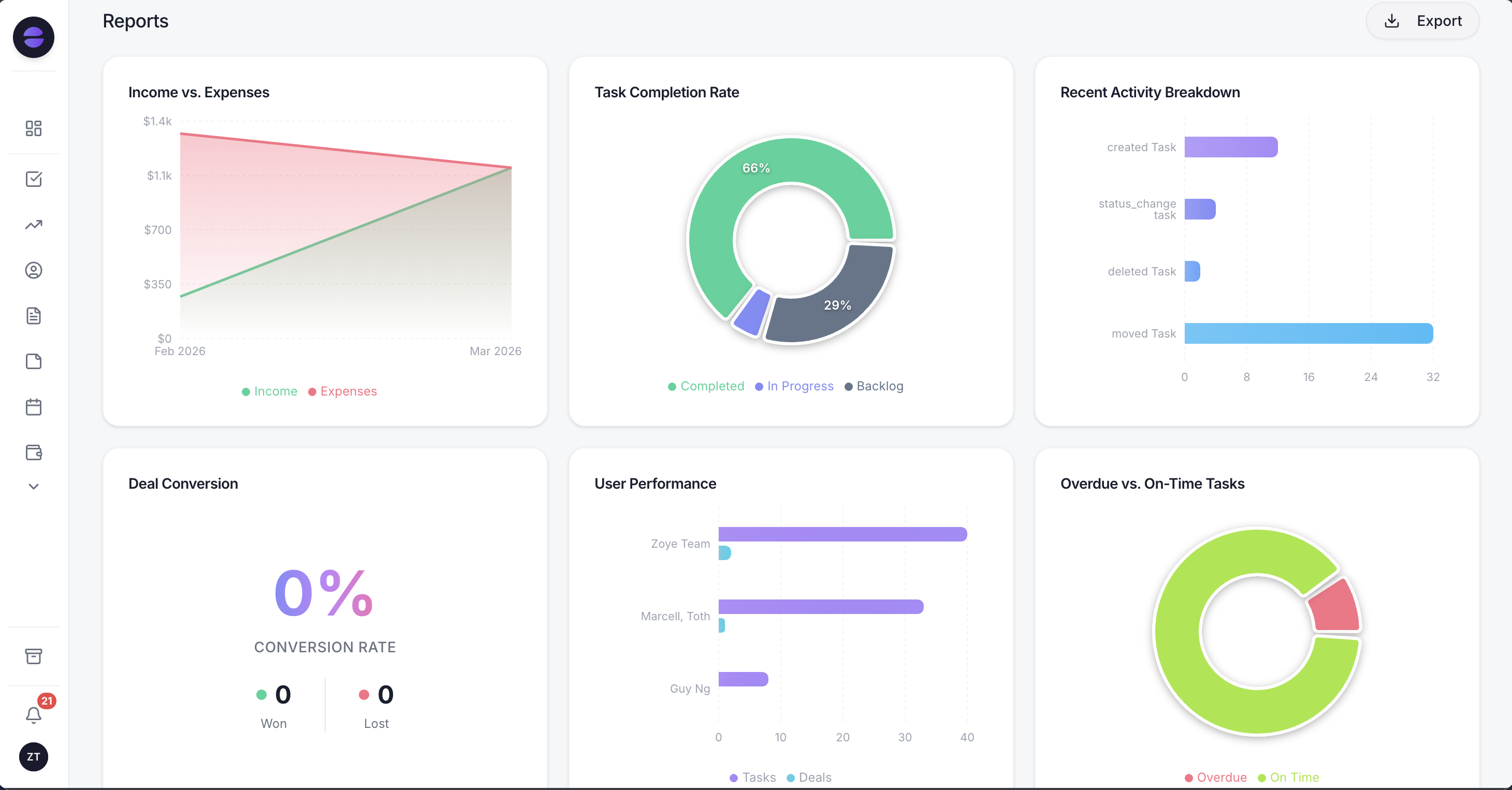
Reports show which source brought each lead and which of them turned into deals, so engagement can be judged by what it earned.
On the Meta side, one Page connection covers both Facebook and Instagram. Zoye sends a public reply and a private DM within seconds of a comment, firing on a keyword, a single post or every comment. DMs and story replies get an answer straight away, with buttons to tap, a file or a reply in your brand's voice, and anything that needs a person is handed over with the whole chat on the lead's card. Lead ad Instant Form submissions arrive as contacts with the campaign and ad name kept, and repeat commenters are matched to their existing contact instead of creating a duplicate.
You describe it, Zoye builds it. Instead of drawing a flow, you describe what should happen in the app, on WhatsApp or in Slack, for example "when someone comments PRICE on a Reel, reply publicly, DM the price list and add them as a lead for Dana". Zoye builds the rule, shows it in plain English and waits for your approval. A visual builder exists, but you are never forced to open it. If Meta rejects a send or a Page loses a permission, you hear the reason, never a false confirmation.
One inbox, one record. Chats holds Instagram and Facebook messages and comments next to WhatsApp conversations with your leads, with assignment, team notes and quick replies, and every chat saved on the contact card. Connecting your own business WhatsApp number is coming soon. The person who commented becomes a contact with an owner, a deal and a follow-up task in the same workspace.
Honest limits. Zoye is not a ManyChat-style flow canvas, and if elaborate multi-branch DM funnels are what you sell, a dedicated builder gives you more control. It is not a post scheduler, and it does not run ads. Meta's WhatsApp message fees apply on top, as with every provider.
Pricing. As of October 2026, the entry plan, Almost Free, costs $5 a month ($4 on yearly billing) and gives a single member 1GB, the core tools, the Google integrations and 15 AI prompts a month; automations are not part of it. Starter is $29 a month ($23 annually) for 10 members and 5GB. Growth is $59 ($47) for 20 members and 10GB, and Scale is $119 ($95) for 100 members and 25GB. Customize is quoted on request. The pricing page shows which plans include the Facebook, Instagram and WhatsApp automations.
Best for: small teams that want Instagram, Facebook and WhatsApp conversations to become followed-up customers in the system they already run the business from, with a price that does not move with each viral post.
How to estimate your own ManyChat bill
Take your busiest month of engagement, round it up, and find the tier that covers it. If you need AI, make sure the tier is Pro or above, where it is included. Add Meta's WhatsApp fees if you message there. Then compare that total with the revenue those contacts produced. If the ratio is healthy, ManyChat is fairly priced for you.
A five-step worksheet:
- Count peak active contacts. Unique people who commented, replied or messaged in your busiest month of the last quarter.
- Pick the covering tier. Free to 25, Essential to 250, Pro to 2,500, Business to 7,500, Advanced to 25,000, on yearly or monthly billing as listed in October 2026.
- Test the break-even. Divide the price gap to the next tier by the contacts you would be over. Compare with the tier's per-contact rate: $0.10, $0.05, $0.025 or $0.004 month to month.
- Add the extras. Meta's WhatsApp fees from the rate card, a higher tier if your team needs more users, and any integration platform. AI needs no add-on from Pro.
- Divide by customers, not contacts. The useful number is cost per paying customer. If it is a small share of what each customer is worth, stay. If it is not, look at how many of those contacts your team ever followed up.
ManyChat is a strong product with an honest pricing model. Whether it is good value depends on one ratio: how many of the people you pay for become customers. Run the numbers once with your own data and the decision usually makes itself. To compare plans priced by team rather than by contacts, see pricing.