Quick answer: An Instagram chatbot is software connected to your Instagram professional account through Meta's official messaging API that answers DMs, story replies and comment follow-ups automatically. To build one that sells, give it a single goal (a booked call, a visit or a quote), three or four qualifying questions, access to your real availability and a clear moment to hand the chat to a person.
Key takeaways (October 2026)
- Instagram chatbots need a Business or Creator account and an app with Meta's messaging permission; apps on Standard Access can only message people who have a role on the app, per Meta's developer documentation.
- You get up to 4 ice breakers on the empty chat screen and up to 13 quick replies per message, each label truncated after 20 characters.
- A text message must stay under 1,000 characters, and Meta's policy expects bots to respond within 30 seconds.
- After a person's last message you have 24 hours to reply; a comment allows one private reply within 7 days; a Click-to-Instagram-Direct ad can stretch the window to up to 7 days.
- Meta does not charge for Instagram messages, so the real costs are software and the minutes your team spends on handovers.
Most people who search for an Instagram chatbot already have the demand. The DMs arrive: "how much?", "do you have anything Saturday?", "is this still available?". What they lack is a way to answer at 23:00, ask the right questions, and turn the chat into a booking before the person scrolls on to the next account.
This guide is about building that bot. It is not a list of auto replies or a tool roundup: for the tools, read our comparison of the best Instagram automation tools, and for the comment mechanic in depth, read Instagram comment to DM automation. Here we cover the requirements Meta sets, the building blocks Instagram gives you, a seven-step build, an illustrative conversation that qualifies and books, the rules that shape the design and what gets accounts limited. Our Facebook and Instagram automations page shows how the same pieces work inside a business workspace.
What an Instagram chatbot can and cannot do in 2026
An Instagram chatbot can reply to anyone who messages your account, replies to a story, comments on a post or taps a Click-to-Instagram-Direct ad. It can ask questions, offer tappable choices, send files and links, and pass the chat to a person. It cannot start conversations with strangers, message people outside Meta's windows or run on a personal account.
That boundary is narrower than many sellers expect, and it is the reason good Instagram bots look different from email sequences. Every conversation starts with the customer. The bot's job is to make the most of the few minutes in which that person is paying attention, because there is no "follow up next Tuesday" unless the person writes back.
Within that boundary, the range of bots is wide:
- A greeting bot that says hello, lists your services and promises a human reply. Easy to build, but it rarely produces a sale.
- A menu bot that offers buttons such as "Prices", "Book", "Where are you?" and answers each with a fixed message.
- A qualifying bot that asks a short series of questions, scores the answers and routes the good leads to a person.
- A booking bot that offers real open times and confirms one.
- An AI agent that reads free text, answers from your business information, qualifies, books and records what it learned on the customer's record.
The bot this guide builds combines the last three. If you want the theory behind the difference between a scripted bot and an agent, our explainer on AI agents vs chatbots covers it. What matters here is that a bot which only answers will save you time, while a bot that qualifies and books will make you money.
What you need before you build
Before any builder or prompt, four things must be in place: an Instagram professional account (Business or Creator), a connection through an app Meta has approved for messaging, message access switched on for connected tools, and a place for the bot's output to land. Missing any one of them is the most common reason a new bot never answers.
These requirements come from Meta's Instagram messaging documentation, checked in October 2026:
- A professional account. Meta's messaging API supports Instagram professional accounts for businesses and for creators. Personal accounts are out. Switching is done in the Instagram app's account settings and does not delete your posts.
- A connection route. Most tools connect through a Facebook Page linked to your Instagram account, which is how the Messenger Platform route works. Meta also documents a newer route through Instagram Login for accounts without a linked Page. Your tool decides which one you use; just make sure you log in through a Meta screen, never by typing your Instagram password into a third-party form.
- An approved app with the right permission. The tool's app needs Meta's instagram_manage_messages permission. Meta notes that apps on Standard Access can only message people who have a role on the app, so a reputable tool will have passed App Review and hold Advanced Access. You do not need to build an app yourself if you use an established tool.
- Message access switched on. In the Instagram app, connected tools must be allowed to access your messages. If this is off, the bot receives nothing.
Two technical details from Meta's docs are worth knowing because they shape your design. An Instagram professional account can only converse with one customer per conversation, so there are no group-chat bots. And conversations sitting in the message Requests folder are no longer returned by the API after 30 days of inactivity, which is one more reason to answer quickly.
Finally, decide where the result goes. A chatbot that qualifies a lead and leaves the answers inside a chat tool has done half the job. Before you build, know which record, field or calendar each answer should end up in.
The building blocks Instagram gives you
Instagram gives a chatbot a small, specific toolkit: ice breakers that appear before the first message, quick replies the person can tap, text up to 1,000 characters, media and file attachments, private replies to comments, and webhooks that tell your tool something happened. Designing within these limits is the craft.
| Building block | What it does | Limit (Meta's developer documentation, October 2026) | Best use in a booking bot |
|---|---|---|---|
| Ice breakers | Suggested questions shown when someone opens a new chat with you | Up to 4 questions; not shown on desktop | "See prices", "Book a time", "Ask a question" |
| Quick replies | Tappable options under a message; the tapped label is posted as the person's reply | Up to 13 per message, each truncated after 20 characters, plain text only | Services, yes or no, time slots |
| Text message | The bot's written reply | Under 1,000 characters | Short answers and one question at a time |
| Attachments | Images, audio, video, PDF files | Images up to 8MB; audio, video and PDF up to 25MB | Price list PDF, a photo of the work |
| Private reply | One DM to someone who commented | One message per comment, within 7 days; up to 750 per hour per account for post and Reel comments; Live comments only during the broadcast | Opening the chat from a comment campaign |
| Webhooks | Notify your tool of new messages, story replies and comments | Must be subscribed by the tool | What makes the bot react at all |
Two of these deserve a design note. Quick replies cap at 20 visible characters, so "Saturday 10:00" works and "Saturday morning, first slot at ten" does not. And Meta's documentation states that phone number and email quick replies do not work on Instagram, so when you need contact details, ask in text and let the person type them.
How to build an Instagram chatbot that qualifies and books: 7 steps
Building an Instagram chatbot that qualifies and books takes seven steps: choose one outcome, map the entry points, write what the bot knows, write the qualifying questions, connect real availability, set the handover rules, and test from a second account. A first version fits into an afternoon; the improvements come from reading real chats over the following weeks.
Step 1: choose one outcome
Look at your last 30 Instagram DMs and write down what each person wanted. In most service businesses, one request dominates: a price, a slot, a quote. Your bot's outcome is the thing that request should turn into. A studio's outcome is a booked session; a contractor's is a site visit; a coach's is a discovery call. One outcome per bot. You can add a second job later, but a bot that tries to sell, support and entertain at once ends up doing none of them.
Step 2: map the entry points
People reach your inbox from five places, and each arrives with different context:
- A direct message with no context: open with your ice breakers.
- A story reply: the person reacted to something specific, so the first reply should mention it.
- A comment on a post or Reel: you get one private reply, so it must invite them to answer.
- A Click-to-Instagram-Direct ad: they came from an offer, so the bot should continue that offer, and the window can last up to 7 days.
- Your profile's message button: often the warmest of all, since they went looking.
Write a first line for each. The rest of the flow can be shared.
Step 3: write what the bot knows
One page in plain words: services with prices or price ranges, duration, location or service area, how booking and payment work, cancellation terms, and what you do not offer. Add the eight questions you answer most often, with your real answers. Where the honest answer is "it depends", write what it depends on, so the bot can ask instead of guessing.
Step 4: write the qualifying questions
Three or four questions, never more in the first version. Each one should change what happens next; if an answer does not change the route, drop the question. A good order is: what they want, when they want it, one fit question (budget range, size, location), then contact details only if the next step needs them. The next section covers how to word them so they feel like a conversation, not a form.
Step 5: connect real availability
A booking bot is only as honest as the calendar behind it. The bot should offer times that are actually free, as quick replies, and hold the chosen slot for a short period while the person confirms. If your tool cannot read your calendar, the bot should send a booking link instead and never write "you're booked" based on a guess.
Step 6: set the handover rules
Decide in advance when a person takes over and who that person is. Typical triggers: the person asks for a human, the bot cannot answer, the lead qualifies above a threshold, the message is a complaint, or the request is outside your listed services. The person who picks up should see the answers already filled in, not a scroll of chat to read.
Step 7: test from a second account
Message your account from a second Instagram account and try to break the bot: a voice message, two questions in one line, a typo, "how much", "can I talk to someone", a story reply with only an emoji, a reply after the 24-hour window. Fix the worst failure first, then go live.
Want to see it in action?
See Zoye catch a new lead, answer on WhatsApp and set up the follow-up, all from one message.
See How It WorksA sample conversation design (illustrative)
Here is an illustrative design for a small appointment-based team that gets most of its enquiries from story replies. It is a pattern to adapt, not a transcript from a real account. It shows the disclosure, quick replies, one free-text turn, the qualifying questions and the booking.
Customer (replies to a story showing a before-and-after result): how much is this?
Bot: Hi, thanks for asking about this one. I'm the studio's automated assistant, and a person from the team reads every chat too. That result is our full treatment, priced from 120 depending on the area. Which are you thinking of? [Quick replies: Small area / Medium area / Large area / Not sure yet]
Customer: taps Not sure yet
Bot: No problem, the team can judge that at a short first visit. Have you had this treatment before? [Quick replies: First time / Had it before]
Customer: taps First time
Bot: Good to know, first visits include a 15-minute consultation. When suits you best? [Quick replies: This week / Next week / Later]
Customer: this week but only after 5pm, I work days
Bot: Understood. These evening times are open this week: [Quick replies: Wed 17:30 / Thu 18:00 / Fri 17:00 / Talk to a person]
Customer: taps Thu 18:00
Bot: Thursday at 18:00 is held for you. What name and phone number should we put on the booking?
Customer: Noa, and my number
Bot: Thanks, Noa. You're booked for Thursday at 18:00, first visit with consultation. We'll send a reminder the day before.
Three moments make this bot work. The first reply references the story the person reacted to instead of a generic hello. The bot discloses that it is automated in its first message, which Meta recommends everywhere and requires where the law does. And the free-text turn, "this week but only after 5pm, I work days", is handled by reading the meaning and filtering the slots. A button-only flow would have sent the person back to the "This week" button.
Behind the conversation, every step writes something to the record:
| Step | Bot asks | Input type | Saved to | If the person goes quiet |
|---|---|---|---|---|
| 1 | Which area? | 4 quick replies | Service interest | Nothing automatic; wait for them to write back |
| 2 | Had it before? | 2 quick replies | New or returning | Assume new and continue |
| 3 | When suits you? | 3 quick replies or free text | Preferred timing | Offer the soonest slots |
| 4 | Pick a time | Up to 4 slots plus "Talk to a person" | Booking time | Release the hold after a short period |
| 5 | Name and phone | Free text | Contact name, phone | Hand to a person |
| Any | "Talk to a person" or a complaint | Detected | Owner assigned, task created | Person replies within your stated hours |
If you use placeholders in the confirmation, fill them from the record at the moment of sending, for example "See you on {booking_day} at {booking_time}, {first_name}". A moved booking then sends the right time without anyone editing a template.
Qualifying questions that do not feel like a form
Qualifying questions in an Instagram chatbot work best when there are three or four of them, each with tappable answers, each explained by a short reason, and each changing what happens next. People abandon chats that feel like a form; they finish chats that feel like a helpful person narrowing things down.
Some practical habits:
- Give the reason in the same breath. "Have you had this before? First visits include a consultation" tells the person why you ask, and the reason is often useful information in itself.
- Use quick replies for anything with a fixed set of answers. Tapping is faster than typing on a phone, and the answer arrives clean for your records.
- Leave a door open. "Not sure yet" and "Something else" stop people from dropping out because none of your options fit.
- Ask about budget indirectly. "Which of these fits your plans?" with three ranges is easier to answer than "what is your budget?".
- Ask for contact details last, only when the next step needs them, and say why: "so we can send a reminder".
- Never re-ask. If the person already said "Saturday morning" in their first message, the bot should skip the timing question. This is where an agent that reads free text outperforms a fixed flow.
The same questions work on WhatsApp, and many businesses move the conversation there after the first exchange. Our guide to the WhatsApp lead qualification bot covers question order and scoring in more detail, and how to create a WhatsApp chatbot covers the WhatsApp build.
See what Zoye can do for you
CRM, deals, tasks and your Instagram, Facebook and WhatsApp automations in one workspace. Just ask Zoye and it sets any of it up for you.
Explore FeaturesMeta's rules that shape your chatbot design
Meta's messaging policy, checked in October 2026, sets the frame for every Instagram chatbot: you reply within 24 hours of the person's last message, one private reply per comment within 7 days, up to 7 days after a Click-to-Instagram-Direct ad, no cold outreach, and automated replies within 30 seconds with a clear disclosure where required.
Here is how each rule turns into a design decision:
The 24-hour window means the bot must finish fast. Promotional content is allowed inside the window, and each new message from the person reopens it. Once it closes, the bot cannot send a "still interested?" nudge. Design the flow so a booking can be completed in one sitting, and ask for a second channel, such as a WhatsApp number with consent, if you need to follow up later.
A private reply is one message. When the conversation starts from a comment, your one private reply must earn an answer. Ask a question or offer a choice instead of sending a link and stopping. If the person replies, the normal 24-hour window opens.
Ads buy you time. After a person's first message following a Click-to-Instagram-Direct ad, the window may last up to 7 days, which makes ad-driven bots more forgiving.
The Human Agent tag is for people. Meta lets a person, not a bot, respond manually within a separate 7-day period through the Human Agent tag, which requires Meta's permission. It is meant for real support cases that need a human answer, not for extending an automated sequence. Most of the older message tags that once allowed follow-ups outside the window have been retired.
Disclose and respond. Where the law requires it, an automated chat must say it is automated at the start of a conversation, after a long gap, or when a chat moves from a person back to the bot, and Meta recommends disclosing even where the law does not require it. Meta's policy also says automated bots must respond to user input within 30 seconds.
Offer a way to a person. Meta's Instagram messaging documentation lists a human escalation path among the requirements for businesses that use automation. A bot with no exit is both a policy risk and a lost sale.
What gets Instagram chatbot accounts limited
Instagram accounts get limited when automation runs outside Meta's official API or breaks its messaging rules: tools that log in with your password and drive a browser, follow and like bots, scraped lists and mass cold DMs, messages sent after the window closes, and bots that ignore people or trap them in loops. The penalties range from action blocks to lost messaging access.
The risky patterns, in order of how often they cause trouble:
- Password-based tools. If the setup asks for your Instagram password instead of sending you through a Meta login screen, the tool is automating a session, not using the API.
- Growth automation dressed as a chatbot. Automated follows, likes and comments on other accounts are not messaging and are not allowed.
- Cold DMs. Messaging people who never contacted you or engaged with your content breaks the core rule of Meta's messaging policy.
- Out-of-window sends. A "day 3 follow-up" step on Instagram either fails quietly or relies on a tag that is not meant for it.
- Slow or silent bots. Meta's policy expects every user input to get a response; Meta also notes that a bot left out of compliance for 7 days may have its ability to send messages limited.
- Bots that hide their nature. Where disclosure is required, a bot pretending to be a person is a policy problem and a trust problem.
A useful test for any tool: ask what happens to a person who comments, gets the private reply, and does not answer. The honest answer is "nothing, until they write back".
Three ways to build it, compared
You can build an Instagram chatbot with Meta Business Suite's automated responses, with a flow builder connected to the official API, or with an AI agent that lives inside your CRM. The first costs nothing but cannot qualify or book; the second handles structured flows well; the third handles free text and writes the results into your records.
| Meta Business Suite automated responses | Flow builder (for example ManyChat, Chatfuel) | AI agent inside a CRM (for example Zoye) | |
|---|---|---|---|
| Price, as of October 2026 | No charge | ManyChat paid plans from $14 a month billed yearly, $17 month to month (250 active contacts); Chatfuel Business $18 a month billed yearly with $20 of AI credits | Zoye from $5 a month on Almost Free (core tools, no automations); see the pricing page for the plans that include them |
| Understands free text | Keyword matching only | Partly, through AI add-ons or AI agents | Yes |
| Qualifying questions | No | Yes, by branching | Yes, written into contact fields |
| Booking | Link only | Through integrations | Times from your own booking list |
| Where the lead lives | The inbox | Subscriber record in the chat tool | Contact with owner, tasks and pipeline stage |
| Main trade-off | Too shallow to sell | Flows grow complex; price rises with contacts | Needs clear instructions and a handover rule |
ManyChat's pricing page could not be fetched for this article, so its figures are the ones published in our Instagram automation tools comparison, checked in October 2026. Chatfuel's figures come from its pricing page in October 2026. Prices change, so check each vendor's page before buying. For a wider field, see our ManyChat alternatives.
How to measure whether your chatbot works
Judge an Instagram chatbot by four numbers: the share of chats that reach the outcome (a booking or a qualified lead), where people drop out, how often and why it hands over, and how long a person takes to pick up after a handover. Review them weekly for the first month and change one thing at a time.
- Outcome rate. Of the people who answered the first message, how many booked or qualified? This is the only number that pays the bills.
- Drop-off by step. A cliff at one question means that question is in the wrong place, worded badly or asked too early.
- Handover reasons. "Asked for a person" is healthy. "Bot did not understand" is a gap to fill in what the bot knows.
- Time to a person. A fast bot followed by a four-hour wait still loses the booking, especially inside a 24-hour window.
Keep a running list of questions the bot could not answer. Each one is a line to add to its knowledge, and after a month that list usually shrinks to almost nothing.
Ready to hand off the busywork?
Zoye brings AI-powered CRM, task management, and automation into one workspace.
Get StartedBuilding an Instagram chatbot with Zoye
Zoye is an AI Business Operator: one workspace of thirteen linked tools, from contacts, deals and tasks to calendar, invoices and Facebook and Instagram automations, with an assistant that operates them for you in the app, on WhatsApp, in Slack or through Claude. Its Instagram side is built for the part most chatbots skip: what happens to the person after the chat.
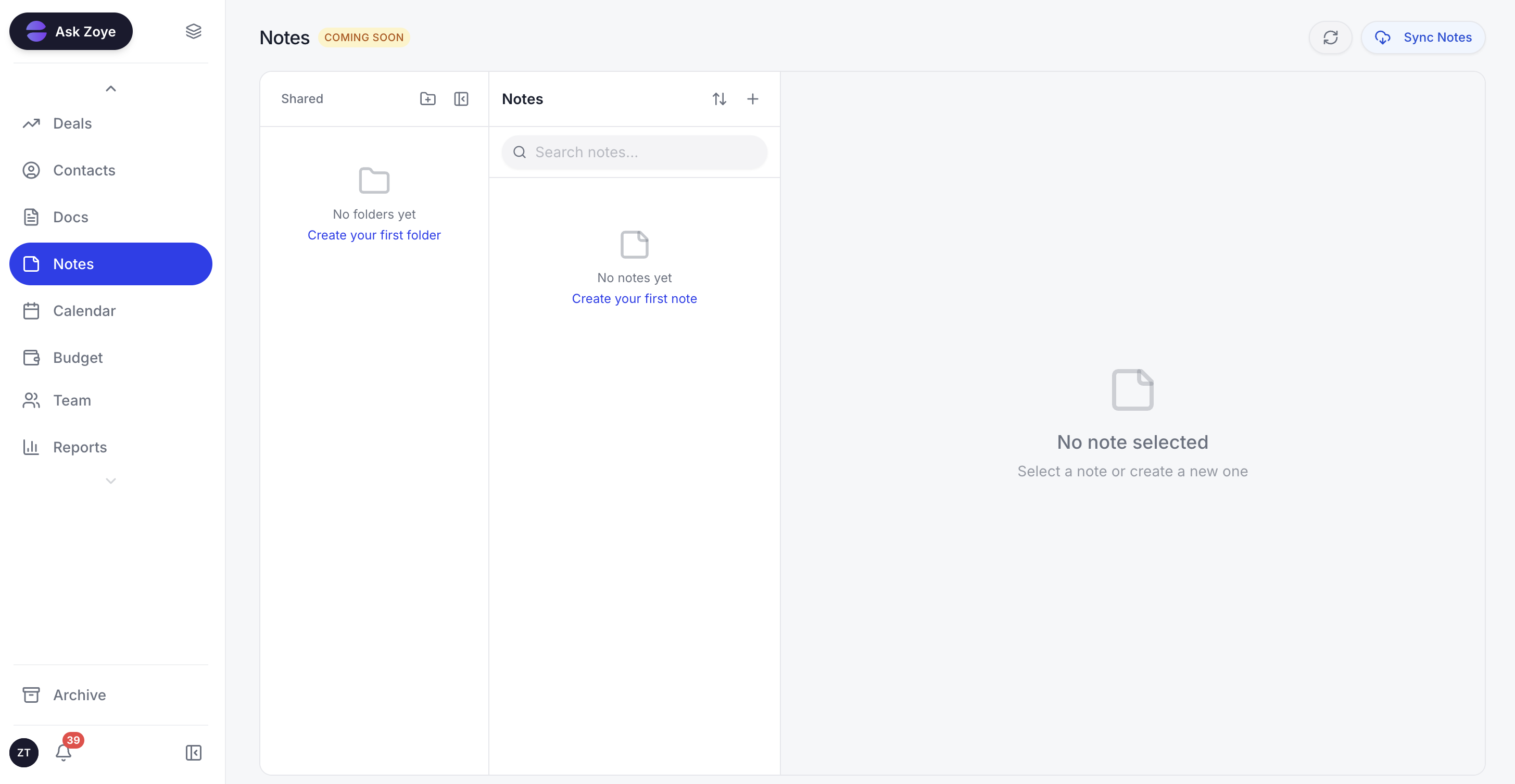
The answers from the Instagram conversation sit on the lead's record, so whoever picks up starts from the facts instead of the chat history.
On Instagram. One Facebook Page connection covers Facebook and Instagram, as long as your Instagram is a Business or Creator account linked to that Page. A DM or a story reply gets an instant answer from Zoye: tappable buttons, a file like your menu of services, or a written reply that sounds like your brand. Comments can trigger a public reply plus a private DM within seconds, on a keyword, one post or every comment. Anything Zoye should not answer goes to a person, with the whole chat on the lead's card.
Qualifying and booking. Every person who writes in becomes an ordinary Zoye contact, matched to an existing record if they engaged before, never duplicated. From there the WhatsApp welcome and the qualifying bot, which saves each answer to the contact's fields, can pick up the conversation on the official WhatsApp Business Platform. Times come from one Booking list, reminders go out automatically, an owner is assigned and a follow-up task appears.
Built by describing it. Tell Zoye what should happen, for example "when someone replies to a story asking about prices, send the price list, ask which service and when, and give the chat to whoever owns that service". Zoye builds the rule, shows it in plain English, and nothing runs until you approve it. A visual builder exists, but you never have to open it. A guided four-step setup connects the Page, routes leads to a workspace, builds the auto-DM and lets you test it live by commenting on your own post.
Your team in one place. Instagram and Facebook messages and comments land in Chats next to your WhatsApp conversations with leads, with assignment, team notes and quick replies. If Meta rejects a send or a Page loses a permission, Zoye tells you the reason instead of a false confirmation. Connecting your own business WhatsApp number is coming soon.
Honest limits. Zoye is not a ManyChat-style flow canvas, not a post scheduler and does not run ads; it captures and works the leads your content and ads produce. If your bot needs dozens of nested branches inside Instagram, a dedicated flow builder may suit you better.
Pricing (from the Zoye pricing page): Almost Free is $5 a month ($4 billed annually) for 1 team member and 1GB, covering the core tools, 15 AI prompts a month and the Google integrations; automations are not part of it. Starter costs $29 ($23 annually) and holds 10 members with 5GB; Growth costs $59 ($47) for 20 members and 10GB; Scale costs $119 ($95) for 100 members and 25GB; Customize is priced on request. The pricing page shows which plans include the automations.
Which approach fits your business
If you get a handful of DMs a week and answer them yourself, Meta Business Suite's automated responses are enough. If your conversations are predictable menus and Instagram is your main channel, a flow builder works. If people write in their own words and every chat should end as a booking on the right record, build an agent that qualifies, books and hands over.
Whichever you choose, the build order stays the same: one outcome, three or four questions, real availability, a clear handover, and a test from a second account. Start there, read your chats every week, and look at pricing when you want the Instagram conversation to land in the same place as the rest of your business.