Most deals are not lost at the pitch. They are lost in the silence afterwards, in the follow-up that never got sent because the week got busy and the lead slipped to the bottom of an inbox. The money is in the chase, and the chase is exactly the part humans forget to do.
Automated follow-up emails solve the forgetting. Instead of relying on your memory and your mood, you set up a trigger once and let the system do the chasing on a schedule, in your voice, stopping the instant the person replies. Done well, automation is not spam. It is the discipline you always meant to have, applied consistently to every lead, every quote, and every no-show, without you lifting a finger.
This guide covers how automated follow-ups actually work in 2026: the triggers that start them, the sequences that carry them, how to personalize at scale without sounding robotic, and just as importantly, when NOT to automate. At the end, a short section on how Zoye handles all of this for you, without a single workflow canvas to build.
Pricing reflects published rates as of November 2026; check each vendor's pricing page for current figures.
What "automated follow-up" really means
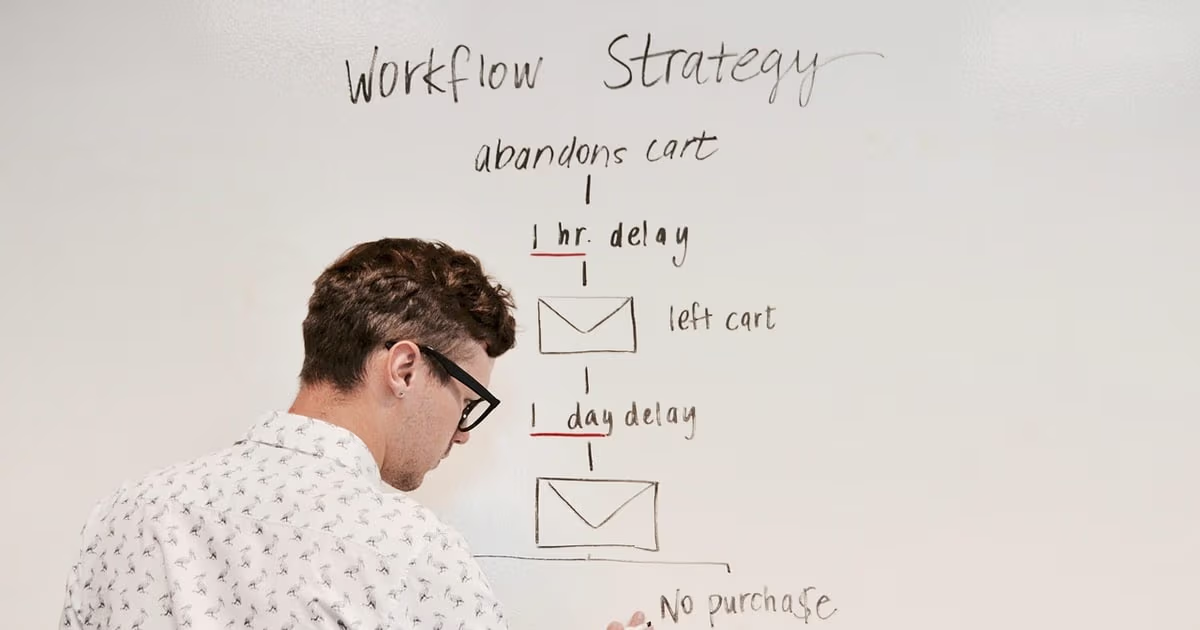
A follow-up becomes automated when three things are true: a trigger decides when it starts, a delay decides how long to wait, and a stop condition decides when to give up gracefully. Miss any one of these and you either annoy people or waste the effort.
The trigger is the event that starts the chase. It might be a new lead landing in your pipeline, a quote being sent, a meeting wrapping up, an invoice passing its due date, or the simplest and most powerful trigger of all: no reply within a set number of days.
The delay is the breathing room between messages. Send too soon and you look needy. Send too late and the moment has passed. Good sequences widen the gaps as they go: a day or two for the first nudge, then three days, then a week.
The stop condition is the part beginners forget. The second someone replies, books, pays, or clicks the thing you wanted, the sequence must halt. Nothing damages trust faster than a "just checking in" email that arrives an hour after the customer already said yes. Every serious follow-up system watches for the reply and shuts the chase down automatically.
Get those three right and automated follow-ups feel less like marketing and more like an attentive assistant who simply never forgets.
The triggers that start a follow-up
Not every follow-up starts the same way, and choosing the right trigger is half the battle. These are the triggers that earn their keep for small businesses and sales teams.
A new lead arrives. A fresh web enquiry deserves a fast answer. An automated first touch within minutes, then a follow-up a day later if there is no reply, means no enquiry waits until someone gets to it "tomorrow."
A quote or proposal was sent. This is where the most money leaks. A quote sits unanswered not because the answer is no, but because the buyer got busy. A gentle nudge at two days, four days, and a week gives the buyer an easy way back to a quote that would otherwise go cold.
A meeting or sales call ended. The follow-up after a sales call is the highest-intent moment you have. A recap, the agreed next step, and any attachment, sent automatically within the hour, keeps momentum while the conversation is still warm.
No reply within X days. The universal trigger. Whatever the first message was, if nothing comes back within your chosen window, the next message fires. This alone keeps the deals that "went quiet" from being forgotten.
A booking, payment, or renewal is due. Appointment reminders, payment nudges, and renewal notices are follow-ups too, just further down the lifecycle. Automating them sends every reminder on time, without an awkward personal chase.
Want to see it in action?
See Zoye catch a new lead, answer on WhatsApp and set up the follow-up, all from one message.
See How It WorksBuilding a sequence that gets replies
A sequence is simply a series of follow-ups with widening gaps and a shared goal. The structure matters more than the exact wording.
A reliable three-to-five message shape looks like this. Message one is the immediate, value-led touch: the recap, the quote, the answer to their question. Message two, a day or two later, is a short nudge that adds a small new reason to reply, never just "bumping this up." Message three widens the gap and changes the angle: a case-style proof point, a relevant resource, or a direct question. Message four is the honest, low-pressure "should I close this out?" note. If you run a fifth, make it a genuine breakup message that leaves the door open.
Two rules make sequences work. First, every message must stand alone: assume the person never saw the last one. Second, each message needs its own reason to exist. If a follow-up says nothing new, it teaches the reader to ignore you. The goal is a set of messages that each add a little value, not five copies of "just checking in."
Personalization at scale (without sounding like a robot)
The fear with automation is that it turns warm outreach into obvious mass mail. The fix is not to write every email by hand. It is to automate the sending while keeping the message specific.
Real personalization is not "Hi {first_name}." Anyone can merge a first name, and readers have learned to distrust it. What actually lands is context: referencing the specific quote number and what it was for, the exact date of the call, the problem the person told you they were trying to solve, the product they looked at. This is data that already lives in your CRM, and a good automation pulls it into the message so each send reads as if you wrote it just now.
The 2026 shift is that AI closes the last gap. Instead of static merge fields, an AI assistant can draft each follow-up fresh from the contact record, matching your tone and referencing the real details of that relationship. It reads the thread, notes what was discussed, and writes the nudge you would have written, at a scale no human could sustain. The result is mass follow-up that does not feel mass at all.
See what Zoye can do for you
CRM, deals, tasks and your Instagram, Facebook and WhatsApp automations in one workspace. Just ask Zoye and it sets any of it up for you.
Explore FeaturesTiming and cadence: how often, how long
Cadence is where good intentions meet human patience. Too aggressive and you burn the relationship. Too timid and you leave replies uncollected.
For most sales and service follow-ups, three to five messages spread across two to three weeks is a sensible range. Front-load the value and space out the reminders: day one for the first touch, day two or three for the first nudge, then roughly day six or seven, then a week or so later for the close-out. A business buyer can be given slightly longer gaps than a hot consumer lead, and a fresh inbound enquiry deserves a faster first response than a re-engagement of an old contact.
The single highest-leverage rule in cadence has nothing to do with timing: stop the instant they reply. A sequence that keeps firing after the person has responded is the fastest way to look careless. Everything else is fine-tuning; the stop condition is non-negotiable.
When NOT to automate a follow-up
Automation is a tool, not a religion. Some moments demand a human, and sending a templated nudge into them does real damage.
Do not automate the emotionally sensitive moments: a complaint, a service failure, a bereavement, an apology. A person who is upset can tell a merge field from a real reply, and the mismatch makes it worse.
Do not automate the high-stakes, high-value relationship. Your biggest client, the deal that would change your quarter, the referral partner you want to keep, these deserve a message you actually wrote and thought about. Automate the many; personalize the few that matter most.
Do not automate when a genuine two-way answer is needed. If your follow-up asks a real question that requires you to read and respond to the reply, an automated sequence that ignores the response is worse than no follow-up at all.
The healthy pattern is a division of labour: let automation handle the repetitive chasing at volume (no-reply nudges, quote reminders, booking confirmations, review requests) and reserve your own attention for the handful of moments where being human is the whole point.
Ready to hand off the busywork?
Zoye brings AI-powered CRM, task management, and automation into one workspace.
Get StartedHow Zoye handles this for you
Everything above is the theory of good follow-up. The reason most owners never do it is not that they disagree; it is that setting up triggers, sequences, delays, and stop conditions in a traditional automation tool is its own job, and it needs maintaining every time the business changes. It is easy to buy software like that, build two workflows, and quietly stop touching it.
Zoye takes a different route. Zoye is the AI that runs your business, an operator rather than another tool you have to configure. You do not open a workflow canvas or wire triggers to actions. You tell Zoye the outcome you want, Zoye shows you the automation, and after you approve it, it runs automatically.
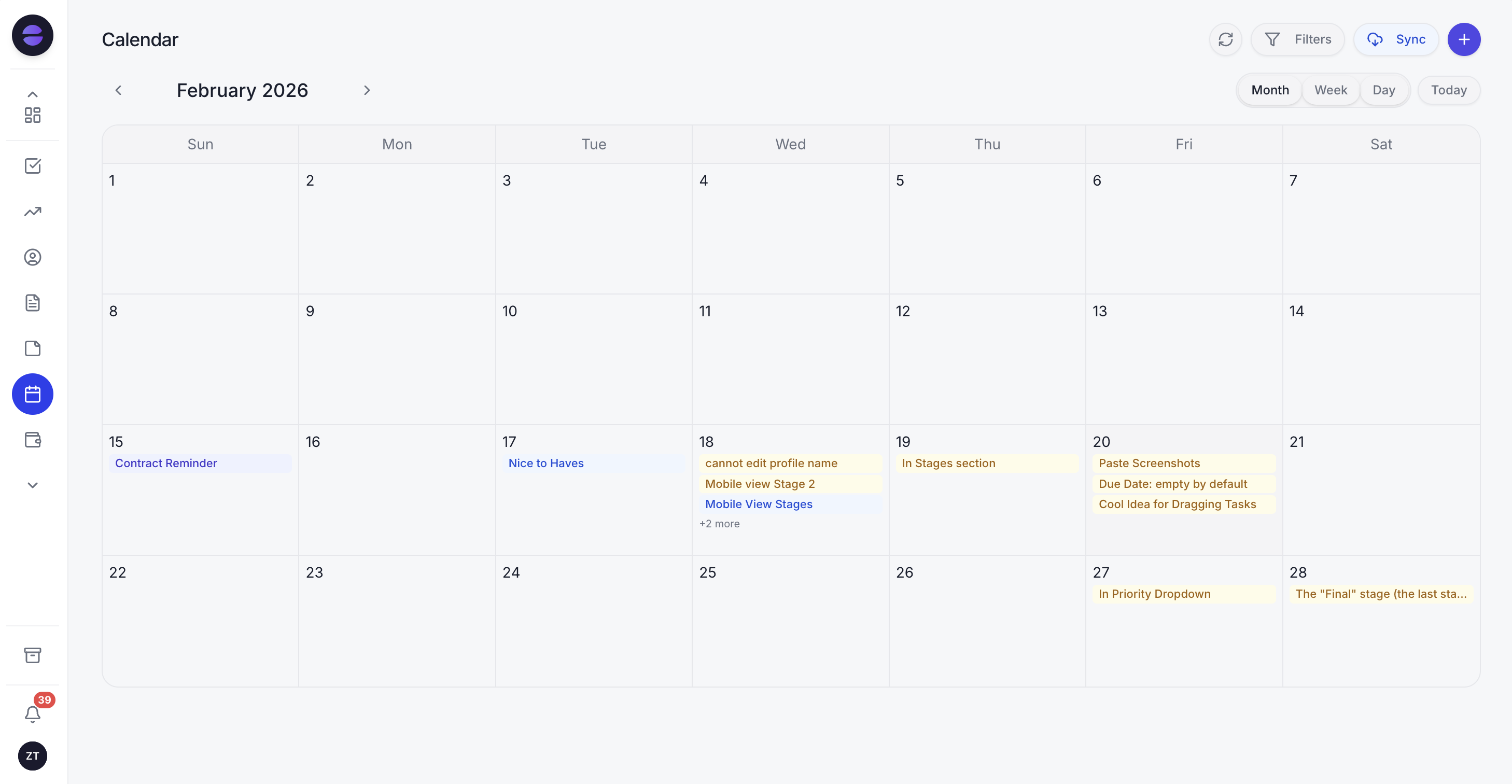 Follow-ups, reminders, and the day's schedule all live in one place, and the Zoye Assistant keeps them moving without you.
Tell Zoye "chase every deal in Proposal sent that has no reply after three days," approve the rule it shows you, and it drafts each nudge from the real details on the record and sends it; mark the deal as answered, or tell Zoye, and the chase stops. Say "remind no-shows the morning after and offer to rebook," or "follow up two days after every sales call with the next step we agreed," and Zoye sets it up the same way.
Because Zoye is one workspace that already holds your tasks, CRM, calendar, budget, and reports, the follow-ups are personalized from data the assistant already has. It knows which quote, which call, which client, so each message reads as if you wrote it. Nothing to maintain, no flows to debug when something changes. And because you can run Zoye by talking to it, including over WhatsApp, a non-technical owner can set up their entire follow-up discipline by messaging an assistant, then get on with the work.
The assistant also closes the loop the way a good employee would: it surfaces which leads went quiet, which quotes are still open, and which follow-ups it has already sent, so you always know the chase is happening even when you are not watching it.
Pricing: Almost Free at $5 per month for 1 member with the core tools. Starter from $29 per month (5 members). Growth from $59 per month (10 members). Scale from $119 per month (30 members). Core tools included on every plan.
Best for: Owners and small teams who want their follow-ups to happen automatically, in their own voice, without building or maintaining a single workflow.
The bottom line on automated follow-ups
Automated follow-up emails are the closest thing in sales to free money, because they collect the replies you were already owed but never had time to chase. The mechanics are simple: pick a trigger, build a short sequence with widening gaps, personalize from real data, and always stop the moment someone replies. Reserve the human touch for the sensitive and the high-value, and let automation handle the rest.
The only real question is who does the building. In a traditional tool, that is you, forever. With Zoye, you say what outcome you want, approve the rule Zoye shows you, and Zoye does the rest, then keeps it running as your business changes. Set it up once, and stop chasing manually for good.
Follow-ups that run on a schedule need automations, which start on Zoye's Growth plan at $59 a month for up to 10 members, along with the Lead Bot and broadcasts. Almost Free is $5 a month for one person with the core tools.
For more context, see the 2026 playbook for sales follow-up emails that get replies, the best Zapier alternatives including one that builds automations for you, and what business process automation actually is.