
What is Business Process Automation? A Simple Guide for 2026
Business process automation sounds technical but the idea is simple: let software do the routine work so people can focus on what humans do best. Done right, business automation gives small businesses back 20+ hours per week. Done poorly, it adds complexity without saving time.
This guide explains what business process automation actually is in 2026, why it matters more now than ever, where small businesses should start, and how to avoid the common mistakes that turn automation projects into expensive disappointments. It is written for founders, small business owners, and operators who want practical guidance, not buzzwords.
What is business process automation?
Business process automation, often shortened to BPA, means using software to handle repetitive business tasks that humans currently do by hand. The "process" part matters: automation works best on tasks that follow a predictable pattern, where the same set of steps happens over and over with small variations.
Common business processes that benefit from automation include:
- Sending follow-up emails to customers after a meeting or proposal.
- Logging customer interactions across email, calls, and messaging into the CRM.
- Reminding customers about overdue invoices.
- Onboarding new customers with a sequence of welcome messages, setup tasks, and check-ins.
- Generating weekly reports on pipeline, revenue, or team activity.
- Scheduling internal meetings based on team availability.
- Routing incoming support requests to the right team member.
The unifying theme is that each of these processes follows a predictable pattern that a human currently does manually, often inconsistently, and often imperfectly. Automation makes them consistent, fast, and reliable.
Why automation matters more in 2026
The category has been around for decades, but two things changed recently that made business automation dramatically more valuable.
The first change is AI. Earlier automation tools could only handle rigid if-this-then-that logic. If a customer email contained the word "refund," the tool could route it to a specific person. But if the email expressed frustration without using the word "refund," the rule missed it. Modern AI-powered automation understands context, tone, and intent. A 2026 AI assistant can read a customer email, understand it expresses frustration about delivery timing, log it in the CRM with the right tags, schedule a follow-up call with the right team member, and draft an apology message, all without a human touching it.
The second change is the all-in-one workspace. Earlier automation required connecting separate tools (CRM here, project management there, email over here) through integration platforms like Zapier. Each integration was its own fragile chain. Modern all-in-one workspaces like Zoye handle automation natively because all the data lives in one place: the customer in the CRM, the deal in the pipeline, the task assigned to a team member, the calendar booking, and the budget impact all live together. The AI assistant sees the whole picture and acts on it.
Together, these two changes mean that small businesses can now achieve automation outcomes that were previously available only to enterprises with dedicated automation teams.
7 areas where automation pays off for small businesses
The following seven areas consistently produce the highest ROI for small business automation. Most teams find that automating just two or three of these saves 10+ hours per week.
1. Sales follow-ups
The number-one reason small businesses lose deals is forgotten follow-ups. A prospect expresses interest, the salesperson promises to follow up in two weeks, the two weeks slip to four, and the prospect goes cold. Automation makes follow-up reliable.
A typical automated sales follow-up sequence: when a deal is created, the AI assistant schedules a follow-up task for 7 days out, drafts a personalised email referencing the prior conversation, and sends a reminder if the salesperson has not responded by then. The result is that no deal goes cold for lack of follow-up.
2. Invoice reminders
Invoices get paid faster when the reminder is automatic and consistent. Manual reminder workflows are forgotten when the team is busy, which is exactly when cash flow matters most.
A typical automation sends a friendly reminder 3 days before the due date, a follow-up on the due date, and a structured collection sequence afterward. The team intervenes only on exceptions, not on every invoice.
3. Customer onboarding
The first 30 days after a customer signs up are the highest-leverage period for the relationship. Automated onboarding sequences ensure every new customer gets the same high-quality welcome regardless of how busy the team is that week.
A typical onboarding automation includes a welcome email, a setup task list, a check-in message at day 7, a tips message at day 14, and a satisfaction check at day 30. Every customer feels attended to, even if the founder is heads-down on something else.
4. Report generation
Weekly pipeline reports, monthly revenue summaries, and quarterly business reviews all involve pulling the same data into the same structure repeatedly. Modern AI assistants generate these reports on demand, in seconds, with visualisations included.
The time savings here are real. A founder who used to rebuild the weekly report by hand every week gets that time back entirely.
5. Calendar scheduling
Internal team scheduling, customer call booking, and meeting coordination are notoriously time-consuming. Modern AI assistants handle the back-and-forth automatically, respecting everyone's preferences and surfacing only the conflicts that need human judgment.
A typical automation: customer requests a meeting, the AI proposes times based on team availability, books the meeting once the customer confirms, sends the calendar invitation, and even drafts the meeting agenda based on prior conversation context.
6. Lead enrichment
When a new lead enters the CRM, the team usually wants to know more about them: company size, role, industry, recent news. Manually researching each lead is time-consuming. Automated enrichment pulls this data from public sources within seconds of the lead entering the system.
7. Task assignment based on workload
In a growing team, deciding who gets each new task is often a bottleneck. The founder ends up triaging everything because the team-wide workload picture is unclear. Modern AI assistants see the whole workload and assign new tasks to the team member with the right expertise and the most bandwidth, eliminating the triage bottleneck.
How to start without overcomplicating it
The single biggest mistake in business automation is trying to automate everything at once. Teams buy a complex automation platform, design elaborate workflows, and never use them because the complexity overwhelms the daily reality.
The right approach is the opposite. Pick the one task that wastes the most time today. Automate just that task. Measure the time savings for two weeks. Then move to the next task.
This sequential approach has three advantages. First, it gives you fast wins that prove the value of automation to skeptical team members. Second, it surfaces the integration and process issues that always exist, in small chunks that are easy to fix. Third, it builds team confidence so the bigger automation projects feel like incremental steps rather than huge leaps.
For most small businesses, the right order is roughly: invoice reminders first (visible cash flow impact), then sales follow-ups (visible revenue impact), then onboarding (visible customer satisfaction impact), then everything else.
What tools to use in 2026
The automation tool landscape has matured significantly. The right tool depends on what you are automating and how technical the team is.
For small businesses, the simplest approach is an all-in-one platform with native AI like Zoye. The AI assistant lives inside the workspace and handles most common automation needs without any setup: enriches contacts automatically, drafts follow-ups, schedules meetings, generates reports, creates tasks from incoming emails. The team gets most of the automation benefits without ever opening an automation builder.
For more complex cross-tool workflows that connect specialised SaaS products together, dedicated automation platforms like Zapier and Make remain the standard. They are excellent for connecting tools that do not natively integrate, but they require some setup time and the workflows are more brittle than native automation.
For technical teams that want maximum control and have engineering bandwidth, low-code platforms like n8n (open source) and self-hosted automation tools offer the deepest customisation.
For most small businesses under 50 people, the right answer is Zoye for the day-to-day automation needs plus Zapier or Make for specialised cross-tool workflows. That combination covers the overwhelming majority of small business automation use cases.
A representative example: a 12-person creative agency
Here is a representative example, not a specific client. A 12-person creative agency could automate three core processes using Zoye: client onboarding, weekly status reports, and invoice follow-ups. The numbers below illustrate the kind of shift this typically produces.
Before automation:
- Client onboarding took the account manager about 4 hours per new client.
- Weekly status reports ate up the better part of a day for the operations lead.
- Invoice follow-ups were ad-hoc and inconsistent, with payments averaging 45 days late.
After automation:
- Client onboarding takes 30 minutes of account manager review per new client. The AI handles welcome messages, setup checklists, and the first three check-ins.
- Weekly status reports are generated on Friday afternoon by the AI in 30 seconds, then reviewed by the operations lead in 30 minutes.
- Invoice reminders go out automatically. Payments now average 18 days late instead of 45.
Total time saved: roughly one full-time person's week across the team, freed up to do creative work instead of admin.
Common mistakes to avoid
Three mistakes derail automation projects most often.
Mistake 1: Automating broken processes. If a process is poorly designed, automating it makes it broken at scale. Fix the process first, then automate. The fix is often simpler than the automation effort.
Mistake 2: Choosing tools that do not integrate. Automation lives or dies on the connections between systems. Before adopting an automation tool, verify it integrates with the tools you already use. Otherwise you spend more time maintaining integrations than benefiting from automation.
Mistake 3: Trying to automate everything at once. Start small. Prove value. Expand. The teams that succeed with automation always start with one win.
Why Zoye is the simplest starting point for small business automation
Three reasons make Zoye a particularly good starting point.

First, automation is built in. The AI assistant handles enrichment, drafting, scheduling, and report generation automatically without any setup. New users get the automation benefits from day one.
Tasks the assistant can act on

Automation flows through the task board. The 7 high-ROI workflows above all surface as real tasks: a sales follow-up, an invoice reminder, an onboarding step. The assistant creates, assigns, and reprioritises them; the team works the board like normal.
Calendar in the same workspace

Calendar scheduling - the fifth workflow above - is the one that breaks when the calendar lives elsewhere. Zoye's calendar IS the workspace calendar. The assistant books, reschedules, and reminds without a Google Calendar integration to maintain.
Reports that prove it worked

The hardest part of automation is proving it saved time. Zoye Reports pulls task completion, deal velocity, contact growth, and budget activity into one exportable dashboard - the audit baseline the rollout playbook above relies on.
Knowledge alongside the workflow
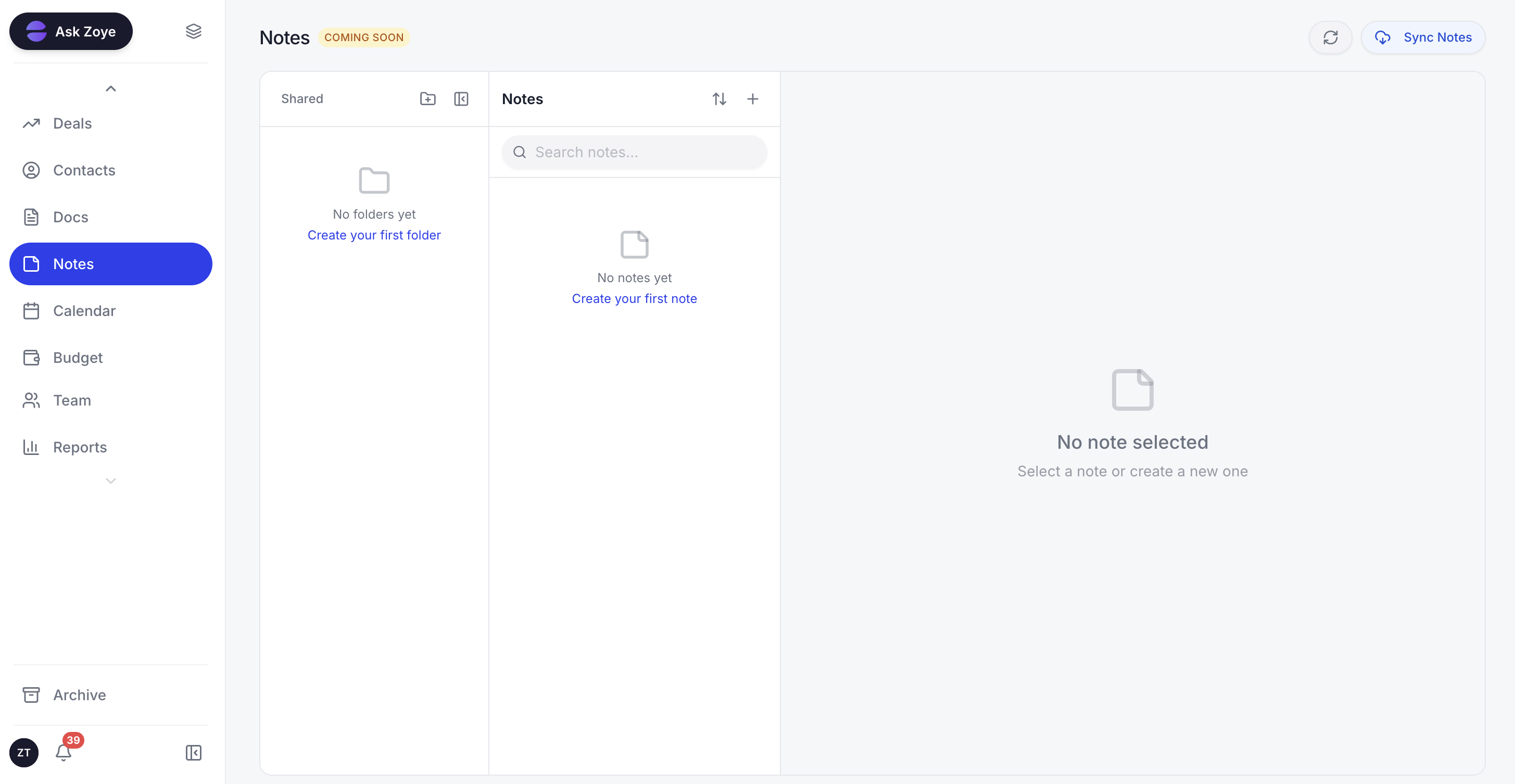
Every automated workflow needs an SOP nobody loses. Zoye Notes brings docs into the same workspace as the tasks they describe, so the "how the invoice reminder runs" SOP sits next to the workflow itself. Rolling out across all plans.
Second, the workspace consolidates the tools that automation needs to connect. CRM, tasks, calendar, and budget all live in one place. The AI does not need integrations to do its work; it sees everything natively.
Third, the pricing is fair. The Almost Free entry plan is $5 per month ($4 billed annually) and covers 1 member with the full AI assistant. Higher plans start at $29 per month. Most small businesses see the ROI within the first week of use.
Try Zoye with your team. The entry plan is Almost Free.
For more context, see the AI business automation guide, how to choose a CRM in 2026, and the small business productivity guide.