Most small business owners already know they should automate more. The problem is not motivation. The problem is that automation, as it has been sold for the last decade, asks a non-technical owner to become a part-time systems integrator: connect this app to that app, build a trigger, add a filter, map the fields, test it, and then maintain it forever as the apps change underneath you. That is a job, not a shortcut.
The result is predictable. Owners sign up for an automation tool, watch a tutorial, build one workflow that half works, and quietly stop. The software joins the pile of things you bought and stopped using. Meanwhile the actual work that could be automated, the follow-ups that never get sent, the reminders nobody remembers, the CRM that nobody updates, keeps eating the same hours it always did.
This guide takes a different starting point. It covers what is genuinely worth automating in a small business in 2026, the order to do it in, and why the newest approach, an AI Business Operator that builds and runs the automation for you when you describe it, finally makes automation realistic for owners who never wanted to become technical.
Pricing reflects published rates as of July 2026; check each vendor's pricing page for current figures.
Why most small business automation never sticks
Three patterns explain why the automation tool you bought is not saving you time.
It automates connections, not work. Classic automation tools sit between the apps you already run. They move data from a form to a spreadsheet, or from an email to a task list. Useful, but you still own every one of those apps, and the automation only reduces copy-paste. The underlying work, deciding who to follow up with and what to say, stays entirely on you.
It breaks and nobody notices. An app updates its API, a field gets renamed, a trigger stops firing, and the automation silently fails. For a small team with no one watching the plumbing, a dead automation can go unnoticed for weeks, which is worse than no automation because you have stopped doing the task manually too.
It assumes you enjoy building it. Every step, from picking a trigger to mapping fields, assumes the owner has the time and the appetite to design systems. Most do not. They want the outcome, a customer who gets chased until they book, not a canvas of connected boxes to maintain.
The value is real but the effort is front-loaded. The payoff from automation comes over months. The setup cost lands in week one, exactly when a busy owner has the least patience for it. Most people never get past the setup to reach the payoff.
What is actually worth automating first
You do not need to automate your whole business. You need to automate the handful of things that are repetitive, rule-based, and expensive when they slip. In a small business, that short list is remarkably consistent.
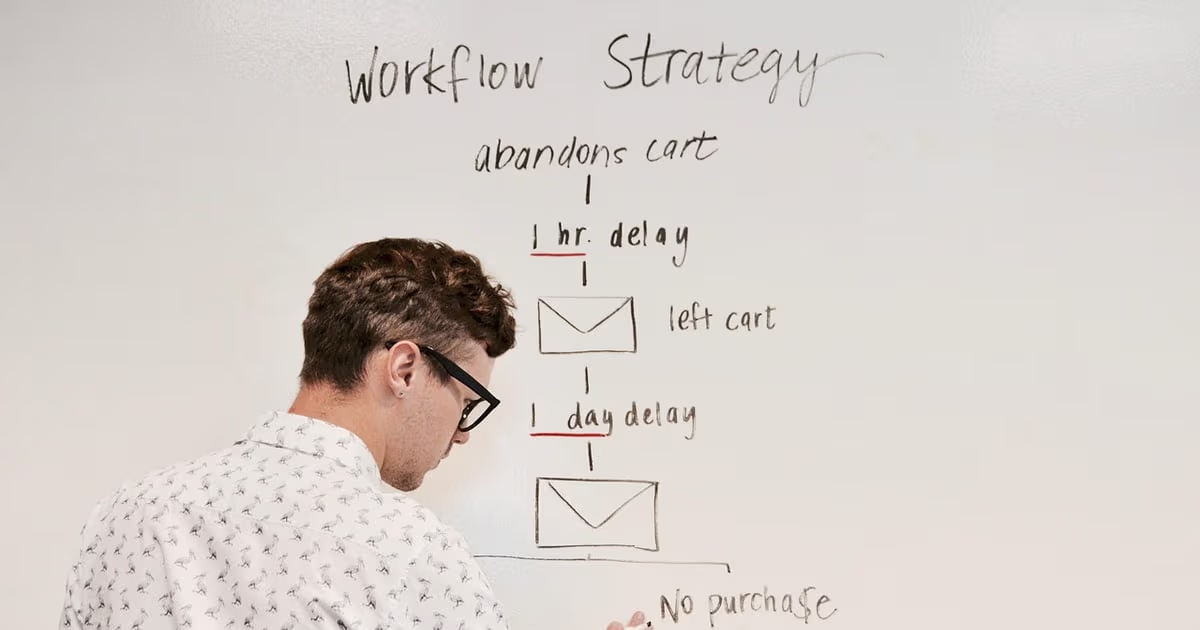
Lead follow-up. The single highest-return automation. Most enquiries that never convert did not say no; they simply never got a second message. Automating a fast first reply and a reminder when a lead goes quiet recovers revenue you are already losing.
Appointment and payment reminders. No-shows and late payments are pure avoidable loss. A reminder the day before an appointment and a nudge when an invoice is overdue takes zero ongoing effort once it runs itself.
After-sale and re-engagement check-ins. The customer who bought once is your cheapest next sale. A check-in a set number of days after a purchase, or a re-engagement message to someone who has gone quiet, turns one-off buyers into repeat ones.
Routine data entry and CRM updates. Every time a lead comes in from a form, a call, or a WhatsApp message, someone should log it. Nobody does it consistently. Automating the capture so records update themselves removes the most-skipped admin task in any small business.
Internal reminders and reporting. The weekly "who do I need to chase this week" question and the "how did we do this month" report are both mechanical. Both can run themselves and simply arrive.
Start with follow-up. Prove it works for two weeks. Then add the next one. Automating in this order means every step pays for itself before you build the next, which is the opposite of the all-at-once approach that burns owners out.
Want to see it in action?
See Zoye catch a new lead, answer on WhatsApp and set up the follow-up, all from one message.
See How It WorksThe old way: connect a stack of apps and maintain it
The dominant model for small business automation still looks like this. You keep your form tool, your email tool, your spreadsheet, your calendar, and your CRM as separate products. Then you buy a connector, Zapier being the best known, and you build automations that shuttle data between them.
This works, and for technical operators it works well. But for a non-technical small business owner it carries three permanent costs. First, you are now maintaining not five apps but five apps plus the web of connections between them. Second, every connection is a point of failure that fails silently. Third, the connector charges per task or per workflow, so the more you automate, the more you pay on top of every app subscription you already hold.
Crucially, this model never removes the thinking. A connector can move a new lead into a spreadsheet, but it cannot decide that the lead is worth a personal follow-up, write that follow-up in your voice, send it, wait, and chase again if there is no reply. It moves data. It does not do the work. For a comparison of the leading connector tools and where each fits, see the best Zapier alternatives.
The new way: an operator that builds the automation for you
The shift in 2026 is from connecting apps to instructing an operator. Instead of assembling a workflow yourself, you describe the outcome you want, and an AI Business Operator builds the automation, runs it, and watches it, all inside one workspace where your leads, tasks, calendar, and messages already live.
The difference is not cosmetic. Because the operator runs the work rather than shuttling data between other tools, there is nothing to connect and nothing to maintain. You do not pick a trigger; you say "whenever a new lead comes in from the website, log it and reply within five minutes." You do not map fields; the operator already holds the record. And when you want to change it, you just say so, rather than reopening a builder.
This is what makes automation finally realistic for the owner who never wanted to be technical. The setup cost that used to sink automation projects, the triggers, filters, and field maps, disappears, because the thing doing the automating is an operator you talk to, not a canvas you configure.
Zoye: the AI Business Operator that builds its own automations
Zoye is not an automation builder you have to learn. It is an AI Business Operator that runs your business, and building automations is simply one of the things you can ask it to do.
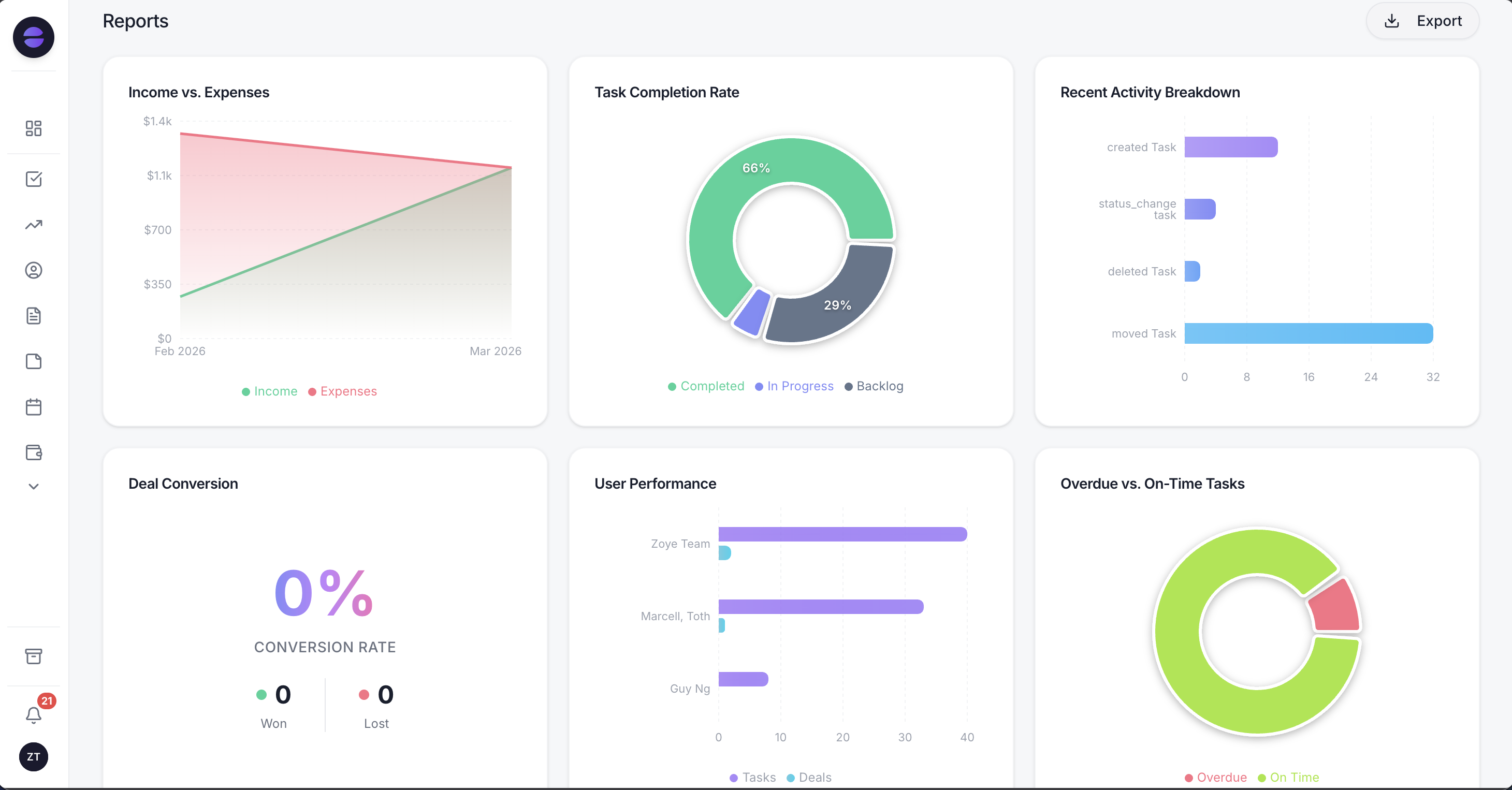 Zoye Reports brings financial, task, deal, and team data into one exportable dashboard - no third-party analytics tool required
Here is what that looks like in practice. A solo founder tells Zoye, in the chat or out loud, "follow up with any lead who has not replied within two days, and remind me if they still go quiet after a week." Zoye builds that automation and runs it. New leads get captured, chased, and logged without the founder touching a builder. When a booking is made, Zoye can send the reminder the day before. When an invoice ages past its due date, Zoye can nudge. None of it required a trigger, a filter, or a field map.
Because Zoye is the operator, not a connector between other apps, the automations run against the same workspace that holds everything else: tasks, a built-in CRM, the calendar, budget, and reports. A follow-up automation updates the CRM record itself. A reminder appears on the same calendar the team already uses. There is no second product to keep in sync, and nothing that silently breaks when an outside app changes.
The Zoye Assistant is the part that does the work. It captures leads, chases follow-ups, books clients, updates records on its own, and generates the weekly "who do I need to chase" list and the monthly report on demand. You can run all of it by talking to Zoye, including over WhatsApp and Slack, which means the automation reaches you where you already work rather than behind a login you forget to open.
The point that matters most for a non-technical owner: you never maintain it. There is no plumbing to watch, because there is no plumbing. You describe what you want, Zoye runs it, and you change it by asking. That is the difference between software you bought and stopped using, and an operator that keeps running your business in the background.
Pricing: Almost Free at $5 per month for 1 member with the full platform including AI. Starter from $29 per month (10 members). Growth from $59 per month (20 members).
Best for: Small business owners and small teams who want the outcomes of automation, follow-ups sent, reminders handled, records updated, without becoming the person who builds and maintains it.
See what Zoye can do for you
CRM, deals, tasks and your Instagram, Facebook and WhatsApp automations in one workspace. Just ask Zoye and it sets any of it up for you.
Explore FeaturesA simple first-90-days automation plan
You do not need a strategy document. You need three automations, added one at a time.
Weeks 1 to 2: automate follow-up. Set it so every new enquiry gets a fast first reply and a reminder if it goes quiet. This is the automation most likely to pay for itself immediately. With Zoye, you ask for it and it runs; with a connector, you build and test the workflow across your form, email, and CRM apps.
Weeks 3 to 4: automate reminders. Appointment reminders the day before, invoice nudges when payment is overdue. These remove two of the most common sources of avoidable loss, no-shows and late payments, with no ongoing effort.
Weeks 5 to 8: automate capture and CRM updates. Make sure every lead from every channel, form, call, WhatsApp, logs itself so your records stay current without anyone remembering to type them in. This is the automation that quietly makes every other automation more reliable, because it feeds them clean data.
Weeks 9 to 12: automate reporting. Let the weekly chase list and the monthly summary arrive on their own. By now the earlier automations are generating the data, so the reports write themselves.
The discipline is to add one automation at a time and confirm it works before the next. This is how automation actually sticks, rather than joining the graveyard of half-built workflows. For the follow-up piece specifically, the mechanics are worth understanding in depth; see the guide to automated follow-up emails.
Automation ideas by business type
The three-automation starting point is universal, but the specifics differ.
Service businesses (agencies, consultants, trades). Automate the enquiry-to-booking path: fast first reply, follow-up if quiet, appointment reminder, and a check-in after the job. The follow-up-if-quiet step recovers the most revenue here.
Retail and e-commerce. Automate the post-purchase sequence, a delivery-status touch and a re-engagement message, plus cart or enquiry follow-up. Repeat purchase is the whole game, and it is entirely automatable.
Local and appointment-based businesses (clinics, salons, tutors). Automate reminders above all. No-shows are the biggest avoidable cost, and a day-before reminder plus a rebooking nudge after a visit fixes most of it.
Professional services (legal, accounting, insurance). Automate intake capture and qualification so no enquiry is dropped, plus deadline and renewal reminders. The compliance-sensitive tone means you want an operator that drafts and lets you review, which is exactly how the Zoye Assistant works.
Whatever the business, the pattern holds: pick the repetitive, rule-based, revenue-linked task, automate that one first, and let it prove itself before adding the next. If you want the broader theory behind identifying these tasks, read what is business process automation.
Ready to hand off the busywork?
Zoye brings AI-powered CRM, task management, and automation into one workspace.
Get StartedHow to choose an automation approach for your business
Two questions settle it.
Do you want to build and maintain automations, or have them built for you? If you are technically inclined and enjoy designing workflows, a connector like Zapier gives you fine-grained control across the specific apps you already use. If you want the outcome without owning the plumbing, an AI Business Operator like Zoye removes the build-and-maintain burden entirely, because you describe the automation and it runs it.
How many apps are you trying to hold together? If your business already runs on five separate tools and you are happy keeping them, a connector stitches them. If you would rather have leads, tasks, calendar, budget, and messages in one place where the automation runs natively, an operator consolidates the stack and the automation at once, with nothing to sync between.
For most small businesses with a non-technical owner and a lean team, the operator model wins on the axis that matters most: it is the only one where automation keeps running without becoming your job.
Why teams pick Zoye to run their automation
A few reasons come up again and again.
You tell Zoye what should happen, and the automation runs. No triggers, no field maps, no app connections. The setup cost that kills most automation projects simply is not there.
It runs the work, not just the data. Zoye captures leads, chases follow-ups, books clients, and updates the records itself, rather than shuttling information between apps you still have to maintain.
You never maintain it. There is no plumbing to watch and nothing that silently breaks, because the operator is the automation. It keeps running in the background while you run the business.
It reaches you where you work. Run it by talking to Zoye, including over WhatsApp and Slack, so the automation meets you in the tools you already open.
Try Zoye with your team. The entry plan is Almost Free, with the full platform including AI.
For more context, see the best Zapier alternatives, the guide to automated follow-up emails, and the explainer on what is business process automation.