
Notes apps are where business information goes to be forgotten. The client's renewal date, the callback you promised on Tuesday, the quote you meant to send before the end of the week: all of it gets written down carefully, filed neatly, and then never read again. The capture worked. The follow-through did not.
Evernote earned its place in this category. It effectively invented modern digital note-taking, and the web clipper, the OCR on scanned documents, and the search across a decade of archives are still genuinely good. What changed is the price and the free tier, and what never changed is the fundamental limit: a note sits still. It has no opinion about the fact that you promised to call someone back nine days ago.
This guide covers the seven best Evernote alternatives in 2026, honestly. Some of them are better notes apps. One of them is not a notes app at all, and if your notes are full of clients, quotes, and promises, that is probably the one you actually need.
Pricing reflects published rates as of August 2026; check each vendor's pricing page for current figures.
Why people are looking beyond Evernote in 2026
Four things are pushing people out.
The free tier stopped being usable. Evernote's free plan was once a legitimate long-term home for a personal archive. It is now a trial in everything but name, with a hard cap on notes and notebooks that most users hit within weeks. Meanwhile Apple Notes, Google Keep, and OneNote cover ordinary capture for nothing at all, and Obsidian is free for personal use.
The paid price sits at premium tier for a single job. Evernote Personal is around $14.99 per month and Professional around $17.99 per month when billed monthly. That is real money for note storage in a year when Notion covers notes plus databases at around $12 per user per month and OneNote comes bundled with a Microsoft 365 subscription you may already pay for.
The category commoditised. Fast sync, offline access, cross-platform apps, web clipping, and decent search are no longer differentiators. Almost every serious app on this list does them. Once the basics are table stakes, paying a premium for the basics stops making sense.
And the real one: notes do not do anything. This is the limitation that has nothing to do with Evernote specifically. Every app in the notes category shares it. You write "call the client back about the extra room, they want a price by Friday" and the app files it perfectly. Friday arrives. Nobody called. The information was captured; the work was not. For a solo operator or a small team, the cost of that gap is not storage, it is revenue.
The 7 best Evernote alternatives in 2026
1. Zoye - the operator that acts on what you write down
Zoye is the strongest pick for anyone whose notes are full of business: clients, quotes, meeting outcomes, and promises with dates attached. It is not a better place to file notes. It is the thing that does the work the notes were describing.
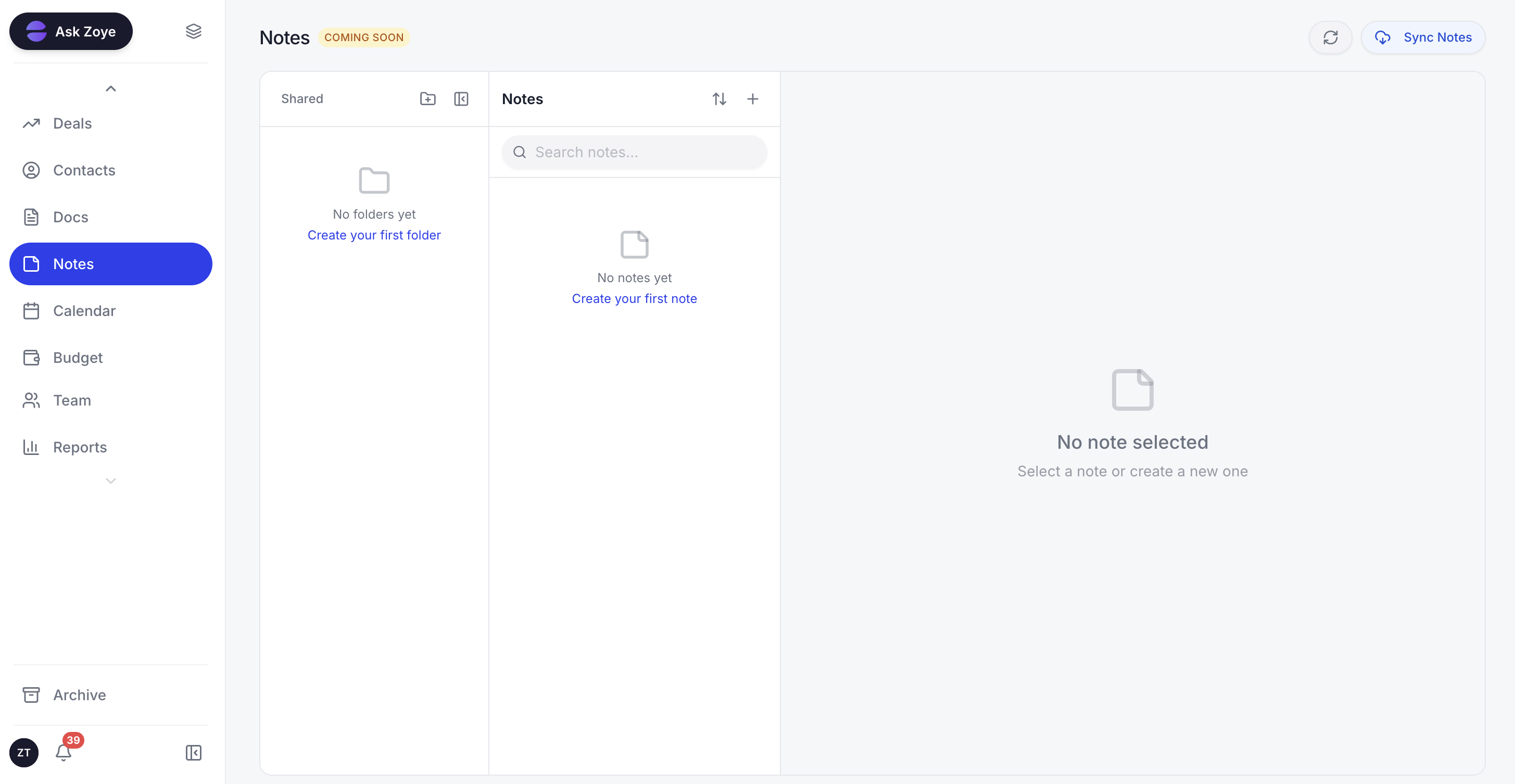
Zoye Notes keeps the write-up next to the record it belongs to, so the detail is where the work happens.
The difference shows up at the moment of capture. In a notes app, "Maria wants the quote for the second unit by Friday, budget is tight, decides with her partner" is a paragraph. In Zoye, the same note becomes a record: a contact with a live thread, an open deal with an amount and a date, a task with Friday on it, and a follow-up that fires automatically if Friday passes without a reply. You typed the same words either way. In one case you also have to remember them.
Zoye Assistant is what makes that work. You tell it what you want, in the app or over WhatsApp, and it acts: it logs the call outcome against the right client, drafts the quote email in your voice, books the consultation into the calendar, chases the reply three days later if nothing came back, and updates the record itself so you are never doing data entry after the fact. Asking the same way also builds standing automations, so "if a lead does not reply within four days, send a friendly nudge and flag it to me" becomes a rule that runs from then on. This is the gap between an assistant that suggests and one that operates.
The rest of the workspace exists so the note has somewhere to land. Customer conversations from WhatsApp and Slack sit against the client record. Tasks carry list, board, calendar, and timeline views. The calendar holds the bookings the follow-ups produce, and reports pull the whole picture together on demand rather than after an evening of copying figures around. Zoye Notes brings collaborative docs into the same workspace and is rolling out now, which means the write-up finally sits beside the client it is about instead of in a separate tab.
The honest boundary: if what you want is a decade-deep personal archive of web clippings, scanned receipts, and recipes, a dedicated notes app is still the right tool for that, and several good ones are below. Zoye is for the part of your notes that has a deadline and a person attached.
Pricing: Almost Free at $5 per month for 1 member, 1GB storage, core tools. Starter $29 per month for 10 members and 5GB. Growth $59 per month for 20 members, 10GB, and 24/7 support. Scale $119 per month for 100 members and 25GB. A Customize tier covers larger limits and dedicated support.
Best for: Solo operators and small teams whose notes are full of clients, quotes, and promises that need chasing.
2. Notion - the flexible workspace that swallows a notes app whole
Notion is the most common landing spot for people leaving Evernote, and for good reason. Every note is also a database row if you want it to be, so a folder of client notes can become a filterable table with a status column and a next-action date without leaving the app. Docs, wikis, lightweight project tracking, and the notes archive all live in one place, and the free personal plan is generous enough that a solo user may never pay.
The cost is upkeep. Notion gives you a blank canvas and expects you to architect it, and the structure only stays useful while someone maintains it. Most Notion workspaces that started as a tidy note system are, two years later, a sprawl of half-abandoned pages. And it is still a place where information waits: a task with a due date in Notion will happily go past that date without anyone hearing about it.
Pricing: Free for personal use. Plus around $12 per user per month billed monthly. Business around $18 per user per month.
Best for: People who want notes, docs, and lightweight databases together and enjoy building their own structure.
3. Microsoft OneNote - the free notebook that is better than its reputation
OneNote is the closest thing to a like-for-like Evernote replacement, and it is free. The notebook, section, and page hierarchy maps almost exactly onto Evernote's stacks and notebooks, so the mental migration is short. Freeform canvas pages, strong handwriting and stylus support, decent OCR on images, and native Outlook integration make it particularly good on Windows and on tablets.
The trade-offs are the sync model, which is tied to OneDrive and occasionally slow with very large notebooks, and a search that is capable but less sharp than Evernote's. The interface also carries a lot of Microsoft history. If you are outside the Microsoft ecosystem, it will feel foreign in a way OneNote users never notice.
Pricing: Free as a standalone app. Included with Microsoft 365, which starts around $6.99 per month for personal use.
Best for: Windows and Microsoft 365 users who want a genuine Evernote replacement at no extra cost.
Want to see it in action?
See Zoye catch a new lead, answer on WhatsApp and set up the follow-up, all from one message.
See How It Works4. Obsidian - your notes as plain files you own
Obsidian stores every note as a Markdown file in a folder on your own disk. That single design decision answers the question that made a lot of people nervous about Evernote in the first place: what happens to a decade of my writing if the company changes direction. With Obsidian, nothing happens. The files are already yours, readable in any text editor, with or without the app.
The linking model is the other draw. Notes connect to each other directly, a graph builds itself out of those links, and a large community of plugins extends the app in almost any direction. That is also the catch: Obsidian is a tool for people who enjoy configuring their tools. There is no meaningful collaboration story, sync is a paid add-on, and mobile is workable but not a delight. Commercial use in a company requires a paid licence.
Pricing: Free for personal use. Sync around $4 per month billed annually. Publish around $8 per month. Commercial licence around $50 per user per year.
Best for: Researchers, writers, and anyone who wants permanent local ownership of their notes.
5. Apple Notes - the free default that quietly got good
Apple Notes has closed most of the gap with paid apps and costs nothing if you already own Apple devices. Sync across iPhone, iPad, and Mac is instant and invisible, search reaches inside images and handwriting, shared notes and folders work well for a couple or a small household, and the scanner turns a phone camera into a passable document capture tool.
The limit is the ecosystem wall. Web access exists through iCloud but is basic, there is no Android or Windows app worth the name, and organisation stops at folders and tags. Export is possible but awkward, which is worth knowing before you commit a business archive to it.
Pricing: Free with Apple devices. iCloud storage from around $0.99 per month if the archive grows.
Best for: Apple-only users who want zero cost and zero setup.
6. Google Keep - the fastest possible capture
Google Keep is not competing with Evernote on depth and does not pretend to. It is a wall of colourful cards that opens instantly, accepts a thought in two seconds, and syncs everywhere including a genuinely good Android widget. Reminders can be tied to a time or a place, checklists are quick, and everything sits inside a Google account you already have.
It falls apart the moment a note needs to be long or structured. There are no notebooks, no nesting, no rich formatting worth using, and search across a few thousand cards gets vague. Keep is the sticky-note layer of a system, not the system.
Pricing: Free with a Google account.
Best for: Fast personal capture, reminders, and shopping-list-grade notes.
See what Zoye can do for you
CRM, deals, tasks and your Instagram, Facebook and WhatsApp automations in one workspace. Just ask Zoye and it sets any of it up for you.
Explore Features7. Bear - the beautiful one for writing
Bear is what you pick when the writing itself matters. The Markdown editor is calm and fast, the typography is the best in this list, and the tagging system uses inline hashtags that nest automatically, so structure emerges as you write rather than being decided in advance. Export to Markdown, PDF, DOCX, and HTML is clean, which makes it a safe place to keep long-form work.
The constraints are real. Bear is Apple-only, so there is no Windows or Android version and no serious web client. There is no collaboration, and the database is powerful for one writer but not designed for a team or a client archive.
Pricing: Free tier available. Pro around $2.99 per month or $29.99 per year.
Best for: Apple users who write a lot and want the writing experience to feel good.
Evernote alternatives at a glance
| Tool | Best at | Costs | Leaves you to operate |
|---|---|---|---|
| Zoye | Turning captured detail into work that happens | Almost Free $5 per month, then $29 / $59 / $119 | Deep personal archives and clippings |
| Notion | Notes plus databases in one flexible space | Free, then around $12 per user per month | Designing and maintaining the structure |
| OneNote | Like-for-like Evernote replacement | Free, or with Microsoft 365 | Everything after the note is written |
| Obsidian | Local ownership and linked thinking | Free personally, paid sync and commercial | Configuration, sync, collaboration |
| Apple Notes | Zero-effort capture on Apple devices | Free | Cross-platform access and structure |
| Google Keep | Two-second capture and reminders | Free | Anything long, structured, or searchable at scale |
| Bear | Long-form writing and tagging | Free tier, Pro around $2.99 per month | Non-Apple platforms, teams, clients |
Best Evernote alternative for business information
If your notes are mostly about other people, the choice narrows fast. A business note is rarely a thought worth keeping. It is a fact about a client plus an implied obligation: they want a price, they asked for a callback, they said they would decide after the holidays. The fact is easy to store. The obligation is the part that gets dropped.
Notion and OneNote are the best answers if you want a better filing cabinet, and both will genuinely improve on Evernote for a small business. Notion in particular lets you add a status and a next-action date to a client note and view the whole set as a table, which is a real step up from a folder of pages.
Zoye is the better answer if the honest problem is not filing but follow-through. Nothing about that client sentence sits idle: the person becomes a record, the price becomes an open deal, the callback becomes a task with a date, and if the date passes in silence the assistant drafts the nudge and sends it. The information you would have written into a note is doing the job instead of describing it.
Best free Evernote alternative
For personal use, three of the options here are free and good. Google Keep wins on speed of capture. Apple Notes wins if you live on Apple devices and want an app that is simply already there. OneNote wins on depth, and it is the only free option that can genuinely absorb a large Evernote archive without feeling like a downgrade.
Obsidian deserves a separate mention because free means something stronger there: your notes are files on your own disk, so the app being free today and priced differently tomorrow does not put your archive at risk. For a business, note that commercial use requires a paid licence.
A fair note on the trade: free notes apps are free because storing text is cheap. None of them will notice that you promised someone a quote on Friday. That is not a criticism of the apps; it is the boundary of the category.
Ready to hand off the busywork?
Zoye brings AI-powered CRM, task management, and automation into one workspace.
Get StartedHow to choose the right Evernote alternative
Three questions settle it.
1. What is actually in your notes? Open the last thirty. If they are ideas, research, clippings, and drafts, you want a notes app, and Obsidian, Bear, Notion, or OneNote will each serve you well. If more than half of them mention a person, a price, or a date you owe someone, you do not have a notes problem. You have an operating problem, and a better notes app will not solve it.
2. Who else needs to see them? Solo work opens up the whole list. Shared work rules out Bear and Apple Notes quickly, and makes Notion, OneNote, or Zoye the practical shortlist. A two-person consultancy sharing client context needs the note and the client record in the same place, which is where a pure notes app starts costing time.
3. How much upkeep are you willing to do? Obsidian and Notion reward people who enjoy building a system and quietly punish people who do not. OneNote, Apple Notes, and Google Keep ask almost nothing and give you a filing cabinet. Zoye asks you to describe what should happen once and then maintains the state itself.
Migrating off Evernote without losing anything
Evernote exports to ENEX, and every serious app on this list can read it directly or through a converter. Notion, OneNote, Obsidian, and Bear all have documented import paths, so the mechanical part is a couple of hours at most, mostly waiting.
The part people skip is the triage, and it is the part that matters. Most Evernote archives are ninety percent dead weight: clipped articles nobody reread, screenshots of things that changed, and meeting notes from projects that closed years ago. Importing all of it faithfully means paying to store the same clutter somewhere new. Sort the archive into three piles instead. Reference material that you genuinely search goes into the new notes app. Dead material gets exported to a folder on a disk and forgotten without being deleted. And the live material, the notes that mention a person, a promise, or a price that is still open, gets treated as work rather than as archive.
That third pile is the one to move deliberately. In Zoye you can paste a list of open items into a message to Zoye and it creates the contacts, deals, tasks, and follow-up dates in one pass, so the commitments buried in five years of notes come out as things with owners and dates rather than as paragraphs. A solo accountant with three hundred client notes usually finishes that pass in an afternoon and comes out of it knowing about a dozen promises they had genuinely lost track of.
What changes when notes stop being passive
The difference shows up within a couple of weeks, in three ways.
First, you stop rereading. In a notes app, the only way to find out what you owe people is to open notes and look. When the same information lives as records with dates, the list of what is due arrives automatically and the reading stops being a chore you postpone.
Second, the follow-ups actually happen. The quote that used to sit in a note until the client chased you gets drafted and sent, and the silent reply gets a nudge on day three without you deciding to send it. Most small operators lose more revenue to silence than to lost deals.
Third, nothing depends on your memory being good on a bad week. The note-taking habit fails exactly when you are busiest, which is exactly when the promises are piling up. A system that operates automatically does not have bad weeks.
Why teams pick Zoye as their Evernote replacement
Three themes come up consistently.
The information stops being inert. A note about a client becomes a record with a deadline and an owner, not a paragraph to reread later.
The follow-through is automatic. The assistant drafts, sends, books, and chases across WhatsApp, Slack, and email, and updates the records itself so there is no data entry waiting at the end of the day.
Nothing is left to remember. You tell Zoye the rule once and it runs from then on, which is the opposite of a notes app that waits patiently for you to open it.
Try Zoye with your team. The entry plan is Almost Free at $5 per month, with the core tools.
For more context, see Notion vs Evernote, the best Notion alternatives, the best Miro alternatives, and the best team collaboration software.