
Notion vs Evernote in 2026: Which Note App Wins (and the Third Option)
Notion and Evernote get pitched as rivals, but they were built to solve different halves of the same problem. Evernote is about capture: open it, dump a thought, clip a web page, snap a receipt, and trust that it is saved and searchable forever. Notion is about structure: build a workspace where notes, docs, wikis, and lightweight databases connect to each other and to the projects they belong to. The overlap in the middle is exactly why people get stuck choosing between them.
The honest issue with the Notion-vs-Evernote debate is that picking either still leaves a gap. Evernote is fast and reliable for capture, but its structure is shallow and its pricing has crept up over the years for what is, at heart, a notes app. Notion is wonderfully flexible, but it is heavier to set up and slower in the exact moment that capture should be effortless. And neither one does the thing most people actually want from their notes: turn them into action. A meeting note full of decisions and follow-ups still has to be retyped into a task list, a calendar, or a CRM by hand.
This comparison is fair about where Notion and Evernote each genuinely win, walks through the dimensions that decide the choice, and then covers a third option that closes the gap both leave open.
Pricing reflects published rates as of June 2026; check each vendor's pricing page for current figures.
Notion vs Evernote at a glance
| Dimension | Notion | Evernote | Zoye |
|---|---|---|---|
| Core philosophy | Flexible workspace for notes, docs, databases | Fast capture and a searchable personal archive | AI-native workspace where notes connect to real work |
| Capture speed | Heavier editor, slower to open | Fastest, built for quick capture | Quick note that links to tasks and contacts |
| Organization | Nested pages, databases, properties | Notebooks, tags, stacks | Notes attached to deals, tasks, and meetings |
| Web clipping | Decent clipper | Best-in-class web clipper | Not a clipper-first tool |
| Search | Good, page-aware | Strong, including text in images | Search across notes plus tasks, deals, calendar |
| AI | Notion AI, writes and summarizes | Evernote AI, search and summaries | Assistant that turns notes into action |
| Links to tasks / CRM | Manual, build it yourself | None | Built in, notes tie to real records |
| Pricing model | Per seat, free tier usable | Per seat, free tier tightened | Tier-based, not per seat |
| Best for | Knowledge bases and structured projects | Frictionless capture and archiving | Running work, with notes that act |
Capture speed: how fast can you get a thought down
The first job of any notes app is to be there the instant you have something to remember. This is the dimension Evernote was born for.
Evernote opens fast, saves instantly, and never makes you think about where a note should live before you write it. A new note is one tap on mobile or one shortcut on desktop. You can dump a half-formed idea, a phone number, a screenshot, or a voice memo and trust it is captured. For people whose notes start as quick, messy fragments, that low friction is the whole point, and Evernote still does it better than most.
Notion can capture too, but its center of gravity is structure, not speed. Pages can take a moment to load, and the flexible block editor quietly invites you to organize before you write. That is great when you are building a wiki and less great when you are trying to jot one line before it slips away. Many people who genuinely love Notion still keep a faster app open for the moment of capture.
Verdict: Evernote wins on raw capture speed. If your notes begin as quick, unstructured dumps, Evernote removes the most friction.
Organization: notebooks versus a connected workspace
Once a note exists, the question becomes how you find it again and how it relates to everything else.
Evernote keeps things simple: notebooks, tags, and stacks. The model is shallow by design, which is part of why it feels easy. You rarely have to plan a structure, and search is strong enough that many people barely organize at all and just rely on finding things later. The limit is that this shallow model does not scale into a real knowledge base. There is no relational depth, no databases, and no way to make one note formally connect to a project, a person, or a deadline.
Notion is the opposite. Nested pages, databases, properties, linked records, and relations let you build a genuine second brain where everything connects. A project page can hold the brief, the meeting notes, the task list, and the linked references together. The cost is setup: that flexibility means you design the structure yourself, and a Notion workspace can sprawl into something only its creator understands.
Verdict: Evernote for simple, low-effort filing; Notion for a deep, connected knowledge base you are willing to build and maintain.
Flexibility and databases: a notes app versus a workspace
This is where the two tools stop being comparable at all.
Evernote is, and has always been, a notes app. It stores notes beautifully and clips the web reliably, but it does not pretend to be a database, a project tracker, or a docs platform. What you see is what you get, and for a lot of people that focus is a feature, not a flaw.
Notion is a flexible workspace. The same canvas that holds a note can hold a content calendar, a lightweight CRM list, a roadmap board, or a company wiki. Databases live inside pages, so structured tracking sits right next to the docs that explain it. For knowledge work and team documentation, this breadth is Notion's biggest advantage over Evernote. The trade-off is that Notion's databases are convenient rather than powerful: they slow down with many thousands of rows and lack the relational depth a data-heavy team eventually needs.
Verdict: If you want only notes, Evernote's focus is a strength. If you want notes plus docs plus light databases in one place, Notion is in a different category.
Search: finding what you saved
A notes archive is only as good as your ability to dig things back out of it.
Evernote has long had excellent search, including the ability to find text inside images and scanned documents, which is genuinely useful for receipts, whiteboards, and business cards. For a personal archive that grows for years, that search reliability is a real reason people stay.
Notion has good, page-aware search that understands your workspace structure and surfaces results in context. It is solid, though for sheer find-the-needle-in-a-decade-of-clippings power, Evernote's search has the longer track record.
Verdict: Roughly even, with Evernote ahead on searching inside images and long personal archives, and Notion ahead on context-aware search across a structured workspace.
AI: do your notes actually do anything
Both tools now ship AI, and both keep it firmly inside their own walls.
Notion AI helps you write, rewrite, summarize, and ask questions across your pages. It is a capable writing and knowledge assistant, bundled into higher plans or sold as an add-on. It is good at working with the words on your pages.
Evernote AI adds AI search and note summaries, helping you pull the gist out of a long note or find something by describing it. Useful, and aimed squarely at the notes themselves.
The shared limit is the same one the whole category shares. Both assistants help you with the note. Neither one takes the note and acts on it. A meeting note that says "send the proposal Friday, book the kickoff, add the client to the pipeline" stays words on a page. Turning those words into a task, a calendar event, and a CRM record is still manual work.
Verdict: Notion AI is the stronger writing assistant; Evernote AI is a handy search-and-summary layer. Neither turns a note into action across your wider work.
Pricing: what each costs in 2026
Both have moved toward paid-first models, and both bill per seat once you add a team.
Notion pricing:
- Free: $0 (usable for individuals, generous for light use)
- Plus: from around $10/seat/month annual
- Business: from around $15/seat/month annual
- Enterprise: Custom
- Notion AI: bundled into higher plans or sold as an add-on
Evernote pricing:
- Free: $0 (tightened over the years, limited notes and devices)
- Personal: around $15/month
- Professional: around $18/month
- Teams: per seat, higher
- Evernote AI: included on paid tiers
For a single user, Notion's free plan is the more generous starting point. Evernote's Personal plan, at around $15/month, is noticeably pricier than the app once was, which is a common reason long-time users start looking around. For a team, both charge per seat, so the bill grows with every person you add.
The 20-person team math:
- Notion Business: 20 x ~$15 = about $300/month (AI may be bundled or extra)
- Evernote Teams: 20 x per-seat = typically $200 to $400/month depending on tier
- Zoye Growth (20 members, notes plus CRM plus tasks plus budget plus AI included): $59/month
Verdict: Notion is the better value for a solo user thanks to its free tier; Evernote has become pricey for what it is. Both are per-seat models that climb with headcount, and neither includes the tasks, CRM, and acting AI a running business needs.
The third option: Zoye
Notion and Evernote leave the same hole. Evernote captures fast but the note just sits there. Notion organizes beautifully but you build the structure yourself, and the note still does not act. Neither connects your notes to the actual work they describe, and neither has an AI that does anything beyond helping with the words.
Zoye is an AI-native workspace where notes connect to real work. Instead of a note living in an isolated notebook, it ties directly to the tasks, deals, contacts, and meetings it relates to. A call note links to the contact you called. A project note links to the tasks it spawned. A budget thought links to the deal it affects. The note stops being a dead end and becomes part of how the work actually moves.
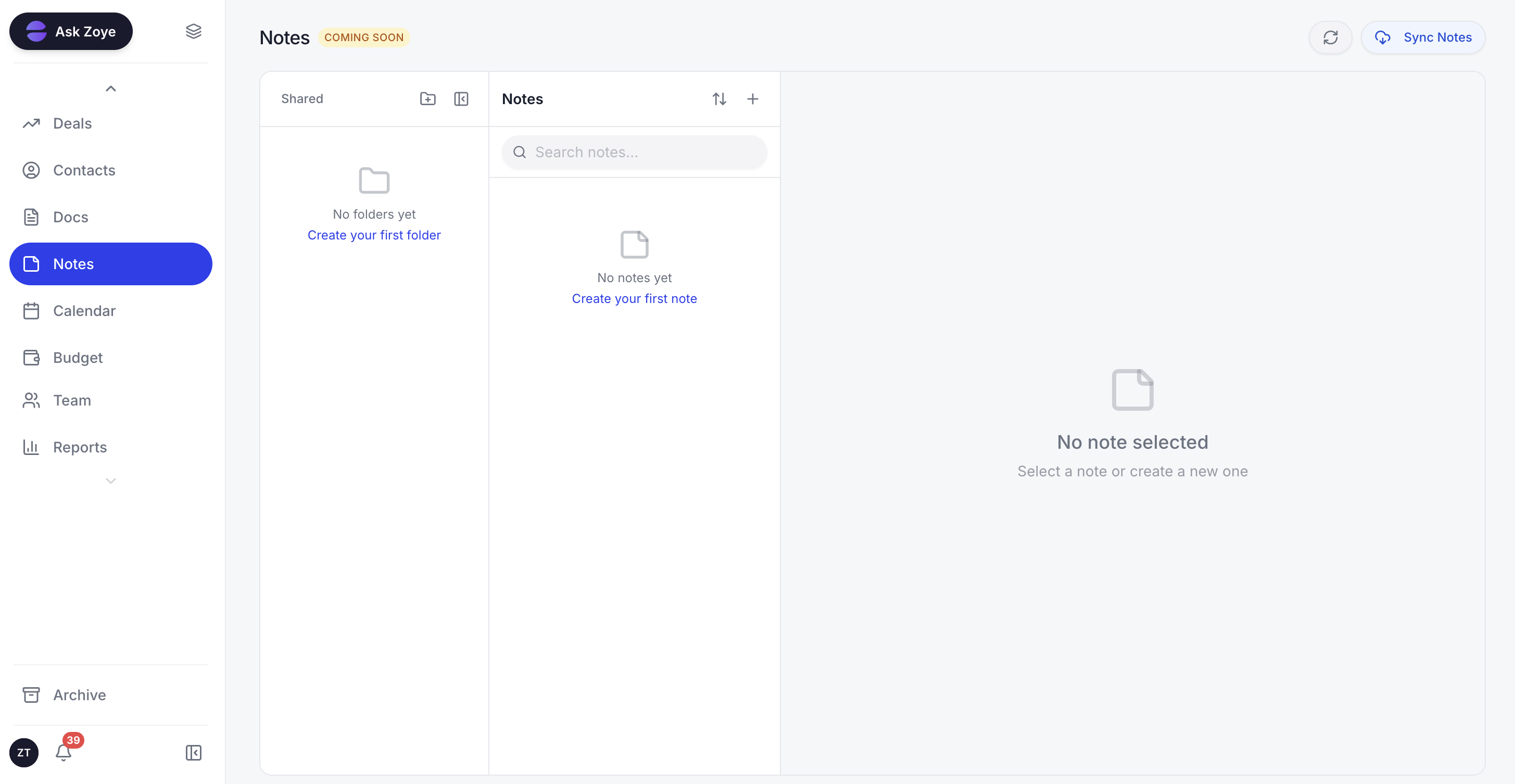 In Zoye, notes connect directly to the tasks, deals, and meetings they relate to.
The bigger difference is the assistant. Notion AI summarizes a page and Evernote AI searches your notes, but the Zoye Assistant takes action. Dictate or type a meeting note and it will draft the follow-up tasks, surface the deadlines, book the kickoff on the calendar, and update the relevant deal, because the tasks, the calendar, and the CRM are part of the same system. A note that says "send the proposal Friday and add Brightwave to the pipeline" becomes a real task with a due date and a real CRM record, not a sentence you still have to action by hand.
To be straight about it: Zoye is a full business workspace, not a pure note-taking app, and the Notes module is still rolling out (mark it coming-soon honestly rather than a finished Evernote replacement today). If all you want is the fastest possible place to clip a web page, Evernote remains excellent at that one job. But if your notes are full of decisions, follow-ups, and people, and you are tired of retyping them into other tools, a workspace where notes already live next to tasks, deals, and a calendar is a categorically different experience.
Zoye bundles a real CRM with contacts, companies, and deals, full tasks and projects (list, board, calendar, and timeline views), a calendar, budget tracking, reports, and collaborative notes, all in one workspace with a native AI assistant included on every plan.
Real example: A solo founder finishes a sales call and dictates one line: "Brightwave is interested, budget around $18K, wants a proposal Friday and a kickoff the week after." In Evernote that is a note you will retype later. In Notion it is a tidy page you still have to turn into tasks. In Zoye, the assistant files the contact, opens the deal at $18K, drafts the proposal task for Friday, and books the kickoff, all from the note.
See what Zoye can do for you
From CRM and deal tracking to AI-powered task management - explore everything Zoye offers in one workspace.
Explore FeaturesWhen to choose each
Choose Evernote if:
- Your top priority is the fastest possible capture and reliable web clipping
- You want a simple notebook-and-tag model you never have to design
- You keep a long personal archive and rely on strong search, including text in images
- You do not need notes to connect to tasks, projects, or a CRM
Choose Notion if:
- You want a flexible workspace where notes, docs, wikis, and light databases live together
- You are building a real knowledge base and do not mind designing the structure
- You value connected pages and relations over the speed of pure capture
- Your work is mostly knowledge, writing, and documentation
Choose Zoye if:
- You want notes that link directly to tasks, deals, contacts, and meetings
- You want an AI assistant that turns notes into action, not just summaries
- You need notes, tasks, CRM, calendar, budget, and reports in one workspace
- You prefer flat tier-based pricing over per-seat charges that climb with hiring
- You are running a business, not just keeping a personal notebook
Ready to streamline your business?
Zoye brings AI-powered CRM, task management, and automation into one workspace.
Get StartedThe bottom line
Notion and Evernote are both good at what they were built for. Evernote is the capture champion: fast, reliable, and frictionless for getting a thought down and finding it later, though its structure is shallow and its pricing has crept up. Notion is the flexible workspace: the best place to build a connected knowledge base of notes, docs, and light databases, at the cost of setup effort and slower capture. The mistake is expecting either to be the other, or expecting either to turn your notes into action.
The real question for 2026 is not only which note app wins, but whether a note app alone is what you need. If your notes are mostly personal thoughts and clippings, pick Evernote for speed or Notion for structure and you will be well served. But if your notes are full of decisions, follow-ups, deadlines, and people, and you are tired of moving them by hand into a task list, a calendar, and a CRM, the honest answer is a workspace, not a notebook. Zoye is built for that, with notes that connect to real work, an assistant that acts on them, and flat pricing that does not punish growth.
For more context, see our guides to the best Notion alternatives in 2026, Notion vs Obsidian, Notion vs Airtable, and the Zoye pricing plans.