Quick answer: WhatsApp Flows are native forms with one or more screens that open inside a WhatsApp chat, so a customer can book a slot, request a quote or register without leaving the conversation. They run only on the WhatsApp Business Platform, need a verified business, and are sent either in an approved template or as an interactive message inside the 24-hour window. Meta lists no separate Flow fee as of October 2026; you pay for the message that carries the Flow.
Key takeaways (October 2026)
- Each Flow screen holds up to 50 components and exactly 1 footer; radio and checkbox groups take up to 20 options, dropdowns up to 200 (Meta's Flows component reference).
- Flows without an endpoint cover most small-business forms. A data endpoint should answer in under 1 second, and a Flow judged unhealthy is throttled to 10 sends per hour.
- A Flow sent in a template is billed by the template's category; one sent inside an open window is a service message, and each number gets 1,000 of those per month at no charge.
- New numbers can start conversations with 250 unique people per rolling 24 hours, then 2,000, 10,000, 100,000 and unlimited, and Flow templates count toward that.
- Flows open on Android 6.0+ and iOS 12+, not on WhatsApp Web, which is the most overlooked limit of all.
Most businesses meet WhatsApp Flows the same way: a provider demo shows a slick booking form opening inside a chat, and the question becomes "should we build these?" The honest answer depends on three things this guide covers in order: what a Flow actually is under the hood, what it takes to build and send one, and whether your intake is long and fixed enough to need a form at all. For many small teams, the cheaper path is a short conversation that saves answers as they come in. For others, a Flow is the cleanest thing they will ever put in front of a customer.
We checked every Flows fact below on Meta's developer documentation in October 2026. Where Meta does not publish a number, we say so.
What are WhatsApp Flows?
WhatsApp Flows are structured, multi-screen interactions that a business sends on the WhatsApp Business Platform. The customer taps a button, a native form slides up inside the chat, they move through screens of inputs and choices, and when they submit, the answers return to the business as a message. They behave like a small app inside WhatsApp.
Meta's developer documentation describes Flows as "a way to build structured interactions for business messaging", and its own example guides cover pre-approved loan offers, insurance quotes, collecting purchase intent and personalised product offers. That list is telling: these are forms with a known shape, where the business knows exactly which fields it needs.
Under the hood, every Flow is written in Flow JSON, a format Meta defined for the purpose. A Flow is a set of screens, and each screen is one node in what Meta calls a state machine: it has an ID, a layout, and the components that sit in that layout. Screens connect through actions. The ones that matter most are:
- navigate: move to another screen and pass along what the customer entered so far.
- complete: end the Flow and send the answers back into the chat.
- data_exchange: send the current data to your server and let the server decide what comes next. This one needs an endpoint.
- update_data and open_url: refresh part of the current screen (for example, repopulate a dropdown after a choice) or open a link in the browser. Both need Flow JSON 6.0 or later.
Every Flow must end on at least one terminal screen, and that screen must have a footer button. Flows also have a lifecycle. Meta lists the states Draft, Published, Throttled, Blocked and Deprecated. You can edit a published Flow, but editing sends it back to Draft until you publish again.
You do not have to write the JSON by hand. WhatsApp Manager includes a Flow Builder interface, Meta offers a Flows Playground to preview a basic Flow, and the Flows API lets software create and publish Flows programmatically.
How a WhatsApp Flow works, step by step
A Flow has two sides. The customer sees a button, a few screens and a confirmation. The business sees a message being sent, a Flow being opened, and a structured response arriving in its webhook with every answer labelled. Knowing both sides helps you spot where things break.
Here is the full path for a typical booking Flow, as Meta's sending guide describes it:
- The business sends a message that carries the Flow. Either a message template with a Flow button (business-initiated, needs template approval) or an interactive message with a call-to-action button (inside an open customer service window). The template button label can be at most 25 characters; Meta advises keeping the interactive button text to 30 characters or less, without emoji.
- The customer taps the button. The Flow opens on its entry screen. The business can pre-fill that first screen with data it already knows, such as the customer's name.
- The customer moves through the screens. Each screen validates its own inputs, so a required date or a malformed email is caught before they move on.
- The customer submits. The terminal screen's footer button triggers the complete action.
- The answers come back. WhatsApp delivers a response message to the business's webhook, with each field's value. Your software then has to do something useful with it: create the contact, book the slot, update the deal.
Step 5 is where most of the real work hides. A Flow collects answers beautifully, but the Flow stores nothing in your CRM. Whatever receives the webhook decides whether those answers become a booking on a calendar or a JSON blob in a log nobody reads.
Two technical details matter for planning. Each send carries a flow token, an identifier the business generates so it can match the response to the right customer and case. And you can send a Flow in draft mode to test it on your own phone before publishing it.
The building blocks: screens and components
A Flow screen is built from components, and Meta caps how many you can use and how long their text can be. The limits are generous for a booking or quote form and tight for anything that tries to be a full website. Plan your screens around them before you design.
These are the components small businesses use most, with limits from Meta's component reference as of October 2026:
| Component | What it does | Key limits |
|---|---|---|
| Heading, Subheading, Body, Caption | Text on the screen | Headings 80 characters, body text 4,096 |
| TextInput | One-line answer (name, email, phone) | Label 20 characters, default max 80 characters |
| TextArea | Longer free text | Label 20 characters, default max 600 characters |
| RadioButtonsGroup, CheckboxGroup | Pick one or several | 1 to 20 options |
| Dropdown | Pick from a long list | Up to 200 options without images, 100 with |
| DatePicker, CalendarPicker | Choose a date or a range | Calendar range mode needs Flow JSON 6.1+ |
| OptIn | Consent checkbox | 120 characters, up to 5 per screen |
| Image | Picture on the screen | Up to 3 per screen, JPEG or PNG |
| PhotoPicker, DocumentPicker | Customer uploads files | 1 per screen, up to 30 files, 25 MiB each by default |
| Footer | The button that moves on | Exactly 1 per screen, label 35 characters |
Three more limits shape real designs. A screen can hold at most 50 components. The routing model, which maps which screen leads where, allows up to 10 branches. And the whole Flow JSON cannot exceed 10 MB. On uploads, Meta stores media customers send through a Flow on its CDN for up to 20 days, so download what you need promptly.
Logic is possible too. The If and Switch components show or hide parts of a screen based on earlier answers, with up to 3 levels of nesting for If. That lets a single screen ask "Is this for a business?" and reveal a company name field only when the answer is yes.
Flows with and without an endpoint
A Flow without an endpoint is a fixed form: screens, choices and routing are defined in advance, and answers come back when the customer submits. A Flow with an endpoint calls your server between screens to fetch live data, such as free slots or a calculated price. Most small-business forms need no endpoint at all.
Without an endpoint. Everything the customer sees is either written into the Flow JSON or passed in when you send it. Meta generates the routing model automatically. A request-a-quote form with fixed service options, a feedback survey, an event registration or a lead form all fit here. You build it in the Flow Builder, publish it, attach it to a template, and you are done with the WhatsApp side.
With an endpoint. The data_exchange action sends what the customer entered so far to a URL you run, and your server returns the next screen's data. This is how a booking Flow shows only the times that are actually free, or an order Flow shows today's stock. It comes with real engineering requirements, all from Meta's endpoint guide:
- The server must accept POST requests over HTTPS with a valid TLS certificate.
- Every payload is encrypted: an AES key is sent encrypted with RSA, and the data itself uses AES-GCM. Your server decrypts each request and encrypts each response.
- It must answer health checks, a "ping" WhatsApp may send at any time to endpoints behind published Flows.
- Meta's health guide says to aim for responses in under 1 second. If error rates or latency deteriorate significantly, Meta sends alert webhooks, then throttles the Flow to 10 messages per hour, and if things get worse, blocks it so it can be neither sent nor opened.
Meta itself pushes builders toward the simpler option. Its endpoint guide says endpoint-powered Flows "should avoid using the endpoint when it is not needed", because skipping it reduces latency and simplifies development. If you can pass the first screen's data when you send the message and move between screens with navigate, do that.
Want to see it in action?
See Zoye catch a new lead, answer on WhatsApp and set up the follow-up, all from one message.
See How It Works8 WhatsApp Flows examples and use cases
Flows earn their keep when the business needs the same set of answers from every customer, in a fixed order, with choices it can list in advance. These eight use cases cover most of what small teams build, from booking to registration, with a note on whether each usually needs an endpoint.
1. Appointment booking. Service, preferred date on a CalendarPicker, time window, name and a notes field. Without an endpoint, the customer picks a preferred slot and you confirm it; with one, the Flow shows only real free times. If you also want reminders afterwards, our guide to WhatsApp appointment reminders covers timing.
2. Lead capture. Name, email, what they are interested in, budget range and an opt-in for marketing. A Flow attached to a click-to-WhatsApp ad turns ad clicks into complete leads in under a minute. Our WhatsApp lead generation guide shows where this fits among the other lead sources.
3. Quote request. Type of job, size or quantity, timing and photos through PhotoPicker. Fixed options keep answers comparable across leads, and photos remove the first round of back-and-forth. Endpoint only if you want an instant price.
4. Customer feedback and surveys. A rating, two or three radio questions and an optional comment, sent after a service is delivered. Short and fixed, which is where Flows shine. Keep it to one or two screens.
5. Order form. Product, variant, quantity, delivery or pickup and address. Simple catalogues work without an endpoint; live stock, delivery fees or discounts need one. For larger product ranges, compare this with WhatsApp's catalog features before building.
6. Event or class registration. Session from a dropdown, number of attendees, dietary or access needs, consent. Registration is the classic fixed form, and an OptIn component captures permission for follow-up messages in the same step.
7. Support intake. Order or account reference, category of problem, description and a screenshot via DocumentPicker or PhotoPicker. The person who answers starts with everything they need instead of three clarifying questions. See our guide to WhatsApp for customer service for the rest of the support setup.
8. Preferences and opt-in updates. Which topics a customer wants to hear about, how often, and a clear opt-out. This is a tidy way to collect the consent Meta requires before marketing templates, and to respect it later.
What these have in common: the business can write every question before the conversation starts. When the right next question depends on a free-text answer, a form starts to fight the conversation.
What you need to use WhatsApp Flows
To send Flows you need the WhatsApp Business Platform with the Cloud API, a verified business, good message quality, a published Flow and, for business-initiated sends, an approved template. You also need software or a developer to receive the answers and act on them. The WhatsApp Business app cannot send Flows.
Here is the checklist from Meta's getting-started and sending guides, plus the practical pieces around it:
- A WhatsApp Business Platform account. This gives you WhatsApp Manager, where the Flow Builder lives, and a phone number set up on the Cloud API. Our comparison of the WhatsApp Business app vs API explains what changes when you move.
- Business verification. Meta's guides state you must verify your business to send Flows to customers. Our guide to the WhatsApp verified business account covers the verification steps.
- High message quality. Meta asks you to maintain it. A number with a poor quality rating risks lower messaging limits, which caps how many people can receive your Flow templates.
- An approved template, if you start the conversation. The template's status must be APPROVED, not PENDING, before you can send it. Our guide to WhatsApp message templates covers categories and approval.
- Something that receives the answers. The Flow's response arrives at your webhook. Without software that turns it into a contact, a booking or a task, you have collected data and stored it nowhere useful.
- A provider or developer, unless your team writes code. Most businesses build Flows through a provider's tools; if you need an endpoint, you need a developer either way.
Messaging limits apply. As of October 2026, the Platform's messaging limit starts at 250 unique recipients per rolling 24 hours for business-initiated conversations, then rises to 2,000, 10,000, 100,000 and unlimited as quality and verification allow. A Flow attached to a marketing template counts like any other template send.
Devices matter. Meta's documentation lists Android 6.0+ and iOS 12+ as supported and says Flows are not supported on companion devices such as WhatsApp Web. If many of your customers chat from a desktop, some of them will see the message but not be able to open the form.
See what Zoye can do for you
CRM, deals, tasks and your Instagram, Facebook and WhatsApp automations in one workspace. Just ask Zoye and it sets any of it up for you.
Explore FeaturesHow much do WhatsApp Flows cost?
As of October 2026, Meta's pricing page does not list a separate charge for Flows. A Flow rides on a message, and that message is billed under Meta's normal per-message rules: a Flow template by its category, an interactive Flow message inside the service window as a service message.
Here is how that works in practice, based on Meta's pricing documentation:
- Flow in a template. Billed per delivered message by the template's category (marketing, utility or authentication) and the recipient's country. Marketing templates are always charged.
- Flow in an interactive message. Allowed only inside the 24-hour customer service window that opens when the customer messages you. Since 1 October 2026, each business phone number gets 1,000 delivered service messages a month at no charge; unused ones do not roll over, and service messages beyond that are billed.
- The free entry point. If a customer messages you from a click-to-WhatsApp ad on the Android or iOS app and you reply in time, a window of up to 7 days opens in which marketing, utility, authentication and service messages are free. Desktop and web do not qualify. A Flow sent in that window costs nothing for the message.
- The customer's submission. Meta does not charge for messages users send to businesses, so the response carrying the answers is not billed.
- Rates. Meta can change rates only on the first day of a quarter, so at most four times a year, with advance notice. Because prices vary by recipient country, check the live rate card on Meta's site instead of trusting a number printed anywhere else. For the category rules in more depth, read our WhatsApp Business API pricing explainer.
The bigger cost is usually not Meta's. It is the build: the provider plan that includes a Flow builder, the developer hours for an endpoint, and the work of connecting answers to your CRM. A fixed lead form might take an afternoon. A booking Flow with live availability, encryption and health monitoring is a real software project.
Limits and failure modes to plan for
Flows fail in predictable ways: customers on WhatsApp Web cannot open them, long forms get abandoned, endpoints get throttled when they slow down, and answers that arrive in a webhook never reach the CRM. Each is avoidable if you design for it from the start.
Abandonment is invisible. A customer who opens a five-screen Flow and closes it on screen three sends you nothing. You know they opened it only if your provider reports it. Keep Flows short, put the cheapest questions first, and plan a follow-up for people who never submit.
Free text gets squeezed. A TextInput defaults to 80 characters and a TextArea to 600. That is fine for a name or a short description, and frustrating for someone who wants to explain an unusual request.
Not every device opens them. The WhatsApp Web gap is real. Always include a fallback line in the message, such as "Or simply reply here with your details", so nobody is stuck.
Endpoints add a failure point. A slow server means a throttled Flow, then a blocked one. If your booking Flow depends on your calendar API, its outages become your WhatsApp outages.
Edits restart review. Editing a published Flow moves it back to Draft, and changing the template that carries it can mean another approval.
Here is how a Flow compares with the two common alternatives for collecting the same information:
| WhatsApp Flow | Questions in plain chat | Web form link | |
|---|---|---|---|
| Customer stays in WhatsApp | Yes | Yes | No, opens a browser |
| Works on WhatsApp Web | No | Yes | Yes |
| Build effort | Flow JSON or builder, plus webhook handling | Question list and field mapping | Form tool plus integration |
| Needs an endpoint for live data | Yes | No | Depends on the form tool |
| Partial answers kept | No, only on submit | Yes, each answer as it arrives | Usually no |
| Best for | Long, fixed forms with many options | Short intakes of 3 to 5 questions | Long documents, payments, file-heavy forms |
The no-Flow alternative: ask in chat, save into fields
For many intakes, the better option is not a form at all. An assistant asks the same questions one at a time in the chat, and each answer is written into the right field on the customer record the moment it arrives. No Flow JSON, no endpoint, and nothing lost if the customer stops halfway.
This works because a conversation already is a structured interaction when the questions are fixed and the answers are stored properly. "Which service are you interested in?", then "When would suit you?", then "What's the best email for the quote?" collects the same data as a three-screen Flow. The difference is in what happens around it:
- Partial answers count. If the customer answers two questions and goes quiet, you still have two facts on the record and a reason to follow up. A Flow closed before submission leaves nothing.
- It works everywhere. A plain message opens on every device, including WhatsApp Web.
- The customer can go off script. If someone asks "Do you work weekends?" in the middle, an agent can answer and come back to the questions. A form cannot.
- It sits inside the window. Questions asked after the customer writes to you are service messages, covered by the 1,000 monthly service messages per number before charges apply.
The trade-off is length and precision. A twelve-field form with a 200-item dropdown is painful as a chat and easy as a Flow. A short intake of three to five questions is the reverse. Our guide to the WhatsApp lead qualification bot covers how to choose and order those questions, and our explainer on AI agents vs chatbots covers what changes when an AI asks them instead of a fixed script.
Ready to hand off the busywork?
Zoye brings AI-powered CRM, task management, and automation into one workspace.
Get StartedHow Zoye collects structured answers on WhatsApp
Zoye is an AI Business Operator. Its thirteen tools already link to each other (contacts, deals, tasks, calendar, documents, invoices, WhatsApp automations and more), and an AI assistant works them for you from the web app, WhatsApp, Slack or the Claude connector. For structured answers on WhatsApp, Zoye takes the plain-chat route rather than building Flows.
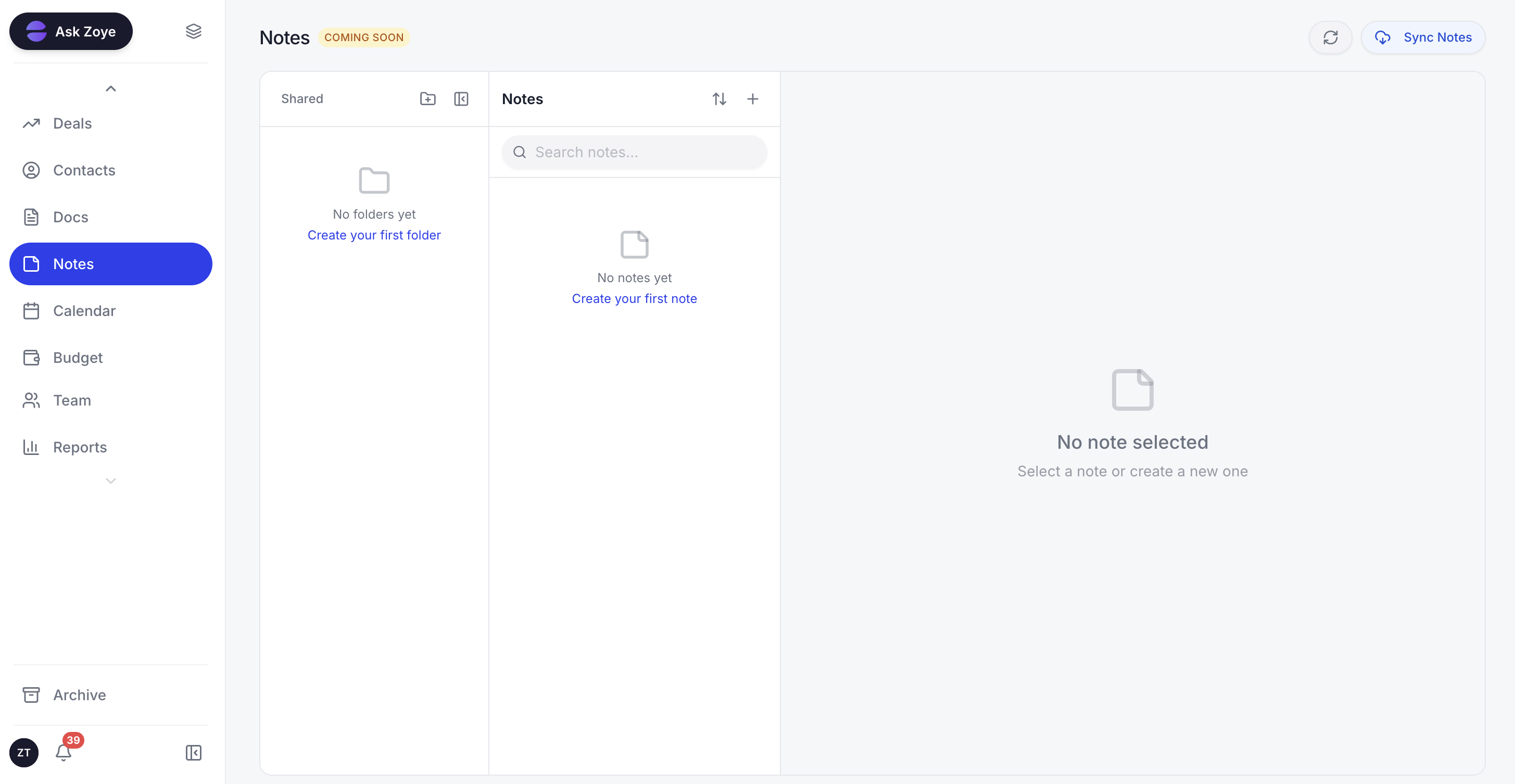
Answers a lead gives in WhatsApp land on their record next to the notes, so the person who follows up starts with the full picture.
The lead qualification bot. You set the questions, the order and the wording. The bot asks them in the chat and saves every answer into the right CRM field as it comes in, so a qualified lead is already filled in when you open it, and a half-finished one still carries what it said. Answers are filterable like any other field, which means you can build an audience of "interested in service B, wants it this month" without reading a single transcript. The full set of WhatsApp automations shows how it connects to the others.
Everything around the questions. A new lead gets an instant welcome, with switches per source (ads, forms, website, API, manual) and one message per person. The AI agent answers what the customer actually asks, offers times from one Booking list with reminders sent automatically, can send a payment link in the chat (Stripe, or Grow in Israel), and passes the lead to a teammate when a human should take over, with the full conversation already sitting on the lead's card.
Built by describing it. Tell the assistant what should happen, for example "when a new lead comes from the website, ask which service and when they want to start, then create a call task for the owner". Zoye turns that into a real rule, lays it out for you in plain English and runs nothing until you approve. The six WhatsApp automations start switched off, and each one confirms with you before it sends.
Meta's rules handled. Zoye runs on the official WhatsApp Business Platform (Cloud API). First messages, and anything sent more than 24 hours after the customer's last reply, go out as an approved template automatically; Zoye categorises templates, submits them to Meta and tracks their status. Every outbound message carries an opt-out, and STOP is honoured across the workspace.
Honest limits. Zoye does not build Meta Flow JSON forms, and it is not a BSP reseller, a bulk-sender or a helpdesk suite. If your intake truly needs a long, fixed form with dozens of options, a Flow built with a dedicated tool is the right fit, and Meta's message charges apply on top of any software, Zoye included.
Pricing: Almost Free is $5 a month ($4 billed annually) and covers 1 team member, 1GB, the core tools, 15 AI prompts a month and Google integrations; automations are not part of it. Starter costs $29 a month ($23 annually) with 10 members and 5GB, Growth $59 ($47) with 20 members and 10GB, Scale $119 ($95) with 100 members and 25GB, and Customize is quoted to fit. Details are on the pricing page.
Best for: small teams whose WhatsApp intake is a handful of questions and who want every answer on the lead's record, followed by the right next step.
Should you build a WhatsApp Flow? A quick decision guide
Build a Flow when your intake is long, fixed and option-heavy, your customers are on phones, and you have software to receive the answers. Ask in plain chat when the intake is short, people go off script, or your team cannot maintain Flow JSON and an endpoint.
Run your intake through four questions:
- How many questions? More than six, or any list longer than ten options, leans toward a Flow. Three to five leans toward chat.
- Can you write every question in advance? If yes, a Flow is possible. If the next question depends on what they say, chat is better.
- Do you need live data? If the form must show real free slots or stock, a Flow means an endpoint and a developer. A conversation can check and answer instead.
- Where do the answers go? If nothing will turn a Flow response into a record, fix that first. A beautiful form that feeds a log nobody opens is worse than a plain question that lands on the right contact.
Whichever route you take, judge it by one number after two weeks: of the people who started answering, how many finished, and how many of those became a booking, a quote or a sale. Then see pricing if you want the plain-chat route running with your leads on WhatsApp, with every answer saved to the record; connecting your own business number is coming soon.