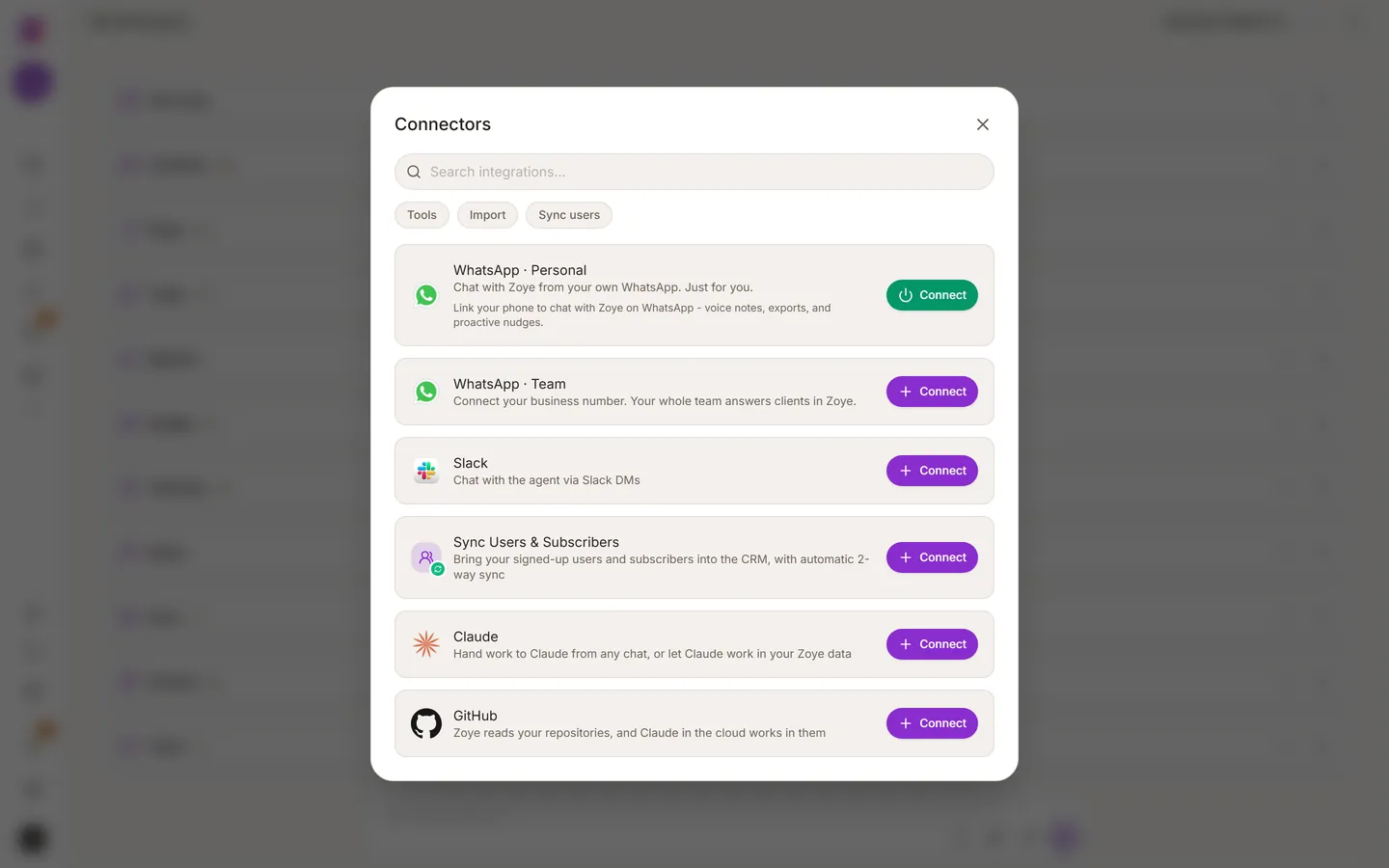
Everything outside Zoye connects in one place, and your contacts come in by one of three routes.
Connectors
Open Connectors in the left sidebar. On a phone, tap More, then Connectors. Gmail, Outlook, WhatsApp, Google Calendar, Google Workspace, Slack, Claude, GitHub and the rest all connect there. They do not connect in Settings.
Worth connecting first:
- WhatsApp, so you can talk to the assistant from your phone. See Link your WhatsApp number.
- Email (Gmail or Outlook), so sent mail and replies attach to the right contact.
- Calendar, so the assistant can book meetings for you.
Bring your contacts in
Pick the route that fits where your data is today.
- A spreadsheet: use the import. You see how your columns map onto fields before anything is saved.
- Another tool: Trello, ClickUp, Monday, Jira and Notion have their own importers.
- Hand it to the assistant: send it a spreadsheet, a PDF or a photo of a list and ask it to add the contacts. This works well for messy files.
Try a real list rather than five test contacts. The assistant gives better answers when it has real records to look at.
Invite your team
Invite people from the Team page. Each person gets their own login, their own permissions and their own WhatsApp link. See Team, permissions and billing.