Most software sold to photographers is built around the shoot, not around the client who has not booked yet. Contracts, questionnaires, invoices, galleries: the tools are good at the paperwork that happens once someone has already said yes. The problem is that a photography business does not usually lose money on the paperwork. It loses money in the silence before the booking and in the follow-ups that never got sent.
Think about how a shoot actually gets won. A couple messages to ask if you are free for their wedding date. A family enquires about a newborn session. Someone saw your work and wants prices. That first message is the funnel, and it almost never converts on the spot. People ask, think, compare, and go quiet, and the booking is won or lost in the two or three touches after that first question. Meanwhile you are behind a camera, editing until 2am, or driving between locations, so the reply that would have closed the booking waits until it is too late. Then there are the deposits that sit unpaid, the delivered galleries nobody chased for a review or a reorder, and the past clients who would happily book again if anyone reminded them.
This guide compares the seven best CRMs for photographers in 2026, ranked for the solo shooter and the small studio who want to book more shoots without hiring an admin or becoming one. It covers what a photography business genuinely needs from a CRM, why WhatsApp sits at the centre of it, and how to run the whole cycle, from first enquiry to a rebooked client, without adding another tool you have to babysit.
Pricing reflects published rates as of July 2026; check each vendor's pricing page for current figures.
Why photographers are looking beyond studio management software in 2026
Four trends are pushing photographers to rethink the tool stack.
Studio tools organise the work but do not do it. HoneyBook, Studio Ninja, Dubsado and Táve are genuinely good at storing contracts, building questionnaires, and laying out a workflow. But every follow-up, every deposit reminder, every gallery-ready message is still something you have to trigger. The tool gives you a tidier to-do list, not fewer things to do.
The booking conversation lives on WhatsApp, not email. Outside the United States, and increasingly inside it, enquiries arrive on WhatsApp and Instagram, not through a form into an inbox. A follow-up sequence that fires polished emails is aiming at a channel your clients have stopped reading. The message that books the shoot has to land where the client actually is.
AI has moved from suggesting to doing. The last generation of software could remind you to follow up. The current generation can follow up for you: draft the message, send it, log the reply, and update the record. For a photographer with no assistant, an AI that takes the admin off your plate is worth more than another dashboard.
Per-seat and add-on pricing punishes growth. Many creative CRMs charge per user or lock automation and payments behind higher tiers. As a solo shooter you pay for features you barely touch, and the cost climbs the moment you bring on a second shooter or an editor. Flat-rate, all-included pricing fits a photography business far better.
The 7 best CRMs for photographers in 2026
1. Zoye - the operator that books, chases, and follows up for you
Zoye is the strongest pick for photographers who want the enquiries captured, the deposits chased, and the galleries followed up automatically, rather than another system to administrate between shoots.
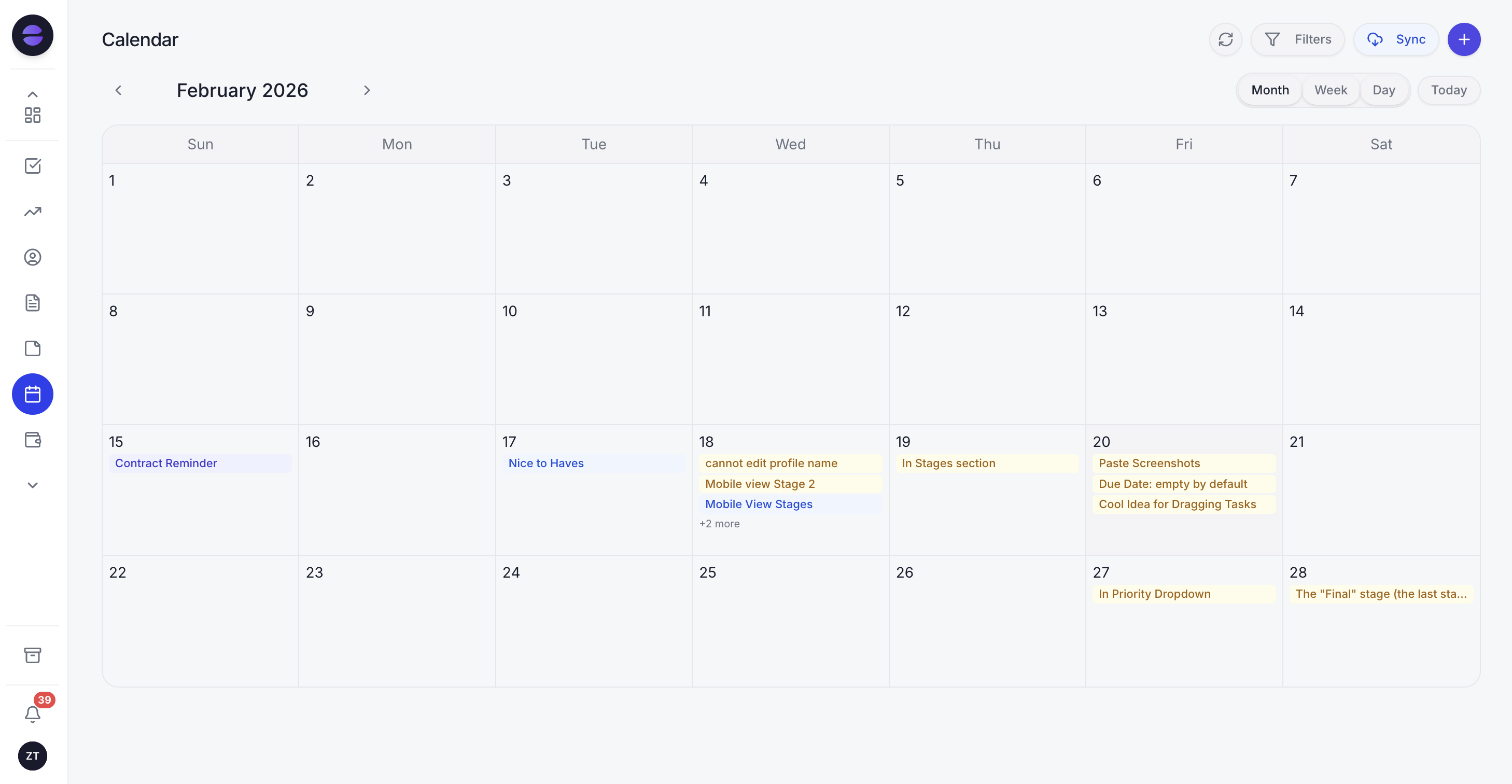 The Zoye calendar keeps every shoot, consultation and deadline in one place, with the assistant a message away.
The difference is in the word operator. HoneyBook and Studio Ninja are filing cabinets with good templates: they hold your contracts and workflows and hand you the button to send. Zoye is an AI Business Operator, an assistant you message the way you would brief a great studio manager, and it executes. An enquiry comes in about your availability and the Zoye Assistant captures it as a lead in the CRM, tagged with the shoot type and where it came from, without you touching a form. A couple asks about your wedding packages and goes quiet, and the assistant follows up so the maybe does not evaporate. A booked client has not paid the deposit two days before the session, and the assistant sends the reminder on WhatsApp automatically. A gallery is delivered, and the assistant messages the client to check they received it and to ask for a review. Six months later, the assistant nudges past portrait clients about a seasonal rebooking.
You set any of this up by asking Zoye for it. Type something like "when someone books a shoot, send them the prep guide, remind them of the deposit two days before, and message me the morning of" and Zoye builds the automation. There is no flow canvas, no Zapier-style wiring, and nothing to maintain when your season gets busy.
Because everything lives in one workspace, you also get the picture that actually runs a photography business: which shoots are confirmed, which deposits are outstanding, which enquiries are still open, and which galleries are awaiting delivery, surfaced by the assistant instead of dug out of a spreadsheet. Tasks, CRM, calendar, budget and reports sit together, so a paid deposit or a delivered gallery updates the whole picture rather than a single disconnected inbox. And it all runs from WhatsApp, so you can check Saturday's schedule or set up a reminder sequence from your phone between shoots.
Pricing: Almost Free at $5 per month for 1 member with the core tools. Starter from $29 per month (10 members). Growth from $59 per month (20 members).
Best for: Solo photographers and small studios that want their enquiries, deposits and follow-ups handled for them, not just organised.
Want to see it in action?
See Zoye catch a new lead, answer on WhatsApp and set up the follow-up, all from one message.
See How It Works2. HoneyBook - the client management tool for creatives
HoneyBook is one of the best-known client management platforms for photographers and other creatives. It brings contracts, invoices, questionnaires and payments into a tidy branded client portal, and the templates are polished.
The trade-off is that HoneyBook organises the workflow but leaves the chasing to you, and it is built around a US-centric email-and-portal flow rather than the WhatsApp conversations most photographers outside North America live in. It is also a monthly subscription with the useful features gated to paid tiers.
Pricing: Paid monthly tiers; check HoneyBook's pricing page for current figures.
Best for: US-based creatives who want a branded contract-and-invoice portal.
3. Studio Ninja - the photographer-specific studio manager
Studio Ninja is built specifically for photographers, which shows in its lead, shoot and job workflow. It handles enquiries, contracts, invoices and a shoot calendar in one place, and the learning curve is gentler than the heavier studio tools.
The limitation is the same pattern: it stores and reminds, but it does not send the follow-up itself. You still write the reply, trigger the deposit chase, and remember the gallery nudge. It is a well-organised cockpit that you still have to fly.
Pricing: Paid monthly and annual plans; check Studio Ninja's pricing page for current figures.
Best for: Photographers who want a purpose-built studio manager and are happy to send follow-ups manually.
4. Dubsado - the customisable workflow builder
Dubsado is a business management tool popular with photographers who love to customise. Its workflow builder, forms and contract automation are deep, and for a systems-minded owner the flexibility is a genuine draw.
The trade-off is setup. Dubsado's power comes with a steep configuration curve, and many photographers spend more time building and maintaining workflows than the automation ever saves. It also assumes you are comfortable being the architect of your own system.
Pricing: Paid plans with a limited free trial by client count; check Dubsado's pricing page for current figures.
Best for: Detail-oriented photographers who enjoy building and tuning their own workflows.
5. Táve - the powerful studio management veteran
Táve is a long-established studio management platform with deep booking, workflow and accounting features, favoured by higher-volume studios that need serious back-office control.
The trade-off is that its depth comes with a dated interface and real complexity. For a solo shooter or a small team, Táve is often more system than the business needs, and the setup and daily use can feel heavy compared with lighter, more modern tools.
Pricing: Paid monthly tiers; check Táve's pricing page for current figures.
Best for: Established, higher-volume studios that need deep workflow and accounting control.
6. Pixieset and ShootProof CRM - gallery-first tools with a CRM bolted on
Pixieset and ShootProof are gallery-delivery and client-photo platforms that have added CRM-style features like invoices, contracts and basic client tracking on top of their core product.
The trade-off is that the CRM is the secondary feature, not the heart of the tool. Lead capture and follow-up are thin compared with a dedicated system, so while gallery delivery is excellent, the undecided enquiry and the unpaid deposit get little help.
Pricing: Free tiers with paid upgrades; check each vendor's pricing page for current figures.
Best for: Photographers who prioritise gallery delivery and want light client-management features attached.
7. Generic CRMs (HubSpot, Pipedrive, Zoho) - not built for the shoot
Generic CRMs give you a flexible pipeline, contact records and, on higher tiers, automation. A technically-minded photographer can bend one into a booking tracker.
The trade-off is that they are built for sales teams working deals over weeks, not for photographers filling a shoot calendar. There is no native sense of a shoot, a deposit, or a gallery, so you spend time configuring fields the tool should already understand, and the actual chasing still falls to you.
Pricing: Free tiers with paid per-user upgrades; check each vendor's pricing page for current figures.
Best for: Photographers who want a general-purpose CRM and are willing to configure it into a photography workflow.
The best CRM for wedding and portrait photographers
Wedding and portrait work lives and dies on the follow-up, because the booking window is long and the competition is a click away. A couple planning a wedding a year out will message several photographers, compare, and go quiet for weeks. The one who books the couple is usually the one who followed up warmly at the right moment, not necessarily the best shooter.
This is exactly where a studio-management tool leaves you exposed: it will store the enquiry beautifully and do nothing about the silence. Zoye is the clearest pick here because the assistant chases the undecided couple, reminds them before the deposit deadline, and keeps the whole conversation on WhatsApp where they will actually read it. Studio Ninja and HoneyBook are strong runners-up if you are content to send every one of those touches by hand.
See what Zoye can do for you
CRM, deals, tasks and your Instagram, Facebook and WhatsApp automations in one workspace. Just ask Zoye and it sets any of it up for you.
Explore FeaturesThe best WhatsApp CRM for photographers
For any photographer working outside the United States, and plenty inside it, WhatsApp is not a side channel. It is where the booking conversation happens. The enquiry, the questions about packages, the deposit confirmation, the "is my gallery ready" message: all of it flows through WhatsApp.
Most photography CRMs treat WhatsApp as an afterthought, if they address it at all, and default to email sequences your clients ignore. Zoye centralises those WhatsApp conversations, captures each one as a lead, and lets the assistant draft and send the follow-ups there. You can also run the whole business from WhatsApp yourself: message the assistant to check the weekend schedule, book a consultation, or set up a deposit-reminder sequence, and it does it. For a photographer whose clients live on WhatsApp, that is the difference between a follow-up that lands and one that never gets read.
How to choose the right CRM for your photography business
Four questions cut through the feature lists.
1. After setup, who sends the follow-up, the tool or you? Be honest about how much admin time you have between shoots and edits. If the answer is "almost none," you need a tool that does the chasing itself, not one that hands you a neater list to work through.
2. Does it work where your clients actually message you? If your enquiries come in on WhatsApp and Instagram but the tool's follow-up fires emails, the follow-up will not land. Choose for the channel your clients use.
3. Can you see the whole cycle in one place? Enquiry, booking, deposit, shoot, gallery, rebooking. If any stage lives in a separate app, something falls through the gap between them. One workspace beats five silos.
4. Will it still be simple when you are slammed? The tool you keep using is the one that does not need administering. If running it feels like a second job during wedding season, it joins the graveyard of software you bought and stopped using.
Why photographers pick Zoye
A few themes come up again and again.
The admin gets done without you. The deposit reminder, the gallery follow-up, the rebooking nudge: the assistant handles the chasing so booking more shoots stops depending on whether you had a spare hour to reply.
It runs where the work runs. Enquiries and follow-ups happen on WhatsApp, and you can operate the whole business from your phone between sessions.
The whole cycle lives together. Leads, calendar, deposits, galleries, budget and reports sit in one workspace, so a paid deposit or a delivered gallery updates the full picture instead of a single inbox.
It stays affordable as you grow. The entry plan is 5 dollars per month (4 dollars per month billed annually) for 1 member with the core tools, and the plans are flat-rate, so adding a second shooter or an editor does not spike the bill.
Try Zoye with your photography business. The Almost Free entry plan is 5 dollars per month, with the core tools.
For more context, see the best CRM for small business, the CRM for event planners guide, how to send WhatsApp payment reminders, and the rest of the Zoye blog.