
Most workflow automation software is built around one idea: your apps do not talk to each other, so you need a layer in the middle that listens to one app and pushes data into another. That idea created a whole industry. It also created a problem nobody prints on the pricing page. When the automation lives between your apps, every workflow is a copy job, and every copy job can drift. A field gets renamed in the CRM, a form adds a question, an API token expires, and the flow keeps reporting green while the data on the other side quietly goes stale.
So the honest question in 2026 is not only "which tool has the most connectors?" It is "where should the automation live?" For a team running a complex stack of outside SaaS products, a connector platform is the right answer, and this guide covers the best of them: Zapier, Make, n8n, Microsoft Power Automate, Workato and Activepieces. For a small business whose real work is leads, deals, tasks, meetings and invoices, there is a second answer: put the automation inside the place those records already live, so there is nothing to sync in the first place. That is the argument Zoye makes, and we will test it against the rest.
Each entry below starts with the tool's limits before its strengths, because that is the part buyers usually discover three months too late.
Pricing reflects published rates as of October 2026; check each vendor's pricing page for current figures.
Why buyers are rethinking workflow automation in 2026
Billing units have become the real product decision. Zapier bills by task, Make by credits, n8n by workflow execution, Power Automate by user or by bot, Activepieces by credits on hosted plans. Two tools with the same sticker price can differ tenfold on the same workflow, depending on how many steps it has and how often it fires. Buyers who compare monthly fees instead of billing units routinely pick the wrong plan.
AI moved into the builder. Almost every platform now has an assistant that drafts a workflow from a description. That lowers the first hour of effort, but it does not change who owns the result. A generated flow is still a flow you have to understand, monitor and repair when something upstream changes.
Governance stopped being an enterprise-only word. A ten-person company that lets automations send customer emails and change deal stages now asks the same questions an IT department does. Who approved this rule? What exactly did it change last Tuesday? Can we undo it? Tools that cannot answer those questions are getting replaced.
The sync tax is finally visible. Duplicated contacts, double-sent welcome messages and records that disagree across three apps are not bugs in any single tool. They are the cost of keeping copies of the same customer in several places. The more a business automates, the higher that cost climbs.
Two kinds of workflow automation: between apps, or inside the data
Before comparing products, it helps to separate two designs, because they solve different problems.
Between-app automation (Zapier, Make, n8n, Workato, Activepieces, and much of Power Automate) watches for an event in one system and performs actions in others. Its strength is reach: thousands of connectors, webhooks, custom HTTP calls. Its weakness is that it owns none of the data. It reads a snapshot, transforms it and writes a copy, so it depends on every connected app staying exactly as it was when the flow was built.
In-data automation runs inside the system of record. The trigger is a change to a record you already hold, the conditions read that same record, and the actions update it and its linked records directly. Nothing is copied, so nothing drifts. The trade-off is scope: it acts on what lives in that workspace, which is why it fits best when the workspace already holds the customers, the pipeline, the tasks and the money.
Most growing businesses need some of each. The mistake is using the first kind to glue together a pile of tools that could have been one workspace.
The 7 best workflow automation software tools in 2026
1. Zoye - automation that lives inside your records
Zoye is an AI Business Operator: thirteen linked tools in one workspace, including CRM and contacts, tasks, deals, calendar, documents, budget and invoices, reports, workflow automations, WhatsApp automations, Facebook and Instagram, email tracking and an AI Notetaker, operated by an assistant that takes action rather than suggesting it. Because a deal already knows its contact, its tasks, its meetings and its invoices, an automation in Zoye does not need a connector to find any of them.
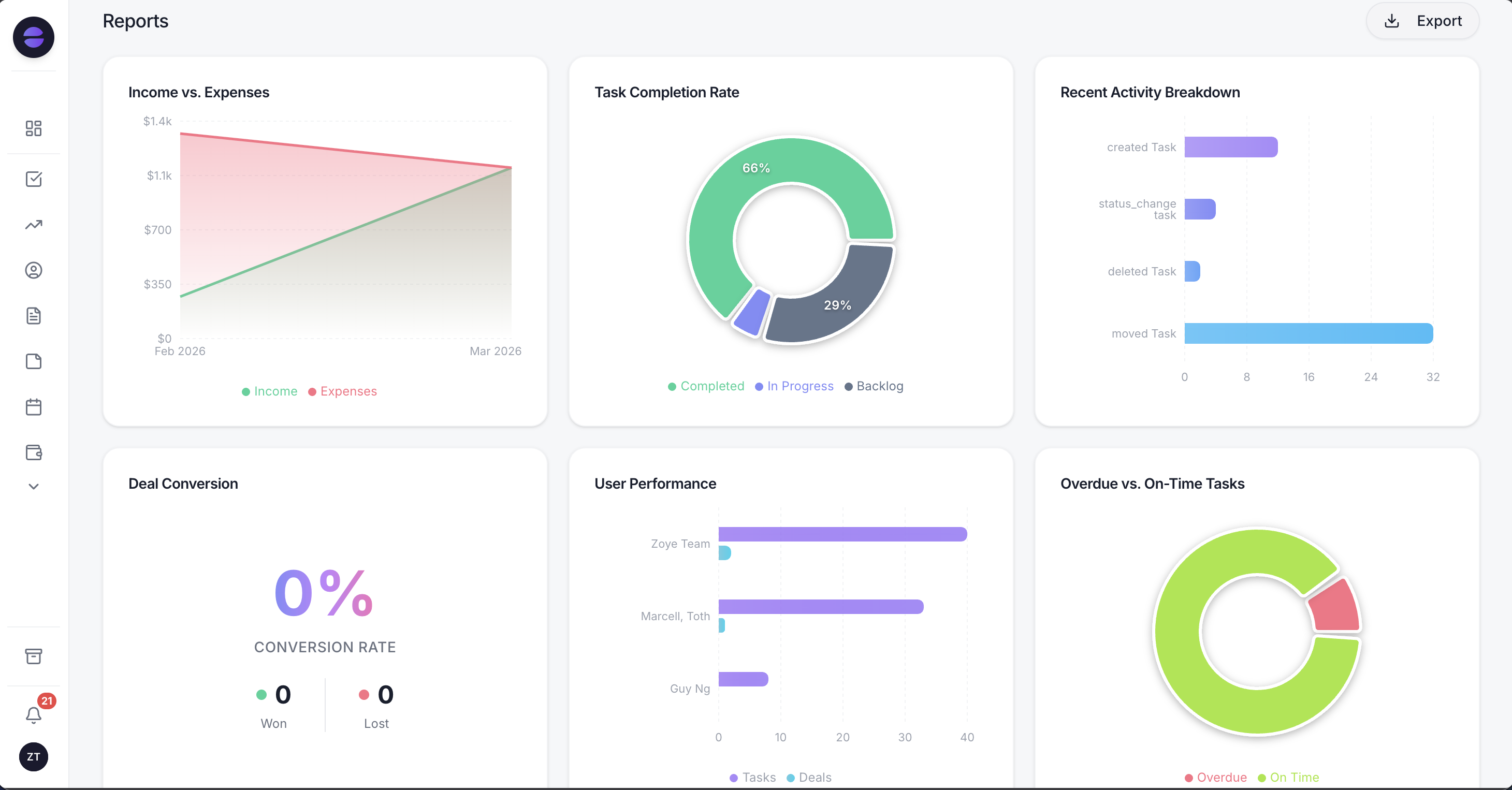 Zoye Reports: the outcome of every automation shows up in the same workspace where the records live
Building a rule works differently from a canvas tool. You describe what should happen, in the web app, on WhatsApp, in Slack or through the Claude connector: for example, "when a deal sits in the same stage for seven days, raise its priority, tell the owner and add a nudge task with the last thing that happened." Zoye builds the real trigger, conditions and actions, shows you the finished rule written out plainly, and waits for your approval. Nothing runs until you say yes. A visual builder exists for anyone who wants it; you are never forced to open it.
Triggers and actions reach across eight tools in the workspace, so one rule can start from a new lead and end with a task, a calendar booking and a first WhatsApp reply. Every run is logged with what fired, what changed and what it sent, and runs are reversible, which answers the governance questions above without a separate admin console. Recipes teams switch on first include instant lead follow-up, the seven-day stale deal, won-deal onboarding, the overdue-invoice chase, blocked-task flagging and a parent task that closes when all its subtasks are done.
Then the assistant keeps working between rules. Ask it how many leads the follow-up rule handled this week and you get the number from live data. Ask it to draft the follow-ups for every quote still unanswered and it does that too, on the same records.
Where it fits: Zoye's automations act on the records in your Zoye workspace. If your process mainly runs through a dozen outside SaaS products, a connector platform from this list is the right tool for that part of the job.
Pricing: Almost Free $5 per month ($4 billed annually) for 1 team member and 1GB with the core tools. For teams: Starter at $29 a month or $23 billed annually (10 members), Growth at $59 or $47 (20 members), Scale at $119 or $95 (100 members), and Customize on quote. See pricing for what each plan includes.
Best for: Small and growing businesses whose workflows are about customers, deals, tasks and invoices, and who want rules they can describe, approve and audit instead of maintain.
2. Zapier - the widest catalog, billed by the task
Zapier's limitation is the meter. Every successful action step counts as a task, so a five-step Zap that fires two hundred times a month spends a thousand tasks, and the entry paid plan includes 750. The free plan is limited to two-step Zaps and 100 tasks a month, which is enough to learn the product and not much more. Multi-step logic, paths and code steps all work, but they add tasks, and the bill grows with your success.
What Zapier does better than anyone is breadth and approachability. Its app catalog is the largest in the category, setup for a simple trigger and action takes minutes, and its newer additions, Tables, Forms and an AI assistant that drafts Zaps, cover small gaps without another vendor. If the job is linking two popular SaaS apps quickly, it remains the default for a reason.
Pricing: Free plan with 100 tasks per month. Professional from $19.99 per month billed annually ($29.99 monthly) for 750 tasks. Team from $69 per month billed annually. Enterprise on quote.
Best for: Teams connecting many mainstream SaaS apps with simple, low-volume flows who value speed of setup over cost per step.
3. Make - visual scenarios, now billed in credits
Make's limitation is cognitive load. Its canvas exposes the machinery directly: routers, iterators, aggregators, error handlers and data mapping between modules. That is power, but a scenario with thirty modules is hard to read six months later, and debugging means opening execution history and inspecting bundles step by step. Make also moved its billing unit from operations to credits; most module actions use one credit, but loops and some AI features consume more, so estimating a monthly bill takes a test run.
Its strength is price per step and expressive logic. For builders who think visually, Make handles branching and data transformation more cleanly than linear tools, and its credit allowance on paid plans usually goes further than an equivalent task count.
Pricing: Free plan with 1,000 credits per month. Paid plans (Core, Pro, Teams) start at roughly $9 per month billed annually at the entry credit tier; Make's pricing page shows the exact figure for your credit volume. Enterprise on quote.
Best for: Hands-on operators and agencies who like building visual scenarios and want more logic per dollar.
4. n8n - developer power, billed per execution
n8n's limitation is its audience. It is built for people who are comfortable with expressions, JSON, credentials and, if they self-host, servers. A non-technical owner can follow a template, but adapting it or recovering from a failed run usually needs someone who reads code. Self-hosting the Community Edition removes the licence fee and adds an operations job: updates, backups, scaling and security.
The upside is real. n8n bills by workflow execution rather than per step, so a long flow with twenty nodes costs the same as a short one, which makes it very economical for heavy, complex automation. It has first-class code nodes and strong support for AI agent workflows with model and tool nodes.
Pricing: Community Edition self-hosted from GitHub. n8n Cloud Starter from €20 per month billed annually (2,500 executions), Pro from €50 per month billed annually (10,000 executions). Business and Enterprise for larger or self-hosted deployments. n8n lists its prices in euros.
Best for: Technical teams and developers who want complex logic, code steps and control over where automation runs.
Want to see it in action?
See Zoye catch a new lead, answer on WhatsApp and set up the follow-up, all from one message.
See How It Works5. Microsoft Power Automate - strongest inside the Microsoft estate
Power Automate's limitation is that its best day is inside Microsoft's own house. Flows that start in Outlook, Teams, SharePoint, Excel or Dataverse feel native; flows that lean mostly on outside apps feel heavier, and premium connectors sit behind paid licences. Licensing itself is a project: per-user plans, per-bot plans for unattended desktop automation, and connector tiers all interact, and smaller businesses can spend more time on the licence question than on the flow.
Its strengths are depth and reach into older systems. Desktop flows (robotic process automation) can drive legacy Windows applications that have no API at all, and approvals, governance and data-loss prevention policies come from the same admin centre IT already uses.
Pricing: Power Automate Premium $15 per user per month, paid yearly. Power Automate Process $150 per bot per month, paid yearly. Power Automate Hosted Process $215 per bot per month, paid yearly.
Best for: Organisations already standardised on Microsoft 365 and Dynamics, especially those with legacy desktop software to automate.
6. Workato - enterprise integration with enterprise buying
Workato's limitation is that it is sized and sold for large organisations. It does not publish prices; you schedule a demo and talk to sales, and the onboarding, contract length and recipe design typically assume an IT or integration team on your side. For a small business, the buying process alone is out of proportion to the problem.
For the enterprises it targets, it is very capable: governed recipes, robust error handling, high-volume data movement between systems such as ERP, HR and finance, and the role-based controls that security reviews ask for.
Pricing: Not published as of October 2026; pricing is set through Workato's sales team.
Best for: Mid-market and enterprise companies with an integration team and many core systems to keep in step.
7. Activepieces - open source with flat hosted plans
Activepieces' limitation is maturity. Its library of connectors, which it calls pieces, is growing quickly but is still smaller than the incumbents', and less common apps may need a custom piece or a raw HTTP step. The builder is cleaner than most, yet it is still a builder: you design the flow, and you maintain it.
What it gets right is ownership and predictable cost. The community edition is open source and can be self-hosted with no licence fee, and the hosted plans use flat monthly prices with a stated per-credit overage instead of steep tier jumps. Teams that want an open-source stack without n8n's learning curve often land here.
Pricing: Free hosted plan with 1,000 credits per month. Plus $20 per month, Team $200 per month, each with overage at $0.007 per credit. Ultimate and Enterprise on quote. Self-hosted community edition at no licence cost.
Best for: Teams who want open-source automation, self-hosting as an option, and simple flat pricing.
At a glance: how the seven compare
| Tool | Where the automation lives | Billing unit | Entry paid price (as of October 2026) | Who builds the rules |
|---|---|---|---|---|
| Zoye | Inside your CRM, tasks, deals and invoices | Flat plan | $5 per month ($4 annually) | You describe, Zoye builds, you approve |
| Zapier | Between apps | Tasks | $19.99 per month billed annually | You, in a step editor |
| Make | Between apps | Credits | About $9 per month billed annually | You, on a visual canvas |
| n8n | Between apps, cloud or self-hosted | Executions | €20 per month billed annually | You, with nodes and code |
| Power Automate | Microsoft 365 and connected apps | Per user or per bot | $15 per user per month, yearly | You or IT, in the flow designer |
| Workato | Between enterprise systems | Quote | Not published | An integration team |
| Activepieces | Between apps, cloud or self-hosted | Credits | $20 per month | You, in a flow builder |
See what Zoye can do for you
CRM, deals, tasks and your Instagram, Facebook and WhatsApp automations in one workspace. Just ask Zoye and it sets any of it up for you.
Explore FeaturesHow to choose workflow automation software: five questions
1. Where do the records live today? If customers, deals, tasks and invoices sit in five different apps, a connector platform is the glue you will need, or a sign that the stack itself should shrink. If they already sit in one workspace, automate there and skip the glue.
2. Who will maintain the rules in a year? Write down a name. If it is a developer, n8n or Activepieces will reward them. If it is an ops lead who likes building, Make or Zapier. If it is the owner, between client calls, pick the tool where a rule is described, shown and approved rather than assembled.
3. How does the bill scale with volume? Take your busiest workflow, count its steps and multiply by how often it fires in a month. Price that number in tasks, credits and executions. The ranking often flips once you do the arithmetic.
4. Can you see what every run did, and undo it? Ask each vendor to show you a run log for a flow that changed customer data. You want what triggered it, what it changed and what it sent, plus a way back when a rule misfires.
5. Does anything run before a human says yes? For automations that message customers or move money, approval before go-live is not a luxury. Check whether the tool supports it natively or whether you have to build it as another step.
What it really costs: the billing unit decides
Consider a typical illustrative workflow for a small sales team: a new lead arrives, gets an owner, receives a first message, gets a follow-up task and lands on a weekly report. That is five actions. At 300 leads a month it is 1,500 actions.
On a task-billed plan, that one workflow uses about twice the 750 tasks in Zapier's entry Professional tier, before any other automation. On a credit-billed plan, it consumes roughly 1,500 credits plus whatever the trigger and any loops cost. On an execution-billed plan such as n8n Cloud, it counts as 300 executions regardless of length. On Zoye, the rule runs inside the workspace you already pay for, so it is not priced as a separate integration product; the pricing page shows what each plan includes.
None of this makes one model universally cheaper. It means the right comparison is your real workflow priced in each tool's unit, not the headline on the pricing page.
Where each kind of tool fails quietly
Between-app tools rarely fail loudly. The common failure is the silent success: the trigger fires, the steps run, and the destination receives a value in the wrong field because someone renamed a column. Polling triggers miss events during outages and catch up with duplicates. Expired credentials pause a flow until someone reads an email they filtered months ago. The remedy is discipline: error notifications to a person, a weekly look at run history, and an owner for every flow.
Builder-heavy tools fail through drift in understanding. The person who built the scenario leaves, and the next person cannot tell which branch handles refunds. Naming conventions, notes on each module and a short written description of every flow's purpose are cheap insurance.
In-data automation fails differently, through rules that are too eager. A rule that messages every new contact will message the supplier you just added. That is why approval before a rule goes live, conditions you can read in plain language and a log of every run matter more than the number of triggers on offer.
Ready to hand off the busywork?
Zoye brings AI-powered CRM, task management, and automation into one workspace.
Get StartedWhy teams pick Zoye
The pattern behind the choice is consistent. Teams that pick Zoye were not short of connectors; they were short of one place where the customer, the deal, the task and the invoice agreed with each other. When the automation runs on those records directly, the welcome message cannot be sent twice from two tools, the follow-up task knows which deal it belongs to, and the report counts what actually happened.
The other half is control. Every rule is described in plain words, shown back before it runs, approved by a person, logged run by run and reversible. The same assistant that builds the rule answers questions about it and keeps working on WhatsApp, in Slack or in the web app, so the owner does not need a separate automation console at all.
Check pricing for the plan that fits, and see what your first rule looks like at Zoye workflow automations.
For more context, see the best Zapier alternatives, how to automate follow-ups, and WhatsApp automation for business.