Every no-show is money that walked out the door for no reason. The slot was booked, the time was blocked, and then nobody showed up, usually not because the client changed their mind but because they simply forgot. For a solo dentist, a small salon, a physiotherapist, or a two-person clinic, a handful of no-shows a week is the difference between a full book and a quiet one.
Email reminders barely help anymore because most people do not open them in time. SMS is better but feels transactional and often gets ignored. WhatsApp is where the reminder actually lands: it is the channel your clients already check dozens of times a day, messages are opened almost immediately, and a client can confirm or reschedule in a single tap without typing a word. Done right, a WhatsApp appointment reminder turns a silent no-show into either a kept appointment or an early cancellation you can refill.
This guide walks through exactly how to do it: when to collect opt-in, the reminder timing that cuts the most no-shows, copy-and-paste template examples for every stage, how to add confirm and reschedule buttons, the Meta compliance basics that keep your number safe, and how to make the whole thing run itself so you never have to remember to send a reminder again.
Pricing reflects published rates as of July 2026; check each vendor's pricing page for current figures.
Why no-shows happen and why WhatsApp fixes them
No-shows feel personal, but they are almost always logistical. Three causes come up again and again.
People forget. An appointment booked two weeks ago is out of sight and out of mind by the day it arrives. Without a reminder close to the time, even a loyal client can genuinely lose track of the date.
Rescheduling is too much friction. When something comes up, the client's easiest option is often to just not show, because calling to reschedule feels like effort or an awkward conversation. If they cannot change the time in seconds, they ghost instead.
The reminder never gets seen. Email reminders sit unopened in a crowded inbox. SMS gets a glance but rarely a response. If the reminder does not reach the client where they actually look, it may as well not exist.
WhatsApp addresses all three. Messages are opened quickly and reliably, so the reminder actually lands. A one-tap confirm or reschedule button removes the friction that turns a small conflict into a no-show. And because the conversation is two-way, a client who cannot make it can tell you early, freeing the slot for someone else. The result is not just fewer no-shows, it is a fuller calendar and less dead time.
How Zoye handles this for you
Before the manual how-to, here is the version where you do not have to run any of it yourself. Zoye is an AI Business Operator that runs your business by conversation, and appointment reminders are exactly the kind of repetitive, easy-to-forget work it takes off your plate. You do not build a flow or remember to press send. You connect your calendar and WhatsApp, tell Zoye how you want reminders to work, and it runs the whole loop automatically.
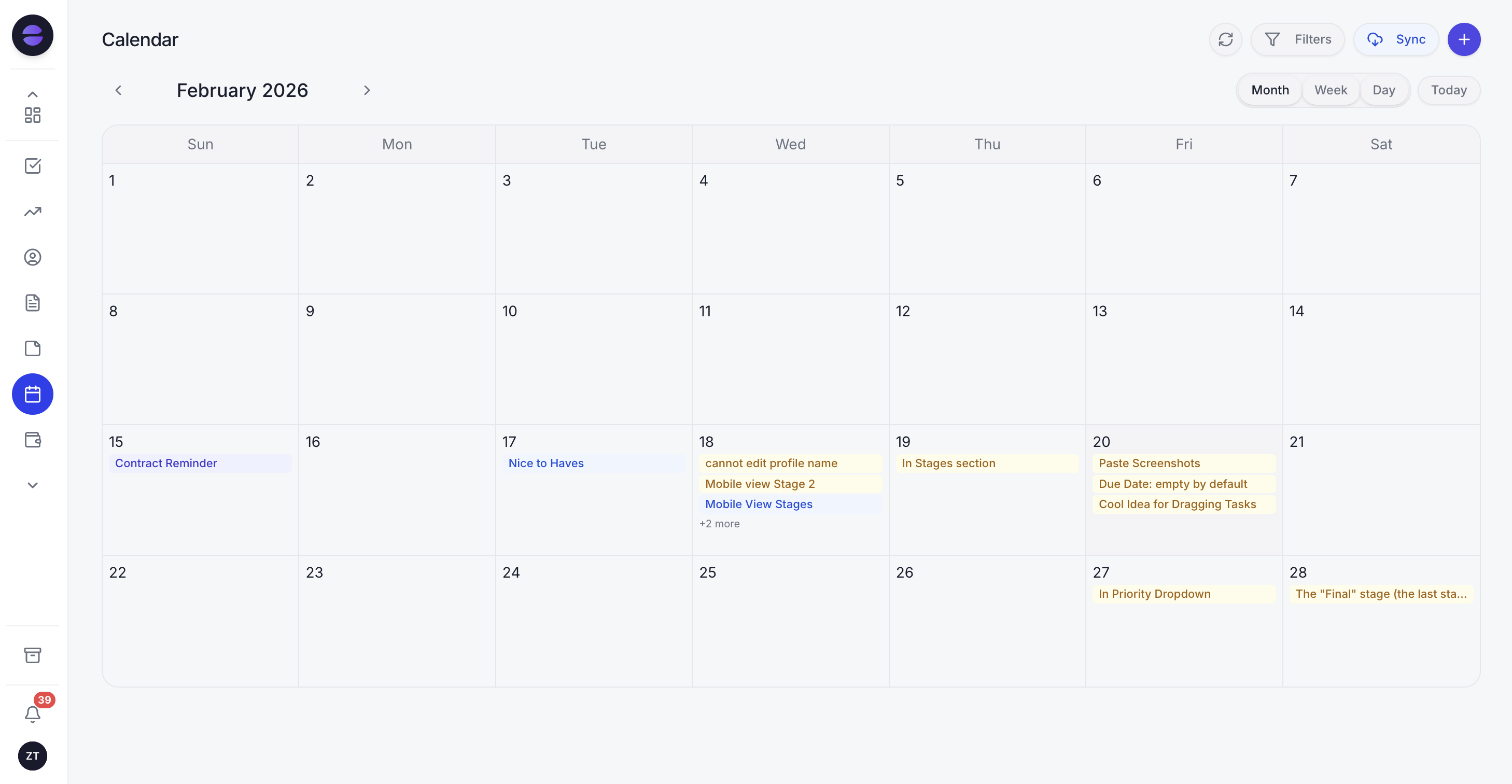 Zoye watches your calendar and sends WhatsApp appointment reminders, confirmations, and reschedules automatically, so no-shows get recovered without you managing them.
Here is what that looks like in practice. When a client books, Zoye sends the confirmation message straight away and captures the client as a contact if they are new. Twenty-four hours before the appointment, it sends the main reminder with confirm and reschedule buttons. A few hours before, it sends the final short nudge. When the client taps confirm, Zoye marks the appointment confirmed on your calendar. When the client asks to reschedule, the operator offers your open slots, rebooks them, and updates the calendar and the client record itself, no back-and-forth for you to manage.
Because you run Zoye by talking to it, you set this up by asking, not by building. Tell it, "remind everyone 24 hours and 2 hours before their appointment, and if someone reschedules, offer my next three open slots," and it wires that up. You can drive the whole thing from WhatsApp or Slack, so you are never tied to a dashboard. And because Zoye is a full workspace, the calendar sits alongside your contacts, tasks, follow-ups, and reports, so a reminder is not an isolated message: a no-show automatically becomes a follow-up task to rebook, and a confirmed appointment flows into the rest of your day. It does the work a reminder tool skips, which is running the business behind the reminder.
Pricing: Almost Free at $5 per month for 1 member with the core tools. Starter from $29 per month (10 members). Growth from $59 per month (20 members).
Best for: Owners of appointment-based businesses who want reminders, confirmations, and rescheduling handled for them instead of managed by hand.
Want to see it in action?
See Zoye catch a new lead, answer on WhatsApp and set up the follow-up, all from one message.
See How It WorksGetting opt-in right: the compliance foundation
Before you send a single reminder, you need permission. This is not just good manners, it is how you stay on the right side of Meta's rules and keep your WhatsApp number healthy. The good news is that collecting opt-in is easy and natural at the moment of booking.
Ask when they book. The simplest opt-in is a checkbox or a line on your booking form: "Send me appointment reminders and updates on WhatsApp." If a client books by phone or in person, ask verbally and note it on their record. The key is that the client knowingly agreed to be messaged on WhatsApp.
Be specific about what they will get. Opt-in for appointment reminders is not blanket permission to send promotions. Tell people what you will send (reminders, confirmations, and changes to their booking) and stick to it. Mixing marketing into a reminder stream is the fastest way to get reported.
Make stopping easy. Every messaging relationship needs a clear exit. A simple "reply STOP to turn off reminders" respects the client and keeps you compliant. Honour it immediately.
Understand the template rule. Meta separates conversations into two buckets. Inside a 24-hour window after a client messages you, you can reply freely. But a business-initiated message outside that window, which is exactly what a reminder is, must use a pre-approved message template. Appointment reminders typically qualify as a utility template, the category meant for transactional messages like confirmations and reminders. You submit the template wording once, it gets approved, and then it can be sent automatically. Keep the wording useful and non-promotional and approval is straightforward.
Get opt-in and templates right and everything else in this guide is safe to run. Skip them and you risk your number being restricted, which is a far bigger problem than a few no-shows.
The reminder timing that actually cuts no-shows
Timing is where most reminder setups either work or waste their potential. Send too early and it is forgotten again; send too late and there is no time to reschedule. The pattern that cuts the most no-shows uses three touches.
Touch 1: confirmation at the moment of booking. As soon as the appointment is booked, send a confirmation. This does two jobs: it reassures the client the booking went through, and it gives them a message they can scroll back to. It also opens the conversation so they can reply if the details are wrong.
Touch 2: the main reminder 24 hours before. This is the workhorse. A day ahead is the sweet spot: close enough that the appointment is real and top of mind, but with enough runway that a client who cannot make it can reschedule instead of no-showing. This is the message that carries the confirm and reschedule buttons.
Touch 3: the final nudge 2 to 3 hours before. A short, friendly heads-up on the day catches the client who confirmed but got busy, and gives them one last chance to flag a problem. Keep it brief; it is a tap on the shoulder, not a full message.
For appointments booked more than a week in advance, add a gentle reminder around 3 days before as well, so the booking never fully drops off the radar. For high-value or hard-to-fill slots, the earlier you learn about a cancellation the better, because it gives you time to refill the slot from a waitlist.
The principle behind all of it: every reminder should make it trivially easy to either confirm or reschedule. A reminder that only says "see you tomorrow" is a missed opportunity. A reminder that says "see you tomorrow, tap here if you need to change it" is what actually protects your calendar.
See what Zoye can do for you
CRM, deals, tasks and your Instagram, Facebook and WhatsApp automations in one workspace. Just ask Zoye and it sets any of it up for you.
Explore FeaturesWhatsApp appointment reminder templates you can copy
Here are practical templates for each stage. Keep them warm, short, and clear. The bracketed fields like {first_name} and {appointment_time} are merge fields your system fills in automatically, so each client gets a personalised message. Adapt the wording to your brand voice.
Booking confirmation (sent right after booking):
Hi {first_name}, your appointment with {business_name} is confirmed for {appointment_day} at {appointment_time}. We look forward to seeing you. Need to change it? Just reply here and we will sort it out.
24-hour reminder (with confirm and reschedule options):
Hi {first_name}, a friendly reminder of your appointment with {business_name} tomorrow, {appointment_day}, at {appointment_time}. Can you still make it? Tap Confirm to lock it in, or Reschedule if you need a different time.
2-hour nudge (short, day-of):
See you soon, {first_name}. Your appointment at {business_name} is today at {appointment_time}. If anything has come up, just reply here.
Reschedule offer (when a client asks to change):
No problem, {first_name}. Here are the next available times: {slot_1}, {slot_2}, or {slot_3}. Reply with the one that works and we will move your appointment across.
No-show follow-up (sent after a missed appointment):
Hi {first_name}, we missed you today and hope everything is okay. Would you like to rebook? Reply here and we will find you a new time that suits you.
Waitlist offer (when an earlier slot frees up):
Good news, {first_name}, an earlier slot just opened at {business_name} on {appointment_day} at {appointment_time}. Want it? Reply YES and it is yours.
A few rules that make templates work. Keep them under a few short lines; a wall of text gets ignored. Use the client's name and the exact time, because vague reminders feel automated and easy to dismiss. Always include the next action (confirm, reschedule, reply). And keep the tone human; the goal is to sound like a helpful person at the business, not a system talking at them.
Adding confirm and reschedule buttons
Plain text reminders work, but interactive buttons work far better because they remove every ounce of friction. On the WhatsApp Business Platform you can attach quick-reply buttons to a template message, so a reminder can carry Confirm and Reschedule options the client taps directly in the chat.
The impact is real. When confirming takes one tap instead of typing a reply, far more clients actually do it, which gives you a live read on your day: you can see who is coming and who has gone quiet. And when rescheduling is a tap rather than a phone call, the client who has a conflict changes the time instead of vanishing, so you keep the revenue rather than losing the slot entirely.
The best setups close the loop automatically. A Confirm tap marks the appointment confirmed on your calendar. A Reschedule tap starts a short flow that offers open slots and rebooks the client without you touching anything. That is the difference between a reminder that just reminds and a system that actually manages your calendar. Doing this by hand across every booking is exactly the kind of work an operator like Zoye is built to run for you.
Mistakes that get reminders ignored (or your number blocked)
A few common errors undo all the benefit. Avoid these.
Sending marketing as a reminder. The quickest way to get reported and restricted is to dress a promotion up as an appointment reminder. Keep reminder messages strictly about the booking. Run promotions on a separate, clearly opted-in channel.
No opt-in. Messaging people who never agreed to WhatsApp contact is both against the rules and a fast track to being blocked. Always collect and record permission first.
Too many messages. Three well-timed touches help; a dozen messages for one appointment is harassment. Respect the cadence and never over-send.
Reminders with no way to act. A reminder that offers no confirm or reschedule option wastes the moment. Every reminder should let the client do something in one tap.
Ignoring the reply. If a client replies to a reminder to reschedule or ask a question and gets silence, the reminder has backfired. Someone or something must handle the response, which is why automating the send but not the reply is only half a solution.
Getting the time zone or details wrong. A reminder with the wrong time is worse than no reminder. Make sure your system pulls the exact appointment details straight from your calendar.
Ready to hand off the busywork?
Zoye brings AI-powered CRM, task management, and automation into one workspace.
Get StartedHow to measure whether your reminders are working
You do not need a complex dashboard, but you should track a few numbers so you know the reminders are earning their keep.
No-show rate. The headline metric. Compare your no-show percentage before and after you start sending WhatsApp reminders. A meaningful drop is the whole point.
Confirmation rate. What share of clients tap Confirm or reply to acknowledge the reminder? A high rate means your reminders are landing and being read.
Reschedule rate. How often clients reschedule instead of no-showing. Every reschedule is a slot you kept rather than lost, so a healthy reschedule rate is a good sign, not a bad one.
Recovery rate. Of the clients who do miss, how many rebook after your no-show follow-up? This is easy revenue most businesses never chase.
Watch these for a month and you will see the reminders paying for themselves. You will also spot patterns, such as which appointment types no-show most or which time of day is riskiest, that let you tune the cadence further.
Why teams pick Zoye for appointment reminders
A few themes come up again and again.
It runs the whole reminder loop itself. Confirmation, 24-hour reminder, final nudge, reschedule, and no-show follow-up all happen automatically, pulled straight from your calendar, so you never have to remember to send anything.
You set it up by talking, not building. Describe the reminder flow you want, on WhatsApp or Slack, and Zoye wires it up. There is no flow-builder to learn and nothing to maintain.
It manages the calendar, not just the message. A confirm updates your calendar, a reschedule rebooks the client, and a no-show becomes a follow-up task to refill the slot, because Zoye is a full workspace where reminders, contacts, tasks, and reports live together.
Try Zoye with your team. The entry plan is Almost Free, with the core tools.
For more context, see how to sell on WhatsApp, the guide to automated WhatsApp customer service, and how AI appointment scheduling runs the whole booking loop. If your appointments happen at the customer's location, see the best field service management software for small business.
See the six automations Zoye ships for this, and how each one stays inside WhatsApp's rules, on the WhatsApp Automations page.