
Notion vs Airtable 2026: Which Wins, and the AI-Native Alternative
Notion and Airtable get compared constantly, and they shouldn't be twins. Notion is a flexible all-in-one workspace for docs, wikis, notes, and lightweight databases - the place a team writes things down and organises knowledge. Airtable is a relational database and spreadsheet hybrid - the place a team stores structured records, links them together, and automates around them. They overlap in the middle, which is exactly why people get stuck choosing.
The honest issue with the Notion-vs-Airtable debate is that picking either still leaves gaps. Notion is weak as a serious relational database and was never meant to run heavy operations. Airtable is powerful with data but is not a docs home or a real project management tool, and its per-seat pricing climbs fast. Both bill per user, both gate AI, and neither is built to actually run a business end to end. If the two feel like a coin toss, the right answer is often a different kind of tool.
This comparison is fair about where Notion and Airtable each genuinely win, walks through the dimensions that decide the choice, and then covers the AI-native third option both miss.
Pricing reflects published rates as of June 2026; check each vendor's pricing page for current figures.
Notion vs Airtable at a glance
| Dimension | Zoye | Notion | Airtable |
|---|---|---|---|
| Core philosophy | AI-native workspace to run a business | Flexible docs + wiki + light databases | Relational database / spreadsheet hybrid |
| AI assistant | Included on every plan, takes real action | Notion AI - add-on, mostly assists | Airtable AI - field-level, mostly assists |
| Database power | Structured CRM, deals, tasks | Light, page-based, slows at scale | Strong relational, linked records, large sets |
| Docs / notes | Notes module, rolling out | Best-in-class docs + wikis | Not a docs home |
| CRM / deals | Built in, all plans | Buildable but manual | Buildable, no native pipeline |
| Tasks / PM | List, board, calendar, timeline, dependencies | Light task lists in pages | Records + Interfaces, no native PM depth |
| Automations | AI assistant executes directly | Basic, button + simple rules | Strong automations + scripting |
| Pricing model | Tier-based, not per seat | Per seat | Per seat (climbs at scale) |
| Best for | Running a whole business with AI | Knowledge, notes, team wiki | Structured data and ops tracking |
Where Notion wins
Notion's strength is that it makes a team's knowledge feel like one connected place. It is the tool people reach for when they want to write, not just store.
Docs, wikis, and notes. Notion is genuinely best-in-class for documentation. Meeting notes, product specs, onboarding wikis, project briefs, and personal notes all live in clean, flexible pages that anyone can shape with blocks. The writing experience is fast and pleasant, and nested pages make a company wiki feel natural rather than bolted on.
Flexibility and a low floor. A new user can build a useful page in minutes with no schema to plan. Databases live inside pages, so a lightweight project tracker, a content calendar, or a CRM-lite list can sit right next to the docs that explain them. For small teams and solo operators, that all-in-one-page feel is a real advantage.
Knowledge that connects to context. Because docs and light databases share the same canvas, a project page can hold the brief, the task list, and the linked notes together. For knowledge work, research, and team documentation, Notion is hard to beat.
The trade-off is that Notion's databases are convenient, not powerful. They are fine for simple lists but slow down with many thousands of rows, and they lack the relational depth, filtering, and reliability that data-heavy teams need. Notion is a writing and knowledge tool first, a database tool second.
Verdict: Choose Notion when your center of gravity is docs, notes, wikis, and knowledge, with light tracking attached.
Where Airtable wins
Airtable's strength is that it treats data seriously. It started as a database and never lost that DNA.
A real relational database. Linked records, lookups, rollups, and complex multi-condition filters are first-class in Airtable. You can model a genuine relational structure - clients linked to projects linked to deliverables - in a way Notion cannot match. For large record sets and structured data, Airtable stays fast and dependable where Notion gets sluggish.
Automations and scripting. Airtable's automation builder is strong, and its scripting and extensions let power users push it far. Combined with sync, it becomes a hub that ingests, transforms, and routes data across a business. Operations-heavy teams lean on this hard.
Interfaces. Airtable Interfaces let you build clean, app-like views and dashboards on top of your data, so non-technical stakeholders can use a base without seeing the raw grid. This is a real advantage for sharing structured data across a team.
The trade-off is twofold. First, Airtable is not a docs home: writing, wikis, and notes are not what it does, so teams still keep Notion or Google Docs alongside it. Second, the per-seat pricing climbs quickly. As records, automations, and collaborators grow, Airtable can become one of the more expensive tools in a stack, and its best automation and AI sit on higher tiers.
Verdict: Choose Airtable when your center of gravity is structured, relational data and operational tracking, and you can absorb per-seat costs as you scale.
Notion vs Airtable for project management
This is the comparison people search for most, and the honest answer is that neither is a dedicated project management tool.
Notion handles project management as a flexible hub: a project page with an embedded task database, a brief, and notes. It is friendly and good for small teams that want everything in one readable place. But it lacks native workload management, real dependencies, timeline rigor, and time tracking, so it strains under heavier programs.
Airtable handles project management as structured data plus Interfaces: tasks as records, linked to projects and owners, surfaced in clean dashboards. It is stronger for data-driven tracking and reporting, but it is still a database wearing a project management costume, not a purpose-built PM tool with built-in dependencies, workload, and Gantt depth.
Both can be shaped into a project tracker, and both work for light needs. Teams that run real programs - dependencies, capacity planning, time tracking, templates - usually outgrow both and add a dedicated tool, which means yet another per-seat bill.
Verdict: Airtable for structured, reporting-heavy project data; Notion for a friendly project hub mixed with docs. Neither for serious, dependency-driven program management.
The third option both miss: Zoye
Notion and Airtable leave the same holes. Notion is a great place to write but weak as a database and not built to run operations. Airtable is a great database but not a docs home and not a real project tool, and its per-seat cost grows with the business. And neither has an AI assistant that actually runs your work - both mostly assist inside their own surface, and both charge more as you scale.
Zoye is an AI-native workspace built to run a business, not just store records or hold notes. It bundles a real CRM with contacts, companies, deals, and pipeline stages, full tasks and projects (list, board, calendar, and timeline views, with custom fields, dependencies, workload, and time tracking), a calendar, budget tracking, reports, and collaborative notes - all in one workspace, on one bill, with a native AI assistant included on every plan.
 Zoye brings structured business data and an acting AI assistant into one workspace
Where Notion gives you flexible pages and Airtable gives you flexible data, Zoye gives you structured business data that already knows what it is. Contacts are contacts, deals are deals, tasks are tasks, and the AI understands all of them. You do not design a schema or wire up a base. You ask, and the Zoye Assistant acts: it drafts task descriptions from a brief, surfaces overdue and blocked work, reassigns workload by capacity, generates a weekly status report on demand, schedules meetings around deadlines, and creates tasks from incoming emails.
 Tasks are a real project module, not a database table dressed up as one
That action-taking is the difference. Notion AI summarises a page and Airtable AI fills a field, but neither opens a deal, books the kickoff, drafts the follow-up, and assigns the tasks against a budget from one instruction - because the CRM, the calendar, and the budget are not part of the same system. In Zoye they are.
 Tasks land on the calendar automatically, with no integration to configure
For knowledge work, Zoye is also rolling out Notes - collaborative documentation built into the same workspace as your data, so the brief and the deal and the task it relates to live together without a second tool.
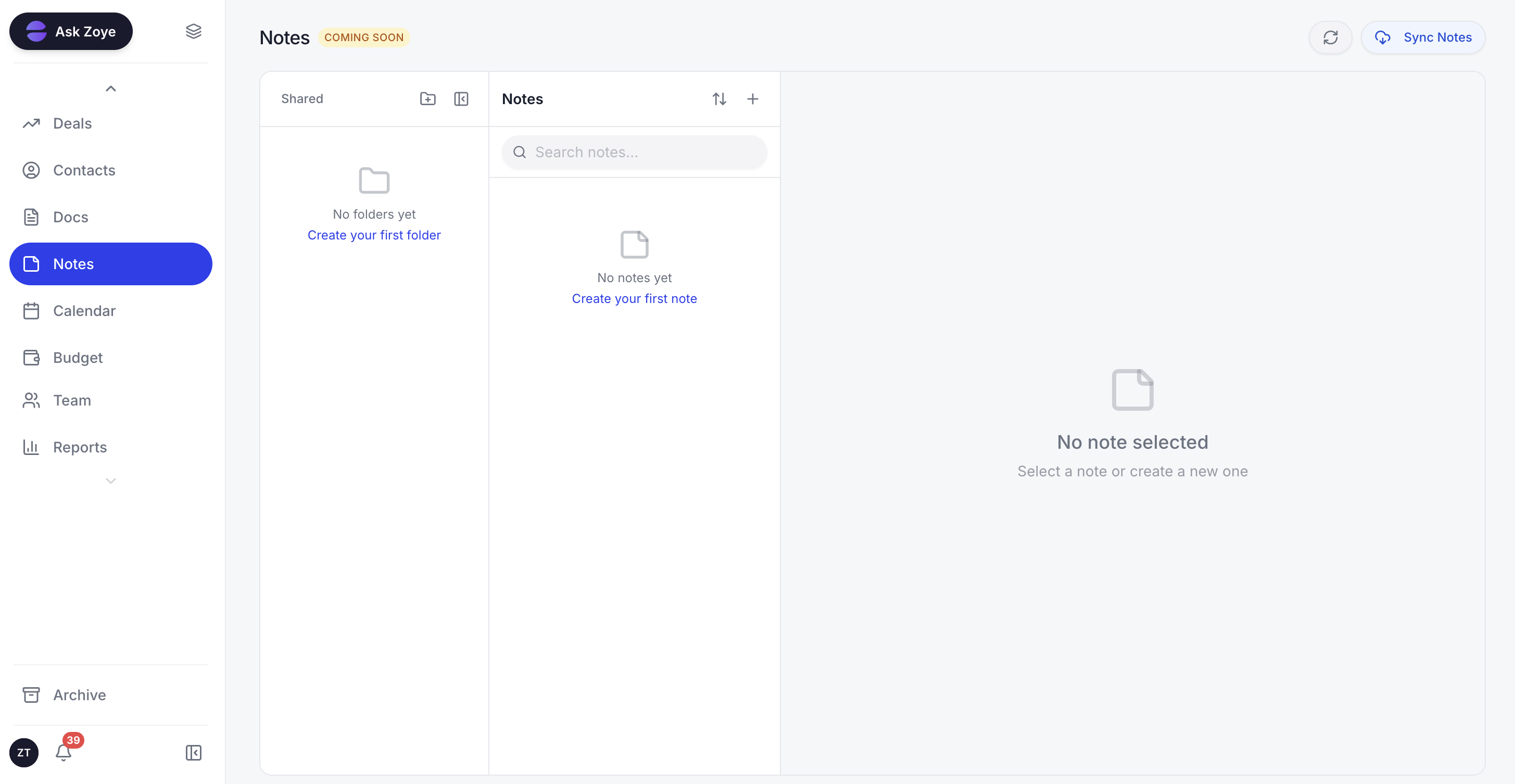 Notes bring docs into the same workspace as your structured data
Real example: A 10-person studio owner finishes a sales call and dictates one line: "Northwind signed the retainer, about $24K, kickoff next Thursday." Zoye opens the deal, files the contact and company, books the kickoff on the calendar, drafts the onboarding tasks against the budget, and notes the next follow-up. In Notion that is several pages with no real pipeline; in Airtable it is a base you still have to build, with no docs and no acting assistant.
See what Zoye can do for you
From CRM and deal tracking to AI-powered task management - explore everything Zoye offers in one workspace.
Explore FeaturesIf you came to Notion or Airtable from another tool, migration is easy too: Zoye includes import connectors for Trello, Jira, Notion, ClickUp, and Monday.com, and the AI handles deduplication and tagging as your data comes in.
Notion vs Airtable on pricing
Per seat, the two diverge as you grow, and that is the key cost story.
Notion pricing:
- Free: $0 (generous for individuals and small teams)
- Plus: from around $10/seat/month annual
- Business: from around $15/seat/month annual
- Enterprise: Custom
- Notion AI: add-on or bundled on higher plans
Airtable pricing:
- Free: $0 (limited records per base)
- Team: from around $20/seat/month annual
- Business: from around $45/seat/month annual
- Enterprise: Custom
- Airtable AI and the best automation sit on higher tiers
The 20-person team math:
- Notion Business: 20 x ~$15 = about $300/month (AI may cost extra)
- Airtable Team: 20 x ~$20 = about $400/month (climbs with records and higher tiers)
- Zoye Growth (20 members, CRM + tasks + budget + AI included): $59/month
Both Notion and Airtable bill per seat, so the cost rises with every hire, and Airtable in particular grows as your data and automation needs deepen. Zoye is flat tier-based pricing: The entry plan, Almost Free, is $5/month for 1 member with the full platform including AI, Starter is $29/month for up to 10 members, and Growth is $59/month for up to 20.
Verdict: Notion is the cheaper of the two per seat and Airtable gets pricier as data and automation scale. But both are per-seat models that grow with headcount, and neither includes the CRM, budget, and acting AI a running business needs.
Want to see it in action?
Watch how Zoye automates your daily workflow - from lead management to team collaboration.
See How It WorksWhich should you choose?
Choose Notion if:
- Your work is mostly docs, wikis, notes, and knowledge sharing
- You want a flexible workspace with light databases attached
- Your tracking needs are simple and your row counts modest
- A friendly, writing-first experience matters most
Choose Airtable if:
- You need a real relational database with linked records and rollups
- You run structured, data-heavy operations and automations
- Interfaces and clean data dashboards are valuable to your team
- You can absorb per-seat pricing that grows as you scale
Choose Zoye if:
- You want structured business data - CRM, deals, tasks - that already knows what it is
- You want an AI assistant that takes real action, included on every plan
- You need tasks, CRM, calendar, budget, reports, and notes in one workspace
- You prefer flat tier-based pricing over per-seat charges that climb with hiring
- You want to be operational the same day, with no schema design or base building
Ready to streamline your business?
Zoye brings AI-powered CRM, task management, and automation into one workspace.
Get StartedThe bottom line
Notion and Airtable are both excellent at what they were built for. Notion is the flexible knowledge workspace - the best place to write docs, build a wiki, and keep notes, with light databases living happily inside pages. Airtable is the powerful relational database - the best place to store structured records, link them, and automate around them, with Interfaces to share that data cleanly. The mistake is expecting either to be the other.
The real question for 2026 is not only which of the two wins, but whether either is built for how your business actually runs. Both bill per seat, so cost climbs with every hire. Both gate AI and mostly assist rather than act. And neither gives you a customer pipeline, a real project tool, a budget, and an assistant that works across all of them in one connected place.
If you need that - structured business data, an AI assistant that takes real action, and flat pricing that does not punish growth - the honest answer is neither Notion nor Airtable. Zoye is built for that team, with everything included on every plan and operational the same day you sign up.
For more context, see our guides to the best Notion alternatives in 2026, the best Airtable alternatives, how to build your own CRM with Zoye, and the best AI CRM in 2026.