
Facebook Lead Ads to CRM: Field Mapping, Attribution and Instant Follow-Up
There is a pattern that shows up in almost every small business that tries Meta lead ads for the first time. The cost per lead drops, sometimes dramatically. Everyone is pleased. Three months later the cost per lead is still low, the spreadsheet of names is enormous, and revenue has barely moved. Somebody suggests the leads are fake.
They are usually not fake. They are early. An instant form asks for almost nothing, which is the entire point of the format, and a person who was asked for almost nothing has not yet decided very much. The economics of lead ads only work if the business absorbs the effort that the form removed, and that means the handoff into your customer records has to be immediate, complete and accurate. Where that breaks, the format looks like a scam. Where it works, cheap leads stay cheap and start closing.
This article is about that handoff. What an instant form submission actually contains, how its questions map onto real fields, why the campaign and the ad name have to travel with the record, what to do when the same person submits twice, and how to think about response time without repeating a statistic that has quietly aged past its usefulness. It sits under our Facebook and Instagram automations page, which covers the wider set of Meta automations Zoye runs. Everything here about Meta's own behaviour was checked against Meta's developer and business documentation in August 2026, and Meta revises both regularly.
Why frictionless forms produce lukewarm leads
Start with what Meta built. The lead ads documentation describes the format as a privacy-safe way for people to sign up for information from a business, using a mobile-friendly form that draws on information people already shared with Facebook. Tap the ad, see your name and email already filled in, confirm, done. Nobody had to open a browser, load a landing page, or type anything.
Every one of those removed steps was also a filter. A landing page asks for thirty seconds of attention and a scroll. Typing an email address asks for a small deliberate act. None of those steps were good for conversion rate, but all of them were quietly sorting people who wanted the thing from people who were mildly curious at eleven at night. Take the filters away and you get more submissions, and a larger proportion of them are from the mildly curious.
Meta gives you one lever here, and it is worth knowing about before you blame your sales process. Instant forms come in more than one type: one optimised for volume, which lets someone submit in a couple of taps, and one that inserts a review step so the person has to confirm their details before the form goes through. Meta's business help documentation describes these options as of August 2026. The review step costs you submissions. That is not a bug, it is the filter you removed being sold back to you, and for anything with a real sales conversation attached it is usually worth buying.
The second source of lukewarm leads is the mis-tap. A form that can be completed with two thumb movements inside a feed can also be completed accidentally, and the person will not remember doing it an hour later. This is not a large share of leads, but it is a real one, and it is the reason a small percentage of your calls will be met with genuine confusion rather than avoidance.
None of this is an argument against lead ads. It is an argument that the format shifts work rather than removing it. The qualification the form no longer does has to happen afterwards, fast, and it has to happen against a record that actually contains something.
What an instant form submission actually contains
Before you can map anything, you need to know what arrives.
Meta's lead retrieval documentation describes a lead as carrying its own id, a created_time, the form_id it came from, the ad_id, and a field_data array holding the answers themselves as name and value pairs. Optional disclaimer checkbox responses come through as custom_disclaimer_responses, and an is_organic flag distinguishes submissions that came from an organic post rather than a paid ad. When delivery happens over the leadgen webhook, the notification carries the identifiers, including page_id and adgroup_id, and your system then fetches the full submission using the lead id.
Two consequences follow from that shape, and both matter more than they first appear.
The first is that the webhook is a notification, not the data. Meta's guide describes real-time pings on events with a delay of up to a few minutes, after which you request the details. Any integration that treats the ping as the record will store an empty contact. Any integration that requests the details and does not retry when that request fails will silently lose leads, and it will lose them exactly when volume is highest.
The second is that field_data is keyed by the question, and questions are things a marketer can change. Rename a custom question on Tuesday and a mapping built on Monday no longer finds the answer. Nothing errors. The answer just stops arriving, and the field on the contact goes quietly blank while everyone assumes people stopped answering.
There is also a permissions layer worth naming, because it explains a category of outage. Meta requires apps retrieving lead data to hold the leads_retrieval and pages_manage_ads permissions, granted through App Review, and access is bound to the Page. When the person who connected the Page leaves the business and their access is removed, the connection can stop working without anyone touching the ads.
Mapping instant form questions onto real fields
Meta's help documentation, as of August 2026, splits instant form questions into prefilled contact questions and custom questions, allows up to fifteen questions on a form, and offers custom question formats including multiple choice, short answer with optional validation, and conditional questions whose options change based on an earlier answer.
Map them deliberately, because the default behaviour of most integrations is to dump everything into a notes field and call it done.
Prefilled contact questions map to your standard person fields, with normalisation. Full name, email, phone number. The catch is formatting. Names arrive as a single string, so decide once whether you split them and how you handle a person with three names. Phone numbers arrive in whatever shape the profile holds, so normalise to a single international format on the way in, otherwise your duplicate matching fails on the same number written two ways.
Multiple choice questions map to picklists, and the values have to match. If your CRM stage or service field expects the value Consultation and the form offers Consultation call, every submission lands as unmapped. Write the form options to match the field values you already have, not the other way round, and check the mapping the day you add a new option.
Short answer questions map to real fields when the answer will be used, and nowhere when it will not. A budget range, a postcode, a preferred date, a headcount: these belong on the record where a filter, an assignment rule or a report can reach them. An open text box asking what someone is looking for belongs on the record too, but as context for a human, not as something to segment on.
Conditional questions produce sparse data by design. Because later questions change based on earlier answers, most submissions will not have answered most of the questions. Do not treat a blank as a negative, and do not build a required field on top of a conditional question.
Consent and disclaimer responses map to their own field, and they are not optional. If your form carries a marketing consent checkbox, the answer has to be on the record and it has to be checkable later, because the entire value of that checkbox is being able to prove what a person agreed to.
The test to apply to every question on the form is short: if the answer will not change who follows up, when they follow up, or what they say, the question is costing you completions for nothing. Fifteen questions are available. Five is usually plenty.
Want to see it in action?
Watch how Zoye automates your daily workflow - from lead management to team collaboration.
See How It WorksThe campaign and ad name have to ride along
This is the failure that costs the most money and generates the fewest complaints, because nothing appears broken.
Look again at what arrives. The submission carries ad_id and, over the webhook, adgroup_id and page_id. Those are identifiers. They are not the names your team uses in conversation. Meta's lead retrieval examples do not hand you a readable campaign name alongside the answers, which means something in your pipeline has to resolve those identifiers into the campaign, ad set and ad names a human recognises, and write them onto the contact at the moment the contact is created.
Plenty of integrations skip that step. The record gets a source value of Facebook, or Meta, or occasionally Ads, and that is the sum of what you will ever know about where the person came from.
Here is what you lose. Cost per lead is available in Ads Manager per ad, and it will tell you which creative produced the most submissions for the least money. It cannot tell you which ad produced revenue, because Ads Manager does not know who signed a contract in March. Only your own records know that, and they can only know it per ad if the ad name is sitting on the contact. The gap between those two numbers is routinely large enough to invert the ranking. The cheapest ad in the account is frequently the one attracting people who will never buy, and the ad everyone was about to switch off for a high cost per lead is quietly producing half the closed business.
Three practical points make this work.
Adopt a naming convention before you need one, and never rename an ad that is live. Renaming rewrites your history in every report that groups by name, and it is unrecoverable after the fact.
Store the identifiers as well as the names. IDs are stable, names are not, so keeping both means a rename is survivable.
Close the loop back to Meta once you know which leads were good. Meta's lead ads documentation describes using the Conversions API to send CRM data back about lead quality, so that optimisation can work towards leads that turn out to be worth something rather than towards the cheapest submission. This only becomes possible if the outcome is attached to the source on your side.
The same person, twice
Duplicates on lead ads are not an edge case, they are a weekly event, and there are more causes than people expect.
Someone submits the pricing form in March and the webinar form in June. Someone taps submit twice on a slow connection. Someone sees the campaign again after a retargeting audience refreshes and fills it in a second time because they never heard back the first time, which is the most painful version. Two people in a household share a phone number. A person changes jobs and their prefilled email changes with them.
Meta does not solve this for you. There is a partial mitigation on the ads side, widely used and worth setting up: build a custom audience of people who have already opened and submitted your form, and exclude it from the campaign so you stop paying to reach them again. It reduces the volume. It does not eliminate the problem, because it does nothing about a different form, a different campaign, or a person who was already in your records from a completely different source.
The real fix lives in your records, and it comes down to three decisions made in advance.
Choose the match key. On lead ads, email is usually the strongest single key, because Meta prefills it from the profile, so it tends to be both real and consistent. Phone is a reasonable second key once normalised. Name alone is not a key and never has been.
Choose the behaviour on a match. The right answer is almost never to create a second person. Attach the submission to the existing record as another event, keeping its own timestamp, form, campaign and answers, and update the fields where the new answer is genuinely newer. A person who has now enquired three times is a far more interesting record than three people who have enquired once.
Choose what happens to a matched lead that is already closed. If someone marked as closed lost submits a form nine months later, the worst outcome is silence because the system saw a duplicate and stopped. That submission should reopen the conversation and notify the owner. Different reason, different moment, same person.
The damage from getting this wrong is not just tidiness. Duplicates make every conversion number in your reporting wrong in the flattering direction, and they produce the specific embarrassment of two people from the same business calling the same person about the same enquiry within an hour.
See what Zoye can do for you
From CRM and deal tracking to AI-powered task management - explore everything Zoye offers in one workspace.
Explore FeaturesResponse time, with the statistic handled honestly
You have read that you have five minutes to respond to a lead. It is worth knowing where that number comes from before you build a process around it.
The figure traces to research on lead response behaviour by James Oldroyd, Kristina McElheran and David Elkington, published in Harvard Business Review in 2011. It examined how the odds of reaching and qualifying a contact fell as the delay between enquiry and first attempt grew. It was a serious piece of work and its direction has not been contradicted. It is also more than a decade old, from a period before the messaging habits most of your prospects now have, and it should be read as directional rather than as a benchmark you are failing. Anyone quoting it at you as a precise modern figure has not checked the date.
What holds up independently of the number is the mechanism, and on lead ads the mechanism is unusually sharp for three reasons.
The person never left Facebook. There was no landing page, no browsing, no five minutes on your site. Their memory of your business is one creative and a form, and that memory decays fast enough to matter within the hour.
The ad is still running. Whatever prompted them to raise their hand is prompting other people too, and it is prompting your competitors' ads to appear against the same interest. Delay is not neutral time, it is time in which someone else can reply.
The form promised something specific. It said a quote, a guide, a callback, a price list. The gap between that promise and its delivery is the first thing your business demonstrates about itself.
The useful reframing is to separate acknowledgement from the answer. Acknowledgement should be immediate, automated and honest: confirm what they asked for, say what happens next and when, give them a way to reply. That message can be out in seconds and needs no human. The real answer, the quote or the call, can then take the hours it genuinely takes, because the person is no longer wondering whether anything is happening. A business that answers instantly and delivers within a day will beat one that says nothing for six hours and then does excellent work.
On lead ads specifically, the acknowledgement is worth sending on the channel with the shortest distance to a reply. A person who submitted a phone number inside a messaging-heavy app is more likely to answer a WhatsApp message than an email that lands in a promotions tab. Our guide on how to stop losing leads goes further into the cadence that follows.
Six ways the integration breaks quietly
Every failure in this list is silent. That is what makes them expensive: nothing alerts, and by the time somebody notices, the leads are gone.
A new form ships without a mapping. Somebody duplicates a form for a new campaign, changes a question, and the new form is not connected to anything. Submissions land in the Leads Center and stay there. Make connecting the form part of launching the campaign, not a separate task.
A renamed question breaks a field. As above: the mapping matches on the question, so a wording change orphans the answer. Nothing errors, a field just goes blank.
Page access disappears with a person. The connection is granted against the Page by a specific account. Remove that person during a staff change and the flow can stop. Connect using an account tied to the business rather than an individual, and check the connection after any admin change.
The export becomes the process. Meta publishes a help article on expired leads, and downloadable data ages out of the Leads Center after a limited window, commonly reported as ninety days. Verify the current figure in Meta's own documentation for your account. Either way, a monthly CSV download is not an integration. It is a habit that will be broken by one holiday.
Nobody owns the lead. The record is created correctly, complete with campaign and ad, and no owner is assigned, so it appears in no one's list. Assignment has to be part of creation, with a named fallback.
Nothing alerts when the flow stops. The single most valuable thing you can add is a check that notices when a connected form has produced no submissions for longer than usual while the ad is still spending. Every business that has been hit by this once builds it. Building it before the first incident is cheaper.
Ready to streamline your business?
Zoye brings AI-powered CRM, task management, and automation into one workspace.
Get StartedHow Zoye handles Facebook lead ads
Zoye is an AI Business Operator: one workspace with thirteen tools that already link to each other, plus an assistant that operates them for you. Facebook and Instagram is one of those tools, and it exists so that a Meta submission becomes an ordinary part of the business rather than a row in an export.
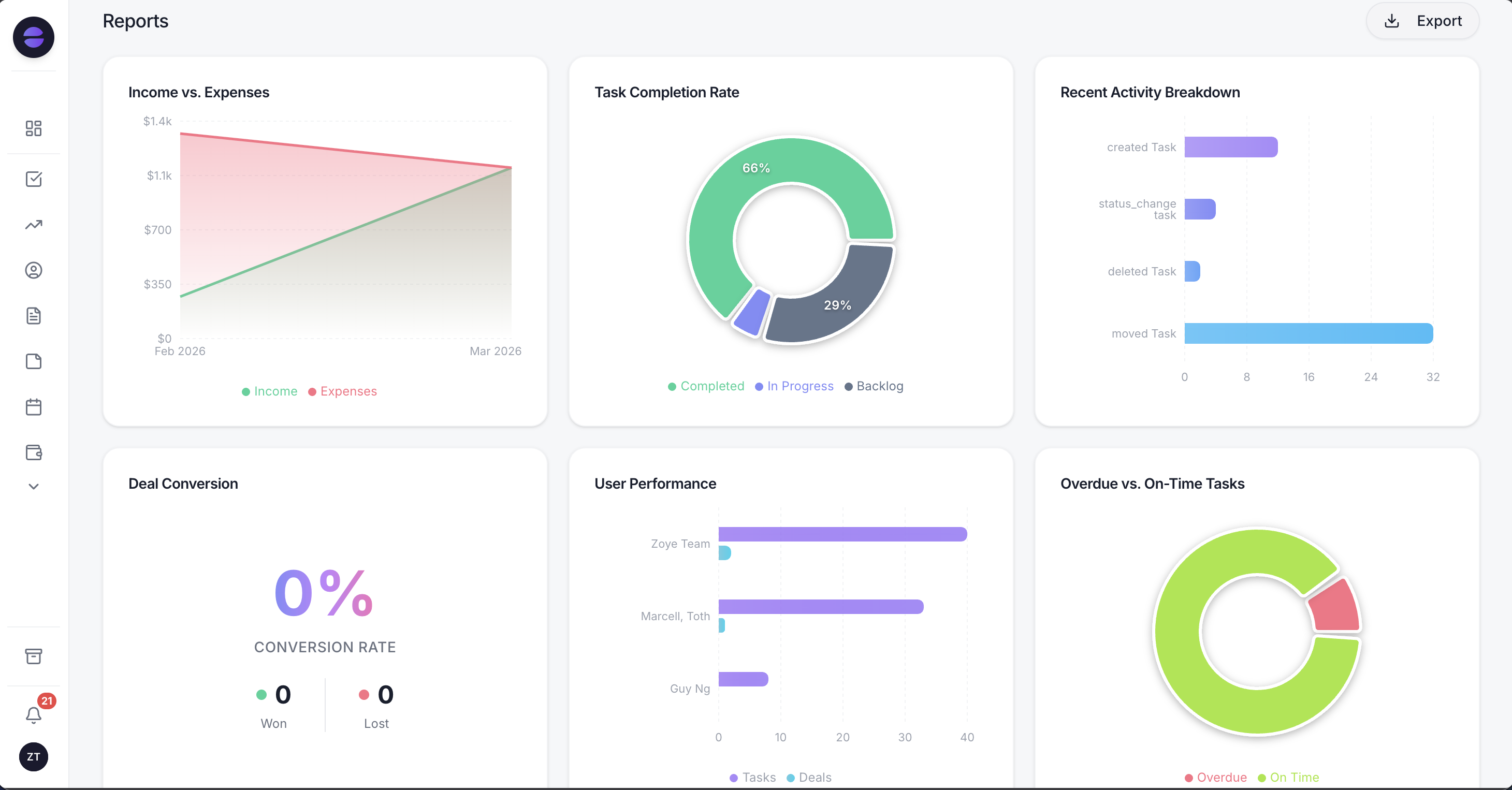
Because the campaign and ad name are saved on the record, reporting can compare what each ad cost with what it eventually produced.
One Page connection covers both Facebook and Instagram. Instant Form submissions arrive as contacts with the form questions mapped onto real fields, and the campaign and ad name saved on the record, which is what makes the reporting above possible at all. Repeat submitters are matched to the contact that already exists rather than duplicated. Per-Page routing sends each Page's leads into the right workspace, which matters for an agency or anyone running more than one brand. A lead form can also be tied to an event, so submissions become RSVPs instead of generic enquiries.
From there the lead stops being a Meta object and becomes a lead. The WhatsApp welcome can fire within seconds of submission. A qualifying conversation can write its answers straight onto fields rather than leaving them in a chat log. An owner can be assigned, a follow-up task created with a due time, and the person can appear in the right audience and in your pipeline reports alongside every other source. The comment-based route into the same workspace is covered in our guide to Instagram comment to DM automation.
You describe the rule you want in a sentence, in the app, on WhatsApp or in Slack. Zoye turns it into a real trigger with conditions and actions, shows you the finished rule in plain English, and nothing runs until you approve it. Every run is logged with what fired, what changed and what it sent, and it can be reversed.
Two limits stated plainly. Zoye does not run your ads, does not write your creative and will not rescue a campaign aimed at the wrong audience. It captures and works the leads your ads produce. And no software makes a lukewarm lead into a hot one; what it can do is make sure the lukewarm lead is answered in seconds, attributed to the ad that paid for it, and still on file when they are ready in November.
See what your Facebook and Instagram leads look like when every submission lands as a real contact with its campaign attached. Explore Zoye's Facebook and Instagram automations and connect your Page in a few minutes.
For more context, see our guides to Instagram comment to DM automation, how to stop losing leads, and sales automation for small business.


