Best Microsoft Project Alternatives 2026: 7 Cloud Tools That Beat the Legacy Giant
Microsoft Project has been the default enterprise PM tool for decades. Project managers learned it in school, certifications were built around it, and large organisations standardised on it for capital projects, IT rollouts, and complex multi-team coordination. The product still has real strengths in deep scheduling, resource levelling, and critical-path analysis.
In 2026, the strengths matter less than they used to. Modern teams work in the cloud, collaborate in real time, expect mobile parity, and want AI baked into the workflow. Microsoft Project, even in its Project for the web incarnation, remains a desktop-era tool grafted onto the cloud rather than a cloud-first product. The result is a new generation of alternatives that are not just cheaper but architecturally better suited to how teams actually plan and execute projects today. This guide compares the seven best.
Pricing reflects published rates as of June 2026; check each vendor's pricing page for current figures.
Why teams are looking beyond Microsoft Project in 2026
Four trends have pushed teams to look elsewhere.
Desktop-first architecture in a cloud-first world. Microsoft Project Standard and Professional are still desktop applications. Project for the web exists as a cloud version, but it has fewer features than the desktop version and feels like a port rather than a native product. Modern teams want cloud-native PM where every action syncs in real time and mobile is a first-class citizen.
Pricing escalates fast. Microsoft Project Plan 1 is $10 per user per month, Plan 3 is $30, Plan 5 is $55. For mid-size organisations, the licensing cost compounds with the cost of Microsoft 365 itself. Modern flat-rate cloud PM tools deliver more capability at significantly lower total cost.
No native CRM, budget, or AI assistant. Microsoft Project is PM-only. CRM lives in Dynamics 365 (separate license), budget tracking lives in Excel or Power BI (separate licenses and configuration), and AI assistance is Microsoft 365 Copilot (yet another add-on at $30 per user per month on top). Stack Project Plan 5 (around $55) with Dynamics 365, Power BI, and Copilot, and the total Microsoft stack for a connected workflow easily reaches $150+ per user per month.
Steep learning curve and project-manager-only adoption. Microsoft Project assumes a dedicated project manager who understands MPP files, baselines, resource calendars, and critical-path logic. Modern teams want PM that the whole team can use, not just a certified PM.
The 7 best Microsoft Project alternatives in 2026
1. Zoye - the AI-native all-in-one cloud alternative
Zoye is the strongest Microsoft Project alternative for teams that want cloud-native PM with Gantt timelines, dependencies, and resource planning, plus a broader workspace that includes CRM, calendar, budget, and AI.

The PM capability matches Microsoft Project on the features that small to mid-size teams actually use: Gantt timeline view, dependencies, resource planning, critical-path visualisation, and project portfolio reporting. Beyond PM, the platform includes a native CRM, calendar, and budget tracker, all under one bill.
Zoye Assistant - AI that works, not just talks
The AI assistant helps build project plans interactively: describe the project and the assistant proposes the task breakdown, dependencies, and timeline. Where Microsoft Project Copilot suggests next steps, Zoye takes the action: drafts tasks from a brief, reassigns workload based on capacity, surfaces critical-path risks, and generates the weekly status report on demand.
Tasks without the desktop tax

Microsoft Project still carries its desktop heritage with a steep learning curve. Zoye ships with sensible defaults. List, board, calendar, and timeline views are one click away on every project. Priority labels, dependencies, and workload management work without configuration.
Calendar - tasks where they belong

Microsoft Project does not include a native team calendar - it assumes Outlook on the side. Zoye's calendar IS the workspace calendar. Tasks appear automatically. Meetings layer over deadlines. No external integration to configure, no duplication of effort across tools.
Reports that pull from the whole workspace

Microsoft Project reporting often pushes you to Power BI. Zoye Reports brings tasks, deals, contacts, budget, and team activity into one exportable dashboard out of the box. The weekly status report writes itself from real workspace activity.
Notes - collaborative docs, coming soon
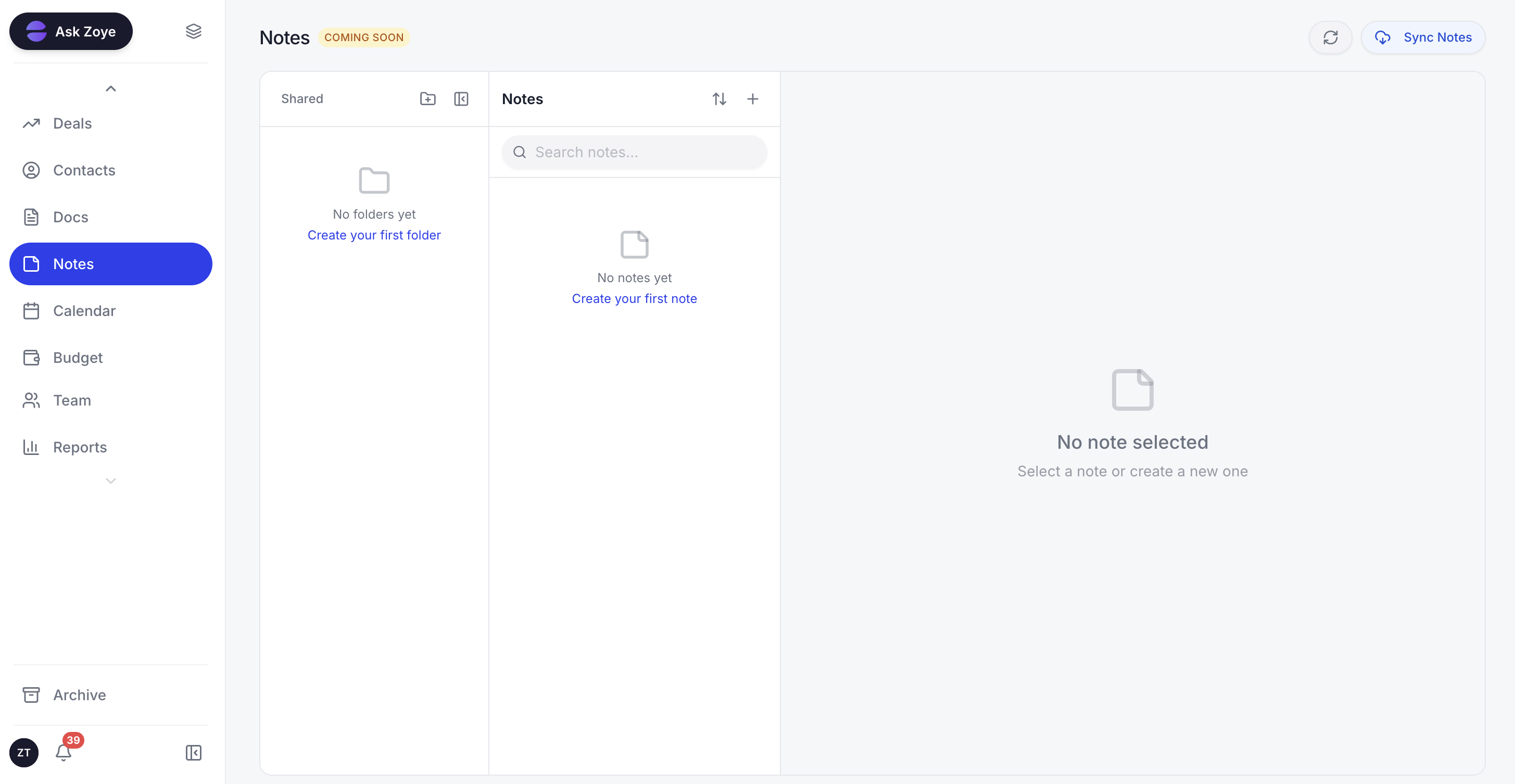
Zoye Notes brings docs and knowledge into the same workspace as tasks, deals, and calendar. When tasks reference a runbook or project charter, the doc lives alongside the work, not in SharePoint or a separate tool with a third-party integration. Rolling out across all plans.
The pricing model is flat-rate. A 15-person team on Zoye Growth pays $59 per month, versus around $700 per month on Microsoft Project Plan 5 (15 users × $55). Across a year, that is $708 versus $9,900, and Zoye includes CRM, budget, and AI that Microsoft Project does not.
Pricing: Almost Free from $5 per month (or $4 per month billed annually) for 1 member with the full platform including AI, cancel or upgrade anytime. Starter from $29 per month (10 members). Growth from $59 per month (20 members).
Best for: Small to mid-size teams (3 to 100) that want cloud PM plus the broader operational stack.
2. Asana - the project-structure pick
Asana is the strongest pick when you want cloud-native PM with strong project structure (timelines, dependencies, portfolios) and friendly UX. Asana's timeline and project view are excellent for cross-functional work.
The trade-off is PM-only scope. No native CRM, no budget, no AI assistant that takes action.
Pricing: Free for up to 10 users. Starter $10.99 per user per month. Advanced $24.99 per user per month.
Best for: Cross-functional teams of 10 to 100 prioritising project structure.
3. Monday.com - the visual board alternative
Monday.com is the visual-first alternative with timelines, dashboards, and Sales CRM as an upsell. The UX is friendlier than Microsoft Project, the automation builder is approachable, and the platform is genuinely loved by non-technical project teams.
The pricing climbs fast and AI is a separate paid feature.
Pricing: Basic $9 per seat per month. Standard $12 per seat per month. Pro $19 per seat per month.
Best for: Visual-first teams of 5 to 50.
4. Smartsheet - the spreadsheet-style enterprise PM
Smartsheet is the closest enterprise-grade alternative for teams that liked Microsoft Project's spreadsheet feel. It includes Gantt, resource management, and reporting at enterprise scale, with a familiar grid interface.
The pricing starts moderate and climbs at scale, and the UX feels dated next to modern cloud PM tools.
Pricing: Pro $9 per user per month. Business $19 per user per month. Enterprise custom.
Best for: Enterprise teams that want spreadsheet-style PM.
5. ClickUp - the all-in-one PM with Gantt
ClickUp covers PM plus a lot of adjacent surface area, with Gantt, dependencies, and resource planning available in higher tiers. For teams that want PM plus docs and goals, ClickUp is broader than Microsoft Project.
The trade-off is the learning curve, similar in depth to Microsoft Project's, and AI is a paid add-on at around $9 per user per month (not included in any plan).
Pricing: Free tier with limits. Unlimited at $7 per user per month. Business at $12 per user per month. Brain AI add-on around $9 per user per month, not bundled into any plan.
Best for: Mid-size teams that want PM plus adjacent capability.
6. Wrike - the enterprise PM challenger
Wrike was built to challenge Microsoft Project at the enterprise tier. It includes deep workflows, custom request forms, advanced reporting, and resource management. For large organisations that want a cloud-native upgrade from Microsoft Project without losing depth, Wrike is the obvious candidate.
The pricing is enterprise-oriented and the UX is functional but not delightful.
Pricing: Free for limited use. Team $9.80 per user per month. Business $24.80 per user per month.
Best for: Enterprise teams of 50 to 500 upgrading from Microsoft Project.
7. TeamGantt - the pure Gantt alternative
TeamGantt is the narrow alternative if Gantt chart functionality is the only Microsoft Project capability you actually use. The interface is purpose-built around Gantt timelines and dependencies, the collaboration model is cloud-native, and the price is reasonable.
The trade-off is the narrow scope. If you need anything beyond Gantt (Kanban, list view, CRM, budget), TeamGantt is not the answer.
Pricing: Free for limited use. Standard $19 per user per month. Advanced $49 per user per month.
Best for: Teams that need pure Gantt and nothing else.
Best Microsoft Project alternative for small business
For small businesses, Zoye is the clearest pick because Microsoft Project is dramatic overkill for the typical small business PM need, and the licensing cost is prohibitive. Small businesses rarely need critical-path analysis or resource levelling at the depth Microsoft Project provides. They need Gantt timelines, task assignments, and clear deadlines, alongside CRM, calendar, and budget.
Zoye delivers exactly that bundle for a fraction of the cost. The AI assistant also dramatically lowers the project-management skill barrier: small businesses without a dedicated PM can use the platform productively from day one.
Best AI-powered Microsoft Project alternative
Zoye is the only Microsoft Project alternative on this list with a true AI-native architecture. Microsoft Copilot for Project, Asana Intelligence, ClickUp Brain, and Wrike AI all function as paid add-on layers that summarise or draft. They do not actively build project plans, propose dependencies, or take action across the workspace.
Zoye's assistant proposes the entire task breakdown when given a project description, identifies dependencies and critical paths, suggests realistic timelines based on team workload, drafts customer status updates as work progresses, and surfaces projects at risk before deadlines slip. You drive the plan through the assistant itself rather than through a bolt-on chat window.
How to choose the right Microsoft Project alternative
Three questions filter the choice.
1. How deep is your PM need actually? If you need critical-path analysis, resource levelling, and complex multi-project portfolio management at enterprise scale, Wrike or Smartsheet are the closest like-for-like upgrades. If your PM need is realistic small-to-mid-size complexity, Zoye or Asana cover it with much better UX.
2. Is PM the only need? If yes, narrow PM picks work. If you also need CRM, budget, and AI, Zoye is the only platform that includes all of them natively.
3. How much will the total stack cost? Microsoft Project Plan 5 plus Dynamics 365 CRM plus Power BI plus Copilot easily reaches $150+ per user per month. A flat-rate Zoye plan for a 20-person team is $59 per month total.
Migration from Microsoft Project to a cloud alternative
Migrating from Microsoft Project is fundamentally about leaving the desktop era behind. Most teams have years of accumulated MPP files, custom calendars, and resource configurations that exist only on a single Windows machine. The migration is an opportunity to leave that complexity behind and start fresh in a cloud-native environment built for how teams actually work today.
For small to mid-size teams, the practical migration usually follows a predictable path. Week one: identify the active projects and export their structure (task lists, dependencies, deadlines) into a simple format. Week two: import the active projects into the new platform and let the team rebuild the workflows they actually need. Week three: archive the historical MPP files for reference and complete the team transition. Most teams complete the migration in 10 to 20 hours of focused work over 2 to 3 weeks.
For teams moving to Zoye specifically, the AI assistant accelerates the migration significantly. Describe the project structure (phases, tasks, dependencies, team members) and the assistant proposes the equivalent setup in Zoye, asks only about the meaningful choices, and builds the workspace interactively. What previously took the project manager hours to configure in Microsoft Project completes in minutes.
What changes after switching from Microsoft Project
The post-switch experience is consistently transformative for teams that depended on Microsoft Project. Three changes are particularly noticeable.
First, collaboration becomes real-time. Microsoft Project's single-user desktop model meant the project manager owned the plan and shared snapshots. In a cloud-native tool like Zoye, the entire team works on the live plan together. Status updates happen in real time. Reports reflect the current state. The project manager spends less time aggregating updates and more time actually managing the project.
Second, mobile becomes a first-class experience. Modern alternatives work natively on phones and tablets. Team members can update tasks, check dependencies, and review progress from anywhere. Microsoft Project never delivered this.
Third, AI dramatically reduces the project manager's overhead. Building project plans, generating status reports, drafting stakeholder updates, and surfacing risks all become AI-assisted activities that previously consumed hours per week. Project managers consistently report reclaiming meaningful time once these tasks are AI-assisted, which they then redirect toward actual project management rather than administrative overhead.
Why teams pick Zoye as their Microsoft Project replacement
A few themes come up repeatedly.
The cloud-native experience finally delivers. Real-time collaboration, mobile parity, instant sync, and integrations with Slack, Gmail, and Google Calendar all work the way modern teams expect.
The AI builds project plans interactively. Project managers describe what they need and the assistant proposes the structure. No more spending hours on Gantt setup.
The broader workspace consolidates the Microsoft stack. CRM, budget, calendar, and PM all live in one tool with one bill and one AI assistant.
Trade Microsoft Project's steep Gantt learning curve for planning your team picks up the same afternoon. The Almost Free plan runs $5 per month (or $4 per month billed annually) with every module and the AI included, and you are free to cancel or upgrade at any point.
For more context, see the best project management apps in 2026, the best Asana alternatives, and Zoye vs ClickUp. Teams replacing more than the PM tool should also see the best Google Workspace alternatives.