
Quick answer: the CRM best practices that last are the ones something enforces. For a small team that means 15 practices across five areas (data, pipeline, follow-up, team adoption and review), each paired with a rule or automation that keeps it true and one named owner. Habits that rely on memory fade; habits backed by a rule survive a busy month.
Key takeaways (November 2026)
- Salesforce's State of Sales report (6th edition, 2024), based on a survey of 5,500 sales professionals in 27 countries, found reps spend only 30% of their week selling and 9% manually entering customer and sales information.
- The same report notes that only 35% of sales professionals completely trust the accuracy of their organisation's data.
- The 15 practices below fall into 5 groups: 4 for data, 4 for the pipeline, 3 for follow-up, 2 for adoption and 2 for review.
- The printable checklist runs on 4 cadences: about 10 minutes a day, 20 minutes a week, 30 minutes a month and one hour a quarter.
- The strongest adoption move is removing the update step: if a lead, a chat or a meeting note reaches the record without anyone typing it, there is nothing to forget.
What are CRM best practices for a small team?
CRM best practices are the few routines that keep customer records complete, the pipeline honest and follow-ups on time. For a team of one to ten people, the useful test is simple: can you name the rule that enforces the practice and the person who owns it? If not, it is a wish, and wishes do not survive a busy quarter.
Most lists of CRM tips stop at the habit: "keep your data clean", "log every call". Nobody disagrees and almost nobody keeps it up, because each habit asks a busy person for extra work at the worst moment. What separates a CRM that stays useful from one that drifts is whether something holds the habit in place: a duplicate check, an automation that creates the next task, or a review with a short list of exceptions.
This guide is about running a CRM you have or are about to switch on. Still choosing a tool? See how to choose a CRM. Wondering why the last one was abandoned? Read why CRM implementations fail. Customer list still in a spreadsheet? The CRM Excel template shows a layout that imports cleanly later. Each practice below has an owner, which is a role rather than a department: in a three-person business the founder may hold four roles, as long as every practice has a name next to it.
The 15 CRM best practices at a glance
The table below is the whole system on one page: the practice, the cost of skipping it, the mechanism that makes it stick, and who is accountable. The sections after it explain each group.
| # | Area | Practice | Why it matters | The rule that keeps it true | Owner |
|---|---|---|---|---|---|
| 1 | Data | One record per person | Duplicates split the history | Email and phone checked before a record or import is created | CRM owner |
| 2 | Data | Required fields only where a decision depends on them | Long forms produce "n/a" | Each required field feeds a report, rule or routing; pick-lists, not free text | CRM owner |
| 3 | Data | Every conversation lands on the record | Context in phones disappears | Chats, emails and meeting notes attach to the contact | CRM owner |
| 4 | Data | Source captured on arrival | You cannot see which channel pays | The form, ad, chat or import sets the source | CRM owner |
| 5 | Pipeline | Stages named after buyer actions | Hopeful stages inflate the forecast | A written exit test per stage | Founder or sales lead |
| 6 | Pipeline | A dated next step on every open deal | Undated deals are unworked deals | Daily list of open deals with no dated task | Deal owner |
| 7 | Pipeline | A stalled deal forces a decision | Old deals hide real work | 7 days without a stage change creates a nudge task | Deal owner |
| 8 | Pipeline | A reason on every lost deal | You repeat the same losses | Moving to Lost creates a task to pick a reason | Deal owner |
| 9 | Follow-up | Owner, first reply and follow-up on every new lead | Unowned leads go cold | New lead: assign owner, send first reply, create follow-up task | Lead owner |
| 10 | Follow-up | Overdue tasks are chased | The overdue list stops being read | Past due: remind assignee, raise priority, tell manager | Task assignee |
| 11 | Follow-up | Won deals hand over the same day | The customer waits for a kickoff | Won: create onboarding tasks, book kickoff, send welcome | Delivery lead |
| 12 | Adoption | Updates happen where people work | A separate app gets skipped | Updates by message, voice note or meeting notes, approved in one tap | Everyone |
| 13 | Adoption | Each day starts from the CRM's list | Nobody opens a CRM that assigns nothing | Per-owner digest of deals, overdue tasks and meetings | Team lead |
| 14 | Review | Weekly review on exceptions only | Full walk-throughs get cancelled | Four saved lists; done when they are empty | Team lead |
| 15 | Review | Quarterly audit of fields, stages and rules | Unused fields and rules pile up | Unused fields retired, run logs read, stages checked | CRM owner |
Two roles appear most often. The CRM owner decides fields, stages and rules, often the founder or an operations lead, for about an hour a month. The deal owner is whoever is working that customer this week, and every record has exactly one.
Data practices: how to keep CRM data clean from the first record
Clean CRM data is mostly prevented, not repaired. Match new records against existing ones before they are created, require only the fields that drive a decision, let conversations attach to the contact without copying, and stamp the source at the moment a lead arrives. These four rules remove most of the cleanup a team would otherwise face every quarter.
Salesforce's State of Sales report (6th edition, 2024) asked sales professionals who distrust parts of their company's data why. The most cited reasons were incompleteness (38%), data stored in multiple formats and data that is not regularly updated (37% each), and manual updates that introduce human error (36%); 34% also said automated updates lack accuracy, which is a fair warning that automation needs checking too. All of them point at the same thing: data quality is decided at the moment of entry.
1. One record per person, matched at creation. Duplicates appear when a customer writes on two channels, a list is imported twice, or a phone number is typed in another format. The rule is a check before creation: if the email or phone already exists, the new activity attaches to that contact. Run the same check on every import. A merge at entry takes seconds; a year later it means reconciling two histories and two owners. Our guide to customer database software covers matching order in detail.
2. Required fields only where a decision depends on them. Every mandatory field taxes the person creating the record, so charge it only when the answer changes what happens next: the source decides the report, the owner decides who gets the task, the stage decides the forecast. Where a field is required, make it a pick-list, because "Insta", "instagram" and "IG" are three sources to a report.
3. Every conversation lands on the record. The most valuable CRM data is what the customer said, spread across email, WhatsApp, Instagram, calls and video meetings. Anyone should be able to open a contact and read the last exchange without asking a colleague. The rule is technical, not behavioural: connect the channels so messages, emails and meeting notes attach automatically, and log a short same-day summary for any channel that cannot be connected.
4. Source captured at arrival. "How did you hear about us", filled in later, produces guesses. Let the entry point set it: an ad form, a website form, a chat or an import stamps the source from the first second. Three months later this field tells you where to spend.
Want to see it in action?
See Zoye catch a new lead, answer on WhatsApp and set up the follow-up, all from one message.
See How It WorksPipeline practices: stages, next steps and stalled deals
A healthy pipeline has stages defined by what the buyer did, a dated next step on every open deal, a rule that forces a decision on anything stalled, and a reason on every loss. With those four in place, the pipeline total means something, and a deal owner can see in one glance which deals need them today.
5. Stages named after buyer actions. "Interested" and "Hot" describe the seller's mood. "Call booked", "Quote sent" and "Date agreed" describe something the customer did, which anyone can check. Write a one-line exit test per stage and keep to five to seven stages; twelve stages is filing, not selling.
6. A dated next step on every open deal. The single most useful pipeline rule. Every open deal has a task with a date and an owner: call, send the revised quote, chase the signature. The enforcement is a daily list of open deals with no future-dated task, empty by noon in a healthy CRM. If it is not, either the task is missing or nobody is working the deal, and someone needs to know.
7. A stalled deal forces a decision. Deals rarely die loudly; they sit in "Quote sent" for five weeks while everyone hopes. Pick a stall threshold that fits your cycle (7 days suits many short service sales; longer cycles need longer windows) and attach an action: the owner moves the deal forward, re-dates it with a reason, or closes it. "Still waiting" becomes a choice someone made this week.
8. A reason on every lost deal. The cheapest market research you will get. Use a short fixed list (price, timing, chose a competitor, no response, not a fit) and make recording it part of moving a deal to Lost. Read the reasons monthly: if "no response" leads, the problem is follow-up, not price.
Follow-up practices: the rules that stop leads going quiet
Follow-up practices make sure every new lead is owned and answered, every overdue task resurfaces instead of sinking, and every won deal starts delivery without a meeting about who does what. These are the practices most worth automating first, because the cost of a miss is a lost customer, not a messy field.
9. Owner, first reply and a dated follow-up on every new lead. A lead with no owner is one each person assumes someone else answered. The rule fires when a lead is created, wherever it comes from: assign an owner, send a first reply that says what happens next, and create a follow-up task due within a day. How fast that reply should be is covered in our piece on speed to lead; here the point is that it never depends on someone noticing a notification.
10. Overdue tasks are chased, not hidden. An overdue list nobody reads becomes a list of guilt. The rule: when a task passes its due date, the assignee is reminded, the priority rises and the manager is told. The aim is visibility, not blame; most overdue tasks just had an optimistic date, and the fix is a new one with a note.
11. A won deal hands over the same day. A yes is when small teams drop the ball: the seller moves on and delivery has not heard. The rule fires when a deal moves to Won: create the onboarding tasks, book the kickoff, send the welcome. Our client onboarding checklist has task lists by business type.
Team adoption: why people stop updating a CRM
People stop updating a CRM for practical reasons, not lazy ones: the update takes time and mainly helps someone else, the work happens on a phone or in a chat while the CRM sits in another tab, and nothing visible happens to what they enter. Better CRM adoption comes from removing the update step where possible and making the CRM the place each person's day starts.
Adoption is decided in small moments: the call that ends while you are driving, the quote agreed in a WhatsApp thread, the meeting that runs into the next one. Five frictions show up again and again.
- The update helps someone else. The person typing call notes rarely reads them. Unless the record also creates their next task, the update feels like reporting upward.
- The work happens elsewhere. If customers write on WhatsApp and the CRM is a desktop tab, every update means retyping what was already written.
- The form does not fit the moment. Twelve fields to log a two-line call means the call is not logged.
- Nothing happens next. If an entered next step never turns into a reminder, nobody notices whether it was entered.
- Nobody looks. If the weekly meeting runs on memory instead of the CRM, the CRM is optional.
In the State of Sales survey, typing customer and sales information took 9% of reps' week; in a small team those hours come out of delivery and service.
12. Updates happen where people already work. The best update is the one nobody makes. Leads from forms, ads and chats arrive as records; chats and emails attach to the contact. For the rest, people send a message or a voice note ("moved the kickoff to Thursday, they want the larger package") to a system that proposes the field changes and asks for a quick yes. Meeting notes that propose record updates do the same for calls.
13. Each person's day starts from the CRM's list. People open what tells them what to do. A short digest per owner, with open deals, overdue tasks and this week's meetings, turns the CRM from a place you report into a place you work from. Once it is Monday's first read, keeping it accurate is in everyone's interest, because a wrong list means a worse Monday.
How to measure CRM adoption
Measure adoption with outcomes, not logins. A few numbers checked monthly show whether the practices hold. The targets below are starting points for a small team, not industry benchmarks.
| Adoption measure | How to read it | A healthy sign (starting target) |
|---|---|---|
| Open deals with a dated next step | Share of open deals with a future-dated task | Close to all of them on any given morning |
| New leads with an owner within a day | Share of leads assigned in under 24 hours | Every lead, every day |
| Records with a source | Share of new contacts this month with a source value | Every new contact |
| Duplicates created this month | New duplicate pairs found in the monthly pass | Falling month on month |
| Overdue tasks | Total overdue tasks at Monday's review | Stable or falling, never growing for 3 weeks running |
| People who changed a record this week | Team members with at least one update | Everyone who works with customers |
See what Zoye can do for you
CRM, deals, tasks and your Instagram, Facebook and WhatsApp automations in one workspace. Just ask Zoye and it sets any of it up for you.
Explore FeaturesReview practices: the weekly pipeline review and the quarterly audit
Reviews keep the other 13 practices honest: a weekly 20-minute pipeline review that works only on exceptions, and a quarterly audit that removes fields, stages and rules nobody uses. Without review, even good rules drift as the business changes.
14. A weekly pipeline review on exceptions only. Walking every deal is how pipeline meetings grow to an hour and then stop. Build four saved lists: open deals with no next step, stalled deals, overdue tasks, and leads with no owner. The meeting ends when each item has a decision and a date; twenty minutes is enough for most teams under ten.
15. A quarterly audit of fields, stages and rules. Sort fields by how often they are filled and retire the unused ones. If half the deals skip a stage, merge it. Read each automation's run log: what fired, how often, and whether anyone would miss it; pause rules nobody can explain. Keep a short changelog so the team knows what changed.
The printable CRM checklist: daily, weekly, monthly and quarterly
Print this page or copy the lists into your task tool. Each cadence has a fixed time budget; if a list routinely runs over, a rule is missing.
Daily (each person, about 10 minutes)
- Every new lead from yesterday and today has an owner
- Every new lead has had a first reply
- My open deals each have a future-dated next step
- My overdue tasks are done, re-dated with a note, or handed over
- Anything agreed by phone, chat or in a meeting is on the contact
Weekly (team review, about 20 minutes)
- Open deals with no next step: list cleared
- Deals stalled past the threshold: each moved, re-dated with a reason, or closed
- Overdue tasks: count noted, oldest ones resolved
- Unowned leads: none left
- Deals won this week: onboarding started for each
- Pipeline total and number of open deals noted with the date
Monthly (CRM owner, about 30 minutes)
- Duplicate contacts and companies merged
- New contacts without a source fixed, and the cause found
- Bounced emails and wrong numbers corrected or archived
- Lost reasons read and the top one discussed with the team
- Adoption measures from the table above recorded
Quarterly (CRM owner with the founder, about one hour)
- Fields that are rarely filled retired or made optional
- Stages compared with how real deals moved; unused stages merged
- Every automation rule's run log read; unclear rules paused
- Access checked: people who left removed, new people set up with the right view
- One new rule chosen for the next quarter, based on what the reviews kept finding
The CRM implementation checklist for the first 30 days
Switching a CRM on, or restarting one? Do these in order first.
- Write a one-line exit test for each of five to seven stages
- Choose four to six required fields and turn the rest into optional ones
- Name one CRM owner
- Import existing contacts and deals, matched against each other to avoid duplicates
- Connect the channels leads arrive on: forms, ads, email and chat
- Switch on two or three rules first: new-lead follow-up, stalled deals, overdue tasks
- Book the weekly 20-minute review for the next four weeks
- Pick two adoption measures to watch for the first month
How Zoye keeps these practices true
Zoye is an AI Business Operator: one workspace where the CRM sits next to deals, tasks, the calendar, documents, invoices, reports and automations, with an AI that works inside the business on all of them. For the 15 practices above, that means several of the rules already exist as ready ideas in Zoye's automations, and much of the updating happens from conversations instead of forms.
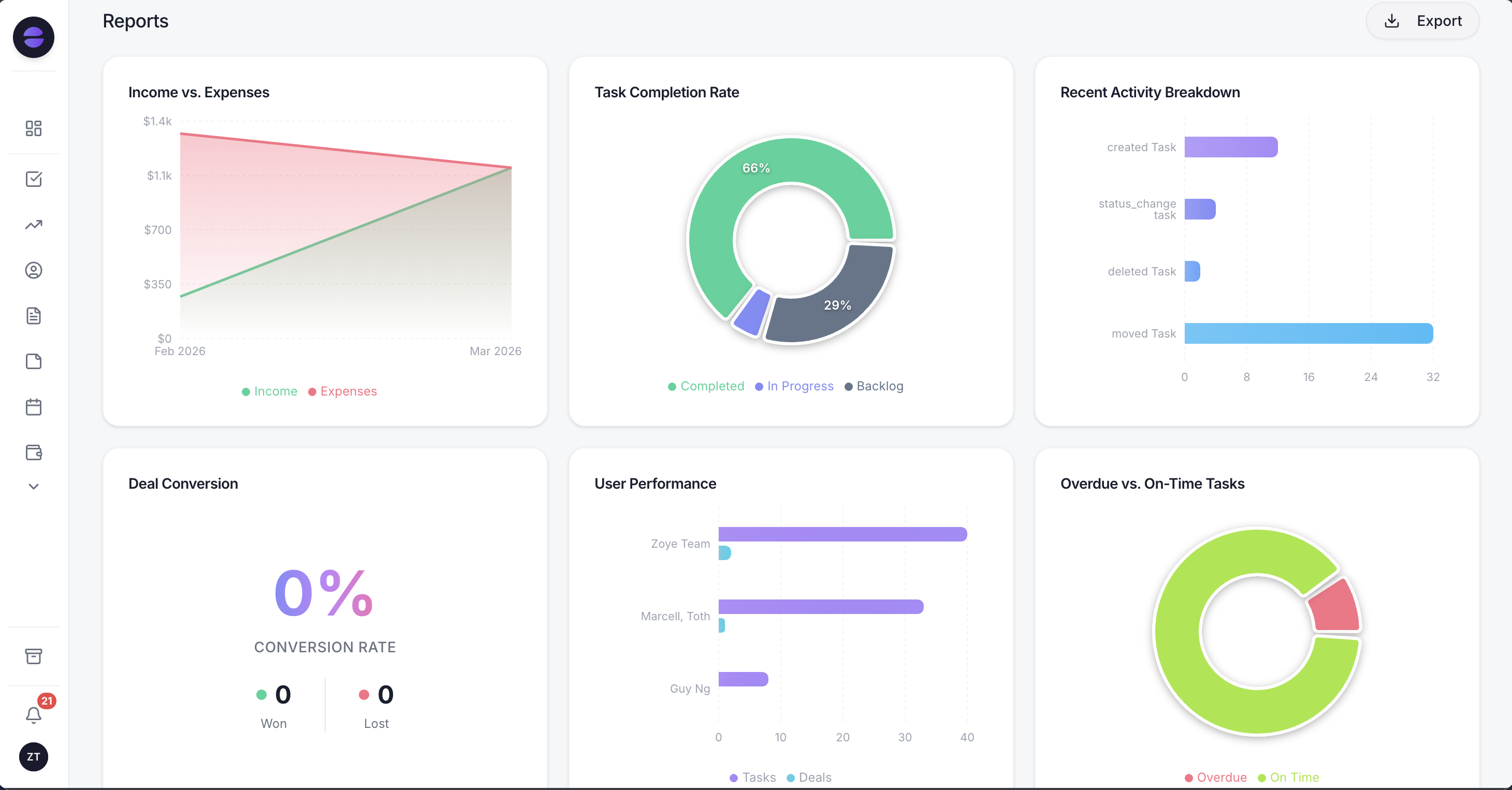
Leads by source and the funnel by stage come straight from the CRM records, so a gap in practice 4 shows up as an "Unknown" slice before the weekly review.
Data. Contacts (people or companies) and leads carry your own fields and stages, with the history of messages, files, tasks and deals on every record. Spreadsheet imports come in without duplicates, Trello and Monday.com boards import too, and Jira, Notion and ClickUp imports are coming soon; the assistant also extracts records from a CSV, PDF or screenshot you send it. Leads from website forms, Facebook and Instagram lead ads, comments and DMs arrive with their source saved, and a repeat commenter is matched to their existing contact. Zoye has WhatsApp conversations with your leads on the official WhatsApp Business Platform, writing qualification answers into the lead's fields; connecting your own business WhatsApp number is coming soon.
Pipeline and follow-up. Example rules on the automations page, available on Growth, cover practices 7, 9, 10 and 11. "Instant lead follow-up" assigns an owner, sends the first reply and creates a follow-up task due in 24 hours for every new lead from your site, ads, a form or WhatsApp. "Nothing goes quiet" raises the priority of a deal that has sat untouched for 7 days, pings the owner and adds a nudge task with the last thing that happened. "Overdue tasks, chased" and "Won deal onboarding" closely match practices 10 and 11. You describe what should happen and Zoye builds the rule, shows it in plain words and waits for your approval. Every run is logged with what fired, what changed and what it sent, which is what the quarterly audit reads.
Adoption and review. The assistant takes updates in the web app, on WhatsApp, by voice note, in Slack and, on Scale, in Claude, and the AI Notetaker turns meeting commitments into tasks and CRM updates you approve. The "Monday morning digest" rule sends each owner their open deals, overdue tasks and the week's meetings, and Reports adds live charts plus a morning digest of what needs attention. When Zoye notices you repeating a manual step, it offers to automate it and says why.
Limits worth knowing. Zoye is not a helpdesk ticketing suite or an accounting ledger, and choices such as stage definitions and which fields matter stay with your CRM owner.
Pricing (as of November 2026): the entry plan, Almost Free, costs $5 monthly or $4 a month billed yearly, holds one member and covers the core tools; automations are not part of it. Teams pick from Starter at $29 monthly ($23 a month billed yearly) with room for 5 people, Growth at $59 ($47) with room for 10, and Scale at $119 ($95) with room for 30, while Customize is priced on request. Each plan's contents are on the pricing page.
Ready to hand off the busywork?
Zoye brings AI-powered CRM, task management, and automation into one workspace.
Get StartedWhich CRM best practices should you start with?
Start with the three practices that protect revenue directly: an owner and a first reply on every new lead, a dated next step on every open deal, and a decision on every stalled deal. Add the weekly review in week one. Data and audit practices can follow in month two, once the team trusts that the CRM is where work happens.
- Solo or two people: practices 6, 7 and 9, plus the daily checklist. Skip the formal weekly meeting; do the four exception lists alone on Monday.
- Three to six people: add practice 1 (duplicate matching), practice 14 (the weekly review) and practice 13 (the per-owner digest).
- Seven to ten people: all 15, with a named CRM owner and the quarterly audit in the calendar.
A practice is working when its exception list is usually empty, not when everyone agrees it is a good idea. Pick three, attach the rule to each, write the owner's name next to it, and check the lists on Monday.
If you want to see these rules running on your own pipeline, book a Zoye demo and bring a list of your open deals.