
Quick answer: Pipedrive pricing starts at $14 per seat per month on the Lite plan billed yearly, or $24 billed monthly, as of November 2026. Growth, the first plan with full email sync and automations, is $39 per seat billed yearly, and the real bill grows with every seat you add and every add-on you switch on. A 3-person team on Growth with LeadBooster and Campaigns pays about $163 a month on yearly billing.
Key takeaways (November 2026)
- Four plans, all priced per seat: Lite $14, Growth $39, Premium $59 and Ultimate $79 a month billed yearly, or $24, $49, $79 and $99 billed monthly.
- Paying yearly saves $10 per seat per month on Lite and Growth and $20 on Premium and Ultimate, but the full year is charged upfront.
- LeadBooster, Projects and Smart Docs are paid extras on Lite and Growth and included on Premium and Ultimate; Campaigns and Web Visitors are paid extras on every plan.
- On yearly billing, Premium is cheaper than Growth plus LeadBooster and Smart Docs for teams of 1 to 3 sellers; from 4 sellers up, Growth plus the two add-ons costs less.
- Every seat is billed whether or not someone is using it, so seat housekeeping is the easiest saving in the account.
A note on sources: plan and add-on prices come from Pipedrive's own pricing page, read on 19 November 2026. Billing rules come from Pipedrive's help center (articles updated between September and October 2026) and its supplemental terms of service. Prices are in US dollars, before tax. Pipedrive bills in the currency of your location, so check the live page before you buy.
How much does Pipedrive cost per month in 2026?
Pipedrive costs $14 to $79 per seat per month billed yearly, or $24 to $99 billed monthly, across four plans as of November 2026. A single seller pays as little as $14, while a 10-person team on Growth pays $390 a month on yearly billing before any add-on. The seat count, not the plan name, drives most of the bill.
| Plan | Per seat, billed yearly | Per seat, billed monthly | Yearly saving per seat | Included extras |
|---|---|---|---|---|
| Lite | $14 | $24 | $120 | None |
| Growth | $39 | $49 | $120 | None |
| Premium | $59 | $79 | $240 | LeadBooster, Projects, Smart Docs |
| Ultimate | $79 | $99 | $240 | LeadBooster, Projects, Smart Docs |
Two details matter. The step from Lite to Growth is $25 per seat on yearly billing, the largest in the ladder, because Growth is where full email sync and automations start. And Premium and Ultimate carry three add-ons inside the price, which changes the maths as soon as you need one of them.
Within a plan every seat costs the same, so the bill rises in a straight line as the team grows.
What does each Pipedrive plan add?
Each Pipedrive plan adds a layer on top of the one below: Lite covers the pipeline itself, Growth adds email sync and automation, Premium bundles the lead generation and document tools, and Ultimate adds security controls, contact enrichment and a sandbox on top of Premium. The right plan is the cheapest one that holds the specific feature your process cannot run without.
Lite ($14 yearly, $24 monthly). The visual pipeline, deals, contacts and activities. It is the plan for a person or a pair who want a tidy board and reminders. As of November 2026, full Gmail or Outlook sync with open and click tracking, automations and email sequences start on Growth, not on Lite. If your sellers live in their inbox, Lite will feel thin within a week.
Growth ($39 yearly, $49 monthly). Email sync, automations and sequences arrive here, which makes this the first plan built for teams that sell over email. Growth also comes with usage limits. Pipedrive's help center lists top-ups from Growth up that add 50 reports or 50 automations at a time, up to 10 top-ups each, which tells you these are capped quantities on this plan rather than unlimited ones.
Premium ($59 yearly, $79 monthly). The headline difference is that LeadBooster, Projects and Smart Docs are included rather than bought separately. Premium is also the first plan where the help center lists top-ups for data enrichment credits (in blocks of 100), Prospector credits (in blocks of 10) and team management items such as extra teams, custom visibility groups and permission sets.
Ultimate ($79 yearly, $99 monthly). Everything in Premium, plus what Pipedrive's pricing page lists for its top plan: alerts for suspicious account activity with IP- and time-based access restrictions, phone and email data enrichment, a sandbox testing account and longer phone support hours. The help center lists no top-ups that start on Ultimate. Ask one question of it: does your team need one of those extras today?
Monthly or yearly billing: how big is the discount?
Yearly billing cuts the Pipedrive price per user by $10 a month on Lite and Growth and by $20 a month on Premium and Ultimate, as of November 2026. In percentage terms that is about 42 percent on Lite and 20 to 25 percent on the other plans. The trade is that Pipedrive charges the full year upfront.
| Plan | Monthly billing | Yearly billing | Discount | Cost of 10 seats for a year, monthly vs yearly |
|---|---|---|---|---|
| Lite | $24 | $14 | 41.7% | $2,880 vs $1,680 |
| Growth | $49 | $39 | 20.4% | $5,880 vs $4,680 |
| Premium | $79 | $59 | 25.3% | $9,480 vs $7,080 |
| Ultimate | $99 | $79 | 20.2% | $11,880 vs $9,480 |
The help center confirms the mechanics: monthly plans are billed on the same day each month, yearly plans are paid upfront for the full year at a discount, and add-ons follow whatever cycle the main plan is on. You cannot mix a yearly plan with monthly add-ons.
Pay monthly only when the team size is genuinely uncertain: a team that might shrink from 6 sellers to 4 still pays for 6 seats until a yearly renewal. For a stable team, yearly billing is simply cheaper, and the $1,200 a year saved on a 10-seat Growth account covers an add-on or two.
Want to see it in action?
See Zoye catch a new lead, answer on WhatsApp and set up the follow-up, all from one message.
See How It WorksWhat do Pipedrive add-ons cost?
Pipedrive sells five add-ons as of November 2026: LeadBooster, Campaigns, Smart Docs, Projects and Web Visitors. Its pricing page lists LeadBooster and Smart Docs from $32.50 a month each, Campaigns from $13.33, Web Visitors from $41 and Projects from $16. Projects is billed per user, and the page does not say how many users its starting price covers.
| Add-on | What it does | Price (billed yearly) | How it scales | Included on |
|---|---|---|---|---|
| LeadBooster | Chatbot, live chat, web forms and Prospector lead search | $32.50 a month per company | Prospector credits on top | Premium, Ultimate |
| Campaigns | Bulk email campaigns with a drag-and-drop editor and engagement reports | From $13.33 a month per company | Subscribed contacts, 1,000 to 100,000 in steps of 1,000 | Not included on any plan |
| Smart Docs | Proposals and contracts from templates, with eSignature | From $32.50 a month per company | eSignature requests per month | Premium, Ultimate |
| Projects | Post-sale projects, tasks and project data inside Pipedrive | From $16 a month (users covered not stated) | Number of users with access | Premium, Ultimate |
| Web Visitors | Shows which organizations visited your website | From $41 a month per company | Unique organizations identified per month | Not included on any plan |
A few details from Pipedrive's own documentation change how these numbers behave in practice.
LeadBooster bundles four tools: Chatbot, Live Chat, Prospector and Web Forms. Pipedrive's help center, updated in September 2026, says Prospector searches a database of more than 400 million profiles and 10 million companies, and that Prospector credits are not available during the trial. Web Visitors is not part of LeadBooster, a detail that catches people who expect the two lead tools to come together.
Campaigns is priced on subscribed contacts, meaning contacts whose marketing status is set to subscribed. The help center describes two tiers, Standard and Premium, a slider from 1,000 to 100,000 subscriber spots in steps of 1,000, and a lower price per subscriber as the list grows. The $13.33 figure is the entry point, so a large list will cost more. Campaigns has its own 21-day trial capped at 500 subscribers.
Smart Docs is billed on eSignature requests. Pipedrive's supplemental terms say you cannot send more requests in a month than your subscription includes, and that unused requests expire at the end of the month. The 14-day trial includes 5 signature requests and needs billing details to start.
Projects is the add-on with the least clear public price. Pipedrive's terms say fees are based on the number of users with access, so it scales like a seat, not like a company add-on. The pricing page lists it from $16 a month but does not say how many users that covers, so we leave Projects out of the worked bills below rather than guess.
Web Visitors is billed on unique organizations identified each month, with a company that visits several times in a month counted once. Pipedrive's Web Visitors page lists higher tiers at $99 a month for 201 to 500 identified organizations and $299 for 501 to 2,000, so check the band that matches your traffic.
When is Premium cheaper than Growth plus add-ons?
On yearly billing, Premium beats Growth plus LeadBooster and Smart Docs for a team of 1 to 3 sellers, and loses from 4 sellers up. The reason is simple: the add-ons are priced per company at $65 a month together, while Premium costs $20 more than Growth per seat. Up to 3 seats, the bundle wins.
Here is the break-even worked out, using the November 2026 yearly prices.
| Sellers | Growth + LeadBooster + Smart Docs | Premium | Cheaper option |
|---|---|---|---|
| 1 | $104.00 | $59 | Premium by $45 |
| 2 | $143.00 | $118 | Premium by $25 |
| 3 | $182.00 | $177 | Premium by $5 |
| 4 | $221.00 | $236 | Growth + add-ons by $15 |
| 6 | $299.00 | $354 | Growth + add-ons by $55 |
| 10 | $455.00 | $590 | Growth + add-ons by $135 |
If you need LeadBooster only, the line moves earlier. One seat on Growth with LeadBooster costs $71.50 against $59 on Premium, but at two seats Growth plus LeadBooster ($110.50) is already cheaper than Premium ($118).
Projects shifts the result towards Premium, because on Growth it is billed per user with access, so it grows with the team just as the Premium uplift does. If several people need Projects, price it in your own account before deciding, because that one line can flip the comparison.
Count only the add-ons you would really use in the first three months. A team that buys Premium for LeadBooster and never opens Smart Docs or Projects pays for two idle tools.
The hidden costs that never show on the plan card
The hidden costs in Pipedrive are seats you pay for but do not use, usage caps on Growth that you buy back in top-ups, add-ons that scale with your list or traffic, and the upfront charge on yearly billing. None of them are secret, but none appear in the headline price per seat either.
Unassigned seats still cost money. Pipedrive's help center says you are charged per seat whether or not the seat is assigned to a user. When a seller leaves, remove the seat, not just the user, or you keep paying for an empty chair.
Top-ups. The help center lists top-ups for API tokens (250,000 per top-up), leads plus deals (25,000 per top-up), reports and automations on every plan from Growth up, and for enrichment credits, Prospector credits and team controls from Premium up. Pipedrive's help article does not show top-up prices, so ask for them before you rely on one.
Add-ons that grow with success. Campaigns grows with your subscribed list, Web Visitors with the number of companies that reach your site, Smart Docs with the number of documents you send for signature, and Projects with the number of people using it. A good quarter can raise the bill without anyone changing a setting.
Currency and tax. Pipedrive says your location sets your billing currency and payment methods. The prices in this article are in US dollars and before sales tax or VAT, so your invoice will not match them exactly.
Leaving. Exports are available as CSV or Excel files for admins and users with the right permissions, and Pipedrive's help center says export files stay available for 28 days. Plan your export before the last billing date, not after it. Our guide to Pipedrive alternatives covers who tends to move and why.
Pipedrive price per user: worked bills for 1, 3 and 10 sellers
A realistic Pipedrive bill runs from $14 a month for one seller on Lite to about $644 a month for 10 sellers on Premium with Campaigns and Web Visitors, on yearly billing as of November 2026. The table below shows six common setups so you can find the one closest to yours.
Assumptions: every figure is illustrative, not a quote. Prices are November 2026 yearly-billing rates shown per month, in US dollars, before tax. Every seat is assigned. Campaigns and Web Visitors are at their entry tiers. Projects is excluded because Pipedrive does not say how many users its starting price covers. No top-ups.
| Setup (per month) | 1 seller | 3 sellers | 10 sellers |
|---|---|---|---|
| Lite, no add-ons | $14.00 | $42.00 | $140.00 |
| Growth, no add-ons | $39.00 | $117.00 | $390.00 |
| Growth, billed monthly instead | $49.00 | $147.00 | $490.00 |
| Growth + LeadBooster + Campaigns | $84.83 | $162.83 | $435.83 |
| Growth + LeadBooster + Smart Docs + Campaigns + Web Visitors | $158.33 | $236.33 | $509.33 |
| Premium + Campaigns + Web Visitors | $113.33 | $231.33 | $644.33 |
Across each row the per-seat model shows: add-on costs stay flat between 3 and 10 sellers while the plan cost more than triples.
For 1 seller, the jump from Lite to Growth is the only decision that matters until you need lead capture. If you do, Premium at $59 is the cheapest way to get LeadBooster and Smart Docs together, and for the full stack Premium is $45 a month cheaper than buying the same tools on Growth.
For 3 sellers, you sit almost exactly on the break-even line. The full stack costs $236.33 on Growth and $231.33 on Premium, a $5 gap that Projects would widen in Premium's favour if you use it. Pick on features, not on price.
For 10 sellers, Growth plus add-ons wins clearly. The full Growth stack is $509.33 against $644.33 on Premium, a saving of $135 a month or $1,620 a year, unless you need the top-ups that start on Premium or the controls on the higher plans. Over a year the Growth stack comes to about $6,112 paid upfront.
See what Zoye can do for you
CRM, deals, tasks and your Instagram, Facebook and WhatsApp automations in one workspace. Just ask Zoye and it sets any of it up for you.
Explore FeaturesIs Pipedrive worth it, and which plan should you pick?
Pipedrive is worth it for teams whose day revolves around a visual sales pipeline, deal stages and follow-up activities. Pick Lite for a solo pipeline, Growth for most teams of 2 to 10 sellers, Premium for 1 to 3 sellers who need lead capture and e-signature, and Ultimate only for a limit Premium cannot lift.
Pick Lite if one or two people need a clear board of deals and a reminder for each next step, and email stays in a separate inbox. It is the cheapest per seat, and the yearly discount is the deepest of the four.
Pick Growth if your sellers send and track email from the CRM, and you want automations and sequences doing the routine follow-up. Watch the report and automation caps; if you are buying top-ups every quarter, price Premium against them.
Pick Premium if you are a small team that wants the website chatbot, forms and Prospector from LeadBooster, plus proposals and contracts through Smart Docs, from day one. Up to 3 sellers, it is cheaper than buying those add-ons on Growth.
Pick Ultimate only after you have found a specific limit or control on Premium that blocks your process. At $79 a seat billed yearly, it is a plan for teams that need its security controls, enrichment or sandbox, not a default.
Rethink the tool if most of your time goes on work around the deal rather than inside it: onboarding a won client, chasing an invoice, answering WhatsApp leads, booking meetings and keeping documents in one place. Pipedrive can reach some of that through Projects, Smart Docs and its app marketplace, but each step adds a line to the bill. If you are weighing Pipedrive against a larger suite, our HubSpot vs Pipedrive comparison lays out the trade-offs.
Cheaper or simpler options than Pipedrive
The cheaper options are other per-seat CRMs with a lower entry price, such as Zoho CRM, Less Annoying CRM and HubSpot Sales Hub Starter. The simpler option is a workspace priced per plan with a set number of members rather than per seat, which is how Zoye works. Which one fits depends on whether your problem is the price per user or the number of tools you are paying for.
Zoye: one workspace, priced per team
Zoye is an AI Business Operator. Instead of a pipeline you update by hand, it is one workspace with a CRM, deals, tasks, calendar, documents, invoices, reports, workflow automations, WhatsApp automations, Facebook and Instagram lead capture, email tracking and an AI Notetaker, all linked, plus an AI that does the updating for you. You tell Zoye what happened, in the app, on WhatsApp, by voice note or in Slack, and she creates the contact, moves the deal, sets the follow-up and logs the note.
Automations work the same way. You describe the rule, for example "when a deal has had no activity for 7 days, remind me", and Zoye builds it and tells you in plain words what starts it and what it does. A rule that messages other people is created switched off, so nothing goes out to them until you turn it on.
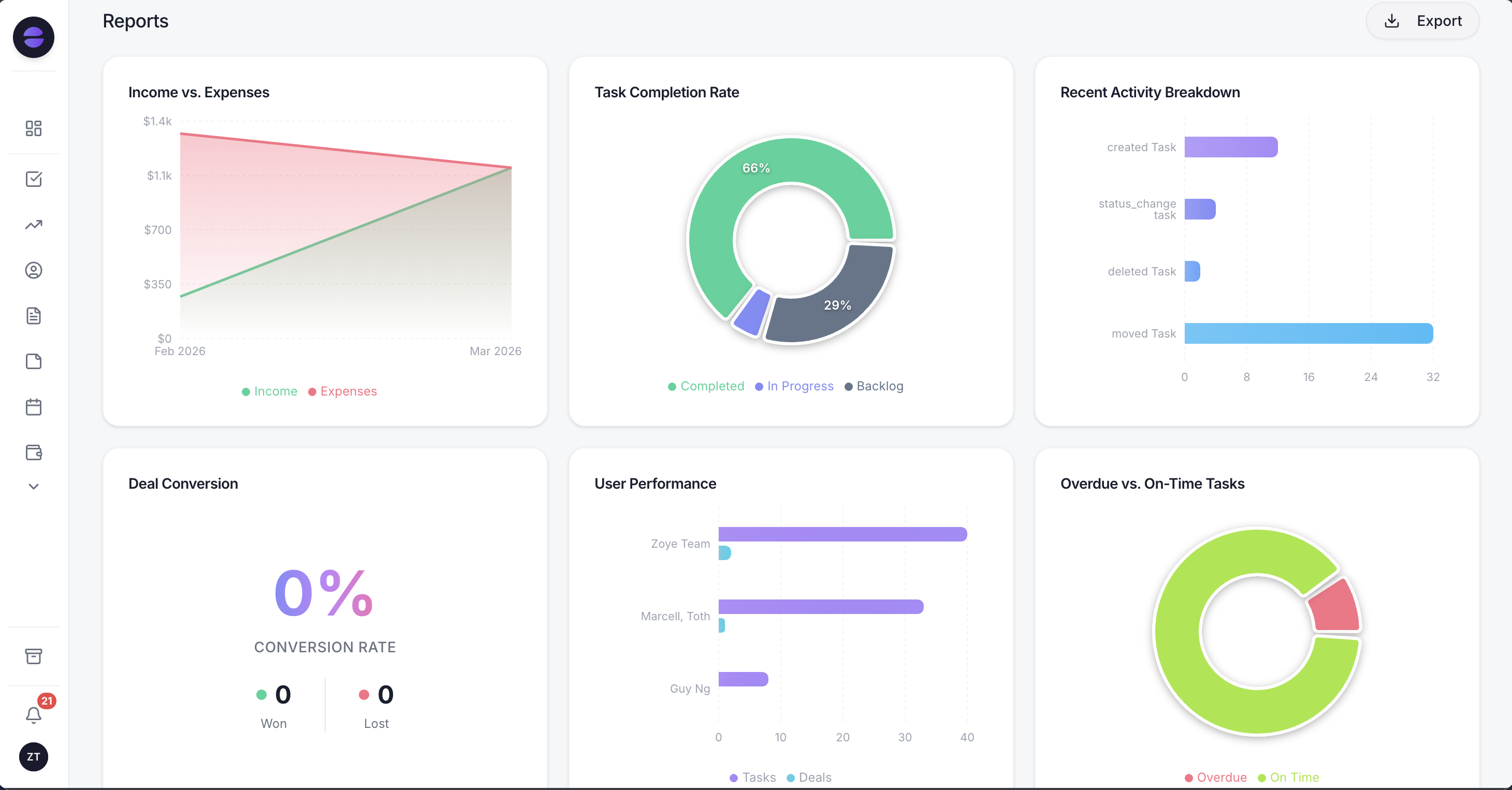 Zoye reports: an executive summary written from your live data, with the leads funnel, lead sources and new leads over time underneath
The pricing shape is what makes it relevant here. Zoye charges per workspace with a member allowance, not per seat. As of November 2026, Starter is $29 a month, or $23 a month billed yearly, for up to 5 members. Growth is $59 a month, or $47 a month billed yearly, for up to 10 members. Almost Free is $5 a month for a single member. Almost Free and Starter cover the core tools without automations, which start on Growth. A 5-person team on Zoye Starter pays the same $23 a month billed yearly that a team of 2 does. Current details are on the pricing page.
The honest limits: Zoye has no database of people profiles like Prospector, does not identify anonymous website visitors, and does not have an app marketplace on Pipedrive's scale. If outbound prospecting and visitor intelligence drive your pipeline, Pipedrive is the better fit. Connecting your own business WhatsApp number to Zoye is coming soon. Moving over is straightforward: export your Pipedrive data as CSV or Excel, then import it as a spreadsheet, or send the file to the assistant and she extracts the records. Zoye also imports from Trello and Monday.com today; Jira, Notion and ClickUp imports are coming soon.
Zoho CRM
Zoho CRM has a free edition for up to 3 users, then Standard at $14, Professional at $23, Enterprise at $40 and Ultimate at $52 per user per month billed yearly, or $20, $35, $50 and $65 billed monthly, as of November 2026. It matches Pipedrive Lite on entry price and is cheaper than Growth at the middle tier. Our Pipedrive vs Zoho comparison goes deeper.
Less Annoying CRM
Less Annoying CRM sells one plan at $15 per user per month as of November 2026, with no tiers to compare. It suits small teams who want contacts, pipelines and tasks without add-on decisions, and its pricing page does not list automation.
HubSpot Sales Hub Starter
HubSpot Sales Hub Starter lists at $20 per seat a month as of November 2026, sitting between Pipedrive Lite and Growth, and HubSpot is showing new customers a limited-time price of $10. The draw is HubSpot's free CRM underneath and its marketing tools around it; the risk is that higher editions jump sharply in price.
Ready to hand off the busywork?
Zoye brings AI-powered CRM, task management, and automation into one workspace.
Get StartedHow to keep your Pipedrive bill under control
The quickest ways to cut a Pipedrive bill are to pay yearly once the team is stable, remove unused seats, compare Premium against Growth plus add-ons at your exact seat count, and review usage-based add-ons every quarter. Each step takes minutes.
- Count seats against people every month. Every unassigned seat is a full charge.
- Switch to yearly billing after the team settles. On Growth that is $120 per seat per year.
- Run the break-even for your team size. At 1 to 3 sellers Premium can be the cheaper way to get LeadBooster and Smart Docs; at 4 or more, Growth plus add-ons usually wins.
- Clean the Campaigns list. You pay for subscribed contacts, so unsubscribed and bounced contacts should not sit in the paid band.
- Check the Web Visitors band. If you rarely act on the visitor list, the entry tier is enough, or the add-on is not needed.
- Trial before you add. The core trial runs two weeks without payment details, Campaigns has 21 days and Smart Docs comes with 5 signature requests to test with.
Related reading
If you are paying for a pipeline plus three other tools to run the work around it, book a Zoye demo and bring your current monthly software bill to compare.