Quick answer: Wati's cheapest plan is Growth at $59 a month billed annually for 3 users, as listed on wati.io/pricing in November 2026. That figure covers the inbox, not the messages: every WhatsApp template you send is paid from prepaid wallet credits at Wati's rate card, so a realistic floor for a small team is $59 plus whatever your message volume costs, with a $10 minimum wallet balance kept in reserve.
Key takeaways (November 2026)
- Three plans: Growth $59 a month (3 users, no extra seats), Pro $119 a month (5 users, then $39 per extra user), Business $279 a month (5 users, then $89 per extra user). All three prices are per month on annual billing.
- Messages are a second bill. Wati sells message credits from a wallet, charged per message at the rate card in your account. Neither the pricing page nor the help centre says whether those rates match Meta's or include a margin.
- Add-ons stack fast: $29 a month per extra WhatsApp number on Business, $25 per block of 1,000 automation triggers and $25 per 2,000 Wati AI credits.
- Meta changed the rules on 1 October 2026: service replies are free only up to 1,000 a month per business number, and utility templates inside the 24-hour window are charged again. On Zoye, your messages go out from Zoye's WhatsApp Business number, so these free service messages do not apply to your account. Connecting your own number is coming soon.
- Worked bills before messages: about $59 a month for a solo owner, about $109 for a 3-person team with heavier automation, and about $364 for a 10-person team on Pro with an AI agent.
Every Wati figure here comes from Wati's own pricing page or its help centre, read in November 2026. Wati can change prices at any time, and the prices you see may depend on your region, so confirm them on the page before you buy.
How much does Wati cost per month?
Wati costs $59 a month on Growth, $119 a month on Pro and $279 a month on Business, all quoted per month on annual billing as of November 2026. A 7-day trial comes first, with no setup fee. On top of the plan you buy message credits, so your real monthly spend is the plan plus your WhatsApp volume plus any add-ons.
The pricing page opens on annual billing by default and labels each price "month billed annually". It also advertises "Save up to 20%" on annual billing and says onboarding support is included with the annual plan. The Monthly toggle loads prices for your region rather than one global list: the regional version read in November 2026 showed $69 a month for Growth, $149 for Pro and $349 for Business, which puts the annual saving at roughly 15% on Growth and 20% on Pro and Business. Check the toggle from your own location before you budget, because regional pricing is exactly the kind of thing that moves.
| Plan (November 2026) | Price, billed annually | Users included | Extra users | Automation triggers a month | Broadcasts | Wati AI credits a month |
|---|---|---|---|---|---|---|
| Growth | $59 a month | 3 | Not available | 1,000 | 15,000 a month, standard rates | 2,000 |
| Pro | $119 a month | 5 | $39 per user a month | 2,000 | Unlimited, standard rates | 5,000 |
| Business | $279 a month | 5 | $89 per user a month | 5,000 | Unlimited, volume discounts | 20,000 |
Two lines in that table decide most bills. The first is the user column: Growth stops at 3 people with no way to add a fourth, so a team of four is a Pro customer whether it needs Pro's features or not. The second is the word "standard rates" next to broadcasts. An unlimited broadcast allowance means Wati will not cap the number of campaigns you run; it does not mean the messages inside them cost nothing. Every delivered template still draws on your wallet.
Annual billing also means cash up front: $708 for a year of Growth and $1,428 for Pro, before a single credit is bought. If you are still testing whether WhatsApp campaigns pay back, a monthly start at the higher price can be the cheaper mistake.
What does each Wati plan include?
Each Wati plan adds team size, automation volume and integrations rather than a different product. Growth is a shared inbox with campaigns and basic follow-ups for up to 3 people. Pro adds connected chatbots and forms, teams and routing, a HubSpot connection and room for more people. Business adds speed, multiple numbers, Salesforce and dedicated success managers.
Growth ($59 a month, billed annually). One inbox for WhatsApp, calling, Facebook, Instagram, TikTok, a web chat widget, RCS and more, on the official API with no setup fee. Up to 15,000 broadcasts a month and drip campaigns, chatbots and social automations to start, AI inside the inbox for questions, editing and conversation summaries, 1 Astra AI agent, and the team basics: assign, track, follow up, tag and report. The WhatsApp catalog and Shopify abandoned-cart and order templates are included, though the Shopify connection is a $4.99 a month add-on. Limits: 2 commerce or CRM integrations, 10,000 API calls a month with no webhooks, and email support 24 hours a day, 5 days a week.
Pro ($119 a month, billed annually). Pro adds advanced templates, unlimited broadcasts with smart retries, TikTok and Facebook ad accounts connected with conversion events, forms and connected chatbots, AI lead qualification, CX scoring and live translations, teams with intelligent routing and operator reports, click tracking and Shopify campaigns built on buyer data. Integrations rise to 5 including HubSpot, API calls to 200,000 a month with limited webhooks, and support moves to email and chat around the clock. Pro also includes 2 Astra AI agents with multilingual replies, integrations and hand-off to a person.
Business ($279 a month, billed annually). Business adds sending at 4,000 messages a minute, volume discounts on messages, multiple WhatsApp numbers with round-robin assignment, pipeline management, phone number masking, IP whitelisting, unlimited AI agents including voice agents, unlimited integrations including Salesforce, 20 million API calls a month and dedicated customer success managers. A "Blitz" add-on raises the sending speed to 12,000 messages a minute.
In short, Wati prices the size of the team in the inbox and the volume of automation and AI it runs. The pricing page lists no bookings or invoicing on any plan and pipeline management only on Business, so below Business those jobs sit in the tools you connect through the integration slots.
Want to see it in action?
See Zoye catch a new lead, answer on WhatsApp and set up the follow-up, all from one message.
See How It WorksHow do WhatsApp message charges work on Wati?
Wati charges for WhatsApp messages from a prepaid wallet of credits, separate from the subscription. Credits are deducted per message according to the rate card in your account, which varies by message category and the recipient's country. Only messages with a "sent" status are charged, and campaigns and automations stop when the balance runs out.
The mechanics, as Wati's help centre describes them in November 2026:
- Credits are the currency. Wati's top-up guide calls credits "the currency used to send messages through the Wati platform". You buy them from the Wallet menu, and accounts on US-dollar plans are asked to keep a minimum balance of $10. If the balance runs out, campaigns and automated messages are not processed until you top up, which is worth knowing before a weekend sale.
- The rate card lives in your account. Wati's message-pricing article directs you to Wallet and then Pricing Overview for "the most recent and updated rate cards". The "View Rate Card" links on the public pricing page still lead, in November 2026, to PDFs headed "Cost per conversation in USD" and dated "Updated 1 Feb 2025", which predate Meta's switch to per-message billing. Treat those public PDFs as history and use the rate card inside your account.
- Failed sends are not charged. Per the same article, only messages that reach "sent" status are billed.
- Volume tiers exist for utility and authentication messages once you pass a monthly threshold in one country, for example 80,000 a month for North America or 100,000 for the UK, according to Wati's help centre. Eligible businesses are told to contact support.
Underneath Wati's layer sit Meta's rules, which apply whichever provider you use. Meta has billed per delivered message since 1 July 2025, priced by category (such as marketing, utility, authentication and service) and by the recipient's country, and it may change rates only on the first day of a quarter. Three changes matter for a 2026 budget:
- Service replies have an allowance, not a free pass. Since 1 October 2026, Meta's pricing documentation gives each business phone number 1,000 free service messages a month, with no rollover. Replies beyond that are charged. Wati's main help article on the change also says per WhatsApp number, though an older Wati pricing article still words it per WhatsApp Business Account; Meta's own page says per phone number, and Meta's wording is the one that governs.
- Utility templates inside the window are charged again. Order updates, booking confirmations and reminders sent inside an open 24-hour window were free from July 2025 to 30 September 2026. From 1 October 2026 they are billed like any other utility template.
- The only free entry window comes from ads. A chat that starts from a click-to-WhatsApp ad, opened in the Android or iOS app and answered in time, gets up to 7 days in which Meta charges nothing for your messages to that person. Clicks on desktop or web do not qualify.
A US-specific point changes the maths for many readers: Meta does not currently deliver marketing templates to US phone numbers. A business whose customers are mostly in the United States can still send utility templates and answer service chats, but Wati's broadcast allowance is far less useful for promotions to that audience. The full breakdown of categories and windows is in our guide to WhatsApp Business API pricing, so we will not repeat it here.
Does Wati add a markup to Meta's fees?
Wati does not publish whether its message rates include a markup. As of November 2026, its pricing page says "Additional charges apply for template messages" and links to a rate card, and its help centre explains where to find the rate card in your account and how credits work, but neither page states that the rates equal Meta's or names any margin.
That silence is the honest answer to "wati markup": without a Wati statement there is no markup figure to give, so none is given here.
What you can do is check for yourself during the trial:
- Open Wallet, then Pricing Overview, and note the marketing, utility and authentication rates for the country where most of your customers live.
- Open Meta's published rate card for the same country and the same categories. Meta's pricing documentation links to it.
- Compare line by line. Any gap is what you pay Wati per message on top of Meta, whatever it is called.
- Ask sales whether the Business plan's "volume discounts" change that gap, and at what volume.
A provider can recover its costs in different ways: a margin built into the message rate, or a fixed platform fee per message on top of Meta's charge, the model behind Twilio WhatsApp pricing. Either can be fair. Just know which one you are on before a 10,000-message campaign turns a small gap per message into a real number.
What add-ons and hidden costs push the bill up?
Wati's add-ons cover more users, more numbers, more automation and more AI, and each is billed monthly on top of the plan. As of November 2026 the main ones are $29 a month per extra WhatsApp number on Business, $25 per 1,000 automation triggers, $25 per 2,000 Wati AI credits and $4.99 for Shopify.
| Add-on or cost (November 2026) | Price on Wati's pages | When you will need it |
|---|---|---|
| Extra users | $39 a month each on Pro, $89 on Business, none on Growth | The fourth person on Growth, or the sixth on Pro |
| Additional WhatsApp number | $29 a month per number, Business plan only | Separate numbers for sales and support, or two brands |
| Automation triggers | From $25 a month for 1,000, up to 750,000 in tiers | Chatbots and keyword actions beyond the plan's allowance |
| Wati AI credits | From $25 a month for 2,000, up to 20,000 | Heavy use of AI in the inbox or Astra agents beyond the plan's credits |
| Shopify integration | $4.99 a month | Abandoned-cart and order templates for a Shopify store |
| Dedicated onboarding, technical account management, professional services | Custom fees | Migration, setup help and custom automation work |
| Message credits | Wati rate card, prepaid, $10 minimum balance | Every template you send, and service replies beyond Meta's 1,000 a month |
A few of these deserve a sentence of context.
Automation triggers are the chatbot meter. Wati's pricing page says every time a chatbot, a keyword or any other automation rule runs for a customer, it counts as a chatbot session, so triggers are the closest thing Wati has to the old "chatbot sessions" limit. The tiers get cheaper per unit as they grow: 1,000 triggers cost $25, 10,000 cost $225, and 100,000 cost $1,325 a month.
Astra agents come with your plan. Wati's inbox plans include Astra agents, 1 on Growth, 2 on Pro and unlimited on Business, and the plan's Wati AI credits can be used for both, so extra credits for either come from the Wati AI credits add-on.
Onboarding comes in two kinds. Annual plans include onboarding support, while dedicated onboarding with business verification and migration help carries a "custom one time fee". Ask which one you are getting.
The cost on no invoice is staff time: someone still reads the chats, builds the flows, writes the templates and copies outcomes into whatever holds your pipeline.
See what Zoye can do for you
CRM, deals, tasks and your Instagram, Facebook and WhatsApp automations in one workspace. Just ask Zoye and it sets any of it up for you.
Explore FeaturesWhat does Wati really cost a 1-, 3- and 10-person business?
On annual billing and before message credits, a solo owner pays about $59 a month, a 3-person team that runs heavier chatbots about $109, and a 10-person team on Pro with an AI agent about $364. Message credits come on top in every case and depend on country and category.
These are illustrative bills built only from the November 2026 prices above. The assumptions:
- Solo owner. 1 person, Growth plan, 600 automation triggers a month (inside the 1,000 included), 400 utility templates for confirmations and reminders, 300 marketing templates to opted-in customers, and around 800 service replies, which stay inside Meta's 1,000 free service messages for one number.
- 3-person team. 3 people, Growth plan, chatbots and keyword actions using about 2,500 triggers a month, so a 2,000-trigger block is added. 1,500 utility templates, 1,000 marketing templates and about 2,500 service replies, 1,500 of them above the free allowance.
- 10-person team. 10 people, Pro plan (5 included plus 5 extra), one WhatsApp number (a second number needs Business), about 4,000 triggers a month, an AI agent on WhatsApp from the 2 Astra agents Pro includes, 5,000 utility templates, 4,000 marketing templates and about 6,000 service replies, 5,000 of them above the free allowance.
| Line, per month on annual billing | Solo owner | 3-person team | 10-person team |
|---|---|---|---|
| Plan | Growth $59 | Growth $59 | Pro $119 |
| Extra users | $0 | $0 | 5 x $39 = $195 |
| Extra WhatsApp number | $0 | $0 | $0 (Business only) |
| Extra automation triggers | $0 | 2,000 block, $50 | 2,000 block, $50 |
| Astra AI agent | $0 | $0 | Included in Pro, $0 |
| Subtotal before messages | $59 | $109 | $364 |
| Over a full year | $708 | $1,308 | $4,368 |
| Message credits | 400 utility + 300 marketing at your rate card | 1,500 utility + 1,000 marketing + 1,500 service at your rate card | 5,000 utility + 4,000 marketing + 5,000 service at your rate card |
The message row is left as a formula on purpose. Rates differ so much by country that any single number would mislead half of our readers, and Meta can change them every quarter. To fill it in, take each count, multiply by the rate for that category on your Wallet rate card, and add the three results. If most of your customers are in the US, set the marketing line to zero, because those templates would not be delivered.
Three things fall out of the table.
The solo bill is mostly the plan. At low volume the $59 subscription dominates, so the real question is whether a 3-seat inbox earns its keep for one person.
The 3-person bill is where the meter starts. Growth looks cheap until automation volume crosses 1,000 triggers. At that point the add-on blocks push Growth close to Pro's price, and Pro's extra features (connected chatbots, HubSpot, routing) may be the better buy for the same money. Run both versions before you choose.
The 10-person bill is mostly people. Extra users are $195 of the $364, more than the plan itself, and the AI agent adds nothing because Pro includes 2 Astra agents. A second number means Business, which costs $160 a month more than Pro for the same 5 users and $50 more for each extra seat, so it pays when you need its numbers, speed or message volume discounts.
Is Wati worth it, and who should pick which plan?
Wati is worth it for a team whose main WhatsApp job is answering chats and running campaigns from a shared inbox on the business's own number, and that already has a CRM or store it is happy with. It is a weaker fit for a solo owner, for US-focused marketing and for teams that want the chat to run the follow-up work.
Pick Growth if you are 1 to 3 people, you need the official API on your own number today, your automation stays under about 1,000 triggers a month, and you sell through a store or a CRM you will connect through one of the 2 integration slots.
Pick Pro if you are 4 or more people, or you need connected chatbots and forms, routing between teams, a HubSpot connection or ad conversion tracking. Pro at $119 also raises the included Astra AI agents from 1 to 2.
Pick Business if you run several numbers, send at high speed, need Salesforce, or your monthly volume is large enough for Wati's message volume discounts. Compare its $279 with Pro plus extra users before you sign.
Wati is probably not the right buy if:
- You are one person with modest volume. The WhatsApp Business app is free to download and covers greeting and away messages, quick replies and labels, with up to 4 linked devices; its limits (broadcast lists of up to 256 contacts who saved your number) are explained in our WhatsApp Business app vs API comparison.
- Your customers are mainly in the US and promotions are the point. Marketing templates are not delivered to US numbers, so the broadcast allowance is mostly unused.
- You want the chat to update deals, tasks, bookings and invoices without anyone copying it across.
- You need a predictable bill. Credits plus metered automation make the total move every month.
Simpler options than Wati
If Wati's per-team pricing or its wallet model does not fit, the realistic options in November 2026 are a WhatsApp inbox with a lower entry price, a broader omnichannel inbox, or a tool that runs the follow-up work around the chat. We cover the full list in our Wati alternatives roundup; here is the short version with prices.
Zoye: the follow-up work, not just the inbox
Zoye is an AI Business Operator: one workspace where the CRM, deals, tasks, calendar, documents, budget and invoices, reports and automations already link to each other, and an assistant that operates them. On WhatsApp today, Zoye has conversations with your leads on the official WhatsApp Business Platform: a new-lead auto-message with per-source switches, a qualification bot that saves answers into CRM fields, smart audiences that stay current, scheduled broadcasts with merge fields and a delivery report, template approval handled for you, click-to-chat capture and payment links in the chat. Every WhatsApp automation that messages your leads starts switched off and runs only after you switch it on and confirm the leads agreed to be contacted.
Those WhatsApp conversations land in Chats, one inbox with your Instagram and Facebook messages and comments, where your team assigns chats, leaves notes and uses quick replies, and every chat is saved on the contact's card. Connecting your own business WhatsApp number is coming soon, so if your team must answer from its own number today, Wati or one of the inboxes below fits that job better right now.
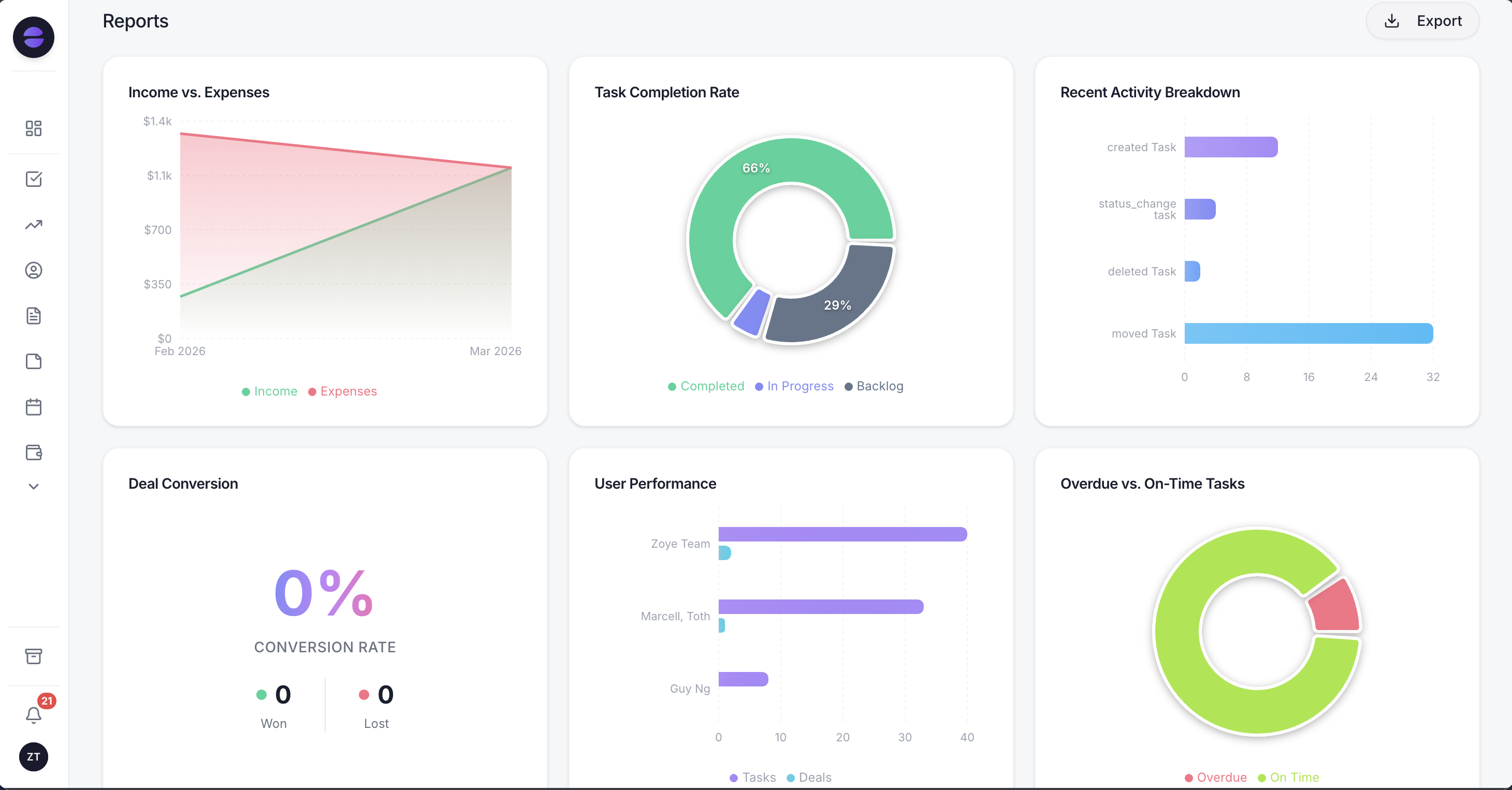 Pipeline, won deals and follow-up activity in one report, built from the same records your WhatsApp conversations update
The pricing difference is structural. Zoye is priced per workspace with a member allowance, not per inbox seat, as listed on our pricing page in November 2026: Almost Free is $5 a month ($4 a month billed yearly) for 1 member with the core tools and 15 AI prompts a month, and no automations; Starter is $29 ($23 a month billed yearly) for 5 members; Growth is $59 ($47 a month billed yearly) for 10 members and includes workflow automations, Meta automations and WhatsApp automations with 250 messages a month; Scale is $119 ($95 a month billed yearly) for 30 members with 500. The Messages Plus add-on adds 250 messages for $19 a month. You describe a rule to the assistant, Zoye builds it and tells you exactly what it does, and anything that messages your leads stays off until you switch it on.
Three other options to compare
AiSensy is a broadcast-first WhatsApp marketing tool. Basic starts at $45 a month on its US-dollar price list, with 1 owner and 5 agents included, as of November 2026. A Free Forever plan exists but cannot send broadcasts, and Meta's message fees apply on top.
Interakt is a commerce-focused WhatsApp inbox. Growth is $55 a month and Advanced $69 a month plus taxes as of November 2026, and Interakt's page notes that some prices apply to Indian numbers, so check the figure for your market.
respond.io is an omnichannel inbox for larger teams. Starter is $79 a month billed yearly or $99 monthly with 5 users, Growth $159 or $199, and Advanced $279 or $349, as of November 2026, with message fees separate.
| Option (November 2026) | Entry price | People on the entry price | Main job |
|---|---|---|---|
| Wati Growth | $59 a month, billed annually | 3 users | Shared inbox and campaigns on your own number |
| AiSensy Basic | $45 a month | 1 owner + 5 agents | Broadcast-heavy WhatsApp marketing |
| Interakt Growth | $55 a month plus taxes | Unlimited agents | Catalog commerce on WhatsApp |
| respond.io Starter | $79 a month, billed yearly | 5 users | Omnichannel team inbox |
| Zoye Growth | $59 a month ($47 a month billed yearly) | Up to 10 members | CRM, tasks, deals, WhatsApp automations and an assistant that runs the follow-up |
Ready to hand off the busywork?
Zoye brings AI-powered CRM, task management, and automation into one workspace.
Get StartedHow to keep a Wati bill predictable
A Wati bill stays predictable when you fix the moving parts before you sign: who needs a seat, how many automated actions you run, which message categories you send to which countries, and whether an AI agent is a separate line. Most surprises come from credits and triggers, not from the plan.
- Count seats honestly. If a fourth person joins within the year, Growth cannot add them, so price Pro from the start.
- Measure triggers during the trial. Run your real chatbot for the 7 trial days, multiply up, and price any trigger block into the plan choice.
- Pull your rate card on day one and compare it with Meta's for your top two customer countries.
- Count the October 2026 changes: service replies past 1,000 a month per number, and in-window confirmations that now cost money.
- Name who tops up the wallet. Campaigns pause at zero.
- Check the AI allowance before buying extra credits: Growth includes 1 Astra agent and Pro 2, sharing the plan's Wati AI credits.
If your customers already message you on WhatsApp and the real cost is the follow-up nobody gets to, book a Zoye demo and bring a week of chats to test against.