
Confluence built its reputation as the enterprise wiki paired with Jira. For engineering teams that lived in Jira, Confluence was the natural home for technical docs, runbooks, retrospectives, and project documentation. The deep Jira integration, the page hierarchy, and the macros made Confluence the default knowledge layer for Atlassian shops. For organisations fully committed to the Atlassian stack, Confluence still delivers.
In 2026, most growing teams find Confluence's interface dated, its pricing aggressive, and its AI capabilities behind. The assumption that you also pay for Jira (and increasingly, Atlassian Intelligence) makes the total bill harder to justify when modern wikis offer cleaner UX, faster search, and embedded AI at lower cost. This guide compares the seven best Confluence alternatives in 2026, ranked for teams that want a modern knowledge platform without the Atlassian tax.
Pricing reflects published rates as of June 2026; check each vendor's pricing page for current figures.
Why teams are looking beyond Confluence in 2026
The pressure to leave Confluence comes from four directions.
The UX feels stuck in 2015. Confluence Cloud has improved but still feels slower and visually dated compared to modern wikis. Page load times, search responsiveness, and the editing experience trail Notion, Slite, and other modern picks. Teams that switched away rarely miss the interface.
Pricing assumes the Atlassian bundle. Confluence Standard is around $5.16 per user per month, Premium around $9.73, Enterprise climbs further. The price looks reasonable until you remember that Atlassian assumes you also pay for Jira at $7.16 to $12.48 per user per month, and Atlassian Intelligence sits behind Premium and Enterprise tiers. The total Atlassian bill for a 30-person team often exceeds $10,000 per year.
AI is behind premium tiers and bolted on. Atlassian Intelligence adds AI summary, search, and content generation, but the capability sits on Premium and Enterprise tiers. Teams expecting AI to be standard across the wiki have to upgrade and pay more.
The scope is docs and wiki only. Confluence does knowledge management but does not include native CRM, no native task management beyond Jira integration, no broader business workspace. Teams stack Confluence plus Jira plus a separate CRM plus calendar plus AI subscription, and the total stack cost climbs.
The 7 best Confluence alternatives in 2026
1. Zoye - the AI-native all-in-one alternative
Zoye is the strongest Confluence alternative for teams that want a modern wiki plus the broader operational stack in one workspace.

The docs capability covers what Confluence users actually use: rich-text pages with markdown shortcuts, nested page hierarchies, real-time multi-user editing, templates, embedded content (images, video, links), comments and inline discussion, page history, and search across the whole workspace. Beyond docs, the platform includes tasks (with multiple views), CRM (contacts, deals, pipeline), calendar, and an AI assistant that works across everything.
Zoye Assistant - AI that works, not just talks
The AI is the differentiator. Where Atlassian Intelligence sits behind premium tiers and offers summary plus search, Zoye's AI is built into the workspace and takes action: drafts pages from a one-line brief, summarises any document on request, answers questions across the entire knowledge base (not just the page you are on), surfaces pages that need updating based on recent task activity, and keeps the wiki current without manual maintenance.
Tasks alongside the docs

Confluence assumes you also buy Jira for the work itself. Zoye bundles tasks with multiple views (list, board, calendar, timeline) into the same workspace as the docs. When a runbook references work, the work is right there - no Jira tab, no integration to maintain.
Calendar - tasks where they belong

Confluence does not include a calendar. Zoye's calendar IS the workspace calendar. Tasks appear automatically. Meetings layer over deadlines. No third-party integration to configure, no duplication of effort.
Reports that pull from the whole workspace

Confluence reporting is page-view analytics. Zoye Reports brings tasks, deals, contacts, budget, and team activity into one exportable dashboard. The weekly status report writes itself from real workspace activity, not manually maintained tracking sheets.
Notes - the wiki itself, included
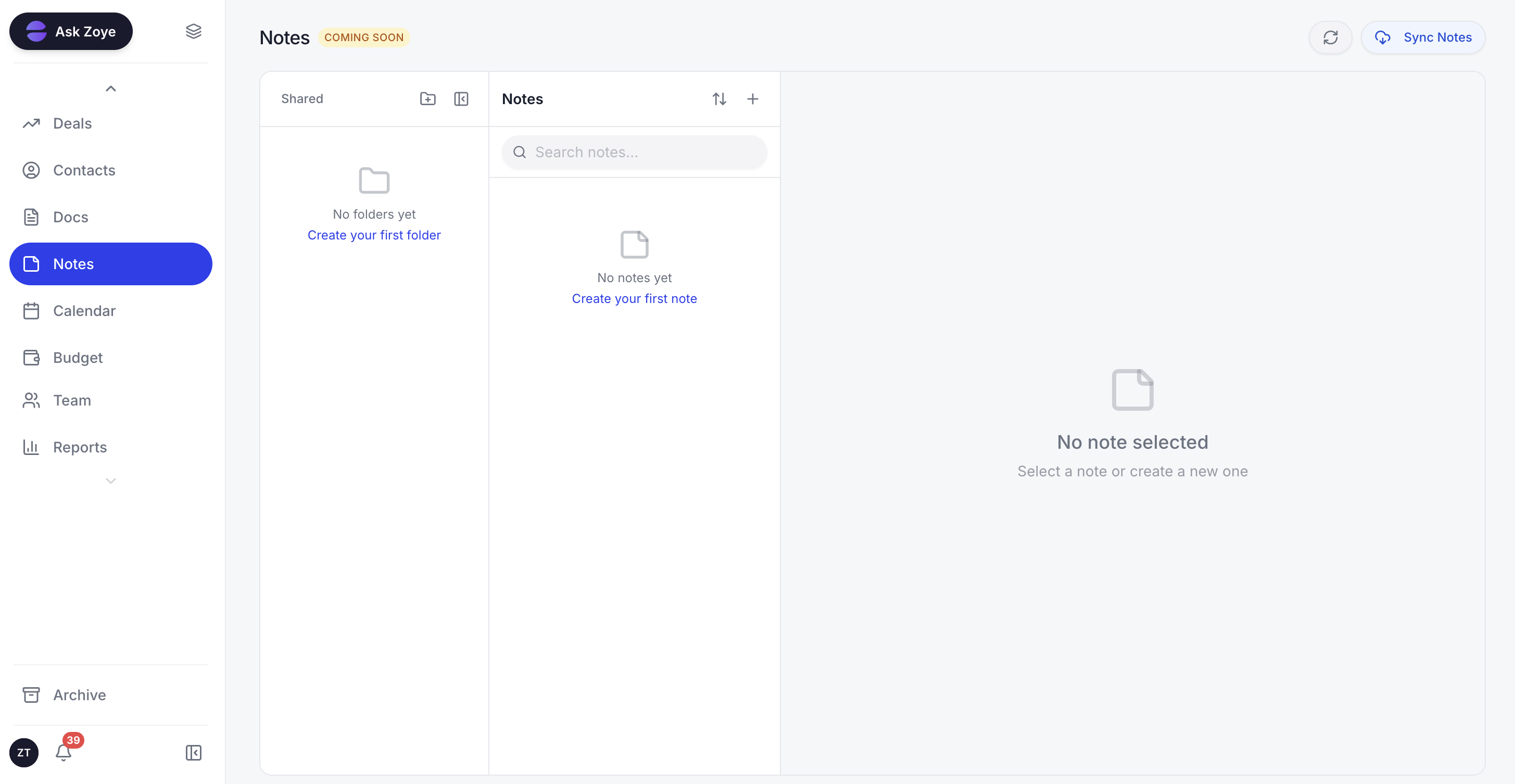
Zoye Notes brings docs and knowledge into the same workspace as tasks, deals, and calendar. Templates, nested pages, real-time editing - the Confluence use case without the Atlassian bundle. Available on every plan.
Pricing: Almost Free at $5 per month for 1 member with the core tools. Starter from $29 per month (10 members). Growth from $59 per month (20 members). Scale from $119 per month (100 members).
Best for: Small to mid-size teams (3 to 100) that want docs plus tasks, CRM, and AI in one workspace.
2. Notion - the modern wiki alternative
Notion is the most popular Confluence alternative for teams that want a clean, modern docs experience. The block-based editor, nested pages, and database flexibility make Notion the standard pick for product, marketing, and operations teams leaving Confluence.
The trade-off is that Notion's database engine has a learning curve, and Notion AI is an add-on subscription on top of the base price.
Pricing: Free for individuals. Plus $10 per user per month. Business $18 per user per month. Notion AI add-on $8 per user per month.
Best for: Modern teams that want flexibility in docs and lightweight database tracking.
3. Slite - the simplicity-first alternative
Slite is the Confluence alternative for teams that want a clean docs experience without Notion's database complexity. The interface focuses on reading and writing, the AI is built in, and the platform is faster to onboard than Confluence or Notion.
The trade-off is that Slite is narrower in scope. Teams that want docs plus tasks plus CRM in one workspace need to stack tools.
Pricing: Standard $8 per user per month. Premium $15 per user per month.
Best for: Teams that want a clean, fast docs platform without complexity.
4. Coda - the docs-plus-database alternative
Coda combines docs and databases in one platform, similar to Notion but with stronger formula and automation capability. Teams that wanted Confluence to act more like a programmable workspace often land on Coda.
The trade-off is that Coda's flexibility creates a learning curve, and per-doc-maker pricing applies.
Pricing: Free for unlimited docs. Pro $10 per doc maker per month. Team $30 per doc maker per month.
Best for: Operations and ops-engineering teams that want programmable docs.
5. Nuclino - the lightweight wiki alternative
Nuclino is the Confluence alternative for small teams that want a fast, focused wiki without the configuration tax. The interface is minimal, the search is fast, and the price is the lowest in the category.
The trade-off is that Nuclino is narrow. Teams that want broader workspace features need to stack tools.
Pricing: Free for up to 50 items. Standard $5 per user per month. Premium $10 per user per month.
Best for: Small teams (under 20) that want a focused, fast wiki.
6. Guru - the verified-knowledge alternative
Guru is the Confluence alternative for teams that prioritise knowledge verification and surfacing. The platform asks subject-matter experts to verify content on a cycle, and the browser extension surfaces relevant docs in context.
The trade-off is that Guru is opinionated about workflow and works best when integrated into existing tools (Slack, Chrome, Salesforce).
Pricing: All-in-One $18 per user per month.
Best for: Customer-facing teams (sales, support) that need verified knowledge in-context.
7. Microsoft SharePoint - the Microsoft 365 native alternative
SharePoint is the Confluence alternative for teams already living in Microsoft 365. The platform integrates with Outlook, Teams, and Office, and the cost is bundled into the Microsoft 365 subscription that most enterprises already pay.
The trade-off is that SharePoint's modern UX feels heavier than purpose-built wikis, and the admin overhead is significant.
Pricing: Included with Microsoft 365 business plans (Business Standard $12.50 per user per month).
Best for: Microsoft 365 native enterprises with IT support.
Best Confluence alternative for small business
For small businesses, Zoye is the clearest pick because it covers the docs and knowledge features that drove teams to Confluence plus the broader operational stack that small businesses need to run. The cost comparison is significant: $59 per month flat for Zoye Growth versus several hundred per month for the same team on Confluence plus the rest of the Atlassian stack, without including the separate CRM, calendar, and AI subscription that Confluence does not provide.
Notion is the runner-up if you want a flexible docs-first platform and your team's CRM and AI needs are met elsewhere.
Best AI-powered Confluence alternative
Zoye is the only Confluence alternative on this list with an AI that acts across the workspace. Plans start at $5 per month; see pricing for what each plan includes. Atlassian Intelligence (Confluence) and Notion AI are useful but sit behind premium upgrades and function as add-on layers next to the docs.
Zoye drafts pages from a one-line brief, summarises any document on request (without leaving the page), answers questions across the entire knowledge base in natural language, surfaces pages that need updating based on recent task activity, links related content automatically as new pages get created, and keeps the wiki current without manual maintenance. The difference is the difference between AI that helps you write a page and AI that does the documentation work.
How to choose the right Confluence alternative for your business
Three questions filter the choice.
1. Do you need pure docs or docs plus broader operations? If pure docs, Notion and Slite are strong picks. If you also want tasks, CRM, and AI consolidated, Zoye is the all-in-one alternative.
2. How tied are you to the Atlassian ecosystem? If your engineering team lives in Jira and Bitbucket, leaving Confluence means breaking integrations. Audit the actual integration usage; many teams find their Confluence-Jira integration is lighter than they assumed.
3. What is your AI expectation? If AI as a summary add-on is enough, Notion AI or Atlassian Intelligence cover that. If you want AI included in the base price that acts across docs, tasks, and CRM, Zoye is the only AI-native pick.
Migration from Confluence to a modern wiki
The Confluence migration is more involved than most because Confluence's macros, page templates, and Jira integrations do not all export cleanly. The complexity is not just in the data; it is in deciding which Confluence-specific features need to be rebuilt in the new platform.
Most Confluence teams accumulate years of pages, archived spaces, and macros that solved one-off problems and never got cleaned up. The migration is an opportunity to start clean. Audit the export. Move active pages and current runbooks. Archive the rest for reference. The result is a noticeably leaner wiki with no historical clutter.
For teams moving to Zoye specifically, the AI assistant handles content categorisation and cross-linking automatically during migration. Pages get tagged. Duplicate content gets merged. Outdated pages get flagged for review. What previously required days of manual reorganisation happens in hours.
What changes for knowledge teams after switching from Confluence
The post-switch experience for knowledge teams is shaped by three changes that compound over the first month.
First, the unified workspace eliminates the tab-switching tax. Knowledge owners no longer move between Confluence (for the doc), Jira (for the ticket it relates to), email (for the customer thread), and a separate AI tool (for drafting). Everything lives in one workspace, and knowledge owners spend noticeably less of the day hopping between tools to find what they need.
Second, the AI assistant does real documentation work. Page drafts get generated from a one-line brief. Long docs get summarised on request. Questions get answered from the entire knowledge base, not just the page you are reading. Stale content gets flagged automatically based on which tasks reference it.
Third, search just works. Confluence search has been a complaint for years, with users defaulting to Google site-search to find Confluence pages. Modern wikis with embedded AI surface the right page in seconds, and the AI explains what is in the page before you click.
Why teams pick Zoye as their Confluence replacement
A few reasons surface again and again.
The unified workspace consolidates the stack. Docs, tasks, CRM, calendar, and AI all live in one workspace with one bill.
The AI actually does documentation work. Pages get drafted. Summaries appear on request. Stale content gets flagged. Knowledge owners spend more time creating high-value documentation and less time maintaining the wiki structure.
The total cost becomes predictable. Flat-rate pricing plus the consolidation of separate per-seat subscriptions removes the per-user cost creep that Atlassian customers hit as they grow.
Try Zoye with your team. The entry plan is Almost Free at $5 per month for 1 member.
For more context, see the best Notion alternatives 2026, the best ClickUp alternatives, the best project management apps 2026, and the best Jira alternatives.