
ClickUp built its reputation on a simple promise: one app to replace them all. The product covers tasks, docs, goals, time tracking, custom fields, dashboards, and recently AI through ClickUp Brain. The breadth is genuinely impressive, and for teams that wanted PM plus everything adjacent in one tool, ClickUp filled a real gap.
In 2026, the gap looks different. Teams have learned that "everything in one app" sometimes means "everything is complicated." ClickUp's depth comes with a learning curve that frequently defeats non-technical adopters. AI is still a paid add-on instead of native. Native CRM, budget tracking, and a true operations-first workspace remain outside ClickUp's scope. The result is a new generation of ClickUp alternatives that are either simpler (better UX), broader (truer all-in-one), or smarter (AI-native). This guide compares the seven best.
Why teams are looking beyond ClickUp in 2026
The pressure to leave ClickUp comes from four directions that have grown more pronounced.
The learning curve is real. ClickUp's depth is its strength, but it is also its biggest barrier. New users frequently get lost in views, statuses, custom fields, automation rules, and view-specific settings. Most teams need a designated "ClickUp admin" to keep the workspace coherent. For 5-to-20 person teams without that admin, the platform often becomes a tax on productivity rather than a multiplier.
AI is a paid add-on, not native. ClickUp Brain is a paid feature at around $9 per user per month on top of the base plan, and its higher Autopilot tier runs around $28 per user per month. It is not bundled into any workspace plan, including Business. For a 20-person team, the basic Brain add-on is roughly an extra $2,160 per year just to access AI. Modern AI-native alternatives build AI into the workspace instead of selling it per seat.
Pricing reflects published rates as of June 2026; check each vendor's pricing page for current figures.
The "all-in-one" promise has limits. ClickUp does cover a lot of surface area, but its CRM functionality is built on custom fields and lacks the relational depth of a real CRM. Its budget tracking is similarly improvised. Teams that need genuine CRM (sales pipeline, deal tracking, customer history) or genuine budget tracking still stack separate tools.
Pricing scales aggressively. ClickUp Free has meaningful limits. Unlimited at around $7 per user per month removes some, Business at around $12 per user per month adds more, and the Brain AI add-on (about $9 per user per month) sits on top of all of them. For a 25-person team on Business with the Brain add-on, the bill runs into the low thousands of dollars per year.
The 7 best ClickUp alternatives in 2026
1. Zoye - the AI-native all-in-one alternative
Zoye is the strongest ClickUp alternative for teams that want everything ClickUp tries to do but actually integrated and with native AI.

The platform covers tasks, docs, goals, calendar, and time tracking (matching ClickUp's PM ambition) plus a real native CRM (contacts, deals, pipeline) and budget tracking (full income/expense ledger).
Zoye Assistant - AI that works, not just talks
The AI assistant lives across the entire workspace and takes action: creates tasks from emails, assigns based on workload, drafts customer follow-ups, schedules meetings, generates weekly reports, and surfaces work at risk. Where ClickUp Brain is a per-user add-on that summarises and suggests, Zoye is built into the workspace and acts without setup; see pricing for what each plan includes.
Tasks without the ClickUp setup tax

ClickUp asks you to configure custom statuses, custom fields, hierarchies, and templates before a project can run. Zoye ships with sensible defaults. List, board, calendar, and timeline views work on every project. New team members get a productive workspace, not a settings panel.
Calendar - tasks where they belong

ClickUp Calendar requires connecting Google or Outlook for full functionality. Zoye's calendar IS the workspace calendar. Tasks appear automatically. Meetings layer over deadlines. No external integration to configure.
Reports that pull from the whole workspace

ClickUp Dashboards are powerful but require building widget by widget. Zoye Reports brings tasks, deals, contacts, budget, and team activity into one exportable dashboard out of the box. The weekly status report writes itself.
Notes - collaborative docs, built in
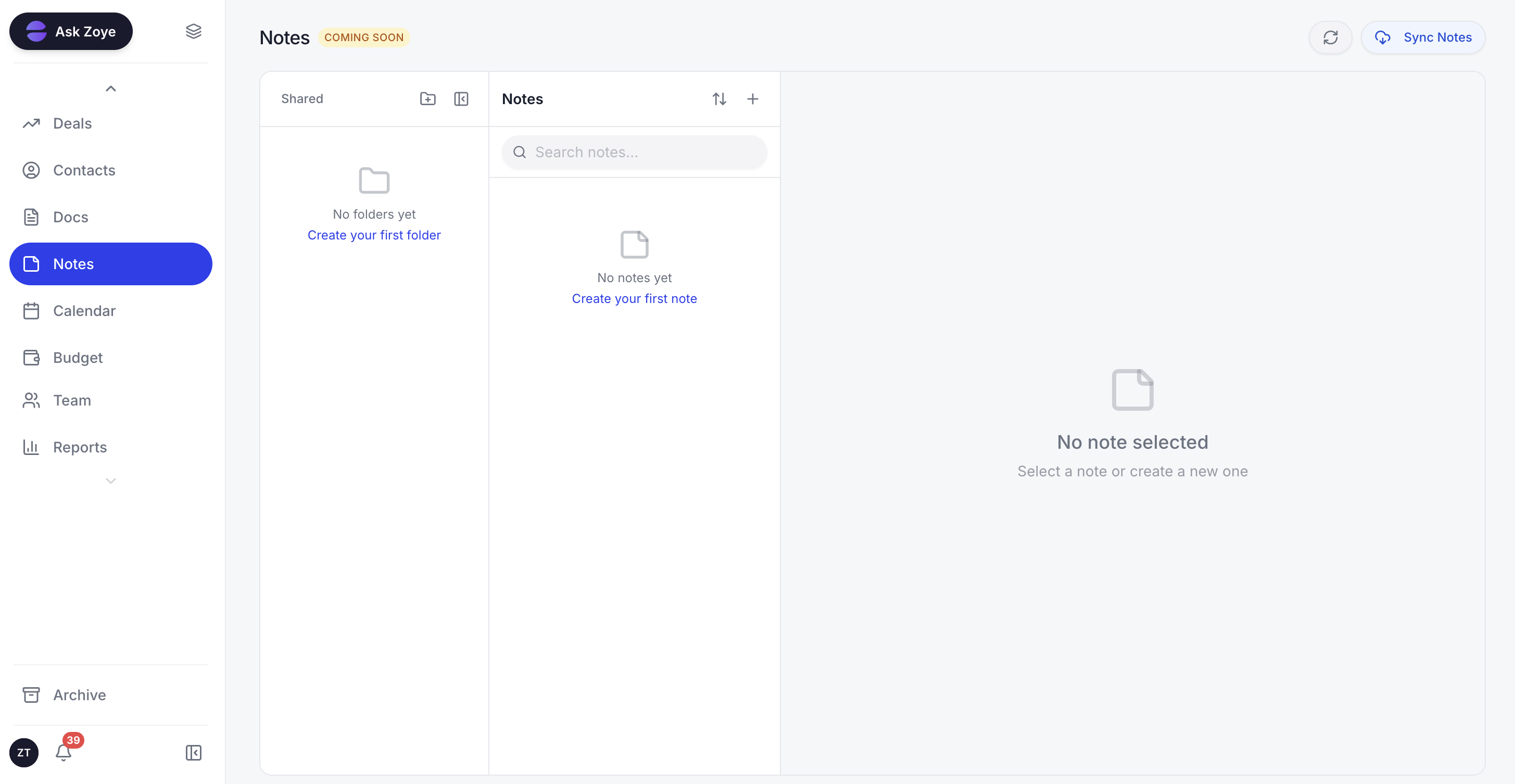
Zoye Notes brings docs and knowledge into the same workspace as tasks, deals, and calendar. Same use case as ClickUp Docs but without the per-feature subscription stack. Available on every plan.
The UX is the difference. ClickUp encourages configuration; Zoye encourages production. Onboarding tends to be measured in hours of guided setup rather than weeks of self-directed configuration. New team members ask the assistant questions and get answers, instead of getting lost in settings.
The pricing model is flat-rate. A 15-person team pays $59 per month on Growth, versus around $180 per month on ClickUp Business plus roughly $135 per month for the Brain AI add-on. Annualised, that is $708 for Zoye versus around $3,780 for ClickUp Business with Brain.
Pricing: Almost Free from $5 per month ($4 billed annually) for 1 member with the core tools. Starter from $29 per month (10 members). Growth from $59 per month (20 members). Cancel or upgrade anytime.
Best for: Small to mid-size teams (3 to 100) that want true all-in-one with AI baked in.
2. Asana - the cleaner PM alternative
Asana is the strongest pick when you want PM that does PM very well without trying to do everything. The workflow is structured, the timeline and dependency views are clean, and the cross-functional support is strong.
The trade-off is the same scope limitation that affects all PM-only alternatives. Asana is project-focused. No native CRM, no budget, no AI assistant that takes action. Asana Intelligence is included in higher tiers but functions as a summary and draft tool.
Pricing: Free for up to 10 users. Starter $10.99 per user per month. Advanced $24.99 per user per month.
Best for: Teams that want strong PM without ClickUp's complexity.
3. Notion - the docs-first all-in-one
Notion is the strongest pick for content-heavy teams that want PM bundled with deep docs, wikis, and knowledge management. Notion's databases include the same view types as ClickUp, and the docs layer is best-in-class.
The trade-off is that Notion is docs-first. Pure task management feels less native than ClickUp's or Asana's. Notion AI is a separate paid feature. For a wider comparison, see the best Notion alternatives.
Pricing: Free for personal use. Plus $8 per user per month. Business $15 per user per month.
Best for: Content-heavy teams that prioritise docs.
4. Monday.com - the visual board sibling
Monday.com is the visual-first alternative. Color-coded boards are easier for non-technical teams to onboard on, the automation builder is friendly, and Monday Sales CRM adds basic CRM through the same platform.
The pricing climbs fast and AI is a separate paid feature.
Pricing: Basic $9 per seat per month. Standard $12 per seat per month. Pro $19 per seat per month.
Best for: Visual-first teams that want simpler UX than ClickUp.
5. Trello - the simple Kanban for small teams
Trello is the simplest alternative on this list. If your team mostly needs Kanban tracking without the complexity of ClickUp, Trello is genuinely the right answer. It is free for small teams, easy to use, and owned by Atlassian.
The catch is the same limitation as always: Trello is intentionally narrow. For broader operational needs, it does not scale.
Pricing: Free for unlimited cards on up to 10 boards. Standard $5 per user per month. Premium $10 per user per month.
Best for: Small teams (2 to 10) with simple workflows.
6. Jira - the heavy PM for dev teams
Jira is the alternative when ClickUp is not deep enough for your engineering organisation. Jira's sprint planning, story points, and reporting are formal and developer-oriented in a way that ClickUp does not match.
The trade-off is that Jira is dense and developer-first. Non-technical team members typically struggle with the interface.
Pricing: Free for up to 10 users. Standard around $8.60 per user per month. Premium around $17 per user per month.
Best for: Engineering teams needing formal PM structure.
7. Wrike - the enterprise PM alternative
Wrike is the enterprise-grade PM platform that competes with ClickUp at the higher end. It has stronger reporting, more sophisticated workflows, and a deeper resource management story.
The pricing is enterprise-oriented and the UX feels dated next to modern alternatives.
Pricing: Free for limited use. Team $9.80 per user per month. Business $24.80 per user per month.
Best for: Enterprise teams that need formal PM at scale.
Best ClickUp alternative for small teams
For teams of 3 to 20 people, Zoye is the clearest pick. ClickUp's complexity is overkill for small teams, and the configuration burden takes time the team does not have. Zoye provides the all-in-one workspace ambition without the complexity: tasks, docs, calendar, CRM, budget, and AI in one product, with the AI assistant handling setup and ongoing configuration.
Asana is the runner-up if PM is the only need and the team has CRM and budget covered elsewhere.
Best ClickUp alternative for non-technical teams
Non-technical teams (marketing, sales, customer success, agencies) struggle most with ClickUp. The depth of configuration assumes a level of system thinking that non-technical adopters often lack. Asana, Monday.com, and Zoye are all friendlier picks.
Zoye goes furthest in this direction because the AI assistant handles configuration on behalf of the user. A new marketing team member asks "set up a campaign tracking workflow with deadlines and assignees" and the assistant builds it. They do not need to learn the system; the system learns them.
Best AI-powered ClickUp alternative
Zoye is the only ClickUp alternative on this list with a true AI-native architecture. ClickUp Brain is the closest competitor and is genuinely useful for summarisation, but it remains a paid add-on that functions as a chat layer. It does not take action on tasks, the calendar, or the CRM automatically.
Zoye actively creates tasks from emails, assigns based on team workload, drafts customer responses, schedules meetings, generates reports, and surfaces work at risk before deadlines slip. The AI is the primary interface, not the sidebar.
How to choose the right ClickUp alternative for your team
Three questions narrow the choice.
1. Is PM the only need, or do you also need CRM and budget? If PM is the only need, Asana or Monday are strong narrow picks. If you want everything ClickUp aspires to plus a real CRM and budget tracker, Zoye is the only platform that delivers that natively.
2. How fast does your team need to onboard? ClickUp's onboarding is famously slow because of the configuration depth. If quick onboarding matters, Zoye (with AI-guided setup) or Trello (intentional simplicity) are the strongest picks.
3. How much will you actually pay for AI? ClickUp Brain is around $9 per user per month extra, and it is not bundled into any workspace plan. For a 25-person team that is roughly $2,700 per year for AI alone. Zoye builds AI into the workspace rather than selling it as a per-seat add-on.
Migration from ClickUp to a new platform
Switching tools is rarely the friction people imagine. The actual migration from ClickUp to a modern alternative usually completes in one of three sessions: a single afternoon for small teams with simple workflows, two to three days for mid-size teams with deeper configurations, or a structured one-week migration for teams with complex multi-workspace ClickUp environments.
The biggest wins come from leaving behind the configuration debt. Most teams that switched to ClickUp accumulated views, statuses, custom fields, and automation rules over time, many of which no longer reflect how the team actually works. Migrating is an opportunity to start clean: import only the active projects, only the live tasks, and only the workflows still in use. The result is usually a much leaner workspace that is faster to navigate, because the dormant views and stale automations never make the trip.
For teams moving to Zoye specifically, the AI assistant handles the migration interactively. The user describes what they currently have in ClickUp (projects, workflows, key views) and the assistant proposes the equivalent structure in Zoye, asking only about the choices that genuinely matter.
What switching from ClickUp typically looks like
Here is what a move from ClickUp to a broader all-in-one workspace tends to look like in practice. Think of this as the typical shape of the transition rather than a guaranteed timeline; the exact pace depends on how much configuration debt the team is carrying.
The first thing most teams notice is the reduced surface area. ClickUp exposes views, statuses, custom fields, automation rules, and view-specific settings on nearly every screen. A workspace built around fewer, clearer primitives removes that cognitive load, so the day-to-day act of finding work and updating it gets simpler. There is less hunting for the right view and less second-guessing about which status a task should be in.
The second shift is what the AI is asked to do. On ClickUp, Brain sits as a separate chat layer that summarises and drafts when prompted. In an AI-native workspace, the assistant is wired into the same data as the tasks, calendar, and CRM, so it can create a task from an email, assign it by current workload, draft a customer follow-up, and produce a weekly summary as part of the normal flow rather than as a bolt-on. The practical difference is that the assistant participates in the work instead of describing it.
The third shift is consolidation. Teams that ran ClickUp alongside a separate calendar, CRM, and budget tracker can fold those functions into one workspace, which removes the context-switching tax of jumping between logins. Whether that consolidation is worth it depends on how many of those adjacent tools the team actually relied on, which is the honest question to ask before any migration. The point is not that switching is automatically faster on day one; it is that the ceiling on what one workspace can cover is higher.
Why teams pick Zoye as their ClickUp replacement
Three points come up most often when teams explain the switch.
First, the all-in-one promise finally delivers. CRM, budget, calendar, and tasks all live with the docs and goals. The team stops switching apps.
Second, the UX is friendlier. The reduced configuration burden means new members get productive quickly rather than spending their first weeks learning the system.
Third, AI does work. The assistant takes action across the workspace instead of summarising what already happened.
Ready to replace ClickUp's endless setup with a workspace that runs itself? Start on Almost Free at $5 per month, or $4 per month billed yearly, and change or cancel your plan any time you want.
For more context, see the best Asana alternatives, Zoye vs ClickUp, ClickUp vs Asana, and the best project management apps in 2026.