
Best Taskade Alternatives 2026: 7 Tools for Teams That Want More
Taskade earned its following for good reason. It is fast, clean, and genuinely fun to use for outlining ideas, building structured lists, and capturing thoughts with AI help. For solo creators, students, and small groups who think in outlines and want an AI that drafts and brainstorms alongside them, Taskade is one of the most pleasant tools on the market. Any honest comparison should start there: as a personal AI productivity and outlining app, it is excellent.
In 2026, though, more teams are discovering where Taskade runs shallow once the work grows past lists and documents. There is no real CRM, so customers and deals live somewhere else. There is no proper pipeline, budget, or finance tracking, so the money side of the business never lives in the same place as the work. Reporting is light, so getting a real cross-business view means exporting and rebuilding elsewhere. And the AI, while clever, mostly drafts and outlines inside a document rather than acting across an entire workspace. This guide compares the seven best Taskade alternatives in 2026, from deeper project tools to a full AI-native business platform.
Pricing reflects published rates as of June 2026; check each vendor's pricing page for current figures.
Why teams are looking beyond Taskade in 2026
The pull away from Taskade comes from four directions that sharpen as a team grows.
No real business operations layer. Taskade is a task, outline, and collaboration tool. It does not include a CRM, a real deals pipeline, or a budget tracker, so the moment a team needs to manage customers or money, that work moves to separate apps. The outlines stay in Taskade and the business runs everywhere else.
Shallow data model for growing teams. Lists and outlines are perfect for capturing ideas, but they strain when work needs custom fields, dependencies, workload balancing, and structured records. Teams that outgrow simple checklists often find themselves bending Taskade into a shape it was not built for.
Light reporting. Leaders need a cross-business view: tasks plus deals plus budget plus team activity in one dashboard. Taskade's reporting is thin, so the numbers behind a decision usually mean exporting data and rebuilding it in a spreadsheet, which is its own recurring chore.
AI that drafts rather than acts. Taskade's AI is good at generating outlines, drafting content, and brainstorming inside a document. What it does not do is reach across the whole workspace and take action: create the tasks, reassign the workload, schedule around a deadline, and update the customer record from a single instruction. That gap is exactly where an AI-native platform pulls ahead.
At a glance: the 7 best Taskade alternatives
| Tool | Best for | AI | Pricing model |
|---|---|---|---|
| Zoye | Running the whole business with an acting AI | AI-native, acts across the workspace | Flat-rate, not per seat |
| ClickUp | Deep, configurable project management | AI add-on | Per user |
| Notion | Documents, wikis, and flexible databases | Notion AI add-on | Per user |
| Todoist | Fast, focused personal and team task lists | Light AI | Per user |
| Asana | Structured team project and work management | AI features | Per user |
| Trello | Simple visual Kanban boards | Limited AI | Per user |
| TickTick | Tasks plus habits plus calendar for individuals | Light AI | Per user |
The 7 best Taskade alternatives in 2026
1. Zoye - the AI-native all-in-one alternative
Zoye is the strongest Taskade alternative for teams whose real goal is to run a business, not just outline ideas. Where Taskade gives you tasks, outlines, and document-level AI, Zoye bundles the entire operations layer (customers, deals, budget, reporting) with a native AI assistant that takes real action across one connected workspace at flat-rate pricing.

It helps to be precise about the swap. Zoye does everything teams love about Taskade, then keeps going. Every module is built in and included: Overview, Tasks, Deals, Contacts, Inbox, Docs, Notes, Calendar, Budget, Team, Reports, and Archive. So the task management and collaboration carry over, and on top of them sit a real CRM where contacts, companies, and deals live, a budget and finance layer, and cross-workspace reporting. One workspace, one login, one bill, instead of an outline tool plus a CRM plus a finance tracker plus a separate AI.
Zoye Assistant - AI that works, not just talks
In Taskade, AI mostly drafts and outlines inside a document. Zoye ships with a native assistant named Zoye that executes work across the entire workspace. It drafts task descriptions from a short brief, surfaces overdue and blocked work proactively, reassigns workload by team capacity, generates a weekly status report on demand, schedules meetings around deadlines, creates tasks straight from incoming emails, and handles deduplication and tagging during a migration. You can drive it by text or by voice, and it works over WhatsApp today, so it acts where the team already is. It acts, it does not just suggest.
Tasks and projects, built in

Taskade is strong at lists and outlines, but a growing team needs structured project work: boards, priorities, and clear ownership. Zoye handles tasks and projects on the same data as the rest of the workspace, with a clean Kanban board, priority labels, and assignments that work without configuration. A team can start running real projects on day one instead of bending an outline tool into a project tracker.
A calendar where work actually lives

Taskade keeps a calendar view, but it stays inside the outline world. In Zoye, the calendar is the workspace calendar: tasks appear on it automatically, meetings layer over deadlines, and Google Calendar integration is live so the schedule stays in sync with the rest of the team. The schedule and the work are the same picture.
Reports that pull from the whole workspace

Getting a cross-business view out of Taskade means exporting and rebuilding in a spreadsheet. Zoye Reports brings tasks, deals, contacts, budget, and team activity into one exportable dashboard out of the box. The weekly status report writes itself from real workspace activity, so the numbers behind a decision are always one click away rather than a manual rebuild.
Notes and docs that connect to the work
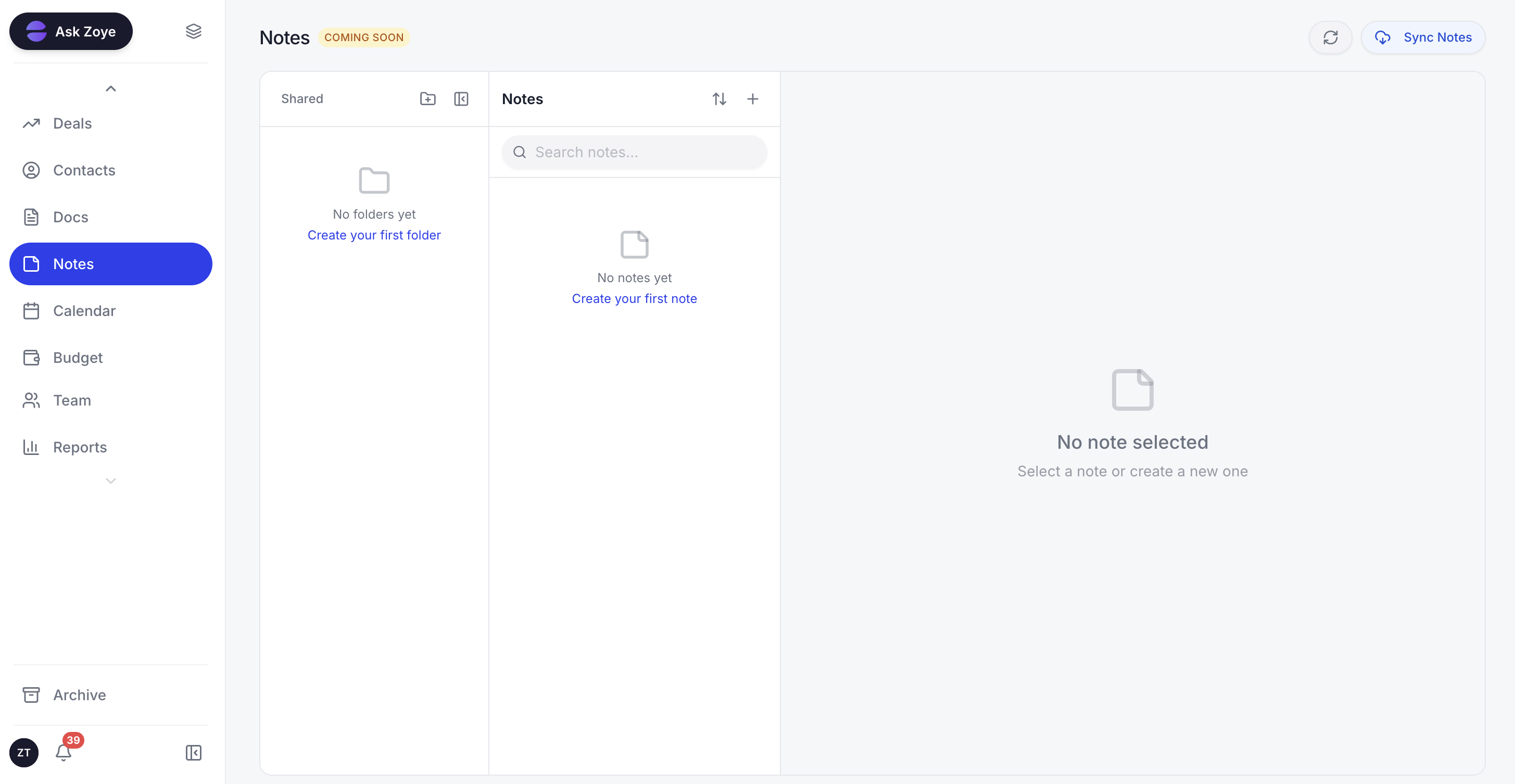
The capture-and-outline habit that makes Taskade enjoyable lives on in Zoye through built-in Docs and Notes. The difference is connection: a note can sit beside the deal it belongs to, a doc can reference the project it supports, and the AI can read across all of it. Ideas do not get stranded in a separate outlining app away from the customers and tasks they relate to.
The pricing model is flat-rate, which is the sharpest contrast with per-user task tools. A 15-person team pays one monthly fee on Zoye, not 15 separate licenses, and that single fee already covers the CRM, tasks, budget, reporting, and AI that would otherwise be several extra subscriptions. Migration is straightforward too: import connectors cover Trello and Monday.com, and WhatsApp integration is live for customer conversations. Jira, Notion and ClickUp imports are coming soon.
Pricing: The entry plan, Almost Free, is $5 per month ($4 billed annually) for 1 member with the full platform including AI (1GB) - about the price of a cup of coffee, and you can cancel or upgrade anytime. Starter $29 per month ($23 billed annually, 10 members). Growth $59 per month ($47 annually, 20 members). Scale $119 per month ($95 annually, 100 members). Enterprise is custom. Flat-rate, not per seat, with every tool and connector included.
Best for: Small to mid-size teams that want to run customers, projects, and budget in one AI-native workspace instead of outgrowing an outline app.
Ready to streamline your business?
Zoye brings AI-powered CRM, task management, and automation into one workspace.
Get Started2. ClickUp - the deep project management alternative
ClickUp is the alternative for teams whose Taskade pain is really about project depth. It combines tasks, docs, goals, and dashboards in one tool, with a generous feature set, multiple views, and ClickUp AI available as an add-on. Where Taskade keeps things light, ClickUp goes wide.
Where it works best:
- Teams that need custom fields, dependencies, and automation
- Project-led groups that want list, board, calendar, and Gantt views
- Power users who enjoy configuring a workflow in detail
Pricing: Free plan for personal use. Unlimited around $7 per user per month. Business around $12 per user per month. AI add-on around $9 per user per month, not bundled.
Worth knowing: ClickUp does not include a real CRM or budget layer, the AI is priced separately, and the sheer number of features can overwhelm small teams that loved Taskade precisely because it was simple.
3. Notion - the documents-first alternative
Notion is the answer for teams that valued Taskade's writing and outlining most of all and want a more powerful version of it. Its docs, wikis, and flexible databases are best in class, and Notion AI adds drafting and summarizing inside the same tool.
Where it works best:
- Knowledge-heavy teams that live in documents and wikis
- Groups that want flexible databases for lightweight tracking
- Writers who want a polished editing experience with AI help
Pricing: Free for personal use. Plus around $10 per user per month. Business around $15 per user per month. Notion AI is an add-on.
Worth knowing: Notion is docs-first, not operations-first. Its database-as-CRM model is too shallow for a real sales pipeline or budget tracking, so a growing business still bolts on separate tools.
Ready to streamline your business?
Zoye brings AI-powered CRM, task management, and automation into one workspace.
Get Started4. Todoist - the focused task list alternative
Todoist is the alternative for people who want Taskade's speed and simplicity without the outlining and document layer. It is one of the fastest, cleanest task managers available, with natural-language input, projects, labels, and a satisfying focus on getting things done.
Where it works best:
- Individuals and small teams that want a fast, no-friction task list
- People who capture tasks in natural language across devices
- Anyone who prefers focus over a sprawling feature set
Pricing: Free plan for basic use. Pro around $4 per user per month. Business around $6 per user per month.
Worth knowing: Todoist is a task manager, not a workspace. There is no CRM, no budget, no reporting, and only light AI, so it suits personal productivity more than running a business.
5. Asana - the structured work management alternative
Asana is the alternative for teams that want more structure and accountability than Taskade offers for running projects. It is built around clear ownership, due dates, and multiple project views, with solid reporting and a mature feature set that scales to larger teams.
Where it works best:
- Teams that want structured projects with clear ownership
- Groups that rely on timelines, milestones, and goals
- Organizations that need dependable team-wide reporting
Pricing: Free Basic plan for small teams. Starter around $11 per user per month. Advanced around $25 per user per month.
Worth knowing: Asana is project management, not a full business platform. It has no native CRM or budget tracking, and the higher tiers get expensive per seat as the team grows.
6. Trello - the simple visual board alternative
Trello is the alternative for teams that want Taskade's lightness in a purely visual Kanban form. Boards, lists, and cards are intuitive within minutes, and Power-Ups extend the basics when needed. It is a calm, simple choice for tracking work at a glance.
Where it works best:
- Small teams that want a visual board with almost no setup
- Simple workflows like content pipelines or request tracking
- Anyone who prefers cards on a board over outlines and lists
Pricing: Free plan for small teams. Standard around $5 per user per month. Premium around $10 per user per month.
Worth knowing: Trello is intentionally simple. It has no CRM, no budget, light reporting, and limited AI, so it tracks work well but does not run a business. It is also one of the import connectors built into Zoye.
7. TickTick - the tasks-plus-life alternative
TickTick is the alternative for individuals who liked Taskade for personal organization and want tasks, habits, and a calendar in one tidy app. It blends a capable task manager with habit tracking, a built-in calendar, and a Pomodoro timer, all in a clean interface.
Where it works best:
- Individuals who want tasks, habits, and calendar together
- People building routines alongside their to-do list
- Anyone who wants personal productivity in a single app
Pricing: Free plan for core features. Premium around $3 per user per month.
Worth knowing: TickTick is a personal productivity app. There is no CRM, no budget, and no team-wide reporting, so it shines for individuals rather than businesses that need to manage customers and money.
Best Taskade alternative for small teams
For a small team that has outgrown outlines and lists, the right alternative depends on what the next bottleneck is. If the pain is purely project tracking, ClickUp or Asana give you structured projects with ownership and reporting. If the team lives in documents, Notion is the natural step up from Taskade's writing experience.
But most small teams hit the same wall: the work lives in one app, the customers live in another, the money lives in a spreadsheet, and nothing talks to anything else. That is where Zoye is the clearest pick. Small teams feel the cost of a fragmented stack the most, and they cannot afford the context-switching of jumping between an outline tool, a CRM, and a budget sheet all day. Zoye puts tasks, customers, calendar, budget, and AI in one workspace at a flat monthly rate, so the bill stops climbing with every hire and the team finally works in one place.
Ready to streamline your business?
Zoye brings AI-powered CRM, task management, and automation into one workspace.
Get StartedBest AI-powered Taskade alternative
Almost every option here now has some AI, but there is a meaningful difference between AI that drafts inside a document and AI that runs the workspace. Taskade's AI, like Notion AI and ClickUp AI, is mostly an assistive layer: it helps you write, outline, or summarize inside a single tool, and several of these AIs cost extra.
Zoye is the only option on this list built AI-native from day one, with an assistant that takes action across the entire workspace rather than inside one document. It sees the customer in the CRM, the project the customer belongs to, the tasks assigned to your team, and the budget impact, all at once, and it acts on all of them from a single instruction: create the tasks, reassign the workload, schedule the meeting, generate the report. You can drive it by text or voice, and it works over WhatsApp today. That is a different category from a per-document AI bolted onto an outlining app.
How to choose the right Taskade alternative for your team
Three questions narrow the field quickly.
1. What are you actually replacing? If it is outlines and personal task lists, Todoist or TickTick keep that simplicity. If it is project work, look at ClickUp, Asana, or Trello. If it is documents, Notion is the step up. If it is the whole fragmented stack you run around Taskade (tasks plus CRM plus budget plus AI), look at Zoye.
2. What matters most: simplicity, depth, or operations? Trello and TickTick win on simplicity. ClickUp and Asana win on project depth. Notion wins on documents. Zoye wins on bundled operations and flat-rate cost.
3. How important is AI that acts? If a drafting assistant inside your documents is enough, every modern option covers that. If you want AI that executes work across customers, projects, and budget by text or voice, Zoye is the only AI-native pick here.
Conclusion
Taskade is a delightful tool for outlining, brainstorming, and capturing ideas with AI, and for solo creators and small groups it is hard to beat at that job. The trouble starts when the work grows past lists and documents into customers, deals, budgets, and the reporting a real business depends on. At that point an outline app, however pleasant, becomes one piece of a scattered stack rather than the place the business runs.
The right alternative depends on where you are headed. If you only need better project tracking, ClickUp and Asana are strong; if documents are the heart of your work, Notion is the natural upgrade; if you want to keep things simple, Trello, Todoist, and TickTick all do that well. Each of these is a fine answer to a specific need.
But if your real goal is to run the whole business in one place, with an AI that actually does the work instead of just drafting it, Zoye is the alternative that goes furthest. It keeps the task and collaboration work you liked about Taskade, adds the CRM, budget, and reporting a growing team needs, and puts an acting assistant at the center of it all at flat-rate pricing. Try Zoye for your team from just $5 a month, the price of a cup of coffee, and cancel or upgrade anytime. Let Zoye run the customers, projects, and reporting that an outline app was never built to handle.
Ready to streamline your business?
Zoye brings AI-powered CRM, task management, and automation into one workspace.
Get StartedFor more context, see the best Todoist alternatives, the best Notion alternatives, the best ClickUp alternatives, and the best Asana alternatives.