
Best Linear Alternatives 2026: 7 Tools for Teams That Outgrew Issue Tracking
Linear earned its reputation fairly. For fast-moving software teams, it is one of the cleanest, fastest issue trackers ever built. Keyboard-first navigation, an opinionated workflow, tight Git and GitHub integration, and a genuinely beautiful interface make it a joy to live in if your day is shaped by issues, cycles, and sprints. Any honest comparison should start by saying so: for the engineering team it was designed for, Linear is excellent.
The catch is how narrow that design is. Linear is an issue tracker, and it is unapologetically developer-centric. It does not manage customers, it has no CRM, no budget or finance tracking, no general business reporting, and no calendar that doubles as a workspace schedule. Its AI helps triage and summarize issues rather than acting across your whole operation. So the moment a team grows past pure engineering, or a non-developer department tries to adopt it, or a startup needs one tool that handles customers and projects and money together, Linear starts to feel like one piece of a stack rather than the stack itself. This guide compares the seven best Linear alternatives in 2026, from sharper dev trackers to full business-operations platforms.
Pricing reflects published rates as of June 2026; check each vendor's pricing page for current figures.
Why teams are looking beyond Linear in 2026
The reasons to look past Linear cluster into four themes that get sharper as a team grows.
It only does issue tracking. Linear is deliberately focused. That focus is its strength for engineers, but it means everything outside issues lives somewhere else: customers in a CRM, money in a spreadsheet or finance tool, documents in a separate app, the team calendar in yet another. Teams that want fewer tools rather than more eventually feel the pull toward a platform that covers more of the picture.
It is developer-centric by design. The vocabulary, workflows, and shortcuts in Linear assume an engineering audience. Cycles, triage, and Git-linked issues are second nature to developers and friction for everyone else. Marketing, operations, sales, and client-services teams routinely bounce off Linear because it was never built for the way they work.
No business operations layer. Linear has no CRM, no deals or pipeline, no budget tracking, and no cross-business reporting. A startup running on Linear still needs a separate CRM, a separate finance tool, and a separate reporting setup, then has to keep all of them in sync by hand. The fragmentation grows with the company.
AI that triages, not AI that acts. Linear's AI features help summarize and organize issues. That is useful inside the tracker, but it is a long way from an assistant that can see a customer, the project they belong to, the tasks involved, and the budget impact, and then act across all of them from one instruction. Teams increasingly want AI that does work across the workspace, not AI that tidies a backlog.
Linear alternatives at a glance
| Tool | Best for | Pricing model | AI that acts? | Beyond issue tracking? |
|---|---|---|---|---|
| Zoye | Running the whole business in one AI-native workspace | Flat-rate (not per seat) | Yes, acts across the workspace | Yes: CRM, budget, calendar, reports |
| Jira | Large agile engineering teams | Per user | Assistive only | Partly (dev-focused) |
| ClickUp | Feature-rich all-in-one project work | Per user | Add-on, assistive | Yes, broad |
| Asana | Cross-functional project coordination | Per user | Assistive only | Yes, project-focused |
| Trello | Simple visual task boards | Per user | Add-on, assistive | Light |
| Notion | Docs-first teams with light tracking | Per user | Add-on, assistive | Docs and light databases |
| Height | Fast, AI-leaning issue tracking | Per user | Assistive only | No, issue-focused |
The 7 best Linear alternatives in 2026
1. Zoye - the AI-native all-in-one alternative
Zoye is the strongest Linear alternative for teams that have outgrown pure issue tracking and want to run the whole business in one place. Where Linear gives you a beautiful issue tracker and leaves customers, budget, and reporting to a separate stack, Zoye bundles tasks and projects with CRM, budget, calendar, and reporting, all under a native acting AI, at flat-rate pricing.

It is worth being precise about the swap. Zoye is not trying to be a keyboard-first clone of Linear for hardcore engineering workflows. It replaces the wider need a growing team has: somewhere that handles the work (tasks and projects), the customers (CRM), the money (budget), the schedule (calendar), and the reporting, without four separate subscriptions stitched together. Every module is built in and free at every tier: Overview, Tasks, Deals, Contacts, Inbox, Docs, Notes, Calendar, Budget, Team, Reports, and Archive. One workspace, one login, one bill.
Tasks and projects, built in

Linear is fast and focused, but it tracks issues for engineers. Zoye handles tasks and projects for any team, with list, board, calendar, and timeline views on the same data. Priority labels and a clean Kanban board work without configuration, so a marketing, operations, or product team can start running real work on day one rather than bending an engineering tracker to fit.
Zoye Assistant - AI that works, not just talks
In Linear, AI mostly triages and summarizes issues. Zoye ships with a native assistant named Zoye that executes work across the entire workspace by text or voice. Give it one instruction and it creates a deal, adds the contact, spins up the related tasks, assigns an owner, and drafts the notes, all in a single message. It surfaces overdue and blocked work proactively, reassigns workload by team capacity, generates a status report on demand, and creates tasks straight from incoming emails. It acts, it does not just tidy a backlog.
Calendar - tasks where they belong

Linear has no workspace calendar. In Zoye, the calendar is the workspace calendar: tasks appear on it automatically, meetings layer over deadlines, and there is no sync to configure between a tracker and a separate calendar app. The schedule and the work are the same picture.
Reports and notes across the workspace

Getting a cross-business view out of an issue tracker is impossible because the rest of the business is not in it. Zoye Reports brings tasks, deals, contacts, budget, and team activity into one exportable dashboard out of the box, and the status report writes itself from real workspace activity.
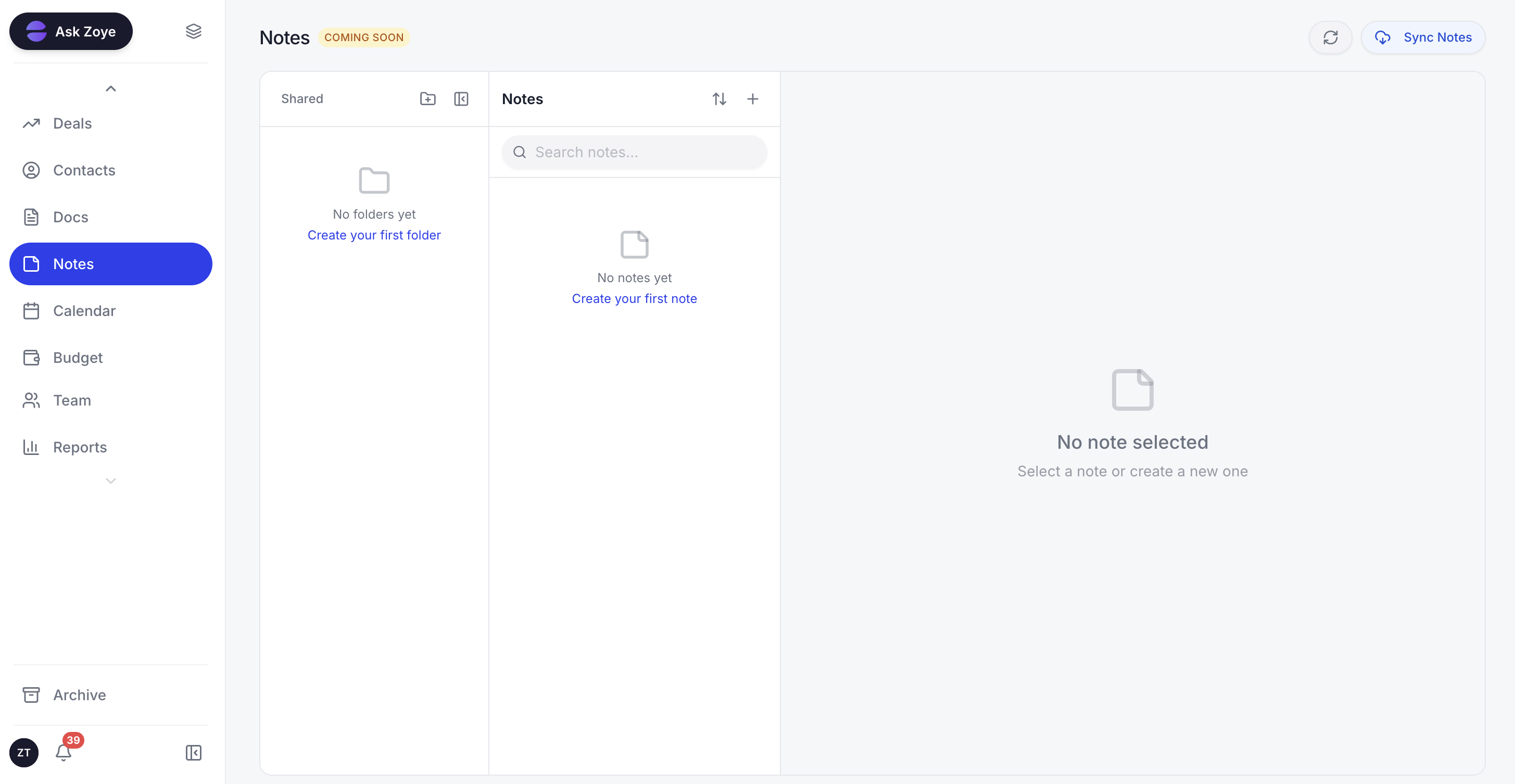
Collaborative Notes keep plans and documentation next to the work they describe, so context does not scatter across separate apps.
The pricing model is flat-rate, which is the sharpest contrast with Linear's per-user plans. A 15-person team pays one monthly fee on Zoye, not 15 separate seats, and that single fee already covers the CRM, budget, calendar, reporting, and AI that would otherwise be several extra subscriptions. Migration is straightforward too: import connectors cover Trello and Monday.com, and WhatsApp integration is live for customer conversations, with Gmail and Google Calendar live as well, and Slack, Microsoft Outlook, and Apple Calendar coming soon. Jira, Notion and ClickUp imports are coming soon.
Pricing: Almost Free $5 per month ($4 annual, 1 member) with the full platform including AI. Starter $29 per month ($23 annual, 10 members). Growth $59 per month ($47 annual, 20 members). Scale $119 per month ($95 annual, 100 members). Enterprise custom. Flat-rate, not per seat.
Best for: Small to mid-size teams that have outgrown issue tracking and want to run customers, projects, and budget in one AI-native workspace.
Ready to streamline your business?
Zoye brings AI-powered CRM, task management, and automation into one workspace.
Get Started2. Jira - the agile engineering heavyweight
Jira is the natural Linear alternative for larger engineering organizations that need depth over speed. It is the most established agile tool in the world, with rich sprint planning, advanced workflows, granular permissions, and a vast marketplace of add-ons. Teams that need to model complex processes across many squads find a ceiling in Jira that Linear deliberately does not reach for.
Where it works best:
- Large agile teams running Scrum or Kanban at scale
- Organizations that need deep custom workflows and permissions
- Teams already in the Atlassian ecosystem (Confluence, Bitbucket)
- Engineering groups that want a mature add-on marketplace
Pricing: Free for up to 10 users. Standard around $8 per user per month. Premium around $14 per user per month.
Worth knowing: Jira is powerful but heavy. Where Linear is loved for its speed and simplicity, Jira is often criticized for being slow to configure and overwhelming for small teams, and like Linear it stays focused on software work rather than business operations.
3. ClickUp - the all-in-one work platform
ClickUp is the alternative for teams whose Linear pain is really about wanting one tool for all project work, not just engineering issues. It combines tasks, docs, goals, whiteboards, and dashboards in a single, highly configurable platform, with ClickUp AI available as an add-on.
Where it works best:
- Cross-functional teams that want tasks, docs, and goals in one place
- Teams that value extreme customization of views and fields
- Departments outside engineering that Linear was never built for
- Teams replacing several point tools at once
Pricing: Free tier available. Unlimited around $7 per user per month. Business around $12 per user per month. AI add-on around $9 per user per month, not bundled.
Worth knowing: ClickUp's flexibility is its blessing and its curse. The sheer number of features and settings can overwhelm small teams that loved Linear precisely for being opinionated and minimal, and it still has no real CRM or budget layer.
4. Asana - cross-functional project coordination
Asana is the Linear alternative for teams that coordinate work across departments rather than ship code in cycles. Its strength is clear project structure, dependencies, timelines, and workload views that keep marketing, operations, and product teams aligned on who is doing what by when.
Where it works best:
- Cross-functional teams coordinating projects across departments
- Marketing and operations teams that need timelines and workloads
- Organizations that want polished reporting on project status
- Teams that prefer structure over engineering-specific workflows
Pricing: Free for up to 10 users. Starter around $11 per user per month. Advanced around $25 per user per month.
Worth knowing: Asana is a strong project coordinator but not an issue tracker, so engineering teams that loved Linear's speed and Git links will miss them. It also has no CRM or budget tracking, so business operations live elsewhere.
5. Trello - the simple visual board
Trello is the alternative for teams that found even Linear heavier than they needed and just want a clean, visual board. Cards, lists, and drag-and-drop make it the most approachable tracker here, and Power-Ups extend it when you need a little more.
Where it works best:
- Small teams and individuals who want the simplest possible board
- Lightweight task and workflow tracking without process overhead
- Teams that prize approachability over depth
- Personal projects and small side initiatives
Pricing: Free tier available. Standard around $5 per user per month. Premium around $10 per user per month.
Worth knowing: Trello's simplicity is the trade-off. It lacks the structured workflows, cycles, and dependencies that made Linear productive for software teams, and it is not built for CRM, budget, or business reporting at all.
6. Notion - the docs-first workspace
Notion is the answer for teams whose work is as much about documentation as tracking, and who want their wiki, docs, and lightweight databases to share one flexible workspace. Its docs and knowledge base are best-in-class, and Notion AI adds drafting and summarizing inside the same tool.
Where it works best:
- Knowledge-heavy teams that document as much as they track
- Teams that want a wiki and project tracking in one place
- Startups that prize flexibility and a blank-canvas approach
- Light task tracking layered onto rich documentation
Pricing: Free for personal use. Plus around $10 per user per month. Business around $15 per user per month.
Worth knowing: Notion is docs-first, not tracking-first. Its database-as-tracker model is flexible but slower and less structured than Linear for real engineering work, and its CRM-by-database approach is too shallow for a serious sales pipeline or budget tracking.
7. Height - the AI-leaning issue tracker
Height is the closest spiritual alternative to Linear for teams that want a fast, modern issue tracker with AI woven through it. It focuses on autonomous project management features, using AI to help triage, organize, and keep work moving, in a clean interface that will feel familiar to anyone who liked Linear.
Where it works best:
- Software teams that want a fast, modern issue tracker
- Teams curious about AI-assisted backlog management
- Groups that liked Linear's feel but want a different take
- Product and engineering teams comfortable in a focused tool
Pricing: Free tier available. Paid plans start around $7 per user per month.
Worth knowing: Height is, like Linear, an issue tracker at heart. Its AI helps manage issues rather than run a business, and it has no CRM, budget, or cross-business reporting, so it solves Linear's speed and AI questions but not its scope.
See what Zoye can do for you
From CRM and deal tracking to AI-powered task management - explore everything Zoye offers in one workspace.
Explore FeaturesBest Linear alternative for small teams
For a small team, the right alternative depends on how much you want one tool to do. If you simply want the lightest possible board to track a handful of things, Trello is the most approachable swap. If you liked Linear's focus and want a similar fast tracker with more AI, Height is the natural step.
But small teams feel the cost of a fragmented stack the most, and they cannot afford to jump between an issue tracker, a separate CRM, a finance tool, and a calendar all day. That is where Zoye is the clearest pick: it puts tasks, customers, calendar, budget, and AI in one workspace at a flat monthly rate, so a five- or ten-person team runs the whole business in one place and the bill does not climb with every hire.
Best Linear alternative for non-developer teams
Linear was built for software teams, and non-developer departments feel that quickly. The vocabulary, workflows, and Git-centric model are friction for marketing, operations, sales, and client-services teams.
For those teams, Zoye, ClickUp, and Asana are the strongest alternatives because they handle general project work rather than engineering issues. ClickUp and Asana cover cross-functional projects well. Zoye goes furthest by adding CRM, budget, and a native acting AI in the same workspace, so a non-dev team does not just track tasks, it runs customers, money, and reporting in one place.
Best AI-powered Linear alternative
Almost every option here now has some AI, but there is a meaningful difference between AI that triages issues and AI that runs the workspace. Linear AI, Jira's assistant, ClickUp AI, Notion AI, and Height's AI are mostly assistive layers: they help summarize, organize, or draft inside a single tool, and several cost extra.
Zoye is the only option on this list built AI-native from day one, with an assistant that takes action across the entire workspace by text or voice rather than inside one app. It sees the customer in the CRM, the project they belong to, the tasks assigned to your team, and the budget impact, all at once, and it acts on all of them from a single instruction: create the deal and contact, spin up the tasks, assign the owner, draft the notes, schedule the meeting, generate the report. That is a different category from a per-app AI assistant bolted onto an issue tracker.
Want to see it in action?
Watch how Zoye automates your daily workflow - from lead management to team collaboration.
See How It WorksHow to choose the right Linear alternative for your team
Three questions narrow the field quickly.
1. Are you still mainly tracking software issues? If yes, and you want depth, Jira fits; if you want speed and AI, Height is closest to Linear. If your work has spread beyond engineering, look at ClickUp, Asana, or Zoye.
2. Do you need more than task tracking? If you also need to run customers, budget, and reporting, an issue tracker of any kind will leave gaps. Zoye is the only option here that bundles the whole business-operations layer rather than just the work-tracking layer.
3. How important is AI that acts? If a backlog-tidying assistant is enough, every modern option covers that. If you want AI that executes work across customers, projects, and budget from one instruction, Zoye is the only AI-native pick here.
Migration from Linear to a connected workspace
Moving off Linear is usually easier than teams expect, because issue data is structured and exportable. If you are staying in pure issue tracking, most alternatives offer a CSV or API import to bring issues across.
If you are consolidating into a connected workspace, the migration is broader but more rewarding. Bringing tasks, customers, projects, and reporting into Zoye means the data rarely lives only in Linear: it sits across an issue tracker, a CRM, spreadsheets, and project tools such as Trello or Monday.com. Zoye's import connectors cover those project tools directly, and for spreadsheet exports the Zoye assistant handles the migration interactively, mapping fields, resolving conflicts, deduplicating records, and confirming each step before moving on. So a team can leave a fragmented stack behind and finally run the whole business in one connected workspace. Jira, Notion and ClickUp imports are coming soon.
What changes after leaving Linear
Teams that move off Linear into a broader workspace tend to notice three changes.
First, the tools collapse. Instead of an issue tracker plus a CRM plus a finance tool plus a calendar, a team runs one or two connected tools, and a flat-rate operations platform like Zoye means the cost stops rising every time you hire. The daily experience gets simpler because there is far less context-switching.
Second, non-developer teammates finally have a tool built for them. Where Linear was friction for anyone outside engineering, a general-purpose workspace lets marketing, operations, and sales work the way they actually do, while engineering can keep a focused tracker if it genuinely needs one.
Third, the AI starts working across the whole picture. Rather than an assistant that tidies a backlog, the assistant sees customers, projects, tasks, and budget together and takes action across them from one instruction. The quality of help changes because the context is unified, not siloed inside an issue tracker.
Keep the focused issue tracker your engineers love, and hand Zoye the customers, budgets, and reporting Linear was never built to carry. The Almost Free plan starts at $5 per month (or $4 per month billed annually), and you can scale it up or step away whenever the team is ready.
For more context, see the best Jira alternatives, the best ClickUp alternatives, the best Asana alternatives, and the best Trello alternatives.
Frequently asked questions
The best Linear alternative depends on what you are trying to do. If you want a faster, more opinionated issue tracker for a developer team, Height and Jira are the closest matches. If you have outgrown pure issue tracking and need to run customers, projects, budget, and reporting in one place, Zoye is the strongest pick because it bundles the whole business-operations layer with a native acting AI at flat-rate pricing.
For a free issue and project tracker, Trello offers a generous free plan and ClickUp has a capable free tier. For a full all-in-one workspace, Zoye is the most affordable pick: its entry plan, Almost Free, is just $5 per month ($4 per month billed annually) for up to 1 member with the full platform, including CRM, tasks, calendar, budget, and AI. The right pick depends on whether you only need task tracking or want to run the wider business too.
For small teams, Zoye and Trello are the standout picks. Trello is the simplest board for lightweight tracking, while Zoye gives a small team customers, projects, calendar, budget, and AI in one flat-rate workspace so the bill does not climb with every hire. Linear is excellent for small dev teams specifically, but it stays focused on issue tracking.
Yes. Trello and ClickUp both have free tiers, and several alternatives start cheaper than Linear's per-user plans. Zoye uses flat-rate pricing, so a 15-person team pays one monthly fee instead of 15 per-seat licenses, which often costs less than Linear plus the separate CRM and budget tools a growing team adds on top.
Zoye can replace Linear for teams that want tasks and projects to live alongside customers, budget, and reporting rather than in a standalone issue tracker. Zoye handles tasks with list, board, calendar, and timeline views plus a native acting AI. Pure software teams that need deep Git-linked issue workflows may keep a dedicated dev tracker, but for most teams Zoye replaces Linear and the rest of the operations stack at once.
Linear is built for software teams, so non-developer teams usually feel its limits quickly. Zoye, ClickUp, and Asana are the strongest alternatives for marketing, operations, sales, and client-services teams because they handle general project work, not just engineering issues. Zoye goes furthest by adding CRM, budget, and AI in the same workspace so a non-dev team runs the whole business in one place.