
Notion vs Obsidian in 2026: Which Knowledge Tool Wins (and the Third Option)
Notion and Obsidian get pitted against each other constantly, yet they are built on opposite philosophies. Notion is a flexible all-in-one cloud workspace for docs, wikis, databases, and team collaboration, the place a group writes things down together and organises shared knowledge. Obsidian is a local-first markdown app for personal knowledge management, the place one person builds a private second brain out of plain text files, backlinks, and a graph of connected ideas. They overlap on the surface, both are "note apps", which is exactly why the choice feels harder than it should.
The honest issue with the Notion-versus-Obsidian debate is that either choice still leaves a gap. Notion is powerful and collaborative but lives in the cloud, can feel heavy for quick capture, and bills per seat as a team grows. Obsidian is fast, private, and yours forever, but it is a solo tool at heart, sync and collaboration are extras, and it stops at notes. Most importantly, neither connects your notes to the actual work they describe. A meeting note in either tool is still just text, it does not open a deal, create the follow-up tasks, or land on a calendar. If the two feel like a coin toss, that is usually a sign you are weighing the wrong axis.
This comparison is fair about where Notion and Obsidian each genuinely win, walks through the dimensions that decide the choice, and then covers a third option built around a different idea: notes that connect to real work, with an assistant that takes action.
Pricing reflects published rates as of June 2026; check each vendor's pricing page for current figures.
Notion vs Obsidian at a glance
| Dimension | Zoye | Notion | Obsidian |
|---|---|---|---|
| Core philosophy | Notes connected to real work, with an acting AI | Flexible cloud docs + wiki + databases | Local-first markdown second brain |
| Storage model | Cloud workspace, notes linked to your data | Cloud (vendor servers) | Local plain markdown files you own |
| Notes / docs | Notes module, rolling out | Best-in-class structured docs + wikis | Fast markdown notes, backlinks, graph |
| Backlinks / graph | Notes link to deals, tasks, contacts | Linked databases + mentions | Native backlinks + graph view |
| Offline use | Cloud-based | Limited offline | Fully offline by default |
| AI assistant | Included, takes real action | Notion AI, add-on, mostly assists | None native, plugins to outside models |
| CRM / deals | Built in, all plans | Buildable but manual | Not a fit |
| Tasks / calendar | List, board, calendar, timeline | Light task lists in pages | Plugins, manual |
| Collaboration | Team workspace, all plans | Strong, real-time, cloud | Solo first, sync/collab are extras |
| Pricing model | Tier-based, not per seat | Per seat | Free personal + paid add-ons |
| Best for | Running work where notes meet action | Team knowledge + structured pages | Private personal knowledge work |
Ease of use and capture: friendly pages versus fast plain text
How a tool feels in the first ten minutes, and the ten-thousandth, shapes whether you actually keep using it.
Notion is approachable and visual. You build pages out of blocks, drop in databases, embed media, and shape a clean wiki without touching a settings file. New users get something useful quickly, and the result looks polished enough to share with a client or a whole company. The trade-off is weight. Notion loads pages over the network, quick capture can feel slow, and the flexibility that makes it powerful also makes a blank workspace a small design project before it is useful.
Obsidian is built for speed and ownership. Notes are plain markdown files on your own disk, the app opens instantly, and capturing a thought is as fast as typing. There is no page-load wait and no schema to plan. The trade-off is the starting curve: the raw experience is minimal, and a lot of Obsidian's magic comes from community plugins you choose and configure yourself. It rewards people who enjoy tuning their own setup and can feel bare to those who do not.
Verdict: Notion for friendly, shareable pages out of the box. Obsidian for instant, frictionless personal capture once you have set it up the way you like.
Knowledge structure: databases versus backlinks and graph
This is the heart of the comparison, and the two tools think very differently.
Notion organises knowledge top-down with pages and databases. You nest pages into a wiki, turn lists into relational-lite databases, and link records with relations and mentions. It is excellent when knowledge has structure you can define in advance: a content calendar, a project hub, a team handbook. For shared, organised reference material, Notion's database model is hard to beat.
Obsidian organises knowledge bottom-up with backlinks and a graph. You write notes and link them with simple wiki-style links, and over time a web of connected ideas emerges that you did not have to plan. The graph view makes those connections visible, and unlinked-mention surfacing helps you find relationships you forgot. For research, writing, and long-term personal knowledge that grows organically, this networked-thought model is genuinely special, and Notion does not match it.
Verdict: Notion for structured, shareable knowledge you organise deliberately. Obsidian for emergent, networked personal knowledge that connects itself over time.
Privacy, ownership, and offline
For many people choosing Obsidian, this single dimension decides it.
Obsidian stores your notes as plain markdown files on your own device. Nothing leaves your machine unless you turn on a sync option, the app works fully offline, and your library is readable in any text editor for as long as text files exist. That is real data ownership and durability, no lock-in, no dependence on a vendor staying in business.
Notion keeps your content in the cloud on its servers. That is what powers easy sharing, real-time collaboration, and access from any device, and it is a fair trade for teams. But it means your knowledge lives with the vendor, offline access is limited, and exporting a large, interlinked workspace cleanly is more work than copying a folder of text files.
Verdict: Obsidian for privacy, offline, and long-term ownership. Notion for cloud convenience, multi-device access, and frictionless sharing, if you are comfortable with vendor-hosted data.
Collaboration: built for teams versus built for one
Who else touches your notes matters as much as the notes themselves.
Notion was designed for teams. Real-time co-editing, comments, permissions, shared wikis, and public pages are all first-class. It is a natural home for a company knowledge base where many people read and write the same pages, and the cloud model makes that effortless.
Obsidian is a single-player tool at its core. It can be shared through paid Sync across your own devices or Publish for read-only web pages, and some teams rig up shared folders, but true multi-person editing is not what it is built for. The local-first design that makes Obsidian private and fast is the same design that makes real-time collaboration awkward.
Verdict: Notion for any knowledge that a team co-owns and edits together. Obsidian for a personal knowledge base that is mostly yours alone.
AI: assist inside your notes versus none native
In 2026, the assistant question shapes how much a knowledge tool actually does for you.
Notion AI is built in, helping you write, summarise long pages, and answer questions across your workspace. It is a capable writing and retrieval aid, offered as an add-on or bundled on higher plans. It assists well, but it works inside Notion's own pages.
Obsidian has no native AI. You add it through community plugins that connect to outside models for chat, summarising, or semantic search over your vault. That keeps Obsidian flexible and private by default, but it means assembling and maintaining the setup yourself, and the AI still lives inside your notes.
Crucially, both kinds of AI assist rather than act. They summarise a page or draft a paragraph, but neither opens a deal, books a meeting, or creates the tasks a note implies, because in both tools a note is the end of the line, not the start of an action.
Verdict: Notion for built-in, no-setup note AI. Obsidian for private, plugin-driven AI you control. Neither for an assistant that takes action beyond the page.
Pricing: free and yours versus per seat
Cost works very differently across these two, and per seat is the key story for teams.
Obsidian pricing:
- Personal use: free
- Sync: paid add-on for cross-device syncing
- Publish: paid add-on for publishing notes to the web
- Commercial use license: a per-user yearly fee for business settings
Notion pricing:
- Free: generous for individuals and small teams
- Plus: from around $10/seat/month annual
- Business: from around $15/seat/month annual
- Enterprise: custom
- Notion AI: add-on or bundled on higher plans
For a solo user, Obsidian is the cheaper choice, often free forever. For a team, Notion bills per seat, so cost climbs with every hire, and AI can add more on top. Neither cost covers the work the notes describe: customers, deals, tasks, or budget all live in other paid tools.
Verdict: Obsidian wins on cost for one private user. Notion is reasonable but per seat for teams. Both price only the note-taking layer, not the work around it.
The third option: Zoye
Notion and Obsidian leave the same gap, just from opposite directions. Notion gives you collaborative cloud pages but bills per seat and keeps your data on its servers. Obsidian gives you fast, private, local notes but is solo at heart and stops at text. And in both, a note is where the trail ends. The brilliant meeting summary, the project doc, the research roundup, none of it opens a deal, schedules the kickoff, or creates the follow-up tasks. You still retype your own conclusions into other tools.
Zoye is built around a different idea: notes that connect to real work, with an assistant that takes action. It pairs collaborative documentation with a real CRM (contacts, companies, deals, pipeline stages), full tasks and projects across list, board, calendar, and timeline views, a calendar, budget tracking, and reports, all in one workspace, on one bill, with a native AI assistant included at every tier.
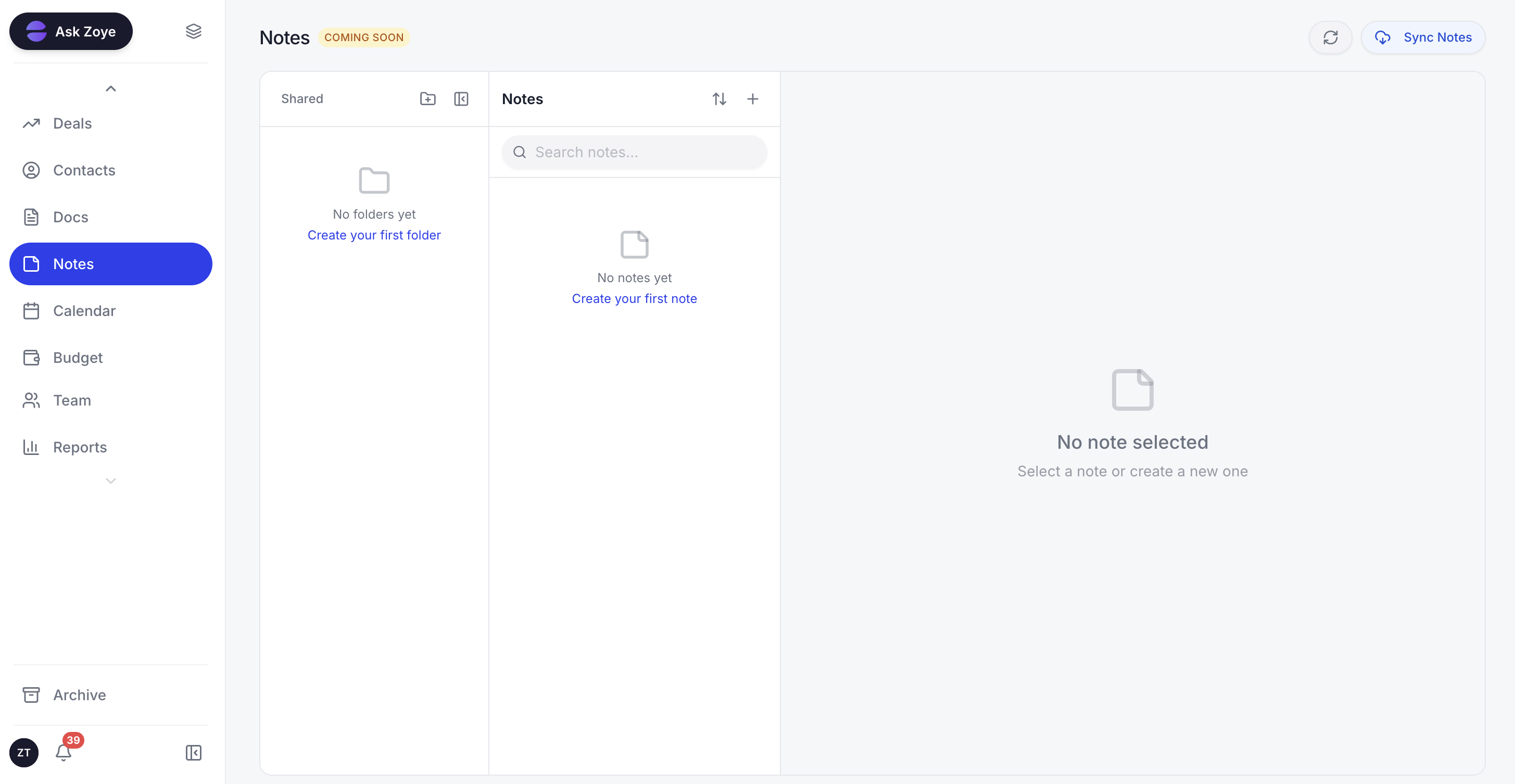 Zoye keeps notes, tasks, and customer context in one connected workspace.
The Notes module is rolling out, so the docs side is new rather than the decade of polish Notion has or the deep markdown ecosystem Obsidian enjoys, and that is worth being straight about. What Zoye offers instead is connection. Because notes live in the same workspace as deals, tasks, calendar, and budget, the Zoye Assistant can act on what you write rather than just store it. You ask, and it drafts tasks from a brief, surfaces overdue and blocked work, schedules deep-work blocks around deadlines, generates a weekly status report on demand, and creates tasks from incoming emails. Where Notion AI summarises a page and an Obsidian plugin answers a question about your vault, neither opens the deal, books the kickoff, and assigns the tasks from one instruction, because the customer record, the calendar, and the budget are not part of the same system. In Zoye they are.
Real example: A solo founder finishes a discovery call and dictates one line: "Brightwave is interested in the retainer, about $18K, kickoff in two weeks." Zoye opens the deal, files the contact and company, books the kickoff on the calendar, drafts the onboarding tasks against the budget, and keeps the meeting note linked to all of it. In Notion that note would be a page with no real pipeline behind it; in Obsidian it would be a private markdown file with no team, no deal, and no assistant to act on it.
See what Zoye can do for you
From CRM and deal tracking to AI-powered task management - explore everything Zoye offers in one workspace.
Explore FeaturesWhen to choose each
Choose Notion if:
- Your knowledge is shared and a team reads and edits the same pages
- You want structured docs, wikis, and lightweight databases in the cloud
- Real-time collaboration and easy sharing matter more than offline or privacy
- You are comfortable with vendor-hosted data and per-seat pricing
Choose Obsidian if:
- You want a fast, private, local-first personal knowledge base you fully own
- Backlinks, a graph view, and emergent networked notes fit how you think
- Offline access and plain-text durability are priorities
- You mostly work solo and enjoy tuning your own setup with plugins
Choose Zoye if:
- You want notes that connect to real work, not a knowledge base that stops at text
- You need a CRM, tasks, calendar, budget, and reports in the same workspace as your docs
- You want an AI assistant that takes real action, included at every tier
- You prefer flat tier-based pricing over per-seat charges that climb with hiring
- You want to be operational the same day, with no schema design or plugin tinkering
Want to see it in action?
Watch how Zoye automates your daily workflow - from lead management to team collaboration.
See How It WorksThe bottom line
Notion and Obsidian are both excellent at what they were built for. Notion is the flexible cloud workspace, the best place for a team to write shared docs, build a wiki, and organise knowledge in databases, if you accept per-seat pricing and vendor-hosted data. Obsidian is the local-first second brain, the best place to keep fast, private, durable personal notes connected by backlinks and a graph, if you mostly work alone. The mistake is expecting either to be the other, or to be more than a notes tool.
The real question for 2026 is not only which of the two wins, but whether either is built for how your work actually flows. In both, a note is the finish line. It captures a decision but does not act on it, so you still move conclusions by hand into a CRM, a task tool, and a calendar that know nothing about each other.
If you want notes that connect to real work, structured business data, an AI assistant that takes real action, and flat pricing that does not punish growth, the honest answer is neither Notion nor Obsidian alone. Zoye is built for that, with the Notes module rolling out, everything included at every tier, and operational the same day you sign up.
A note that opens the deal, books the kickoff, and files the contact needs more than a notes app - it needs the work living in the same place. That is what Zoye is built to do, and the entry Almost Free plan is $5/month (or $4/month billed annually) to put it to the test, full platform and AI included, with the freedom to cancel or upgrade whenever it suits you.
For more context, see our guides to the best Notion alternatives in 2026, Notion vs Airtable, the Zoye assistant, and our pricing.