
Most law firms do not lose clients on the merits of the case. They lose them at the front door. A prospective client fills in a contact form on a Friday afternoon, hears nothing until Tuesday, and by then they have already retained the firm that called back within the hour. The legal work would have been identical. The difference was the speed and persistence of the intake follow-up, and that is exactly the work that falls apart when a solo lawyer or a two-partner firm is in court, drafting, and answering the phone all at once.
For solo and small-firm lawyers, intake is scattered across a website form, a shared inbox, a receptionist's notes, a mobile phone, and the odd WhatsApp message from a referral. The enquiries you mean to follow up "when things calm down" go cold. Dedicated legal case-management suites assume the client has already signed and focus on matters, documents, and billing. Generic CRMs give you a pipeline and then leave the actual chasing to you. Neither one solves the real problem of a busy practice: the follow-up that turns an enquiry into a retained client is the first thing that stops happening when the week gets full.
This guide covers what a solo or small-firm lawyer actually needs from a CRM in 2026, how a CRM differs from case-management software, and the seven tools worth considering, ranked for firms that want intake and client follow-up handled reliably rather than added to their own to-do list.
Pricing reflects published rates as of July 2026; check each vendor's pricing page for current figures.
Legal CRM vs case management: what the words mean
Before comparing tools, it helps to separate two categories that often get conflated.
A legal CRM manages the relationship, not the matter. It handles the part of the client lifecycle that happens before and around the legal work: capturing intake enquiries, scheduling consultations, following up with prospective clients who have not yet signed, running conflict-free first contact, and staying in touch after a matter closes so past clients refer and return. Its job is to make sure no potential client is lost between the first enquiry and the signed engagement letter.
Case management software manages the matter. Clio, MyCase, and PracticePanther are built for what happens after the client signs: documents, deadlines, calendaring, time tracking, trust accounting, and billing. They are strong at running the legal work and comparatively thin at the marketing-and-intake front of the funnel.
Many firms genuinely need both. The mistake is expecting a case-management suite to also be a diligent intake assistant, or expecting a generic sales CRM to understand a legal practice. The right answer for most solo and small firms is a case-management tool for matters plus a CRM that owns intake and client follow-up. This roundup focuses on that second job, which is where the fees leak.
What a solo or small-firm lawyer actually needs
Strip away the feature lists and the requirement comes down to a handful of things, done reliably, for every enquiry.
Capture every intake enquiry in one place. Enquiries arrive from a website form, a phone call, a referral, a legal directory, and WhatsApp. If they live in five places, nobody can see the true list of people waiting to hear back, and the quiet ones are forgotten. Every enquiry needs to become a record with matter type, source, and next step attached.
Follow up fast, and keep following up. The first firm to respond usually wins the client, and most engagements are secured on the second or third contact, not the first. Those follow-ups are precisely what a lawyer in a hearing cannot do by hand. This is the single highest-value activity in the practice and the first to be dropped.
Book consultations without the back-and-forth. A prospective client who has to trade five emails to find a slot often books with someone easier. Consultations need to land on the real calendar with confirmations and reminders so the initial meeting actually happens.
Chase unpaid invoices without the awkwardness. Small firms carry too much in unbilled and unpaid fees because nobody enjoys sending the reminder. A system that nudges automatically recovers money that otherwise sits.
Keep communication clean and conflict-aware. First contact should capture enough to run a conflict check before the relationship deepens, and every message and note should live against the right person, not in a personal phone.
The 7 best CRMs for lawyers in 2026
1. Zoye - the operator that runs intake and follow-up for you
Zoye is the strongest pick for a solo or small-firm lawyer who wants intake and client follow-up handled without becoming the administrator of yet another tool. It is not a legal practice-management suite, and it does not pretend to be one. It does not run trust accounting or court calendaring. What it does is own the front of the funnel, the part where most firms leak clients, and it does it by executing rather than by giving you one more dashboard to maintain.
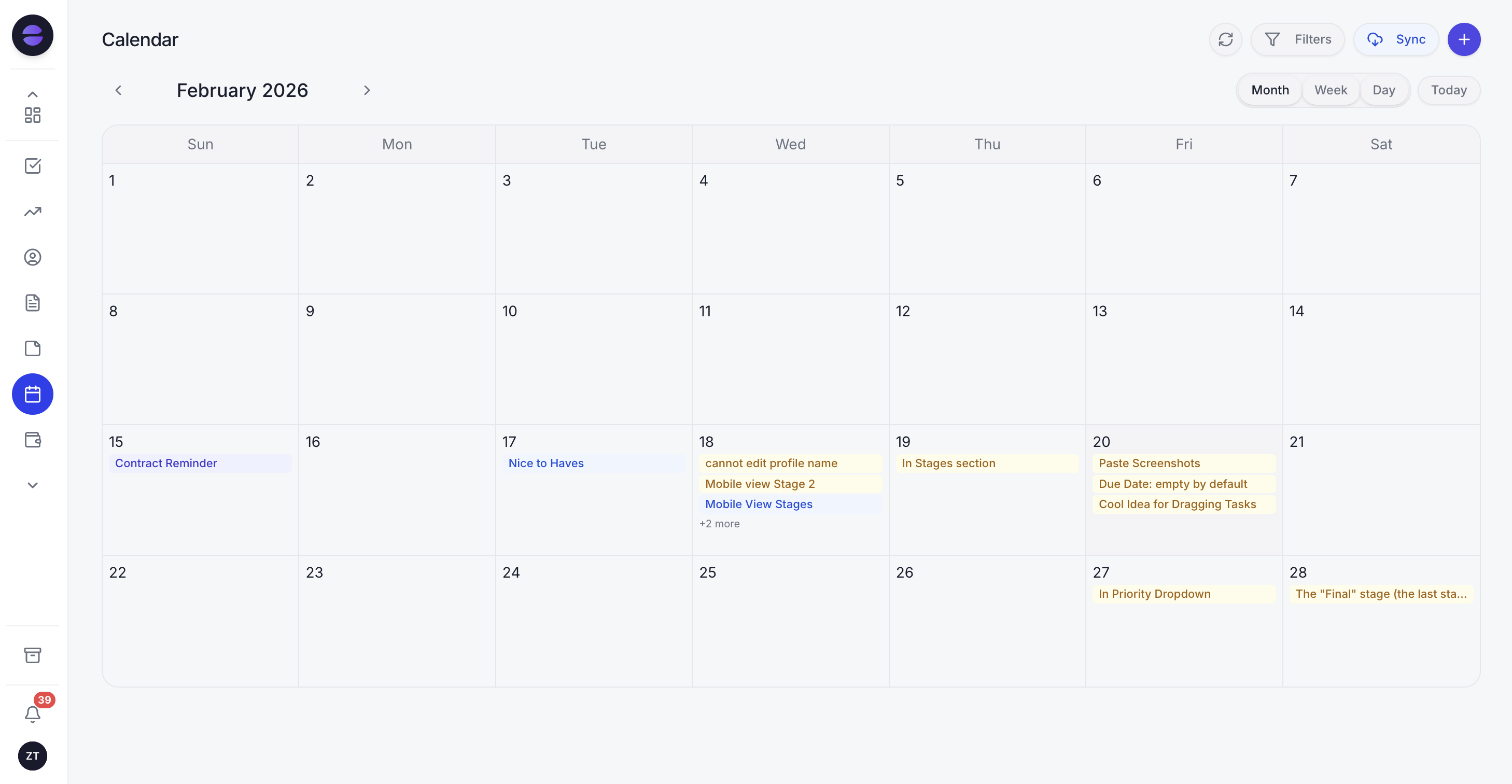 The Zoye calendar keeps consultations, reminders and follow-up tasks in one place, so nothing slips while you are in court.
Zoye is an AI Business Operator: rather than another tool you sit and update, it is an assistant you message the way you would brief a great legal secretary, and it acts. When a new intake enquiry arrives from your website, a referral, or WhatsApp, the Zoye Assistant captures it as a lead with the matter type and source attached, without you touching a form. When a prospective client asks about a consultation and then goes quiet, the assistant follows up so the enquiry does not cool. You book a consultation and the confirmation and reminder go out automatically, and if the client does not show, the assistant chases a reschedule.
The automations are where a busy practice gets its time back. You type the rule the way you would say it to a colleague, such as "when a new enquiry comes in, send the intake questionnaire and create a follow-up task for the next morning, and remind me the day before every consultation" and Zoye builds that automation. There is no workflow canvas to wire up and nothing to maintain. The same applies to money: the assistant chases unpaid invoices and quiet prospective clients on WhatsApp or email, so the awkward-but-valuable follow-up simply happens.
Because intake, follow-ups, consultations, tasks, and reports all live in one workspace, you also see the picture that actually runs the practice: who is waiting on a reply, which consultations are booked this week, which invoices are overdue, and what to do next, surfaced by the assistant instead of dug out of an inbox. You run all of it by talking to Zoye, including over WhatsApp, which suits a lawyer who is rarely at a desk. Position it honestly: pair Zoye with your case-management tool for matters and billing, and let Zoye own the intake and client-relationship work those tools handle poorly.
Pricing: Almost Free at $5 per month for 1 member with the core tools. Starter from $29 per month (10 members). Growth from $59 per month (20 members). Flat-rate, so adding an associate or a paralegal does not spike the bill.
Best for: Solo and small-firm lawyers who want intake and client follow-up run for them, alongside their existing case-management software.
Want to see it in action?
See Zoye catch a new lead, answer on WhatsApp and set up the follow-up, all from one message.
See How It Works2. Clio - the market-leading legal practice suite
Clio Grow (its intake and CRM product) plus Clio Manage is the most widely adopted legal software, strong on matters, documents, time tracking, trust accounting, and integrations. For a firm that wants one vendor for the whole practice, it is the safe default.
The trade-off is that the intake and follow-up side, while capable, still assumes a person drives the pipeline: you configure the workflows and someone sends the follow-ups. It is also priced and structured for firms that want the full suite, which can be more than a solo practitioner focused purely on intake needs.
Pricing: Tiered per user per month; Grow and Manage are sold separately or bundled. Check Clio's pricing page for current figures.
Best for: Firms that want a single established vendor for both matters and intake.
3. MyCase - all-in-one practice management with intake
MyCase bundles case management, billing, client communication, and a built-in intake and lead-management layer. For a small firm that wants matters and basic intake under one login at a predictable price, it is a solid, well-supported option.
The trade-off is the same pattern: the intake tools organize leads and forms well, but the actual chasing of a quiet prospective client remains a human task. It is a management system, not an assistant that follows up automatically.
Pricing: Per user per month, typically with tiers that unlock advanced features. Check MyCase's pricing page for current figures.
Best for: Small firms wanting matters plus basic intake in one predictable subscription.
4. PracticePanther - flexible practice management for small firms
PracticePanther is a popular practice-management platform with a reputation for a friendly interface, solid automation of internal workflows, and strong billing. It handles contacts, matters, and some intake workflow automation.
The trade-off is that its automation is oriented around internal matter workflows and reminders rather than proactive, cross-channel client chasing. It stores and organizes the pipeline well but expects your team to run the follow-up cadence.
Pricing: Per user per month across a few tiers. Check PracticePanther's pricing page for current figures.
Best for: Small firms that want approachable practice management with billing built in.
5. Lawmatics - intake and marketing automation for law firms
Lawmatics is the closest of the specialists to a true legal CRM, built specifically for intake, client relationship management, and marketing automation. If your priority is a legal-specific tool for the front of the funnel with drip campaigns, forms, and pipeline reporting, Lawmatics is purpose-built for exactly that.
The trade-off is that it is a build-it-yourself automation platform: powerful, but you design the campaigns and pipelines and maintain them, which is a real time cost for a solo lawyer without marketing help. It is also intake-and-marketing focused, so you still need separate case management for matters.
Pricing: Custom, quoted per firm. Check Lawmatics' pricing page for current figures.
Best for: Firms with the time or staff to build and run legal-specific intake and marketing automation.
See what Zoye can do for you
CRM, deals, tasks and your Instagram, Facebook and WhatsApp automations in one workspace. Just ask Zoye and it sets any of it up for you.
Explore Features6. Lawcus - practice management with a visual pipeline
Lawcus combines matter management with a visual, Kanban-style intake and pipeline view, plus workflow automation and billing. For firms that think visually about where each prospective client and matter sits, the board view is a genuine strength.
The trade-off is breadth over depth on the intake side: the pipeline is visible and configurable, but moving cards and triggering steps still relies on someone tending the board. It organizes the work clearly without taking the follow-up off your plate.
Pricing: Per user per month across tiers. Check Lawcus' pricing page for current figures.
Best for: Small firms that want a visual pipeline across intake and matters.
7. A generic CRM (HubSpot, Pipedrive, Zoho) - the flexible fallback
A general-purpose CRM such as HubSpot, Pipedrive, or Zoho can be shaped into a legal intake pipeline with custom fields for matter type, stages for the intake process, and email sequences. For a firm that already uses one or wants maximum flexibility, it is a workable option and often has a free or low-cost tier.
The trade-off is that generic CRMs know nothing about legal practice out of the box: no intake templates, no conflict-check framing, no consultation-specific reminders, and you build everything. And like all of the above, they store the pipeline but leave the chasing to you.
Pricing: Free tiers available; paid plans per user per month. Check each vendor's pricing page for current figures.
Best for: Firms that want a low-cost, flexible pipeline and are happy to configure it themselves.
Best legal CRM for a solo lawyer
For a genuine solo practitioner, the deciding question is not which tool has the most features but which one does the follow-up so you do not have to. Clio, MyCase, and PracticePanther are excellent at running matters once a client signs, but they expect you to drive intake. Lawmatics gives you a legal-specific pipeline but asks you to build and maintain the automation.
Zoye is the clearest pick for a solo lawyer specifically because it removes the follow-up work rather than organizing it. Intake enquiries land as leads automatically, the assistant chases the quiet ones, consultations get booked and reminded, and unpaid invoices get nudged, all run by messaging the assistant, including on WhatsApp. Paired with a case-management tool for the matters themselves, it plugs the exact gap where a solo lawyer loses the most fees.
Best legal CRM for a small firm with staff
A firm with a paralegal or an intake coordinator has a person to drive the pipeline, which widens the sensible options. If the firm wants one vendor for everything and has someone to run intake, Clio or MyCase make sense. If intake and marketing are the priority and there is marketing help on staff, Lawmatics is purpose-built.
Zoye still earns its place even with staff, because it turns intake and follow-up from a person's full-time responsibility into something the assistant handles automatically, freeing that person for higher-value client work. The team supervises rather than manually chases, and the whole practice sees the same live picture of who is waiting, what is booked, and what is overdue.
How to choose: four questions before you commit
1. After setup, who does the follow-up, the tool or you? Be honest about how much intake-chasing time you have between hearings and drafting. If the answer is almost none, choose a tool that does the chasing itself, not one that hands you a tidier list to chase.
2. Do you need matters or intake, or both? If you already run a case-management suite you love, you do not need another one; you need a CRM that owns intake and follow-up and stays out of the matter's way. If you have nothing yet, decide whether one vendor for everything or a best-of-both pairing fits your firm.
3. Does it work where your clients actually reply? Prospective clients and referrals increasingly answer a WhatsApp message in minutes and ignore email for days. If your follow-up lives only in email while your enquiries live in WhatsApp, the follow-up will not land.
4. Will it still be simple when you are busy? The tool you actually keep using is the one that does not need administering. If running the CRM feels like a second job, it joins the graveyard of software you bought and stopped using the first week the calendar fills up.
Ready to hand off the busywork?
Zoye brings AI-powered CRM, task management, and automation into one workspace.
Get StartedWhy lawyers pick Zoye for intake and follow-up
A few themes come up consistently for solo and small-firm lawyers.
The follow-up actually happens. Intake enquiries land automatically and the assistant chases the quiet ones, so an enquiry never goes cold because you were in court. Speed-to-lead and persistence stop depending on your memory.
You run it by talking to it. Instead of learning and maintaining a platform, you message the assistant, including on WhatsApp, to add a client, book a consultation, or set up a reminder sequence, and it does it. Non-technical partners never have to administer it.
It plugs the exact gap your case-management tool leaves. Zoye does not try to replace Clio or MyCase for matters and billing. It owns the intake and client-relationship work those tools handle poorly, so the front of your funnel stops leaking without disrupting how you run matters.
Try Zoye with your practice. The entry plan is Almost Free, with the core tools.
For more, see the CRM for small business, the CRM for insurance agents, the easiest CRM for small business, and the rest of the Zoye blog.