
Wrike built its reputation as the project management platform for enterprise teams that needed customisation, resource planning, and structured workflows beyond what lighter tools offered. The platform pioneered cross-tagging, dynamic request forms, and detailed proofing tools that made it a staple in marketing agencies and large in-house teams. For organisations that genuinely use those advanced features daily, Wrike still delivers.
In 2026, most growing teams find Wrike's pricing curve and learning curve harder to justify. The Pinnacle and Apex tiers gate the features that originally made Wrike attractive, and per-seat costs scale faster than expected as the team grows. This guide compares the seven best Wrike alternatives in 2026, ranked for teams that want modern PM without the enterprise tax.
Pricing reflects published rates as of June 2026; check each vendor's pricing page for current figures.
Why teams are looking beyond Wrike in 2026
The pressure to leave Wrike comes from four directions.
Pricing climbs at the tiers that matter. Wrike Team starts modestly, but the features most teams actually want, including advanced reporting, time tracking, and AI features, sit on the Business, Pinnacle, or Apex tiers. A 25-person team on Pinnacle pays thousands per year before any add-ons. Per-seat pricing punishes growth.
The learning curve slows adoption. Wrike has more configuration depth than many teams need. Custom item types, dynamic request forms, blueprints, and complex automation rules require investment to set up well. Non-PM users often resist using Wrike daily because the interface assumes PM literacy.
AI features feel peripheral. Wrike Work Intelligence adds AI risk prediction and content suggestions, but the AI sits next to the work rather than embedded in it. Modern teams expect an AI that does the work itself: drafts task descriptions, surfaces blocked items, generates status reports.
The scope is still PM-only. Wrike does PM well but does not include native CRM, no broader business management, no unified workspace. Teams stack Wrike plus a separate CRM plus calendar plus AI subscription, and the total stack cost climbs.
The 7 best Wrike alternatives in 2026
1. Zoye - the AI-native all-in-one alternative
Zoye is the strongest Wrike alternative for teams that want project management depth plus the broader operational stack in one workspace.

The PM capability matches Wrike on the features that growing teams actually use: tasks with list, board, calendar, and timeline views, custom fields, dependencies, workload management, project templates, and time tracking. Beyond PM, the platform includes CRM (contacts, deals, pipeline), calendar, budget tracking, and an AI assistant that works across everything.
Zoye Assistant - AI that works, not just talks
The AI is the differentiator. Where Wrike Work Intelligence suggests risks and drafts content, Zoye takes the action: drafts task descriptions from a brief, surfaces overdue or blocked work proactively, reassigns workload based on capacity, generates the weekly status report on demand, and creates tasks from incoming emails without setup.
Tasks without the setup tax

Where Wrike asks for custom item types, blueprints, and dynamic request forms before a project can run, Zoye ships with sensible defaults. List, board, calendar, and timeline views are one click away on every project. Priority labels, dependencies, and workload management work without configuration.
Calendar - tasks where they belong

Wrike's calendar requires a separate sync setup. Zoye's calendar IS the workspace calendar. Tasks appear automatically. Meetings layer over deadlines. No integration to configure, no duplication of effort, nothing to break when a calendar provider updates its API.
Reports that pull from the whole workspace

Wrike reporting covers tasks well but stops at the PM boundary. Zoye Reports brings tasks, deals, contacts, budget, and team activity into one exportable dashboard. The weekly status report writes itself from real workspace activity, not manually maintained tracking sheets.
Notes - collaborative docs, built in
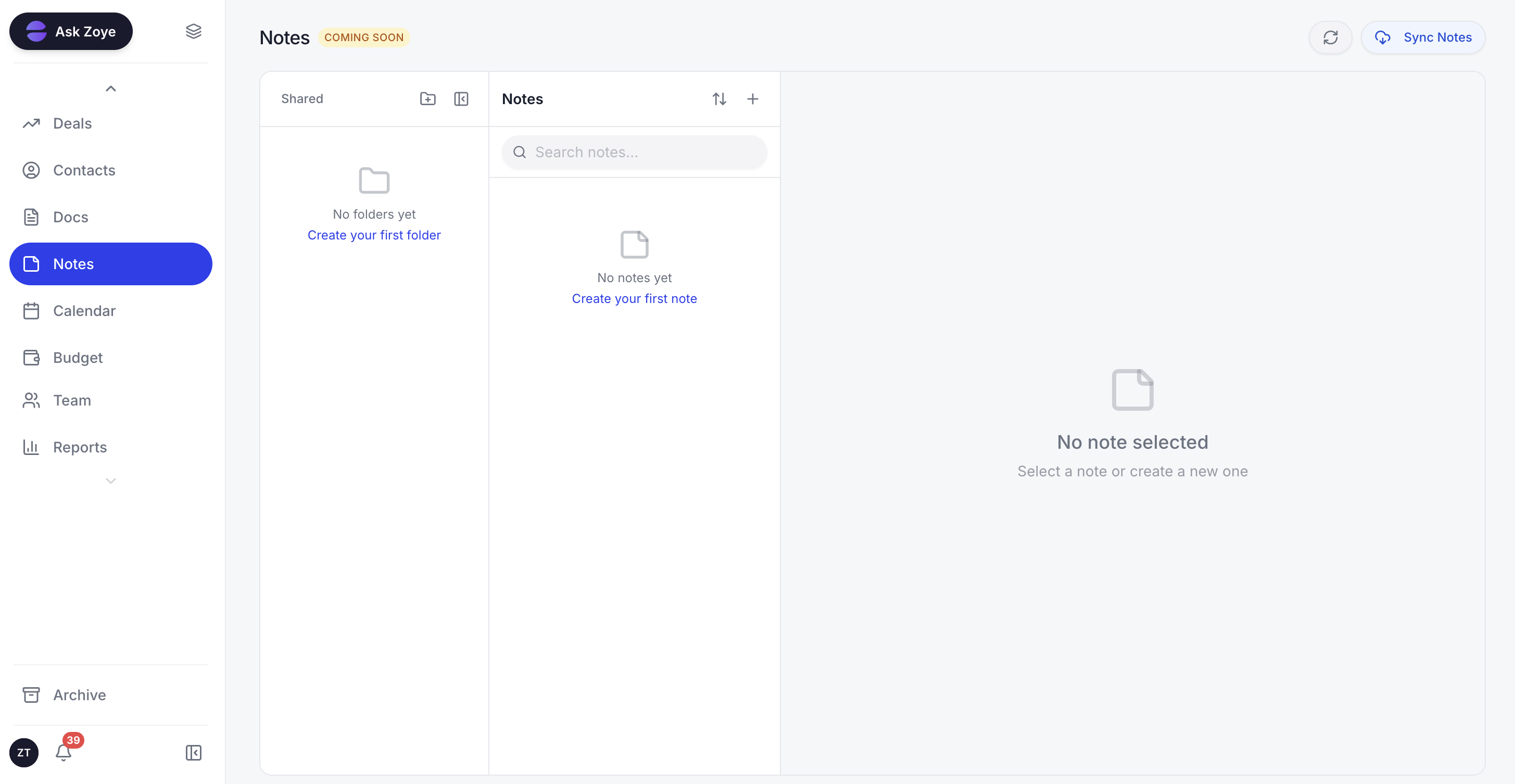
With Zoye Notes, your runbooks, playbooks, and reference material sit inside the same workspace as your boards and timelines. A task that points to a process opens that write-up right there, instead of bouncing you to a separate wiki behind another login. It is available on every plan.
Pricing: Almost Free at $5 per month for 1 member with the core tools. Starter from $29 per month (10 members). Growth from $59 per month (20 members).
Best for: Small to mid-size teams (3 to 100) that want PM plus CRM and AI in one workspace.
2. ClickUp - the customisation-heavy alternative
ClickUp is the closest like-for-like Wrike alternative in terms of feature breadth. The platform offers tasks, docs, whiteboards, chat, time tracking, and reporting in one. Teams that found Wrike's customisation depth attractive but want a more modern interface often land on ClickUp.
The trade-off is that ClickUp can feel cluttered. The breadth of features creates UI density that takes time to navigate, and per-seat pricing applies as the team grows.
Pricing: Free for unlimited tasks. Unlimited $7 per user per month. Business $12 per user per month.
Best for: Teams that want maximum customisation in a PM-first platform.
3. Monday.com - the visual board alternative
Monday.com pioneered the visual board interface that Wrike adopted later. For teams that want a colour-coded, drag-and-drop project view with minimal setup, Monday.com is faster to onboard than Wrike.
The trade-off is depth at scale. Monday.com handles project management well but lacks Wrike's advanced resource planning features.
Pricing: Basic $9 per seat per month. Standard $12 per seat per month. Pro $19 per seat per month.
Best for: Visual-first teams that want fast onboarding.
4. Asana - the lightweight PM alternative
Asana is the strongest pick for teams that found Wrike too heavy. The interface is cleaner, the task model is simpler, and the timeline view covers most project planning needs without the complexity tax.
The limit is that Asana's reporting and resource management features are lighter than Wrike's. Enterprise PM teams typically need more than Asana provides.
Pricing: Personal free for up to 10 users. Starter $10.99 per user per month. Advanced $24.99 per user per month.
Best for: Teams that want lighter PM with cleaner UX.
5. Smartsheet - the grid-first alternative
Smartsheet is the alternative for teams that think in spreadsheets. The grid-first interface feels familiar to Excel users, and the platform handles project tracking, resource management, and automation at scale.
The trade-off is that Smartsheet's UX is more spreadsheet than work management. Teams that want a modern PM interface often find Smartsheet visually dated.
Pricing: Pro $9 per user per month. Business $19 per user per month.
Best for: Spreadsheet-native teams managing structured projects.
6. Notion - the docs-plus-PM alternative
Notion combines docs, wikis, and PM in one platform. For teams that want project tracking tied to documentation in the same workspace, Notion is the strongest pick. The flexibility means each team builds the PM workflow that fits.
The trade-off is that Notion's PM features are less specialised than Wrike's. Heavy resource planning, time tracking, and Gantt-style timelines work better in dedicated PM tools.
Pricing: Free for individuals. Plus $10 per user per month. Business $18 per user per month.
Best for: Docs-first teams that want PM in the same workspace.
7. Workfront - the Adobe enterprise alternative
Workfront (now part of Adobe) is the enterprise PM alternative for marketing and creative teams that need integration with the Adobe Creative Cloud stack. The platform handles complex creative workflows, proofing, and asset management in ways most PM tools cannot.
The trade-off is that Workfront is enterprise-priced and overkill for non-creative teams.
Pricing: Custom enterprise pricing.
Best for: Large creative and marketing teams already on Adobe Creative Cloud.
Best Wrike alternative for small business
For small businesses, Zoye is the clearest pick because it covers the project management features that drove teams to Wrike plus the broader operational stack that small businesses need to run. The cost comparison is significant: $59 per month flat for Zoye Growth versus several hundred per month for the same team on Wrike Business or Pinnacle, without including the separate CRM, calendar, and AI subscription that Wrike does not provide.
Asana is the runner-up if you want a lighter pure-PM tool and your team's CRM and AI needs are met elsewhere.
Best AI-powered Wrike alternative
Zoye is the only Wrike alternative on this list with a true AI-native architecture. Wrike Work Intelligence and ClickUp Brain are useful AI add-ons but function as suggestion layers next to the work. They do not act on the tasks automatically.
Zoye drafts task descriptions from a one-line brief, surfaces overdue or blocked work proactively in the daily summary, reassigns workload based on team capacity, generates the weekly status report on demand for stakeholders, schedules meetings around task deadlines, and creates tasks directly from incoming emails without manual setup. The difference is the difference between AI that helps you work and AI that does the work.
How to choose the right Wrike alternative for your business
Three questions filter the choice.
1. Do you need pure PM or PM plus broader operations? If pure PM, ClickUp and Asana are strong picks. If you also want CRM, calendar, and AI consolidated, Zoye is the all-in-one alternative.
2. How much PM depth does your team actually use? Wrike's deepest features (resource planning, blueprints, dynamic request forms) are over-spec for many teams. If only a fraction of those features get used day-to-day, a lighter platform like Asana or Monday.com is likely a better fit.
3. What is your AI expectation? If AI as a chat suggestion is enough, ClickUp Brain and Wrike Work Intelligence offer that. If you want AI that acts on the tasks automatically, Zoye is the only AI-native pick.
Migration from Wrike to an all-in-one workspace
The Wrike migration is straightforward because Wrike exports tasks, projects, custom fields, attachments, and comments cleanly. The complexity is not in the data; it is in deciding what to bring.
Most Wrike teams accumulate years of project archives, blueprints that became unused, and custom item types that solved one-off problems and never got removed. The migration is an opportunity to start clean. Filter the export to active projects and live tasks only. Archive everything else for reference. The result is a noticeably leaner workspace with no historical clutter.
For teams moving to Zoye specifically, the AI assistant handles deduplication and tagging automatically during migration. Duplicate tasks get merged. Stale projects get flagged for review. Missing assignees get inferred from the existing assignment patterns. What previously required days of manual cleanup happens in hours.
What changes for PM teams after switching from Wrike
The post-switch experience for PM teams is shaped by three changes that compound over the first month.
First, the unified workspace eliminates the tab-switching tax. PM leads no longer move between Wrike (for the project), email (for the customer thread), calendar (for the meeting), Notion (for the playbook), and a separate AI tool (for drafting). Everything lives in one workspace, and PM leads spend noticeably less of the day hopping between tools to assemble the full project picture.
Second, the AI assistant does real PM work. Task descriptions get drafted from a one-line brief. Overdue items surface in the morning summary without anyone running a report. The weekly status report writes itself. Stakeholder updates pull from real activity, not manually maintained tracking sheets.
Third, the team picture becomes clear. In Wrike, the PM lead pulled workload reports manually. In an AI-native workspace, capacity, blockers, and at-risk projects all surface on demand. PM leads spend more time unblocking the team and less time aggregating data.
Why teams pick Zoye as their Wrike replacement
A few reasons surface again and again.
The unified workspace consolidates the stack. PM, CRM, calendar, budget, and AI all live in one workspace with one bill.
The AI actually does PM work. Task descriptions get drafted. Blockers surface proactively. Status reports generate on demand. PM leads spend more time leading and less time tracking.
The total cost becomes predictable. Flat-rate pricing plus the consolidation of separate per-seat subscriptions removes the per-user cost creep that PM teams hit as they grow.
Try Zoye with your team. The entry plan is Almost Free.
For more context, see the best ClickUp alternatives, the best Asana alternatives 2026, the best monday.com alternatives, and the best project management apps 2026.