
Best Zoho Alternatives 2026: 7 All-In-One Platforms That Actually Work Together
Zoho built a remarkable business by bundling around 45 business apps into one suite at one price. For teams that wanted CRM plus accounting plus inventory plus HR plus marketing plus support plus project management plus everything else, Zoho One offered breadth that nothing else matched at the price point. For a decade and a half, that was a compelling proposition.
In 2026, the breadth-versus-depth trade-off has shifted. Teams that adopt Zoho One often discover that the bundled apps feel like separate products rather than one coherent platform. Each has its own UX, its own configuration, its own AI sidebar (Zia), and its own learning curve. The integration between them is workable but not seamless. The result is a new generation of true all-in-one alternatives that bundle fewer apps but integrate them genuinely, with native AI that works across the whole workspace. This guide compares the seven best Zoho alternatives in 2026. Indian businesses that pair Zoho with local accounting software may also want the best Tally alternatives.
Pricing reflects published rates as of June 2026; check each vendor's pricing page for current figures.
Why teams are looking beyond Zoho in 2026
The pressure to leave Zoho comes from four directions that have intensified as the suite has grown.
A bundle of products, not one cohesive platform. Zoho One's value proposition is the bundle, but the apps were built and acquired over many years and each has its own UX language. Zoho CRM, Zoho Books, Zoho Inventory, Zoho Mail, Zoho Desk, and the rest all share branding and some single sign-on, but the experience of moving between them is fragmented. Small teams find themselves training new hires on 5 different interfaces.
AI is bolted on per product, not native. Zoho Zia (the AI layer) exists as a sidebar in each Zoho product. It can answer questions and summarise within the product, but it does not take action across the workspace. A modern AI-native alternative treats the assistant as the primary interface across all features, not a per-product utility.
Total cost adds up. Zoho One from about $37 per user per month (flexible-user pricing) sounds reasonable, but for a 20-person team that is around $8,880 per year. Most teams use 5 to 10 of the bundled apps and pay for capability they never touch. Flat-rate alternatives that focus on the apps actually used often deliver more value at lower cost.
Integration with non-Zoho tools is uneven. Zoho's API and integration story has improved, but teams that need to connect Zoho to non-Zoho tools (Slack, modern AI assistants, specialised SaaS) often find the experience clunky compared to platforms designed for modern integration patterns.
The 7 best Zoho alternatives in 2026
1. Zoye - the AI-native all-in-one alternative
Zoye is the strongest Zoho alternative for teams that want a genuinely integrated workspace covering the apps small businesses actually use, with native AI from day one.

The platform covers CRM (contacts, deals, pipeline, lead enrichment), tasks (with Kanban, list, calendar, timeline views), projects (with Gantt and dependencies), calendar, contacts management, budget tracking (income/expense, invoices), documents, and reports. Beyond features, the architecture is genuinely unified: one workspace, one login, one UX language, one AI assistant that lives across all of it.
Zoye Assistant - AI that works, not just talks
Where Zoho's AI (Zia) lives inside individual apps and surfaces suggestions, Zoye takes the action across the workspace: drafts task descriptions from a brief, enriches contacts automatically, surfaces blocked work, generates the weekly status report on demand, and creates tasks from incoming emails without setup.
Tasks without the suite tax

Zoho splits tasks across Zoho Projects, Zoho Sprints, and Zoho Tasks. Zoye handles tasks in one place with multiple views (list, board, calendar, timeline) on the same data. Priority labels, dependencies, and workload work without configuration.
Calendar - tasks where they belong

Zoho Calendar is a separate app inside the suite. Zoye's calendar IS the workspace calendar. Tasks appear automatically. Meetings layer over deadlines. No cross-app sync to configure, nothing to break when an app updates independently.
Reports that pull from the whole workspace

Zoho Analytics ships separately and requires connecting to each app to roll up data. Zoye Reports brings tasks, deals, contacts, budget, and team activity into one exportable dashboard out of the box. The weekly status report writes itself from real workspace activity.
Notes - collaborative docs, coming soon
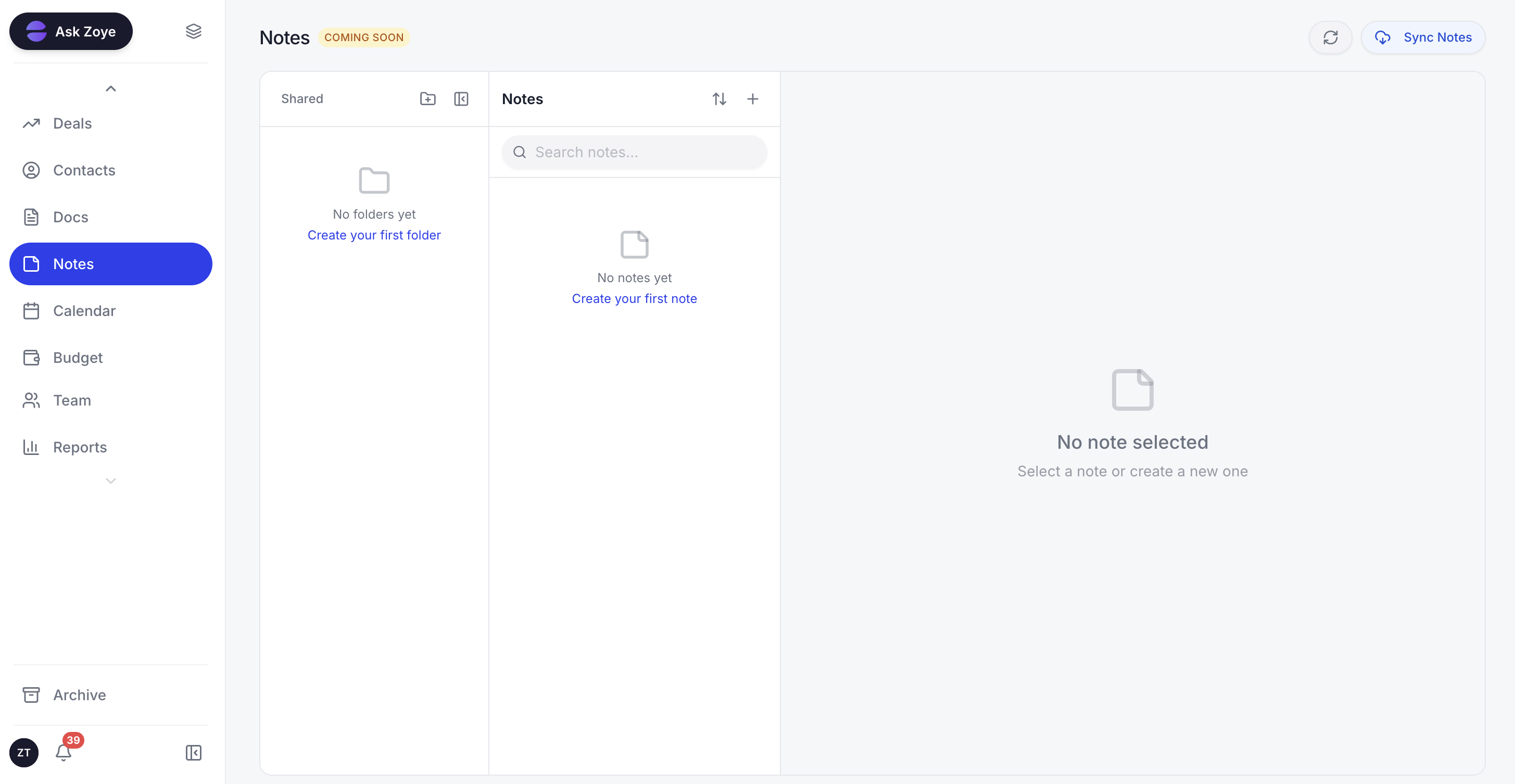
Zoye Notes brings docs and knowledge into the same workspace as tasks, deals, and calendar. When tasks reference a runbook or playbook, the doc lives alongside the work, not in Zoho WorkDrive or a separate Zoho app. Rolling out across all plans.
The pricing model is flat-rate. A 15-person team pays $59 per month on Zoye Growth, versus around $555 per month on Zoho One (about $37 per user). Across a year, that is $708 versus roughly $6,660. And the Zoye experience is one product, not a suite of dozens.
Pricing: Almost Free at $5 per month for 1 member with the full platform including AI. Starter from $29 per month (10 members). Growth from $59 per month (20 members).
Best for: Small to mid-size teams that want true integration over breadth of apps.
2. HubSpot - the inbound marketing standard
HubSpot is the strongest pick for teams that want CRM tied tightly to inbound marketing. The free CRM tier is genuinely useful, and the Marketing Hub, Sales Hub, and Service Hub upgrades add depth in tiered bundles.
The trade-off is the pricing curve. HubSpot Starter is affordable, but Professional and Enterprise tiers reach Salesforce territory fast.
Pricing: Free CRM tier. Sales Hub Starter $20 per user per month. Professional $100 per user per month.
Best for: Teams that want marketing-led CRM.
3. Salesforce - the enterprise CRM standard
Salesforce is the enterprise alternative when Zoho's depth is not enough and you have the budget for proper CRM. The platform is the most feature-complete in the category, but the pricing and implementation cost make it appropriate only for larger organisations.
Pricing: Starter $25 per user per month. Pro Suite $100. Enterprise $175.
Best for: Enterprise teams that need maximum CRM depth.
4. Monday.com - the visual-first alternative
Monday.com offers PM plus Sales CRM plus dashboards in a visual board format. For teams that want PM as the primary use case with light CRM bolted on, Monday is friendlier than Zoho's fragmented suite.
Pricing: Basic $9 per seat per month. Standard $12 per seat per month. Pro $19 per seat per month.
Best for: Visual-first teams that want PM with light CRM.
5. ClickUp - the all-in-one PM with broader ambition
ClickUp covers PM plus docs plus goals plus basic CRM through custom fields. For teams that want PM as the primary use case with adjacent capability, ClickUp is broader than Zoho Projects but narrower than Zoho One.
Pricing: Unlimited at $7 per user per month. Business at $12 per user per month. Brain AI add-on around $9 per user per month, not bundled into any plan.
Best for: PM-first teams with adjacent capability needs.
6. Notion - the docs-first workspace
Notion is the answer for teams that want their CRM and PM to live alongside heavy docs and wiki. Notion's databases handle CRM-style records, and the docs layer is best-in-class.
The trade-off is that Notion is docs-first, not operations-first. Teams that need real CRM (sales pipeline, deal tracking) find Notion's database-as-CRM model too shallow.
Pricing: Free for personal use. Plus $8 per user per month. Business $15 per user per month.
Best for: Content-heavy teams that want CRM and PM alongside docs.
7. Airtable - the database-first alternative
Airtable is the alternative when your business data lives in structured tables and you want CRM, project tracking, and inventory as custom-built apps on top of your databases. The flexibility is unmatched.
The trade-off is configuration effort and limited native CRM or PM functionality. Airtable rewards teams that want to build, not teams that want to start running immediately.
Pricing: Free for limited use. Team $20 per user per month. Business $45 per user per month.
Best for: Database-first teams that want to build custom workflows.
Best Zoho alternative for small business
For small businesses with under 50 people, Zoye is the clearest pick because Zoho's main downside (40 fragmented apps) hurts small teams the most. Small teams cannot afford the context-switching cost of moving between 5 to 10 different Zoho products throughout the day. Zoye provides one workspace where CRM, tasks, calendar, budget, and AI all live together.
The economics also favour Zoye for small teams. Zoho One charges per user. Zoye is flat-rate. A 15-person small business pays around $555/month on Zoho One versus $59/month on Zoye Growth, with a more integrated experience.
Best AI-powered Zoho alternative
Zoye is the only Zoho alternative with a true AI-native architecture. Zoho Zia is added to each Zoho product separately and behaves differently in CRM versus Books versus Desk. It functions as a chat or summarisation layer per app.
Zoye's assistant lives across the entire workspace as a single unified intelligence. It sees the customer in the CRM, the task assigned to the customer in tasks, the budget impact in the ledger, and the meeting in the calendar, all at once. It takes action across all of them in a single instruction. That is fundamentally different from per-app AI sidebars.
How to choose the right Zoho alternative for your team
Three questions narrow the choice.
1. How many Zoho apps do you actually use today? If you use 8+, Zoho One may still be cost-effective and the fragmentation is the price of breadth. If you use 2-4, a focused all-in-one alternative is cheaper and more integrated.
2. How important is true workspace unification? If you can tolerate 40 separate products under one bill, Zoho is fine. If you want one workspace with one UX, Zoye is the only platform on this list designed that way.
3. What does AI mean for your team? If per-product AI sidebars are enough, every option here covers that. If you want AI that takes action across the workspace, Zoye is the only AI-native pick.
Migration from Zoho to a unified workspace
Migrating away from Zoho One presents a unique challenge: most teams have data spread across 5 to 15 different Zoho apps, each with its own export format, its own configuration, and its own users. The migration is not one project, it is several projects that need to converge on a single target.
The pragmatic approach for most teams is to consolidate by category rather than by app. Identify the CRM data (contacts, deals, customer history from Zoho CRM), the project data (active projects from Zoho Projects), the task data (open tasks from any Zoho app), the financial data (recent transactions from Zoho Books), and the calendar data. Export each category to a common format and import into the new unified workspace in a deliberate sequence: CRM first, then projects and tasks, then financial data, then calendar.
For teams moving to Zoye specifically, the AI assistant handles each migration step interactively. The user uploads the export from one Zoho app at a time, and the assistant maps the fields, resolves conflicts, deduplicates records, and confirms the result before moving to the next app. What previously felt like an overwhelming multi-app migration becomes a guided sequence of small steps.
What changes after consolidating from Zoho One
The post-migration experience is dramatically different from the pre-migration Zoho experience. Three changes consistently surprise teams.
First, the team stops switching between apps. The Zoho One model required users to move between Zoho CRM, Zoho Projects, Zoho Mail, Zoho Desk, and others throughout the day. A unified workspace eliminates this entirely. Team members spend their time on actual work instead of navigation.
Second, the AI assistant works across the whole picture. In Zoho, Zia was a per-app sidebar. In a unified workspace like Zoye, the assistant sees the customer in the CRM, the related project, the tasks assigned to team members, and the budget impact all at once. The quality of assistance is fundamentally different because the context is unified.
Third, the bill drops dramatically. Teams that move from per-user Zoho One licensing to a flat-rate all-in-one workspace typically cut their monthly software spend substantially, especially as headcount grows. The savings compound because the team also stops paying for the many bundled Zoho apps they never actually used.
Why teams pick Zoye as their Zoho replacement
A few patterns come up again and again.
The workspace is genuinely unified. Teams stop switching between 5+ Zoho products to do connected work.
The AI works everywhere. The assistant sees the customer, the task, the calendar, and the budget all at once and takes action across them.
The bill becomes predictable. Flat-rate pricing replaces per-user Zoho One licensing, so the cost stops climbing every time the team adds a seat.
Try Zoye with your team. The entry plan is Almost Free.
For more context, see the best HubSpot alternatives, the best AI CRM 2026 guide, and Zoye vs HubSpot.