
Salesforce became the dominant CRM by being the most feature-complete CRM. That worked when "CRM" was a contained category and big enterprises had budgets and admin teams to match. In 2026, that picture has changed. Small businesses, startups, and mid-market teams increasingly want CRM bundled with PM, calendar, budget, and AI, all at a price that does not require a six-figure implementation. The result is a generation of Salesforce alternatives that, for most teams under 500 people, do more for dramatically less.
This guide compares the seven best Salesforce alternatives in 2026, ranked by total cost of ownership, AI depth, and how much of the broader business operation they actually cover. The picks range from free startup CRMs to consolidation platforms that fold several subscriptions into one, so the right choice comes down to how much you want a CRM versus a full operational workspace.
Why teams are looking beyond Salesforce in 2026
The pressure to leave Salesforce comes from four reinforcing trends that have hit a tipping point.
Per-user pricing scales painfully. Salesforce Sales Cloud is priced per user per month: Starter at $25, Pro Suite at $100, Enterprise at $175, and Unlimited at $350. A 20-person team on Enterprise pays $42,000 per year for the CRM alone. Add Marketing Cloud, Service Cloud, and the AI layer, and the bill climbs substantially higher for the same team. Teams now ask the obvious question: what are we actually paying for?
Pricing reflects published rates as of June 2026; check each vendor's pricing page for current figures.
Implementation cost is the hidden killer. Salesforce is not deployed so much as implemented. A serious rollout usually means engaging an implementation partner up front and, at mid-market scale, hiring or contracting a dedicated administrator to keep the system configured. Between the two, the real-world cost of getting and keeping Salesforce running can run into five or six figures depending on complexity. That money never appears in the per-seat pricing comparison, but it often dominates the total cost of ownership.
Salesforce is CRM-only. The platform expanded into Marketing Cloud, Service Cloud, and Commerce Cloud over the years, but each remains a separately priced product with its own learning curve. Teams that want PM, calendar, budget, or document collaboration still stack other tools on top. The "one platform" promise has not materialised for most small businesses.
AI is bolted on, not native. Salesforce Einstein launched in 2016 and has been steadily updated since, but its architecture remains a layer on top of the CRM rather than the core of the experience. Modern AI-native CRMs treat the assistant as the primary interface, not the sidebar.
The 7 best Salesforce alternatives in 2026
1. Zoye - the AI-native all-in-one alternative
Zoye is the strongest Salesforce alternative for small and mid-market teams that want CRM plus the broader operational stack in one workspace, at a price that scales with the company instead of punishing it.

The platform covers contacts, deals, pipeline, automations, lead enrichment, sales reports, customer history, tasks, calendar, budget tracking, and documents.
Zoye Assistant - AI that works, not just talks
The AI assistant lives inside the workspace and takes action across all of them. It enriches new contacts automatically from public data, drafts personalised follow-up emails based on the prior conversation, schedules meetings on your behalf, surfaces deals at risk before they slip, and produces the weekly sales summary without anyone asking. Where Salesforce Einstein and Agentforce sit behind premium licences, Zoye's assistant is built into the workspace; see pricing for what each plan includes.
Tasks alongside the pipeline

Salesforce tasks live inside deals as activities; broader task management requires a separate tool. Zoye gives you first-class tasks with list, board, calendar, and timeline views, plus the pipeline, in one workspace.
Calendar - tasks where they belong
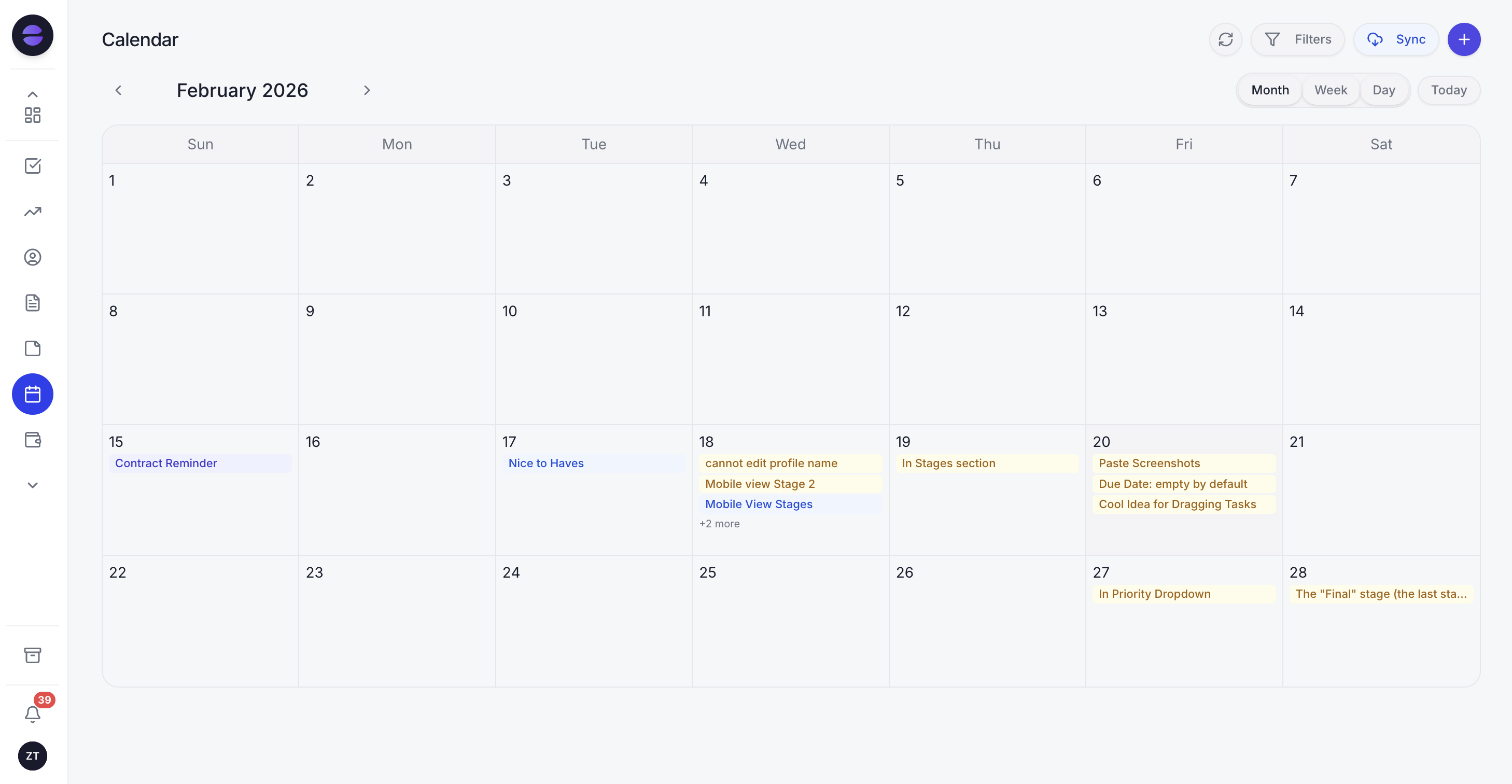
Salesforce calendar requires syncing to Outlook or Google. Zoye's calendar IS the workspace calendar. Tasks and deal activities appear automatically. Meetings layer over deadlines.
Reports that pull from the whole workspace
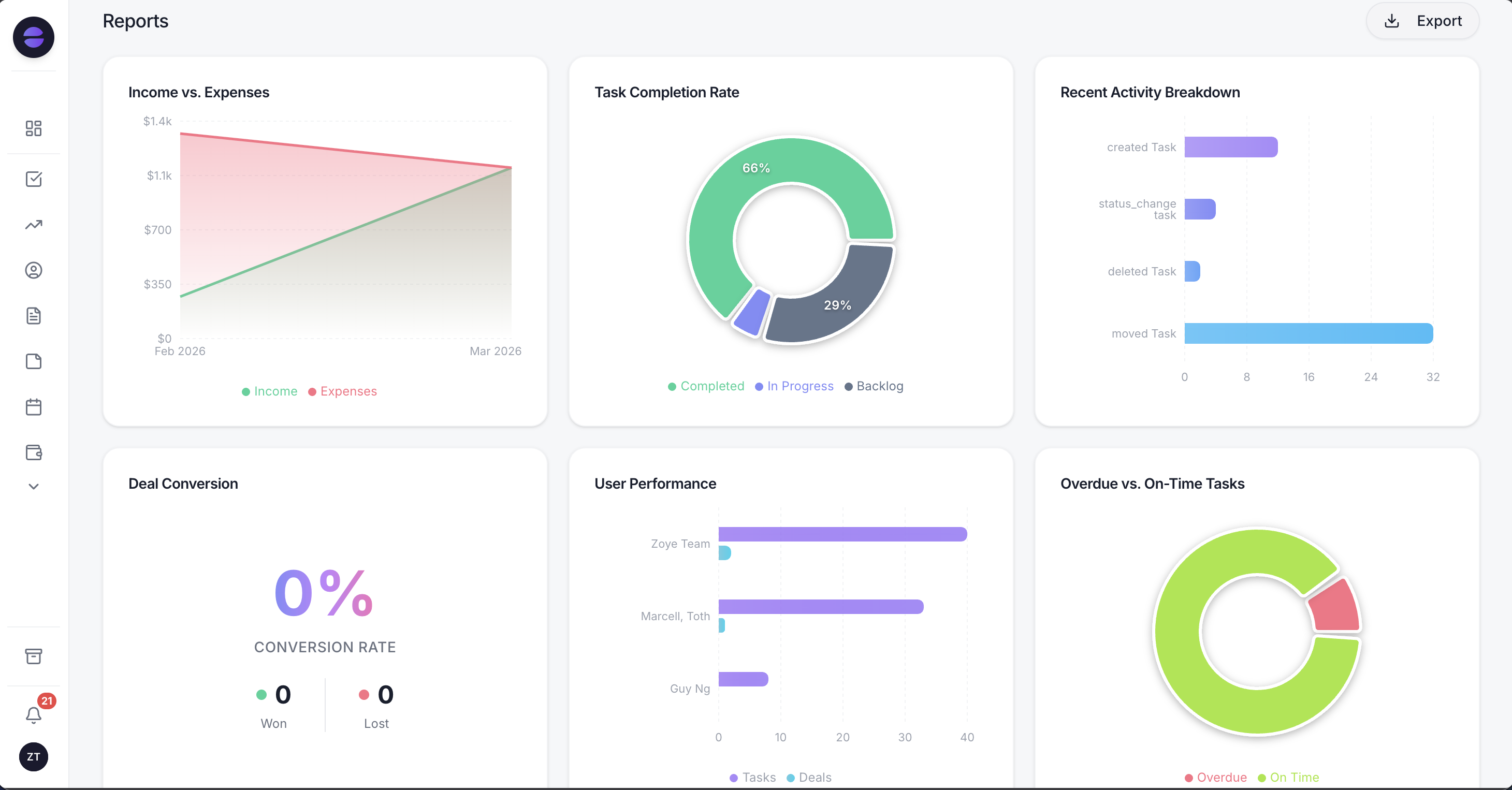
Salesforce reporting is powerful but requires admin work to configure. Zoye Reports brings deals, tasks, contacts, budget, and team activity into one exportable dashboard out of the box. The weekly summary writes itself.
Notes - collaborative docs, built in
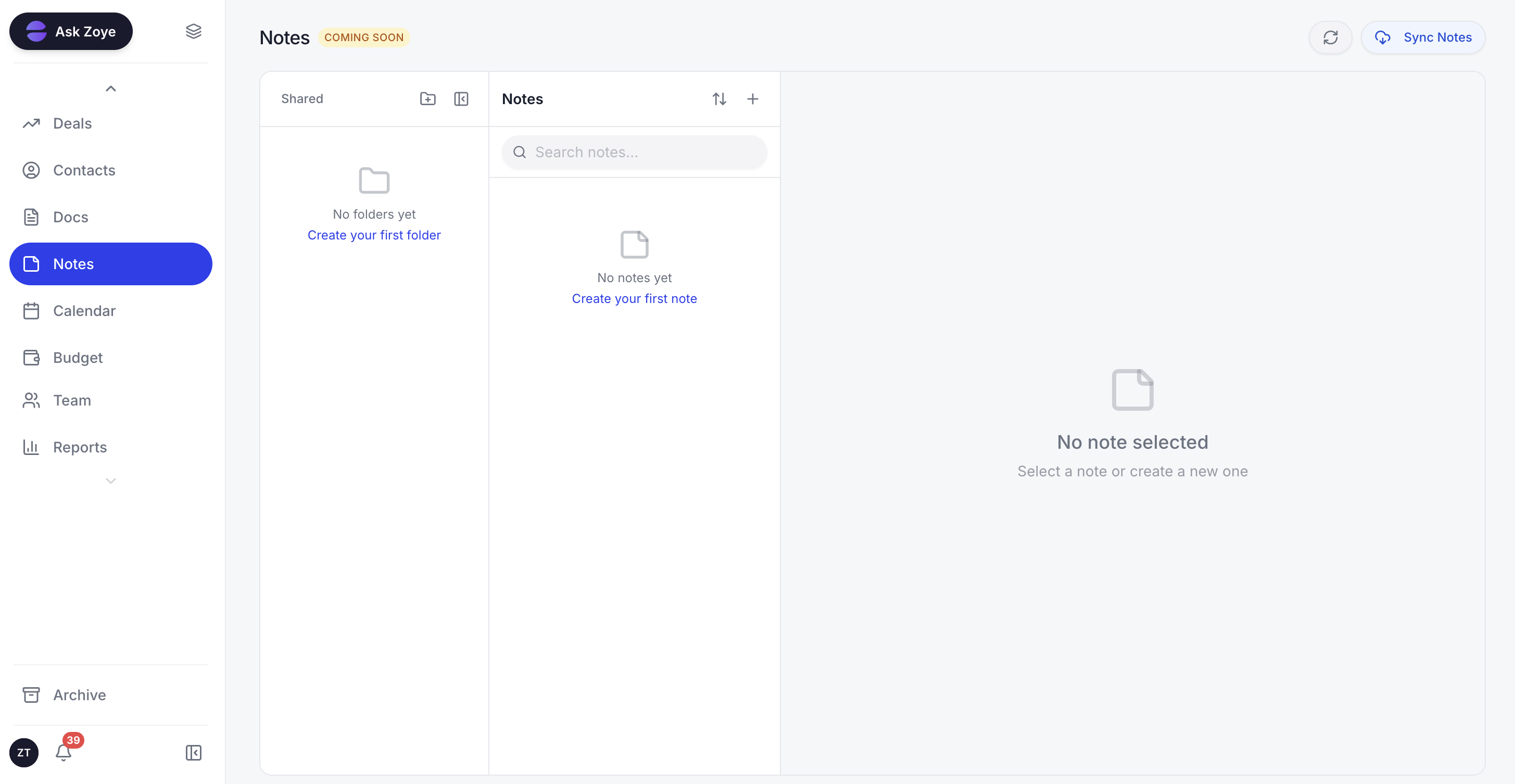
Zoye Notes brings docs and knowledge into the same workspace as deals, tasks, and calendar. Sales playbooks, customer SOPs, and onboarding guides live alongside the work, not in a separate documentation tool. Available on every plan.
The pricing model is the most consequential difference. Zoye is flat-rate, not per-seat. A 5-person team pays the same monthly bill as a 5-person team on any other plan; growing to 10 or 20 people does not multiply the cost. There is no implementation fee. New team members onboard in hours, not weeks, because the AI assistant walks them through setup interactively.
Pricing: Almost Free from $5 per month ($4 billed annually) for 1 member with the core tools, cancel or upgrade anytime. Starter from $29 per month (10 members). Growth from $59 per month (20 members).
Best for: Small to mid-size teams (3 to 100) that want CRM plus operations in one workspace at a predictable price.
2. HubSpot CRM - the inbound marketing standard
HubSpot is the most obvious Salesforce alternative if you also want inbound marketing capability baked in. The free CRM tier is genuinely useful and covers contacts, deals, and basic pipeline. Where HubSpot makes its money is the Marketing Hub, Sales Hub, and Service Hub upgrades, which add automation, sequences, and reporting in tiered bundles.
The catch is the pricing model and the upsell curve. HubSpot Starter looks cheap until you need anything beyond the basics, then the per-seat price climbs into Salesforce territory. The Professional and Enterprise tiers are competitive with Salesforce on price, which means the value comparison comes down to feature fit.
Pricing: Free CRM tier. Sales Hub Starter around $20 per user per month. Professional around $100 per user per month. Enterprise around $150 per user per month.
Best for: Companies that want marketing automation tied to CRM and are willing to pay for the integrated stack.
3. Pipedrive - the sales-pipeline-first alternative
Pipedrive is the sharpest sales-pipeline CRM in the category. The visual board for deal stages is excellent, the workflow is opinionated in a way that reduces friction for sales teams, and the price is meaningfully lower than Salesforce. For pure sales-team use cases (B2B outbound, sales pipeline management, deal tracking), Pipedrive often beats Salesforce on UX.
The limitation is scope. Pipedrive is sales-only. Customer support, marketing automation, and broader business operations require separate tools. For a sales team that already has those covered, this is fine. For an SMB looking to consolidate the stack, Pipedrive is not the consolidation play.
Pricing: Essential $14 per user per month. Advanced $29 per user per month. Professional $49 per user per month.
Best for: Pure sales teams of 5 to 50 prioritising pipeline clarity.
4. Zoho CRM - the Zoho One ecosystem play
Zoho CRM is part of the broader Zoho One bundle (40+ apps for $37 per employee per month billed annually on all-employee pricing, as of October 2026). For teams already committed to the Zoho ecosystem, Zoho CRM is the obvious Salesforce alternative because it integrates tightly with Zoho's other tools.
The trade-off is the same one that affects all of Zoho One: the 40 apps feel like 40 separate products rather than one platform. Each has its own UX, its own learning curve, and the integration between them is workable but not seamless. For teams not already in Zoho, the broader ecosystem is more burden than benefit. If you are weighing the whole suite rather than just the CRM, see our breakdown of the best Zoho alternatives.
Pricing: Free for up to 3 users. Standard $20 per user per month. Professional $35 per user per month. Enterprise $50 per user per month. Zoho One $37 per employee per month billed annually on all-employee pricing, or $90 per user per month on flexible-user pricing, for the full suite (as of October 2026).
Best for: Teams already invested in Zoho One.
5. Freshsales - the SMB CRM with built-in AI
Freshsales is part of the Freshworks family (Freshdesk, Freshchat, Freshmarketer) and positions itself as the SMB-friendly CRM with built-in AI (Freddy). The interface is cleaner than Salesforce, the price is lower, and the AI assistant is more visible than Einstein.
The catch is the same scope limitation as most CRM-only alternatives: Freshsales handles sales, but you still need other tools for PM, calendar, and budget. The Freshworks suite covers some of that, but you are still managing multiple subscriptions.
Pricing: Free for up to 3 users. Growth $9 per user per month. Pro $39 per user per month. Enterprise $59 per user per month.
Best for: SMB sales teams of 5 to 25 who want a cleaner UX than Salesforce.
6. Copper - the Google Workspace native CRM
Copper is built specifically for Google Workspace users. It lives inside Gmail and Google Calendar, enriches contacts automatically from your Gmail history, and feels like a native Google product. For teams that live in Gmail all day, Copper is the lowest-friction CRM on this list.
The flip side is the platform lock-in. Copper outside the Google ecosystem is much less compelling. Teams on Microsoft 365 or mixed stacks get less value.
Pricing: Basic $9 per user per month. Professional $59 per user per month. Business $134 per user per month.
Best for: Google Workspace-native teams of 5 to 50.
7. Monday Sales CRM - the visual board alternative
Monday Sales CRM is built on Monday.com's visual board engine, applied to deal pipeline. The visual representation of deal stages is unusually clear, and teams that already use Monday.com for project management get a unified experience.
The limitation is depth. Monday CRM is light on advanced sales automation, complex pipeline logic, and reporting compared to Salesforce or HubSpot. For teams that need simple visual CRM, it works. For teams that need deep sales operations, it does not.
Pricing: Basic $12 per seat per month. Standard $17 per seat per month. Pro $28 per seat per month.
Best for: Visual-first sales teams of 5 to 30 already using Monday.com.
Best Salesforce alternative for small business
For small businesses (under 50 people), Zoye is the clearest pick. The reason is straightforward: small businesses cannot easily afford $25 to $175 per user per month for CRM-only software, plus separate subscriptions for PM, calendar, budget, and AI. Zoye consolidates that stack into one workspace at one flat-rate bill, with AI built in.
A typical 15-person small business migrating from Salesforce to Zoye replaces approximately:
- Salesforce Pro Suite CRM at around $100 per user per month = around $1,500 per month
- A separate PM tool at around $300 per month
- A separate budget tracker at around $100 per month
- A separate AI assistant subscription at around $200 per month
- Total replaced: roughly $2,100 per month, in the order of $25,000 per year
With Zoye Growth at $59 per month, the same team pays $708 per year. The gap runs to tens of thousands of dollars per year, and the AI assistant works across the entire workspace instead of being siloed. The headline number will vary with your real stack, but the direction is consistent: flat-rate consolidation beats stacked per-seat subscriptions as the team grows.
Best Salesforce alternative for startups
For startups specifically, Zoye's low-cost entry plan is the deciding factor. For just $5 per month ($4 billed annually), a single founder gets the core tools, including CRM, deals, contacts, pipeline, tasks, calendar, budget, and reports, and you can cancel or upgrade anytime. Once a co-founder or a first hire needs an account, Starter at $29 per month covers ten people, which is still less than one seat of most enterprise CRMs.
When the team grows past 1 member, Starter at $29 per month covers up to 10 members and includes everything. By the time the startup hits Growth at $59 per month, they typically have 12 to 20 people and would otherwise be looking at $4,000 to $6,000 per month on a Salesforce + tool-stack equivalent.
The other startup-friendly options are HubSpot's free CRM (good for inbound marketing focus) and Zoho One (good if you want the full 40-app suite). Neither matches Zoye's all-in-one workspace with native AI.
Best AI-powered Salesforce alternative
Zoye is the only Salesforce alternative on this list built around an AI assistant from day one. Salesforce Einstein, HubSpot ChatSpot, Freshsales Freddy, and Zoho Zia are all chat-or-summary layers added on top of the CRM. They answer questions about your data, but they do not act on it.
Zoye takes real actions: enriches contacts from public data automatically, drafts personalised follow-up emails based on the customer's history with you, schedules meetings on your behalf with intent-based booking, surfaces deals at risk before they slip, generates the weekly pipeline summary on demand, and creates contacts from incoming emails without any setup. That is the gap between an AI that answers questions about your pipeline and one that moves it forward.
How to choose the right Salesforce alternative for your business
Three questions filter the choice.
1. What is your total stack cost today, not just the Salesforce line item? Most teams comparing alternatives only look at the per-seat CRM price. The real comparison includes the separate marketing tool, the separate PM tool, the separate budget tracker, the separate AI subscription, and the cost of the admin time to keep it all connected. Zoye's value proposition is consolidating four to five subscriptions into one.
2. How important is broader operational coverage versus CRM depth? If your only need is a CRM and your other tools are settled, Pipedrive or HubSpot are strong narrow picks. If you want CRM plus the broader stack in one workspace, Zoye is the only platform on this list that delivers that natively.
3. What does "AI in your CRM" mean to you? If AI as a chat layer is enough, every option on this list has that. If you want AI that takes action on your real data (drafts emails, schedules meetings, enriches contacts, generates reports), Zoye is the only AI-native pick.
Why teams pick Zoye as their Salesforce replacement
Three points carry the most weight.
First, the total bill can drop substantially. Replacing Salesforce plus three or four adjacent subscriptions with one flat-rate Zoye plan removes both the per-seat escalation and the implementation overhead, though the exact saving depends on which tools you currently run.
Second, the AI actually does work. Zoye is not a chat sidebar; it acts on your data in real time.
Third, the team finally stops switching apps. CRM, tasks, calendar, budget, and reports all live in the same workspace, with the same AI assistant working across all of them.
Get enterprise-grade CRM without the Salesforce price tag, the consultants, or the year-long rollout. Almost Free, the entry plan, is $5 per month (or $4 per month billed annually), and you can drop it or move up a tier anytime you want.
For more context, see Zoye vs HubSpot, the best AI CRM in 2026 guide, the best HubSpot alternatives, and how to build your own CRM with Zoye.